
Bookings, deposits, and the public booking site
A booking in this module arrives two ways: from the office when a customer calls or walks in, or from the public booking site where they book themselves. Both end up on the same screen.
The bookings list
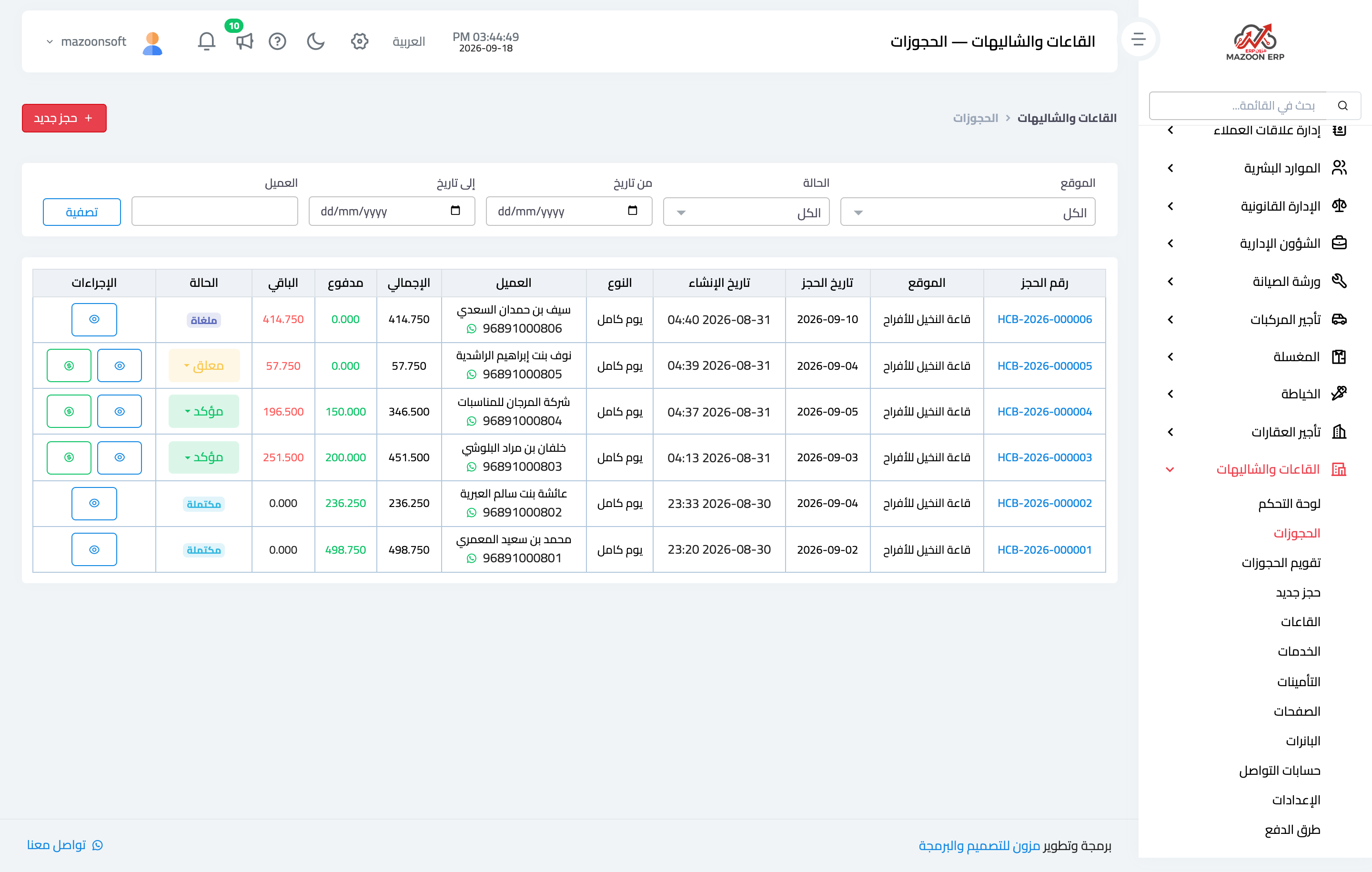
The Bookings screen — Figure 1 — shows the booking number, the venue, the booking date, the session, the customer with their phone, the total, paid, and balance, and the status.
A booking has four states: pending before confirmation, confirmed after the advance, completed once the occasion has passed, and cancelled.
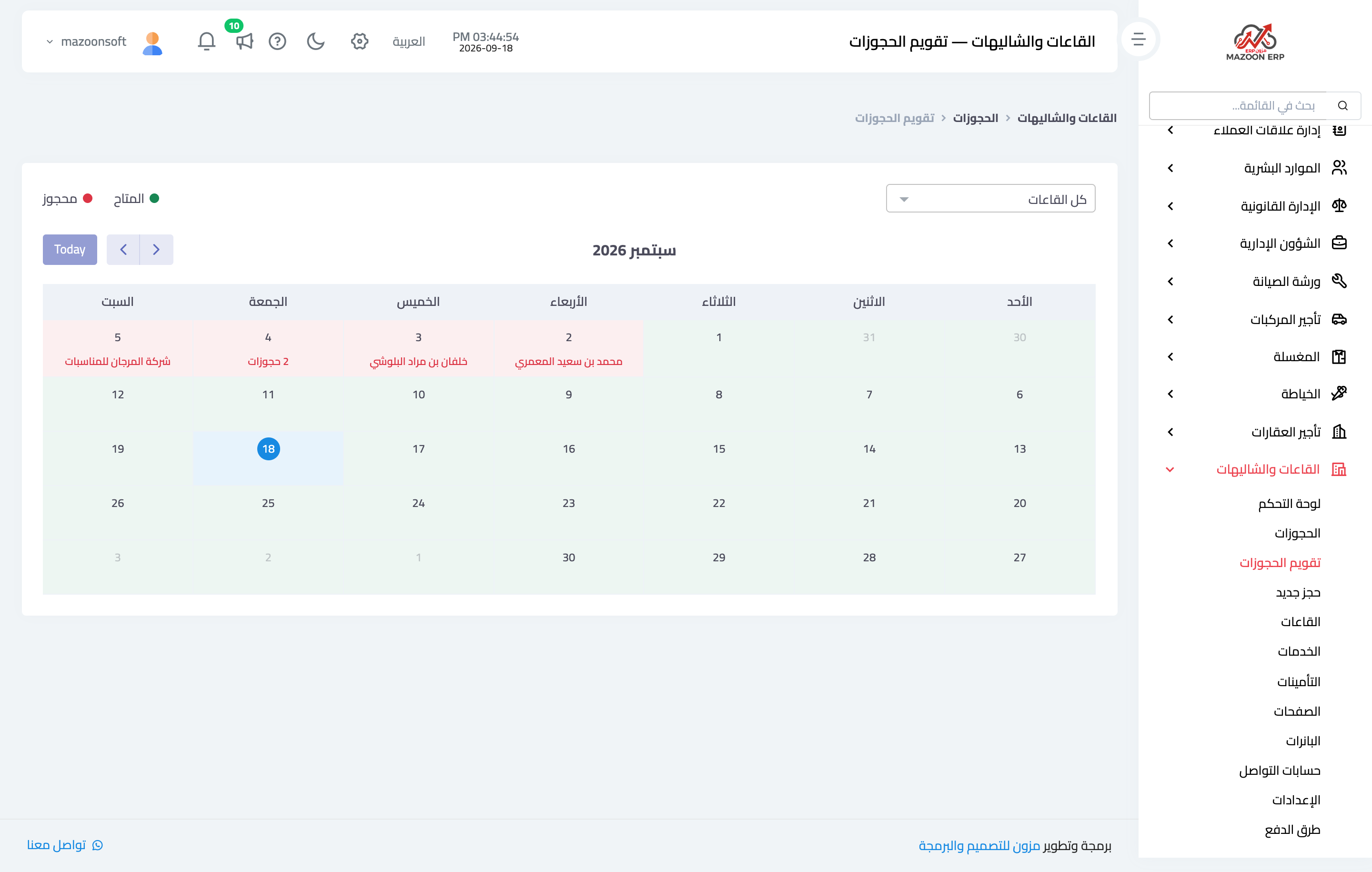
The bookings calendar — Figure 2 — shows a whole month across all venues, and it is what you open when a customer asks about a particular date.
Creating a booking
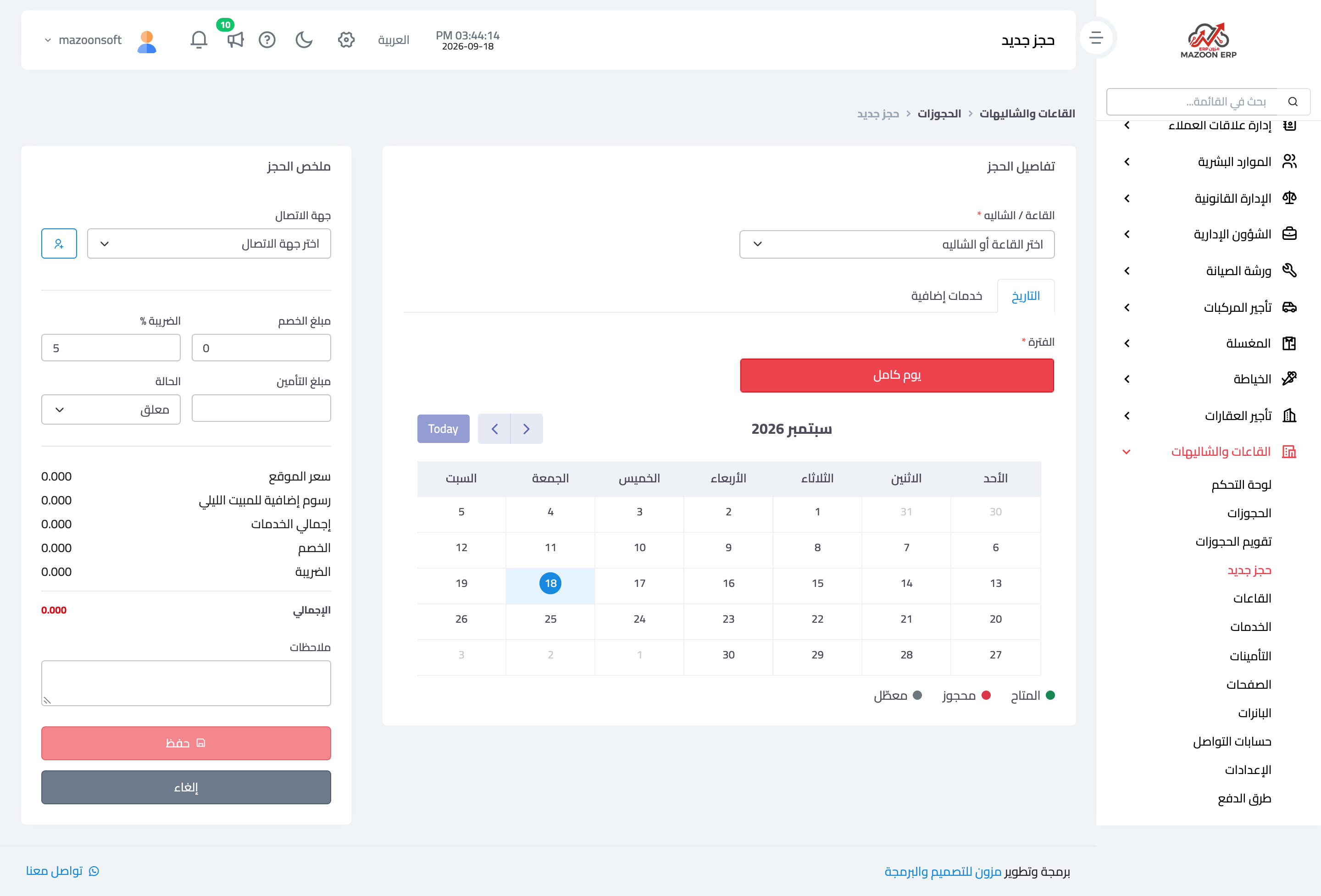
From New booking, as in Figure 3: pick the venue, the date, and the session, and the system computes the price from the pricing rules automatically and blocks any clash with an existing booking or a blackout period.
Then add the add-on services, the customer details, and overnight stay if the venue allows it, followed by the discount and tax.
The booking page
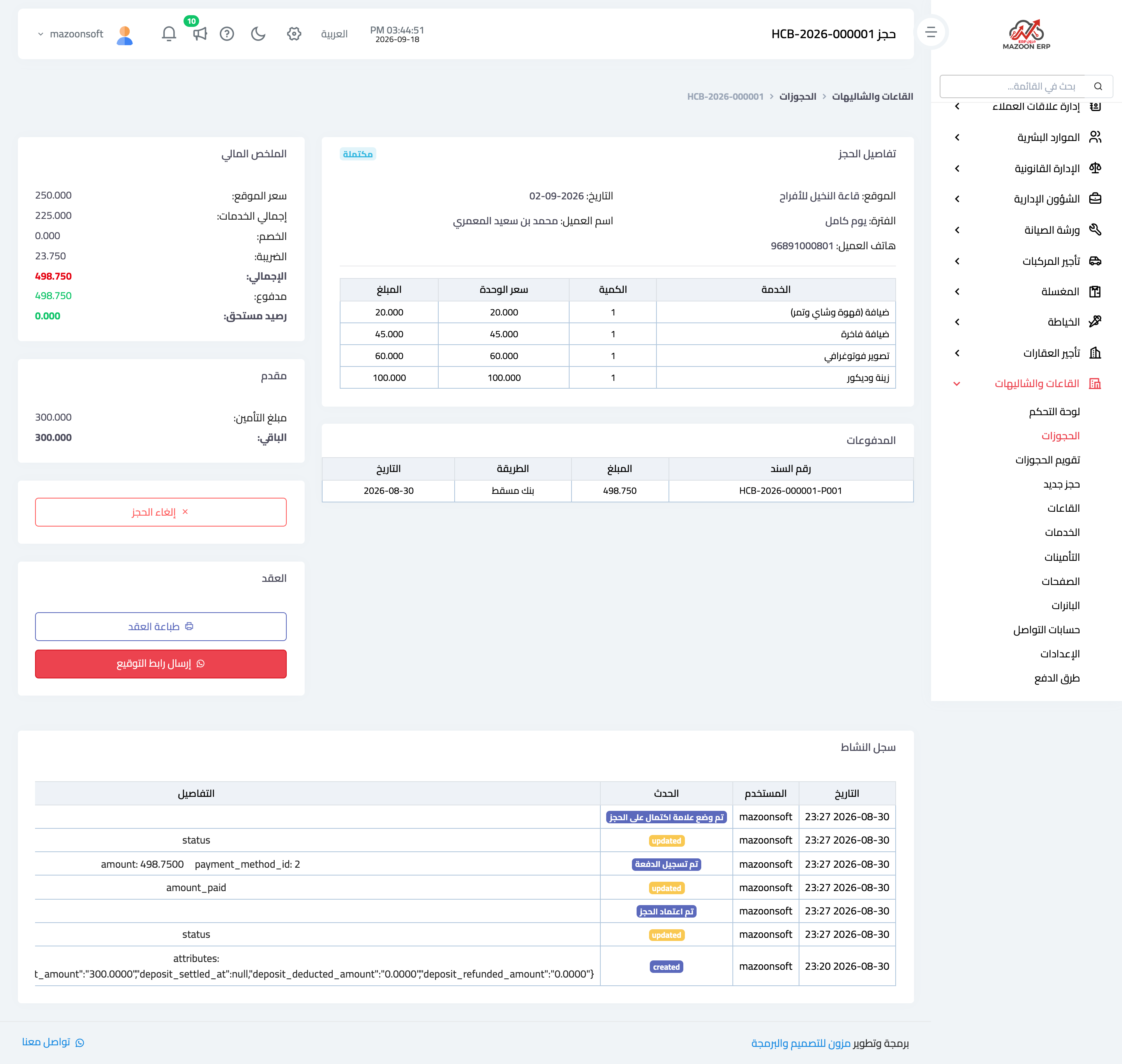
The booking page — Figure 4 — gathers everything on one screen:
- Booking details — venue, date, session, and customer, plus a table of the services chosen.
- Financial summary — venue price, services total, discount, tax, then paid and outstanding.
- Payments — with a voucher per payment; a booking takes an advance and then a balance.
- Activity log — every action taken on the booking with its time and who did it.
Contract and signature
The Print contract button produces the booking contract with its terms and cancellation policy, and Send signing link sends the customer a WhatsApp link to sign from their phone without coming in.
Deposits
A deposit is money taken as security for the venue, refunded after the occasion unless there is damage. The Deposits screen — Figure 5 — shows each deposit with its amount and state: held, refunded, or deducted for a recorded reason.
Recording the reason at the moment of deduction is what spares you an argument with a customer who believes the venue was handed back intact.
The booking site
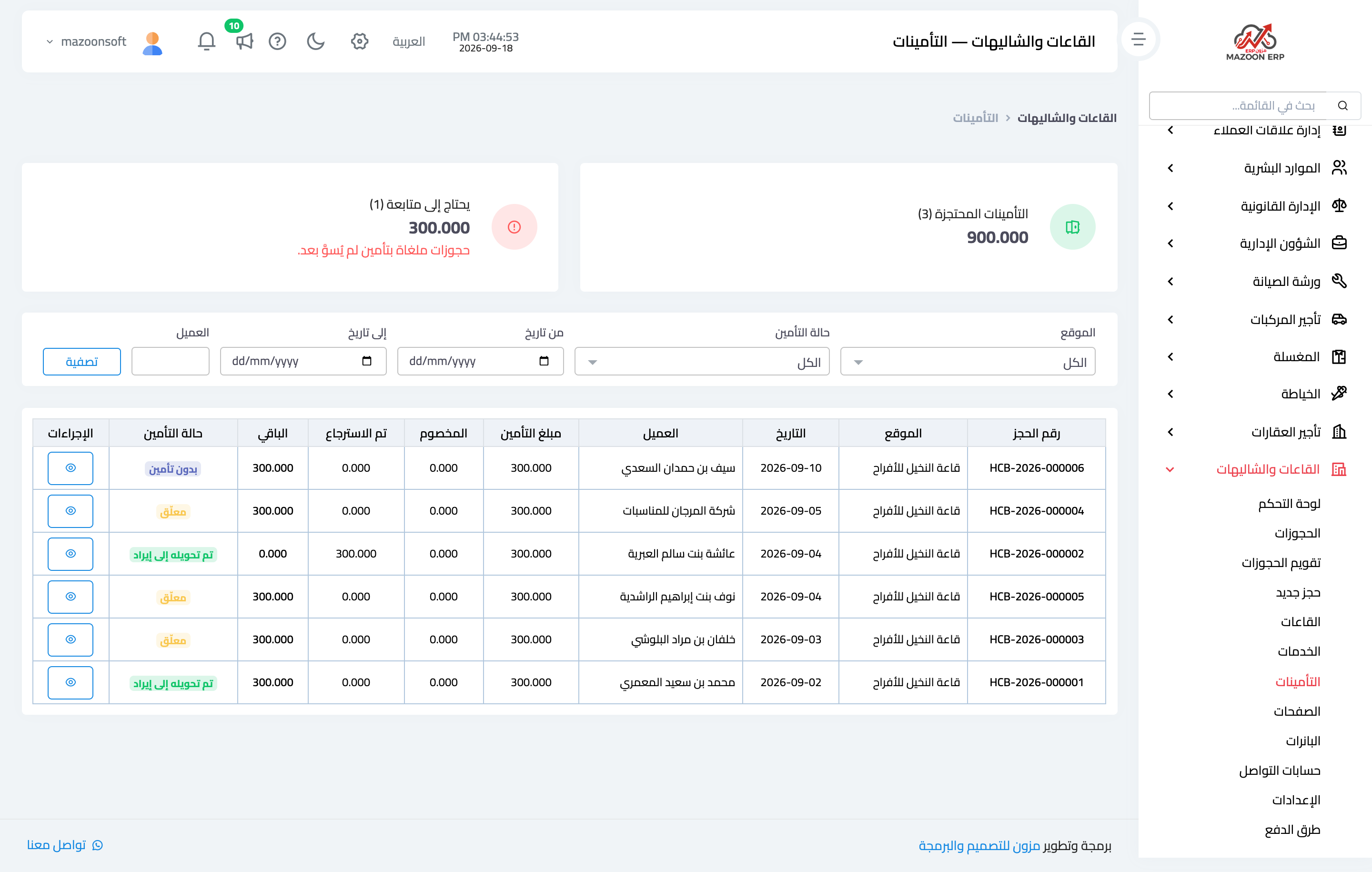
Besides the panel, the module provides a public booking site you build from its screens: banners, pages, social accounts, and payment methods. Through it a customer sees the venues with their photos, prices, and free dates, and books directly.
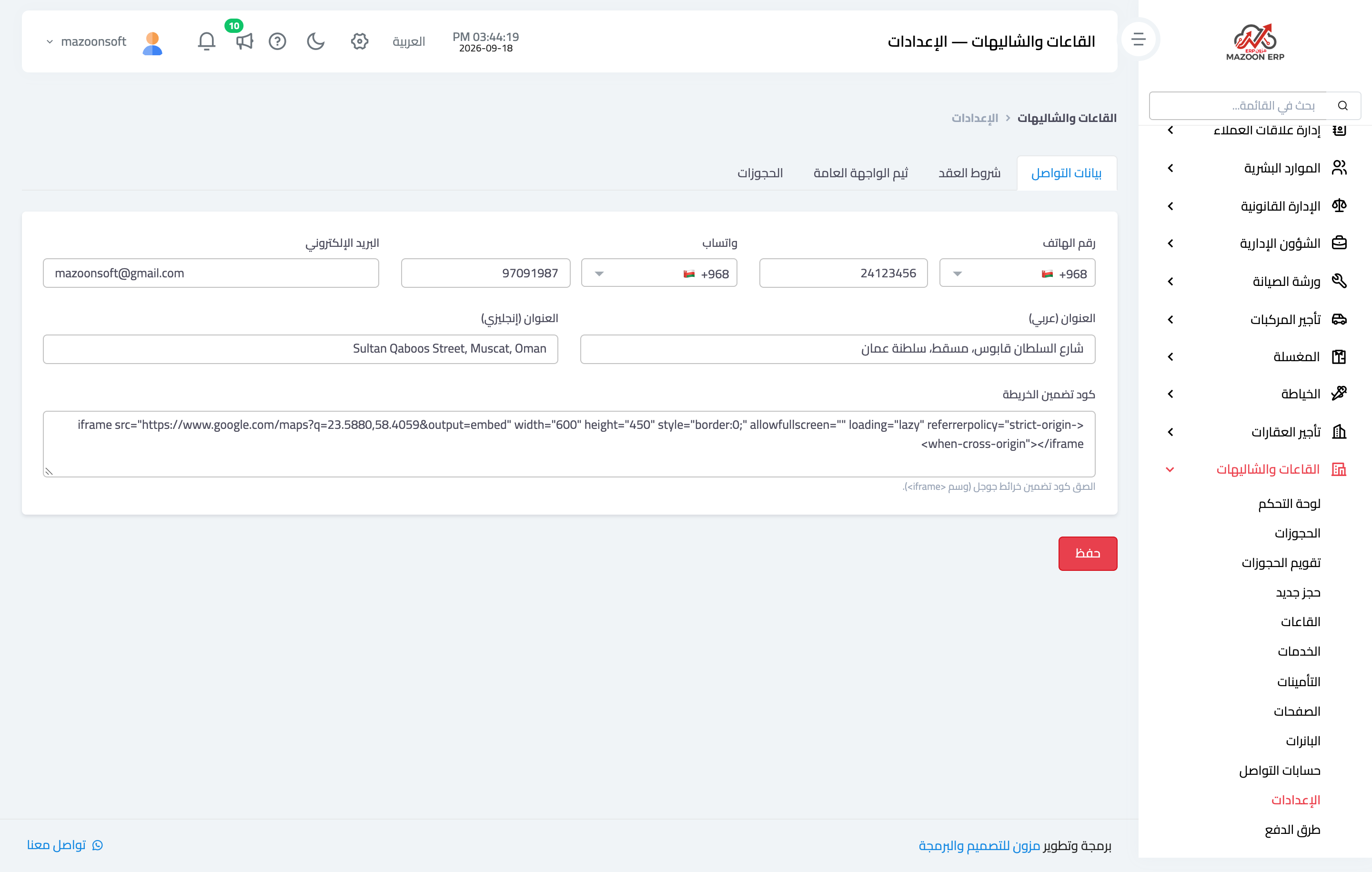
Settings — Figure 6 — govern the module: the advance percentage required to confirm a booking, the tax, the contact details, and the accounting accounts.
Notes
- Ask for the advance before holding the date; a booking with no advance is cancelled often and costs you the slot.
- Do not refund the deposit before inspecting the venue after the guests leave.
- Have the contract signed before the occasion; a cancellation policy the customer never agreed to in writing is of no use.
Screenshots
Try what you just read on your own data
Open a free 7-day trial — no credit card, with your own company link in minutes.