
How do I set pricing rules for weekends and seasons?
A Thursday night is not priced like a Sunday night, and Eid is not priced like mid-summer. Pricing rules make that automatic instead of leaving it to whoever answers the phone.
Steps
- From Venues open Pricing rules for the venue — Figure 1.
- Add a rule and choose its type: by days of the week, or by date range.
- For a weekday rule, tick the days of the week it covers, such as Thursday and Friday.
- Enter the price that replaces the base price on those days.
- Set the priority; when two rules overlap on the same day, the higher priority wins.
- Mark the rule active and save.
- Check the price calendar — Figure 2 — to see each day’s price before the customer does.
Practical examples
- Weekend: a day-of-week rule on Thursday and Friday at a higher price.
- Eid season: a date-range rule with a higher priority than the weekend rule.
- Low season: a date-range rule at a lower price to move bookings.
Notes
- Priority is where mistakes happen most; the Eid rule must sit above the weekend rule or you will sell Eid night at an ordinary Thursday price.
- A rule’s price replaces the base price; it is not added to it.
- Review the price calendar before each season; it is faster than reading the rules one by one.
- A forgotten rule from a past season sells at the wrong price, so deactivate it rather than leaving it.
Screenshots
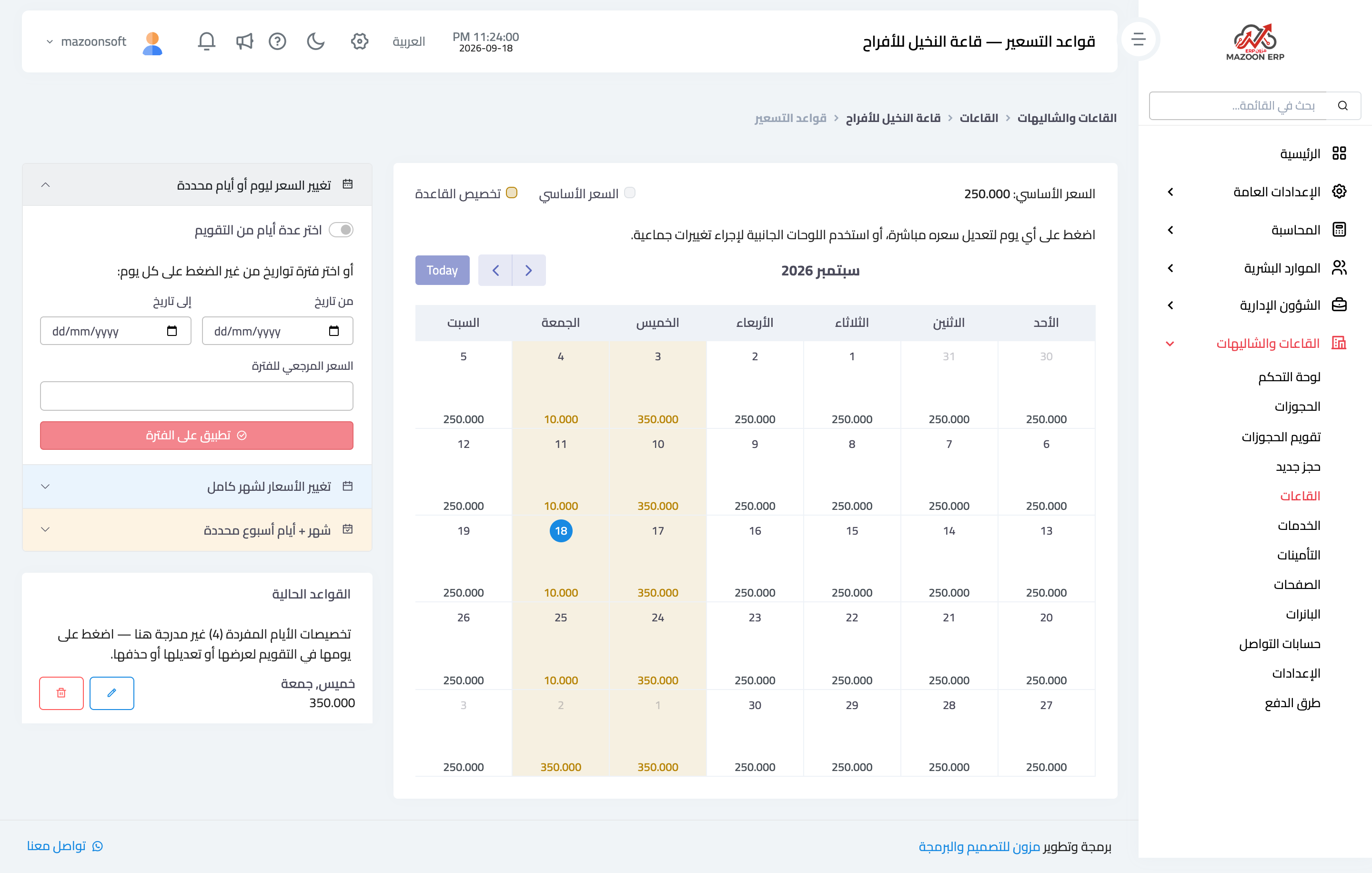
Figure 1
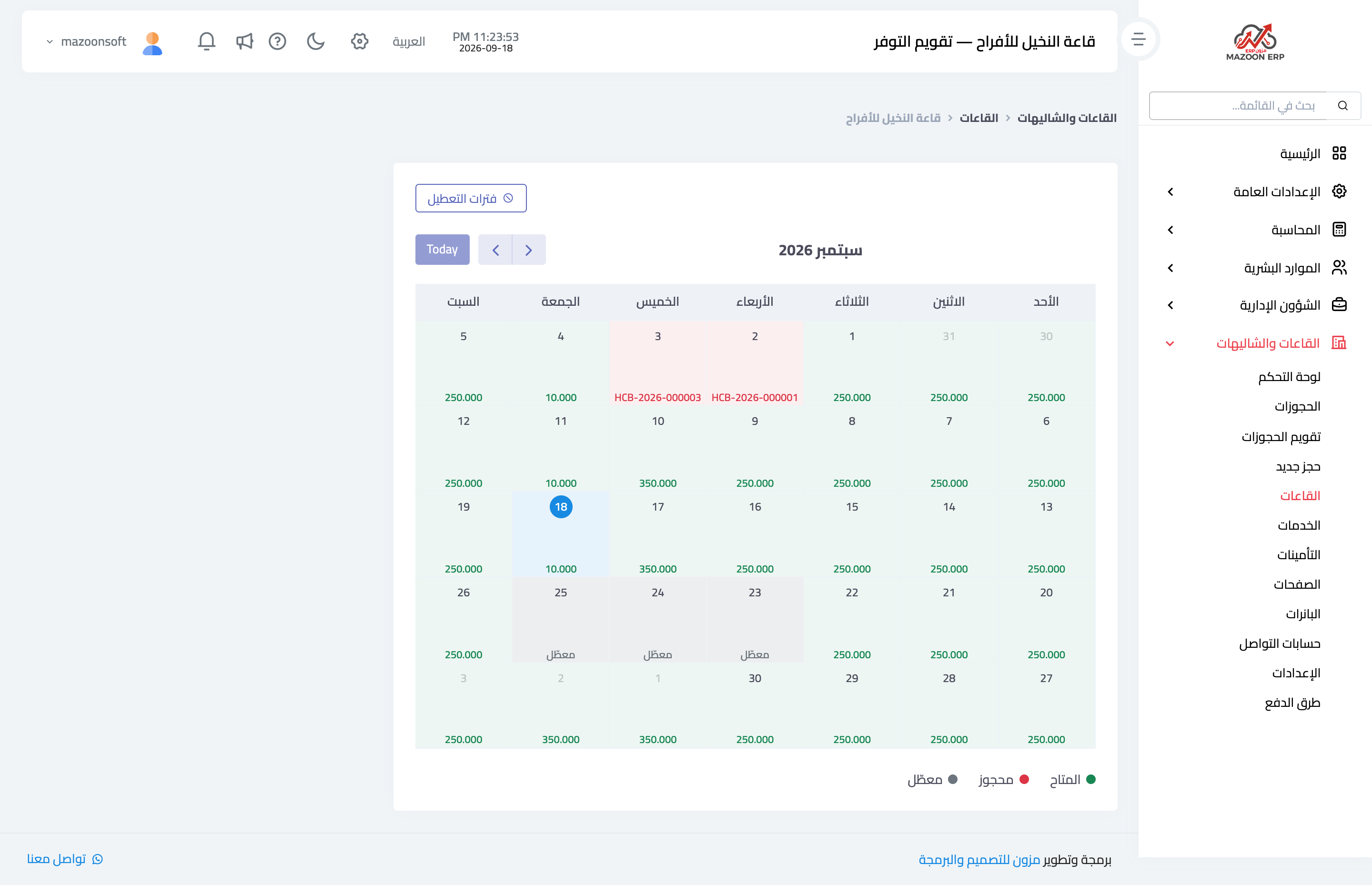
Figure 2
Try what you just read on your own data
Open a free 7-day trial — no credit card, with your own company link in minutes.