
How do I record a booking payment and follow the balance?
What most often goes uncollected in this business is the balance after the event, once the customer has already left.
Steps
- Open the booking from Bookings and press Record payment — Figure 1.
- Enter the amount, the payment date, the payment method and a reference number if there is one.
- Save; paid and balance due update in the financial summary at once and the receipt appears in the payments table.
- You can record several payments: a deposit at booking and the balance before the event.
- To follow balances across customers, open Bookings — Figure 2 — and filter by status and period.
Notes
- Require the balance before the event starts and put it in the contract terms; collecting after the party is far harder.
- Enter the real payment date, not today’s; cash reports are built on it.
- Always print the receipt for the customer; it is the simplest way to prevent a dispute about payment.
- Do not record the deposit here; it has its own place, and mixing them inflates your income with money that is not yours.
Screenshots
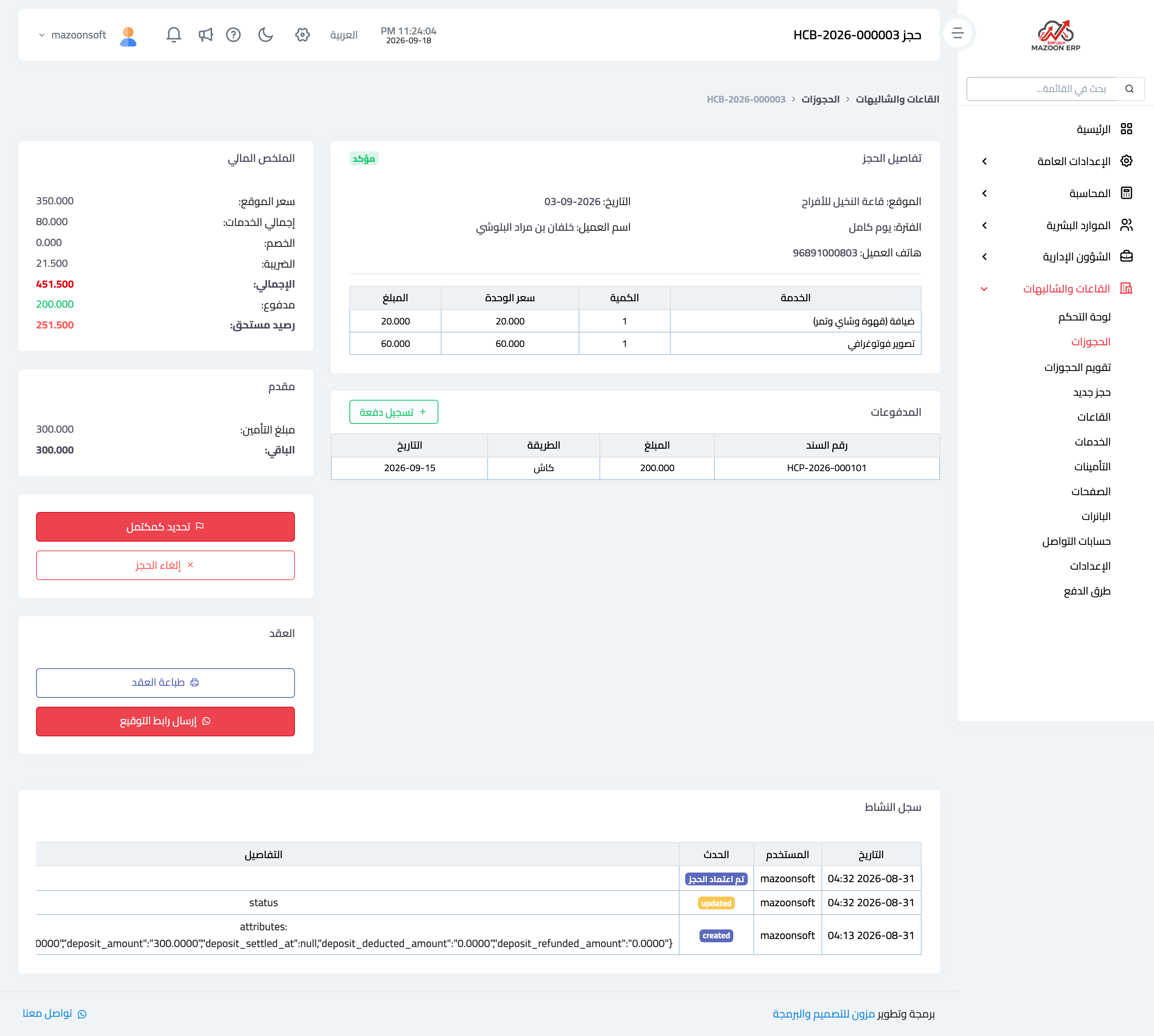
Figure 1
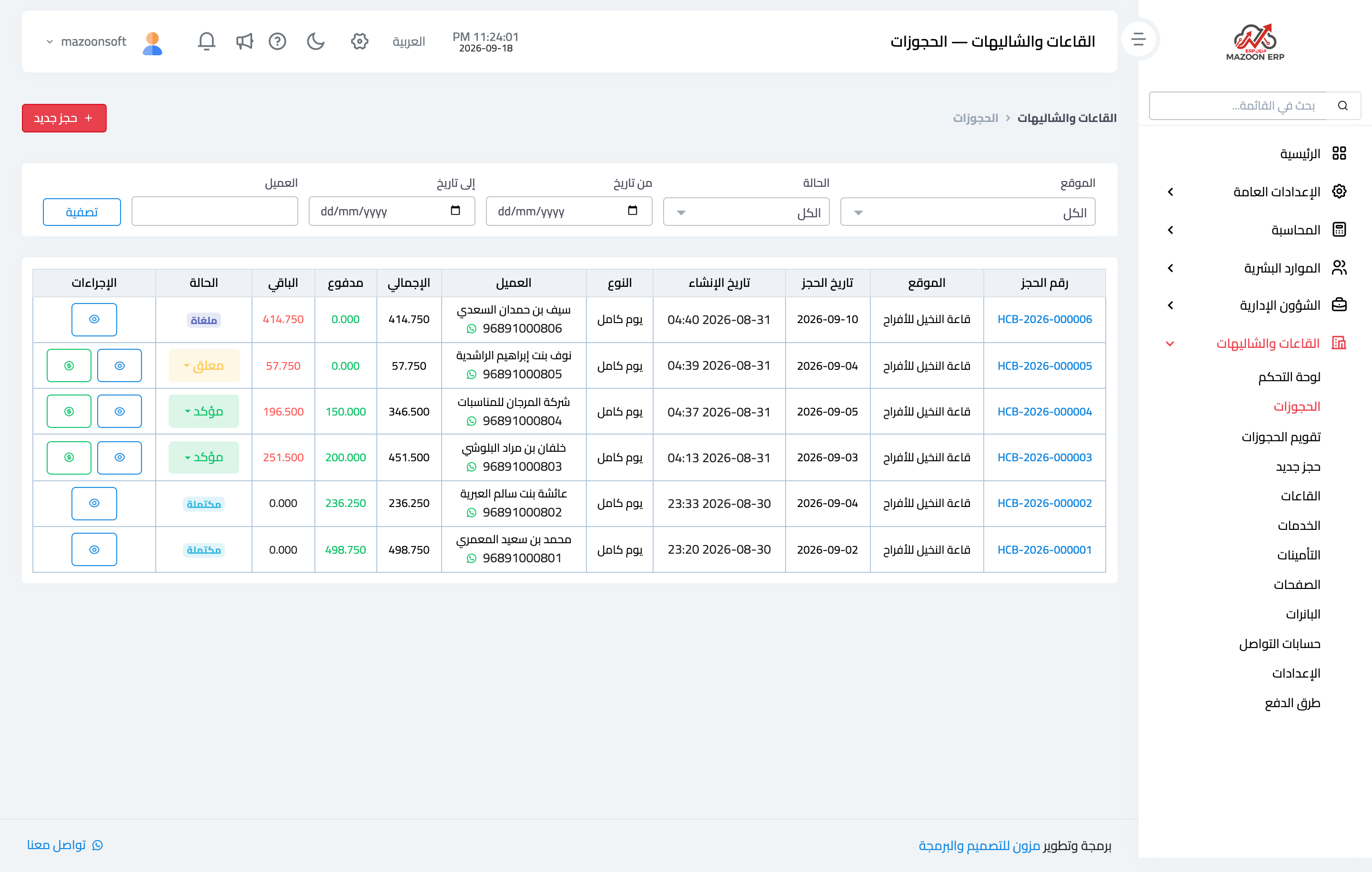
Figure 2
Try what you just read on your own data
Open a free 7-day trial — no credit card, with your own company link in minutes.