
What does the halls dashboard show?
The dashboard is what you open at the start of the day, before you answer the first call.
What it shows
Open Halls & Chalets → Dashboard — Figure 1 — and you get: today’s and upcoming bookings, pending bookings, revenue, customer balances and deposits held.
A suggested morning routine
- Start with today’s bookings: is every event prepared and paid?
- Then pending bookings: call or cancel; every pending one closes a date against a serious customer.
- Then customer balances: collect before the event, not after.
- Then deposits: refund the ones whose events are over rather than letting them accumulate.
- Then the calendar — Figure 2 — to see the month’s empty days and go after them.
Notes
- The dashboard numbers are only honest if payments are recorded and bookings closed as things happen.
- Pending bookings are the most dangerous figure on the dashboard; they fill the calendar with bookings that are not real.
- Deposits held are not your money, so do not count them as part of your cash position.
Screenshots
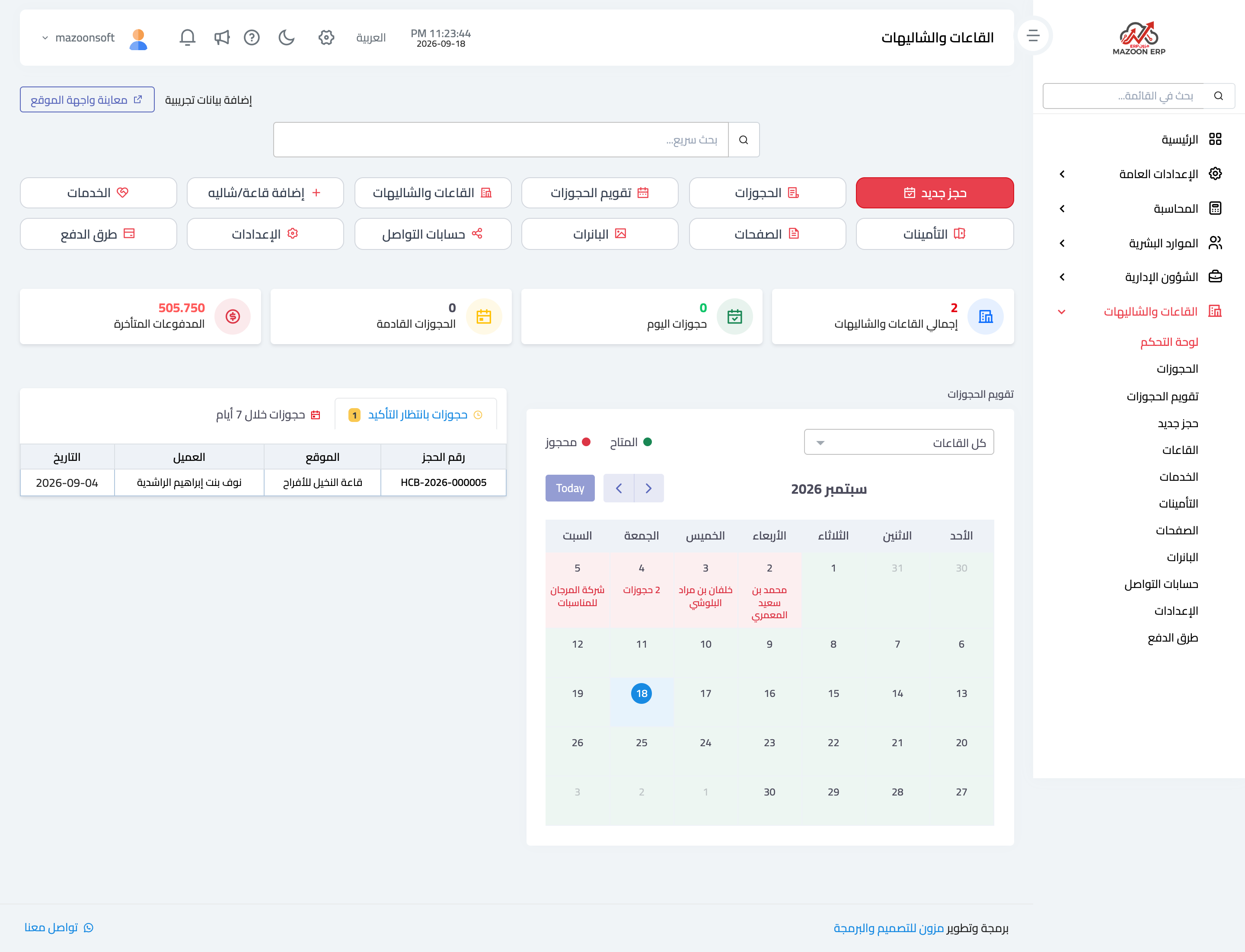
Figure 1
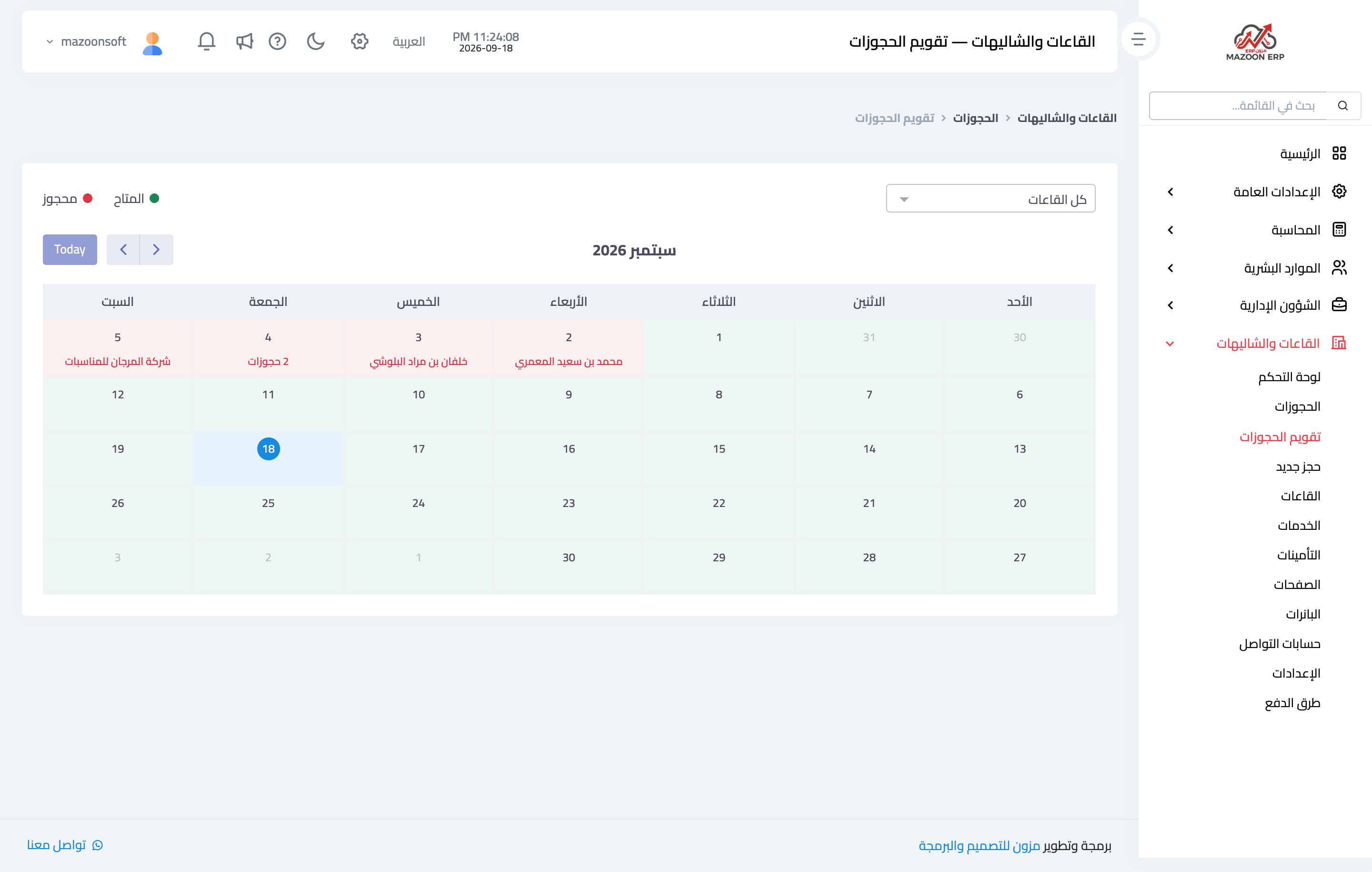
Figure 2
Try what you just read on your own data
Open a free 7-day trial — no credit card, with your own company link in minutes.