
Venues, pricing rules, and services
The Halls and Chalets module manages what is let by the day or by the session: a wedding hall, a chalet, a rest house. Its first problem is not booking but pricing: a Thursday night is not a Sunday night, and a season is not an ordinary week.
The dashboard
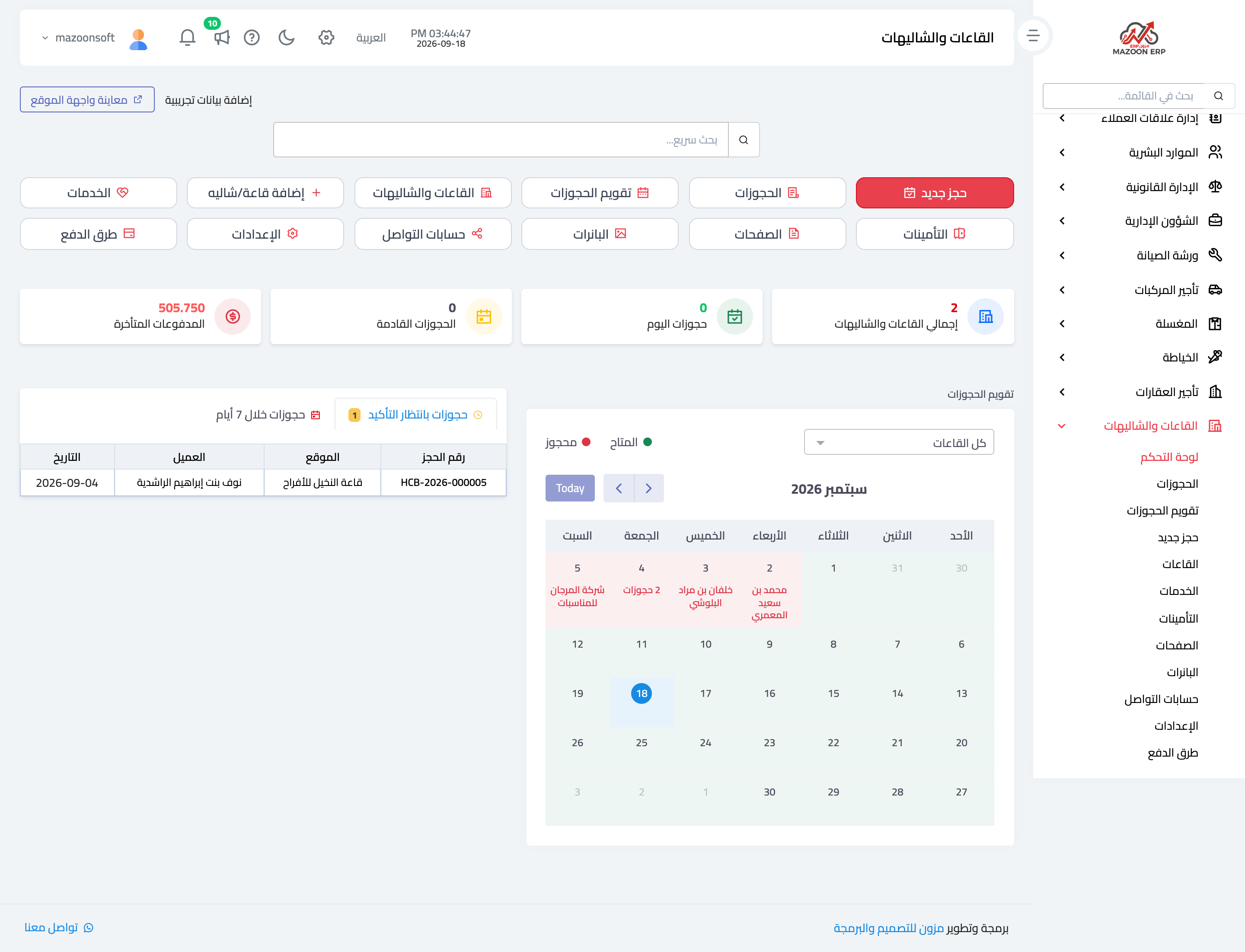
Open Halls and Chalets → Dashboard, as in Figure 1: the number of bookings and their states, collected and outstanding amounts, and the upcoming bookings.
Venues
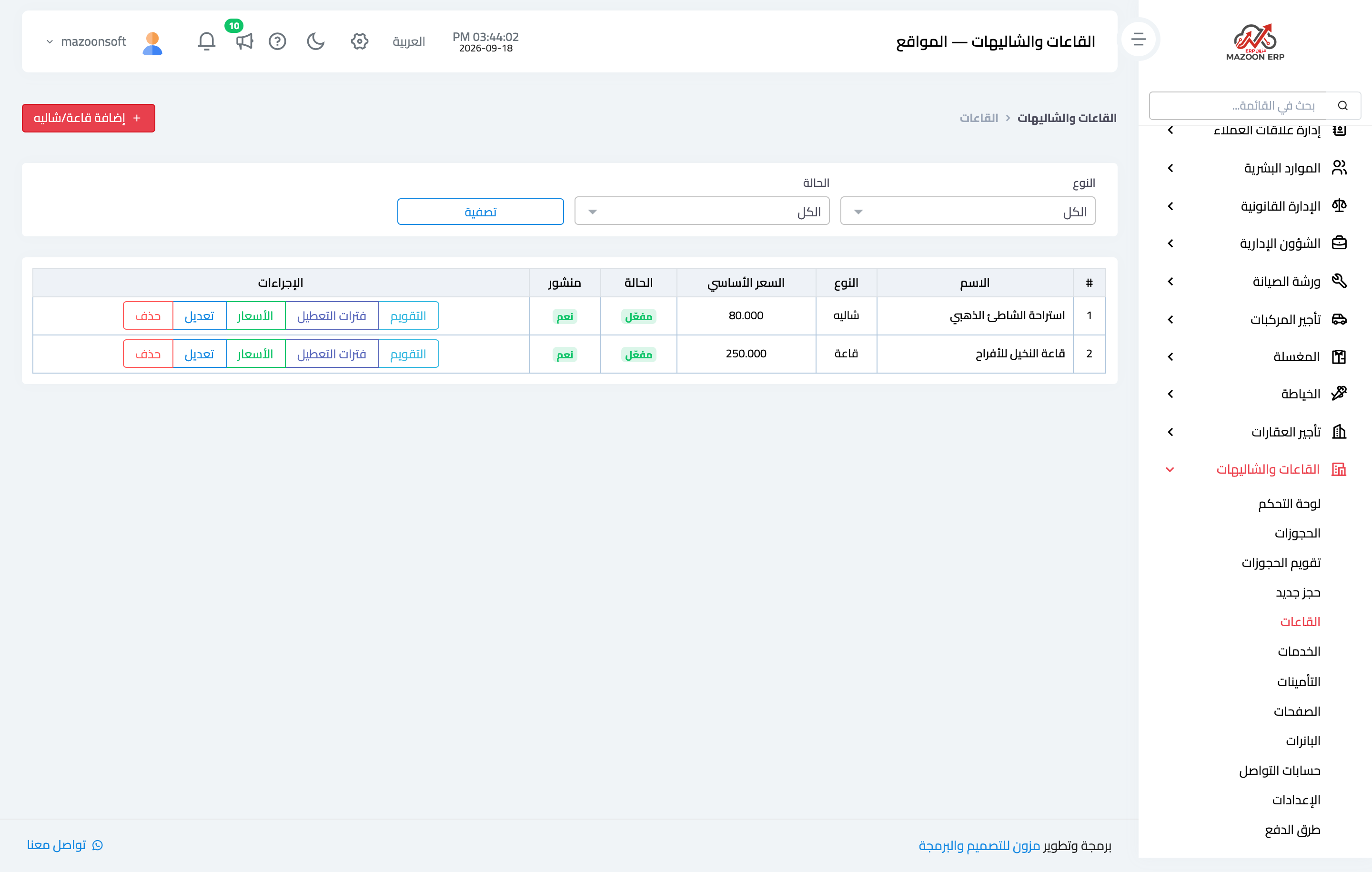
The Venues screen — Figure 2 — lists what you own with its price, capacity, and published state.
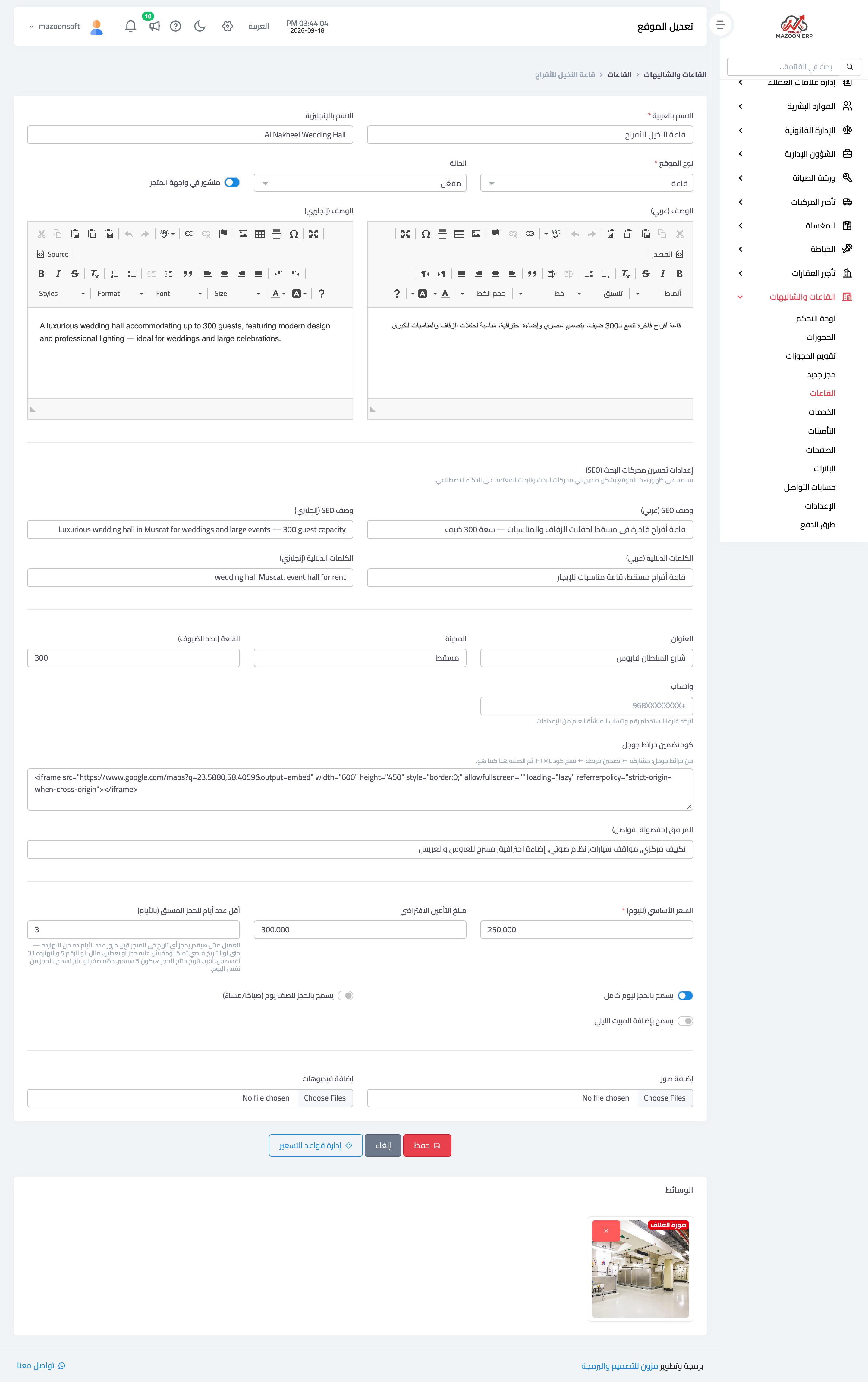
The venue form — Figure 3 — serves two purposes: internal management and a display to customers on the booking site. It holds:
- Name and description in Arabic and English, and the location on the map.
- Capacity and amenities — parking, pool, kitchen, and so on.
- Available periods — full day, morning session, or evening session, and whether overnight stay is allowed.
- Base price and deposit amount.
- Images — a gallery shown on the booking site.
- Terms and cancellation policy — in both languages, printed on the booking contract.
Pricing rules
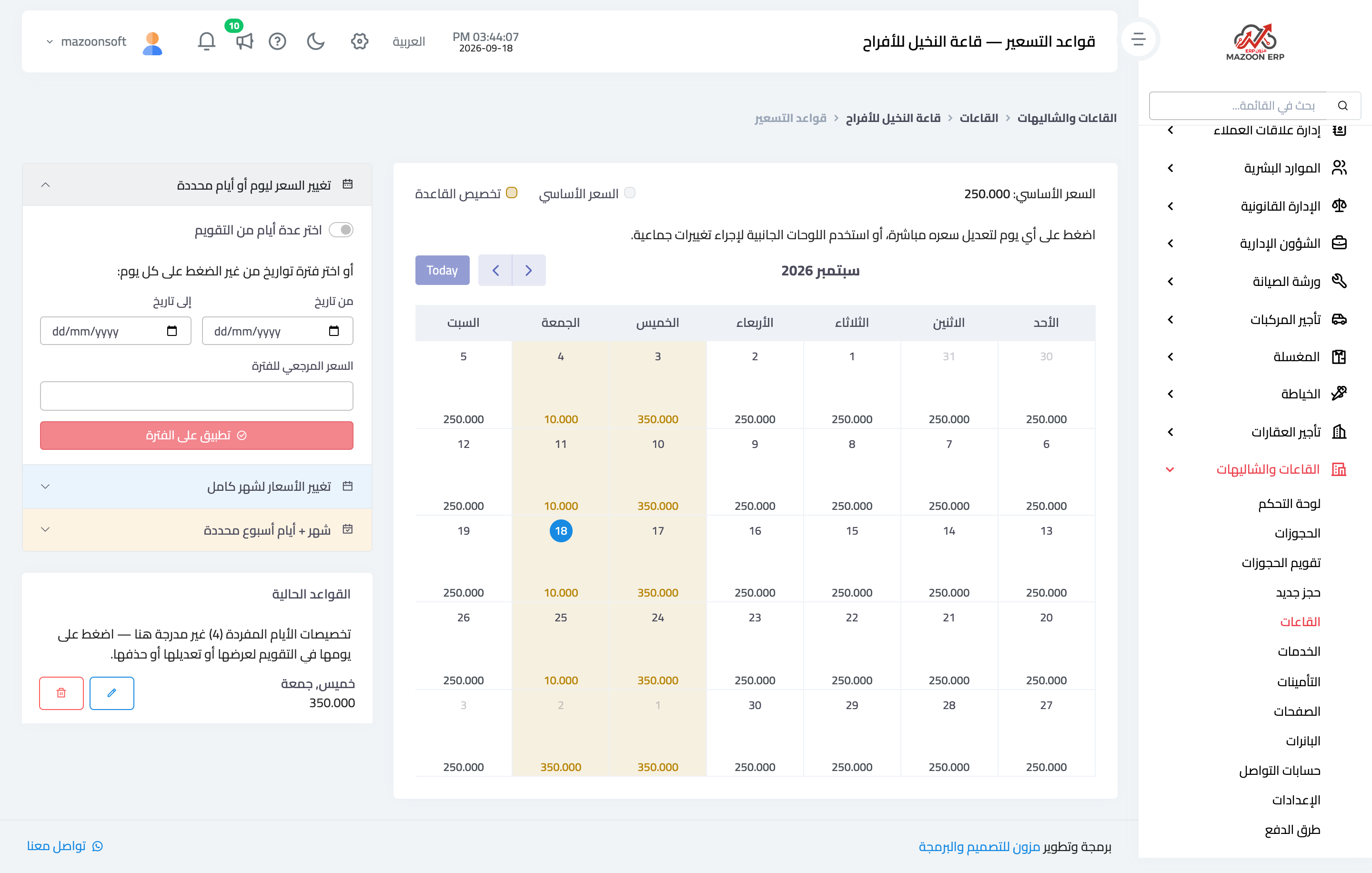
This is the strongest part of the module — Figure 4. A base price alone is not enough, so you set rules that vary it by:
- Day of week — Thursday and Friday nights at a higher rate.
- Date range — Eids, holidays, and seasons.
- Session of day — evening above morning.
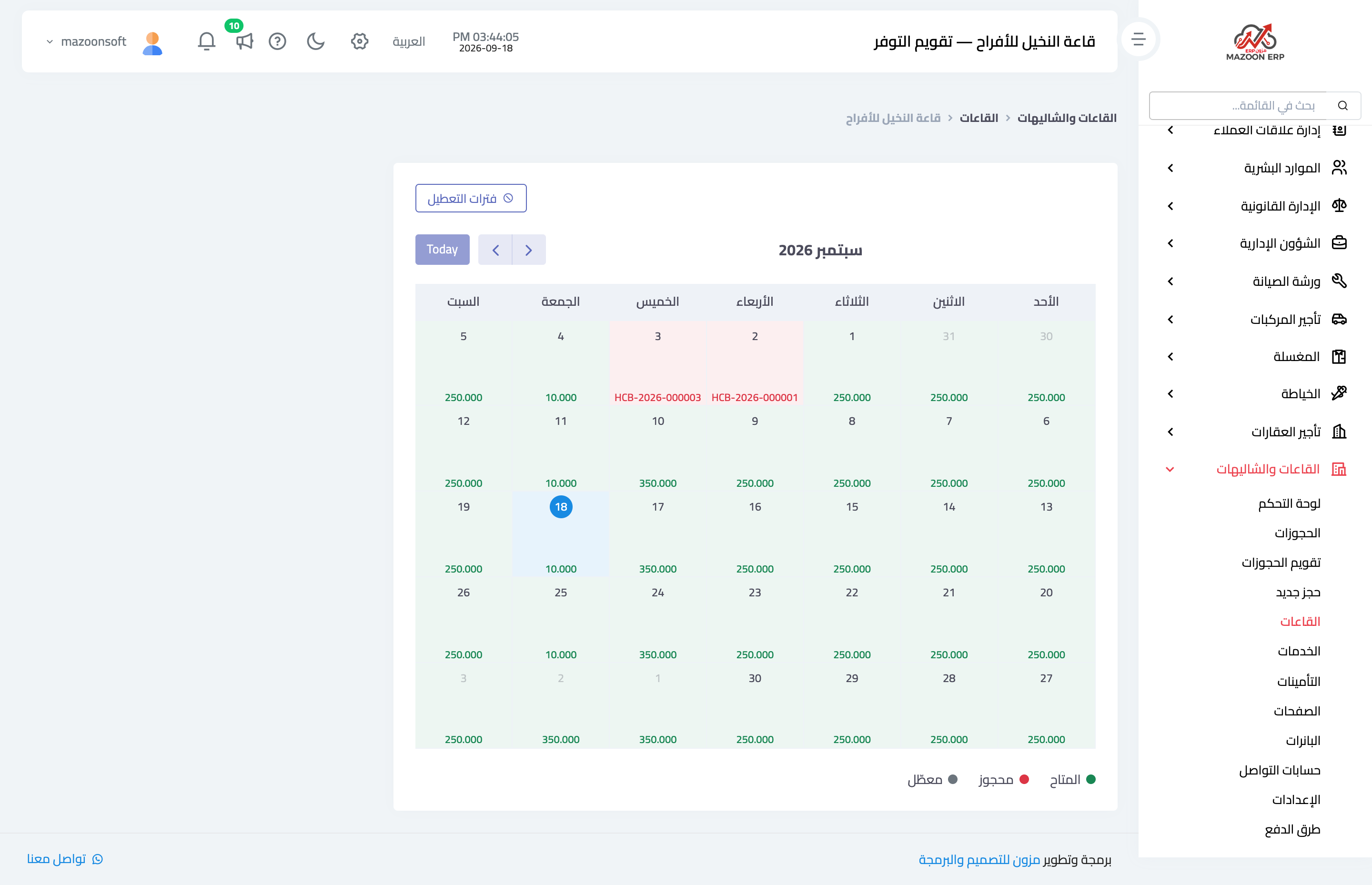
The Preview button shows you the price for any date before you commit the rules, and the price calendar shows a whole month with each day’s price — which catches the mistake before the customer sees it.
Availability calendar and blackout periods
The availability calendar — Figure 5 — shows the venue’s days as booked or free. Blackout periods close dates for a reason other than a booking: maintenance, or a private occasion, so they do not appear available on the booking site.
Add-on services
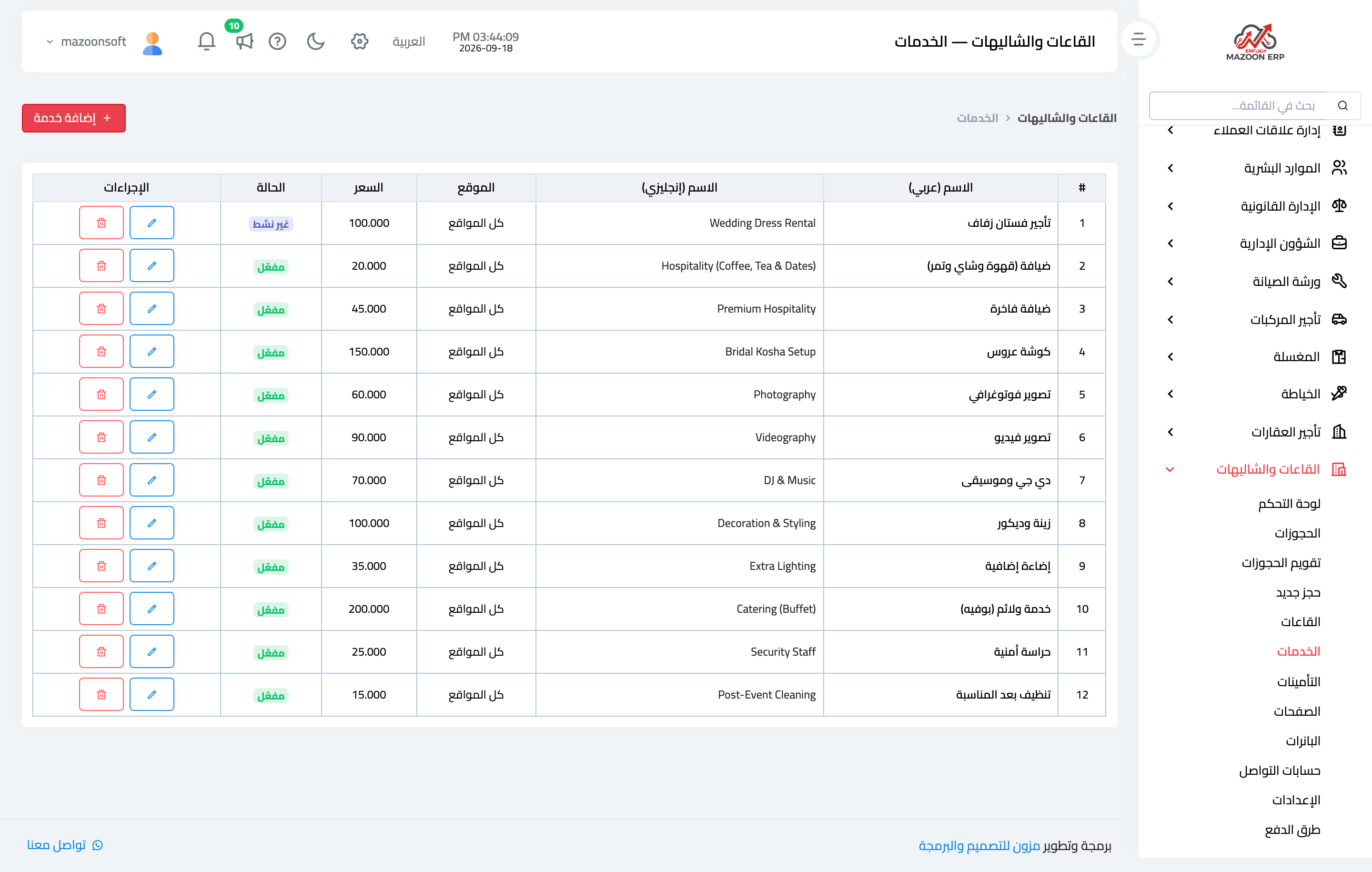
The Services list — Figure 6 — is what is sold alongside the hall: catering, photography, decoration, and sound. Each service has a price added to the booking when selected, and they are shown to the customer during online booking.
These services are where the real margin sits: the hall price is set by competition, while the services carry a wider margin.
Notes
- Set the pricing rules before opening online booking; the customer sees the price before you get to review it.
- Use the price preview after every change; overlapping rules produce results you did not expect.
- Close maintenance days with a blackout period rather than a dummy booking; the reports distinguish the two.
Screenshots
Try what you just read on your own data
Open a free 7-day trial — no credit card, with your own company link in minutes.