
How do I read the bookings calendar?
In this business the question you hear most is “is that date free?”, and the calendar answers it in a second.
The bookings calendar
- Open Halls & Chalets → Bookings calendar — Figure 1.
- It shows every venue together across the month, and each booking’s colour tells you its status.
- Click any booking to open its details directly.
A single venue’s calendar
- From Venues open the calendar for one venue — Figure 2.
- It brings together in one screen the bookings, the blackout periods and the available days.
- This is the screen you open while on the phone with a customer asking about a date.
Notes
- The calendar is only honest if dead bookings are cancelled as they die; a booking pending for a month closes a date for nothing.
- Review next month once a week; empty days close to the date need an offer, not patience.
- Reading the status colour is faster than opening each booking, so teach your staff the colours.
Screenshots
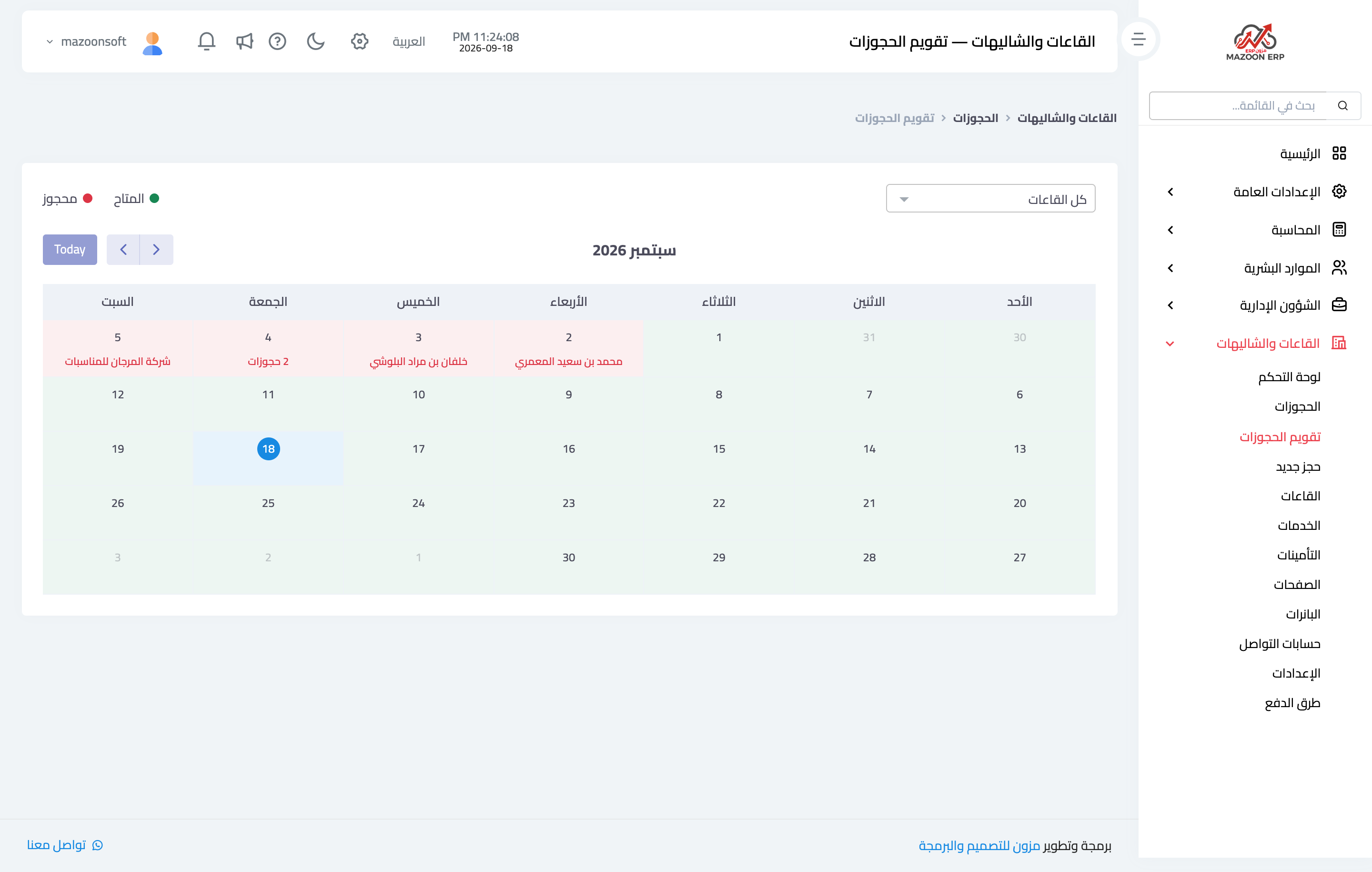
Figure 1
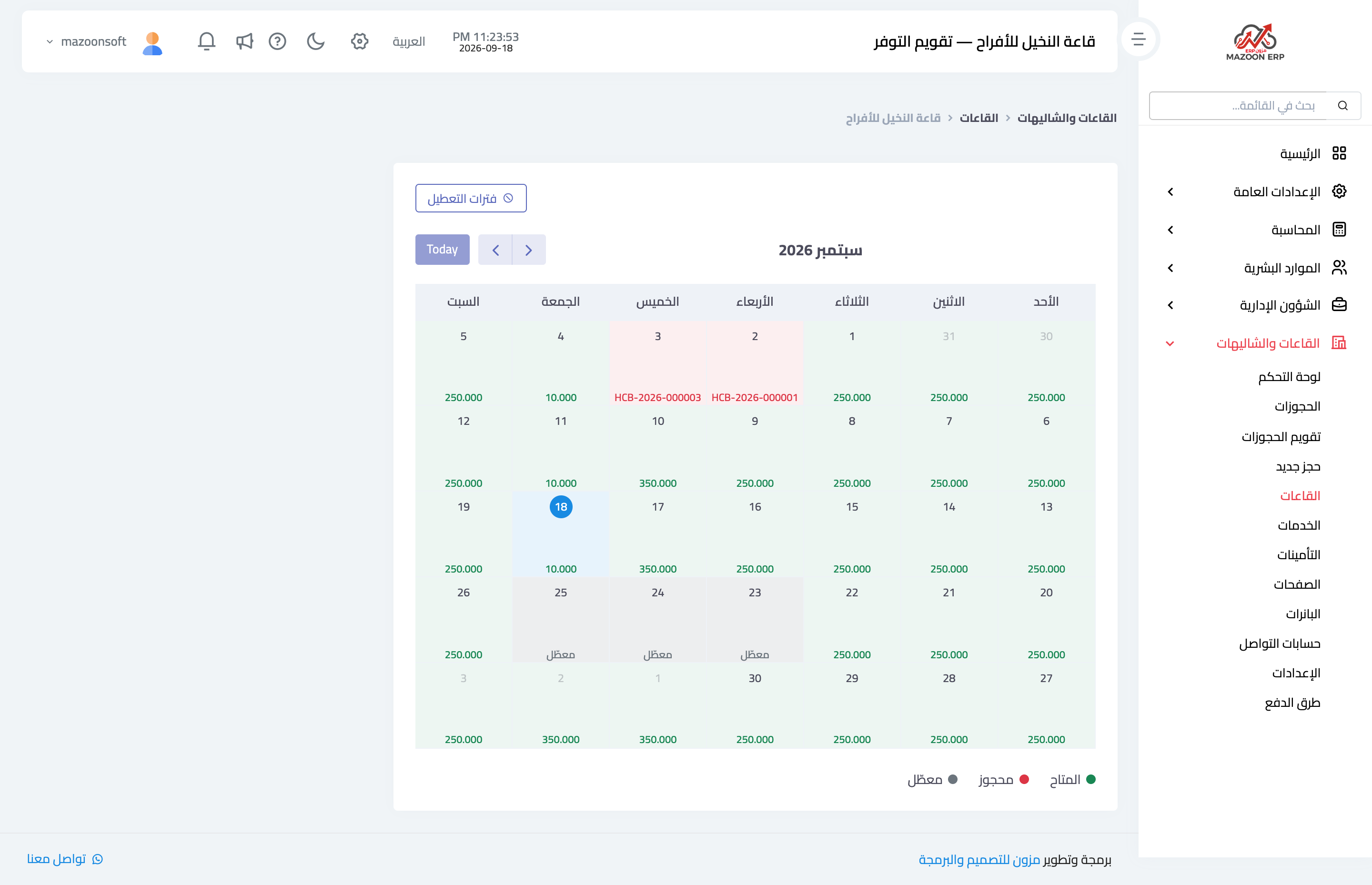
Figure 2
Try what you just read on your own data
Open a free 7-day trial — no credit card, with your own company link in minutes.