
Barcode piece tracking, payments, and reports
What worries a laundry owner most is not the accounting but a lost piece: a thobe that cannot be found at collection time. That is why the module ties every piece to its own barcode, not just the order.
Piece tags
When an order is saved, the system automatically generates a tag for every piece of the services priced per piece. An order with four thobes and two pairs of trousers generates six tags, each with its own barcode and sequence number.
Services priced by weight get no tags, because they are not counted as pieces.
The Print piece tags button on the order page produces them all at once, with their count in brackets, so each tag goes onto its piece before it enters the machine.
The piece scan station
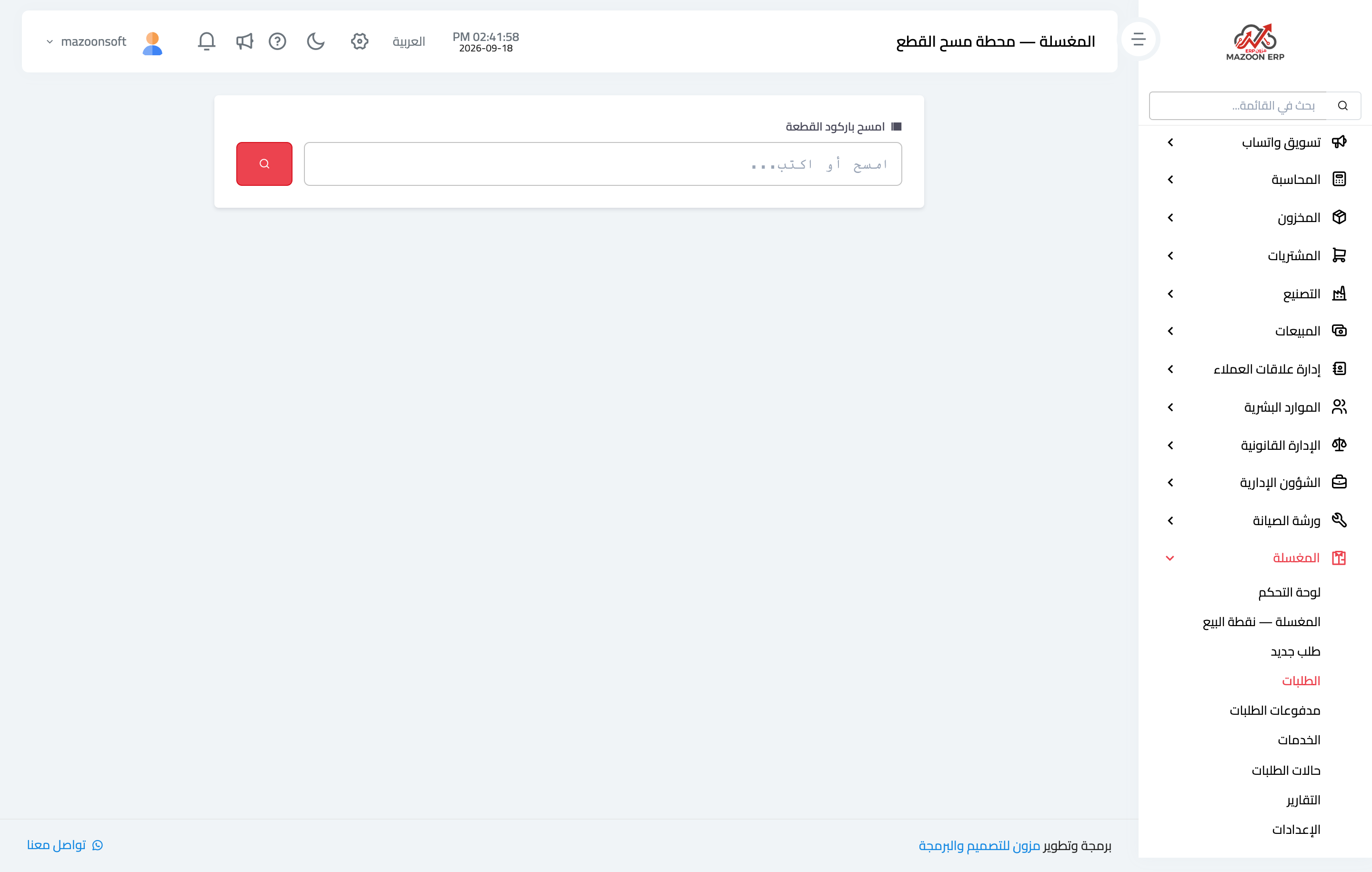
The piece scan station — Figure 1 — is deliberately plain: a single field waiting for a barcode. You open it on a device on the shop floor with a barcode reader attached, and the worker scans a piece as it moves from one stage to the next.
The benefit is twofold: you know where each piece is right now, and at collection you know whether the order is genuinely complete or a piece is missing — before the customer discovers it at home.
Order payments
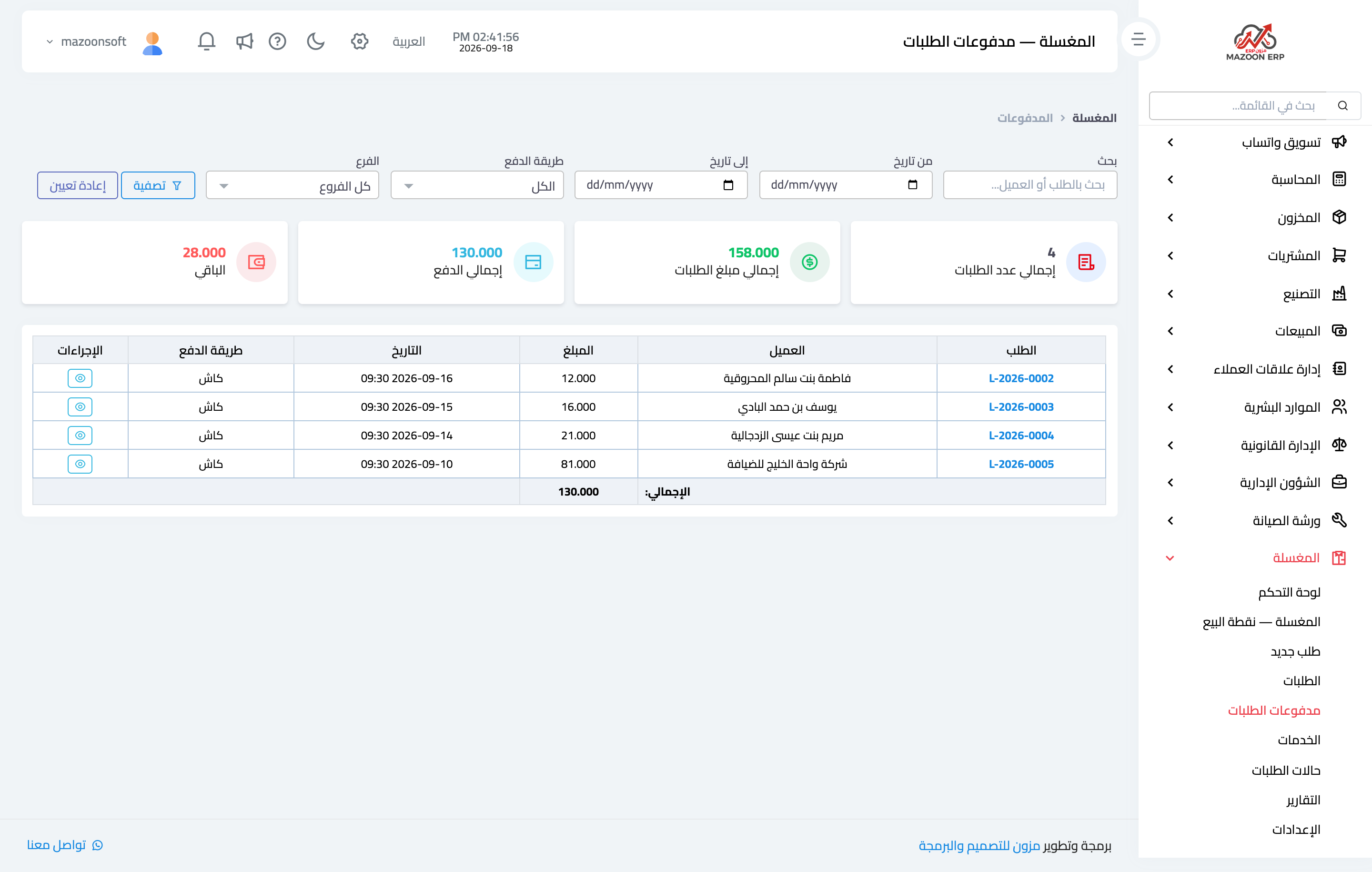
The Order payments screen — Figure 2 — gathers every payment collected in the shop whatever order it belongs to: date, order, customer, amount, payment method, reference, and who collected it.
It is what you review at the end of the day before closing the drawer, with filters by date and payment method and CSV export.
Every payment recorded here posts an accounting entry automatically, so it appears in the company accounts with no second data entry.
Reports
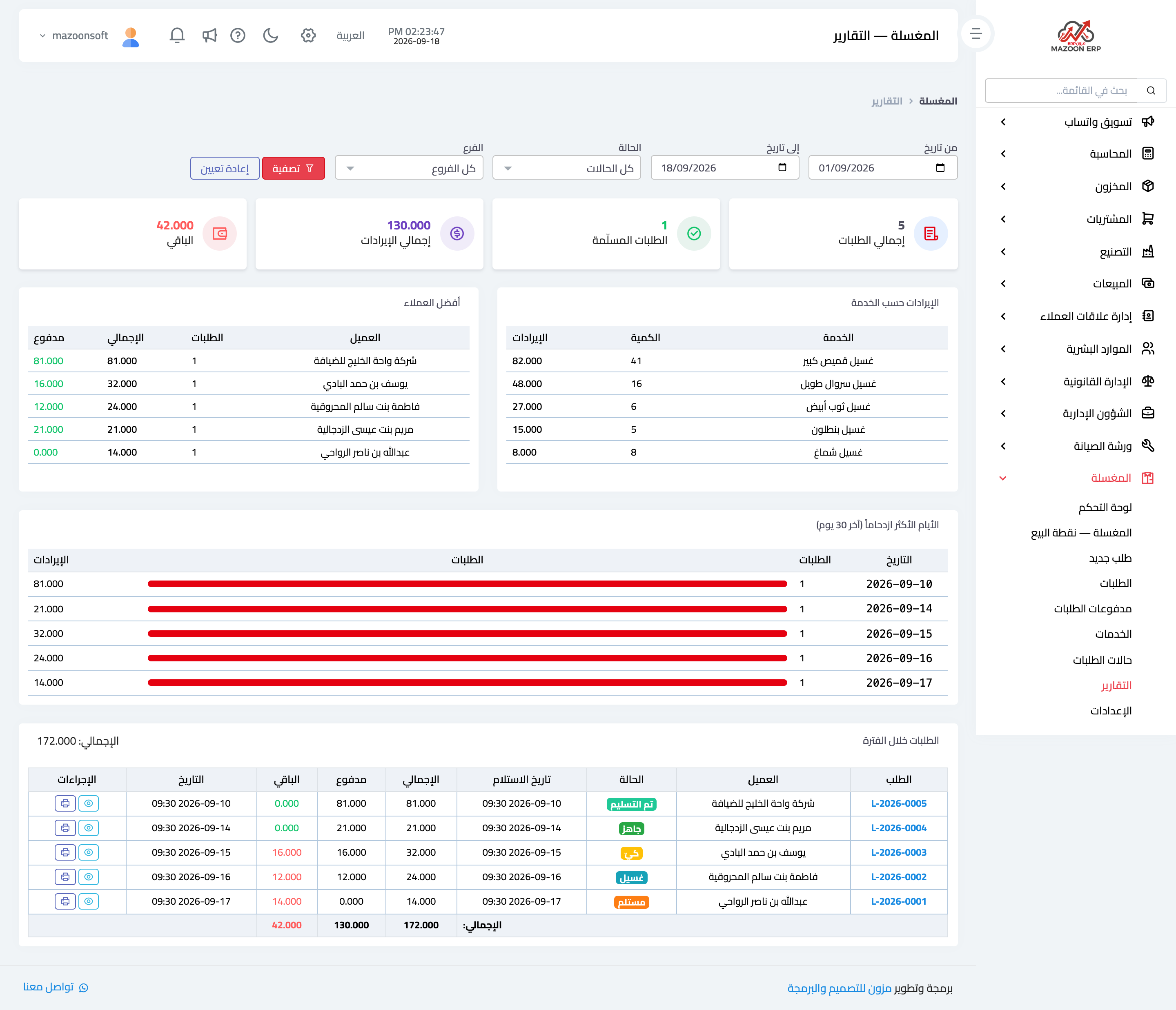
The Reports screen — Figure 3 — shows the shop’s performance for a period you choose: number of orders, their total, the amount collected, the balance owed by customers, the spread of orders across statuses, and the most requested services.
Two figures are worth watching most: the customer balance, because it grows when unattended, and the most requested services, because it tells you which ones belong in the quick row and which need their price reviewed.
Notes
- Attach the piece tag before the item goes into the machine, not after; a piece with no tag is lost at the first rush.
- Scan pieces at every transition, not once at the end; a late scan does not tell you where the piece went missing.
- The payment method on a payment decides the debit account in the entry, so do not record a bank transfer as cash.
Screenshots
Try what you just read on your own data
Open a free 7-day trial — no credit card, with your own company link in minutes.