
How do I record a payment on an order and track the remaining balance?
Many customers pay a deposit at drop-off and the rest at collection, and the system tracks that for you.
Steps
- Open the order from Laundry → Orders — Figure 1.
- In the Payments section enter the amount and the date.
- Choose the payment method, and enter a reference if it was a transfer or a card.
- Press Add payment; the total paid and the remaining update automatically.
- To correct a mistaken payment, press Edit or Delete next to it.
Notes
- Record the payment on the date it actually happened, not today’s date; collection reports are built on the payment date.
- A payment taken on the POS screen is attributed to the cashier shift, and that is what makes the drawer count possible.
- Do not delete an old payment to correct a small difference; add a new payment instead and keep the record honest.
Screenshots
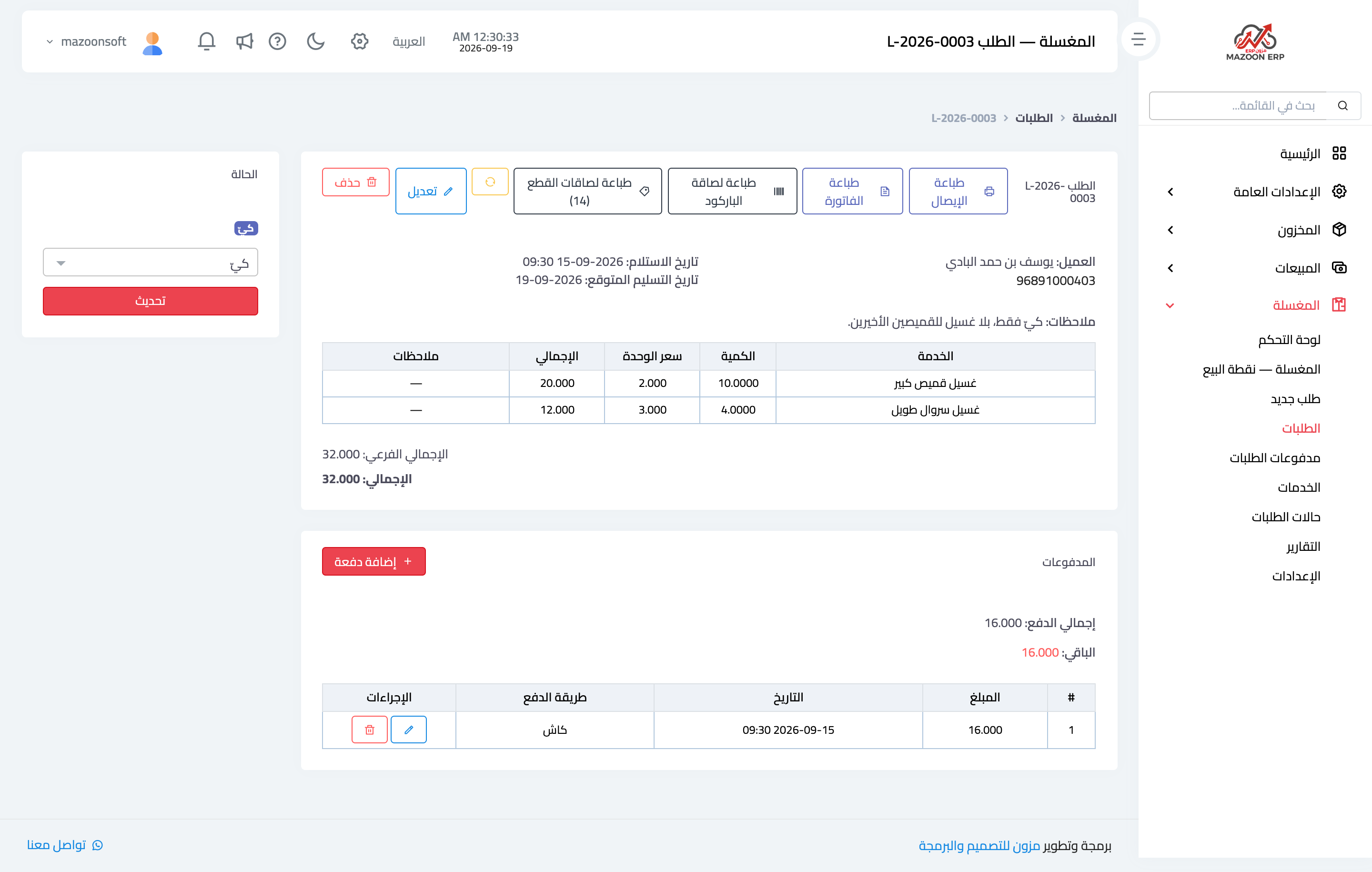
Figure 1
Try what you just read on your own data
Open a free 7-day trial — no credit card, with your own company link in minutes.