
How do I read the laundry reports?
One page answers four questions: how much came in, which services are most in demand, who your best customers are, and when you get busy.
Steps
- Open Laundry → Reports — Figure 1.
- Set date from and date to, add a status and branch if you want, and press Filter.
- Four numbers sit at the top: total orders, delivered orders, total revenue and remaining.
- Revenue by service shows where your money actually comes from, and top customers shows who deserves looking after.
- Busy days (last 30 days) shows when you need extra hands.
Notes
- The highest-revenue service is not always the highest-volume one; comparing the two columns tells you what is worth promoting.
- The remaining column is money not yet collected, not a loss — but it becomes one if left long enough.
- Compare against the same period last month rather than month against month; laundry seasons differ a great deal.
Screenshots
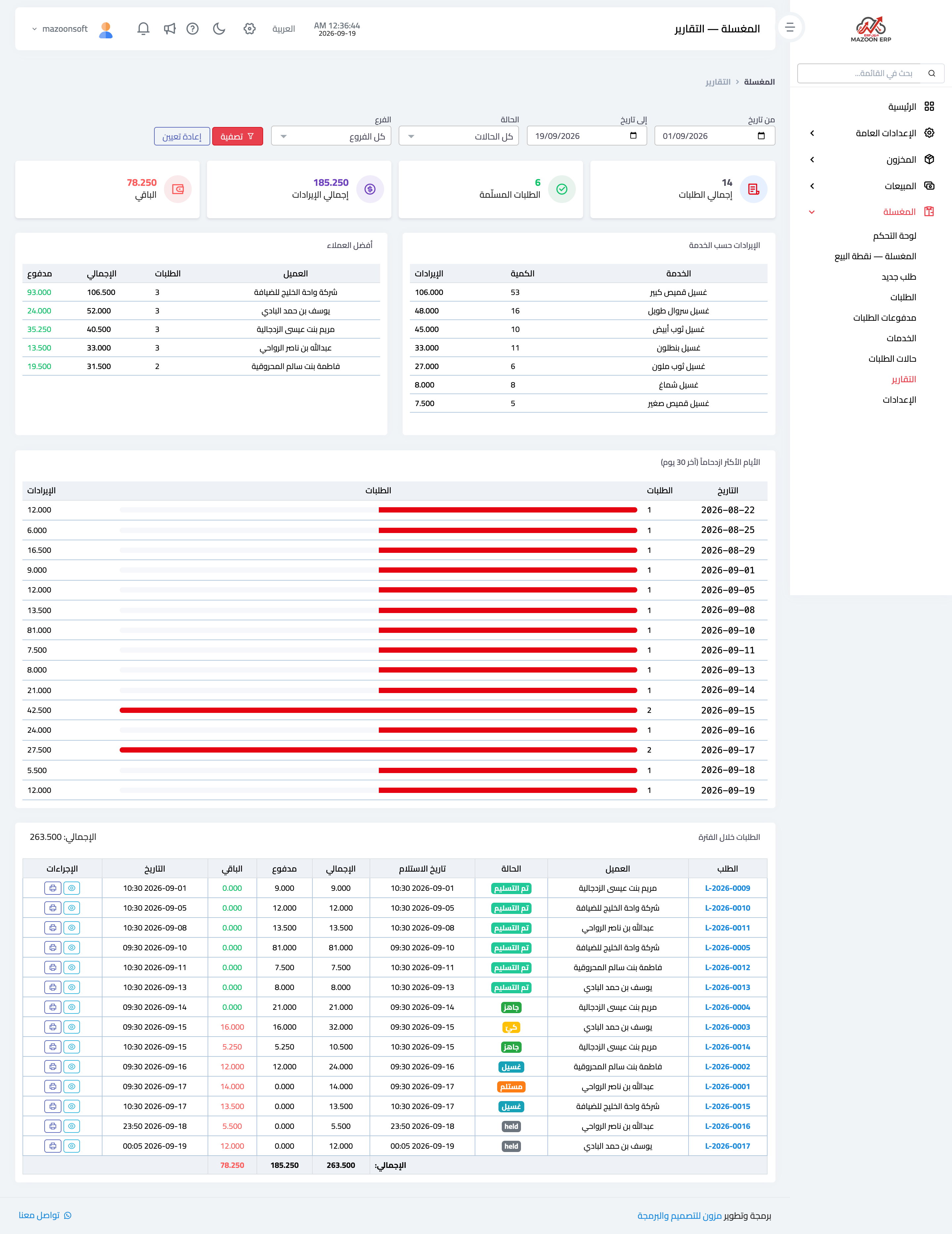
Figure 1
Try what you just read on your own data
Open a free 7-day trial — no credit card, with your own company link in minutes.