
How do I add a laundry service and price it per piece or by weight?
The services list is your price list: every invoice is built from it, and the cashier screen buttons come from it.
Steps
- Open Laundry → Services — Figure 1.
- Press Add Service — Figure 2.
- Enter the Arabic and English names, and be precise: “Wash large shirt” beats “shirt”.
- Choose the type: Piece for per-item pricing, or Weight (kg) for per-kilo pricing.
- Enter the price: per piece, or per kilo if the type is weight.
- Turn on Show in Quick Services for your frequent items; they then appear as buttons at the top of the POS screen.
- Upload an image if you like, then Save.
Notes
- Do not delete a service used on past orders; set it Inactive and it disappears from entry screens without losing its history.
- A price change applies to new orders only; existing orders keep the price they were created with.
- Categories (menswear, womenswear, linens…) appear as filters on the cashier screen, and are faster than searching when you are busy.
Screenshots
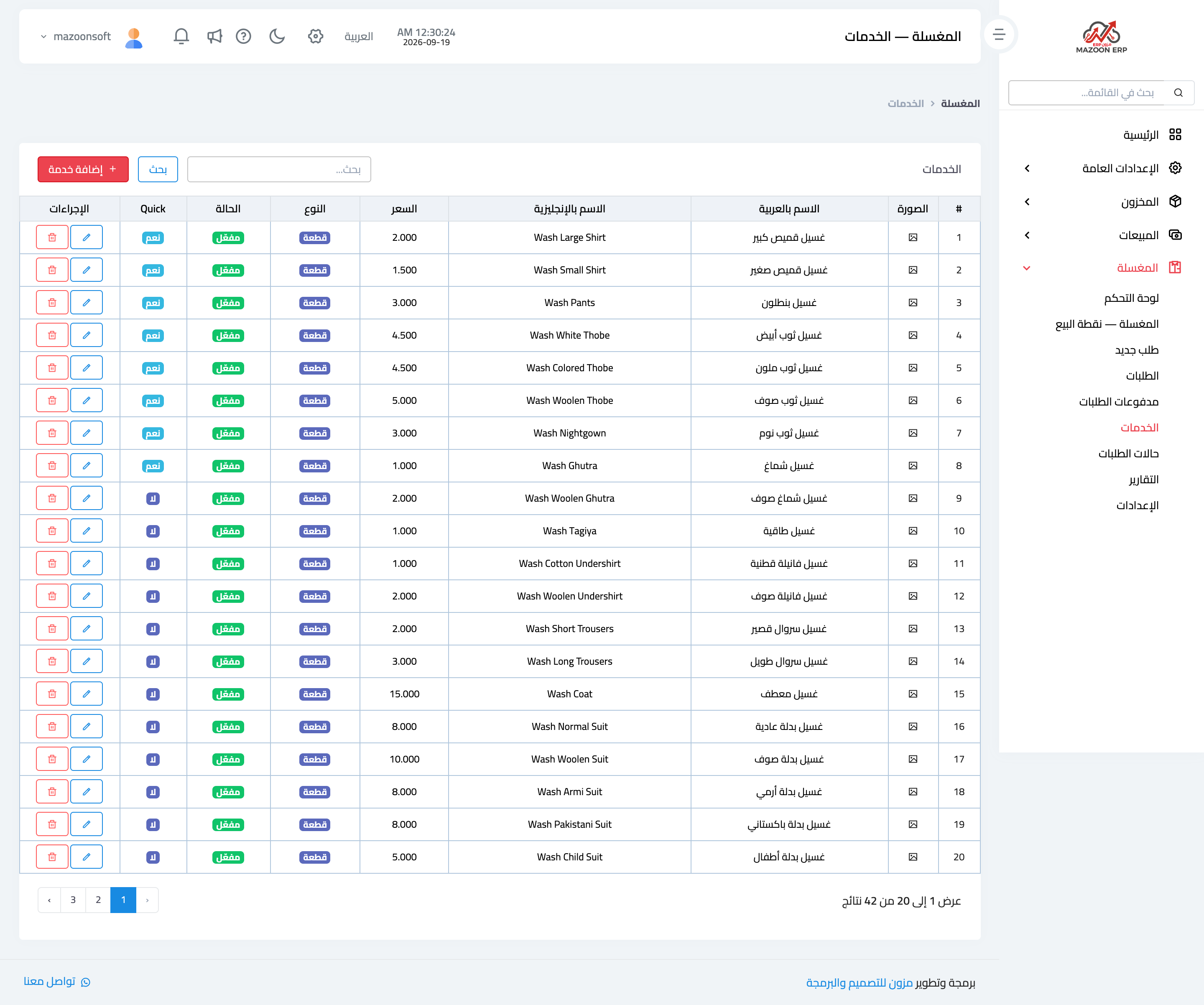
Figure 1
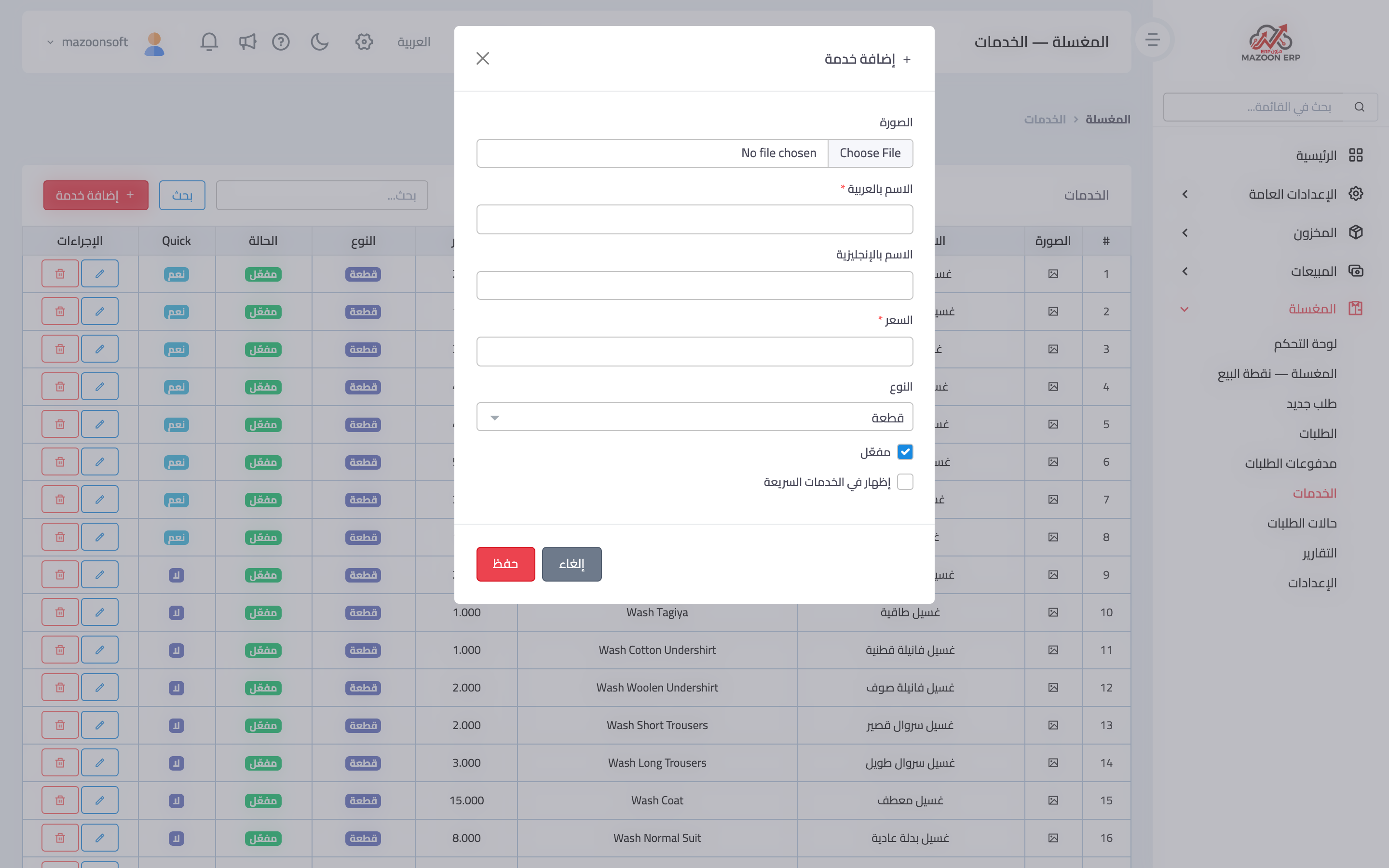
Figure 2
Try what you just read on your own data
Open a free 7-day trial — no credit card, with your own company link in minutes.