
How do I set up the order stages and add a custom status?
A laundry is a short production line: received, washing, ironing, ready, delivered. The system ships with those stages and lets you add to them.
Steps
- Open Laundry → Order Statuses — Figure 1.
- You will find six core statuses marked System: received, washing, ironing, ready, delivered, cancelled.
- To add a stage of your own — such as stain removal or ready for delivery — press Add Status.
- Enter the name in both languages, pick a colour that makes it stand out in the orders list, and set the sort so it lands in the right place in the sequence.
- Save, and the status appears immediately in the status dropdown on orders.
Notes
- Statuses marked System cannot be deleted, because the reports and dashboard depend on them — but you can rename and recolour them.
- Keep the number of stages as small as you can; every extra stage is an extra click for your staff dozens of times a day.
- The colour is not decoration: the front-desk clerk reads the orders list by colour before reading it by text.
Screenshots
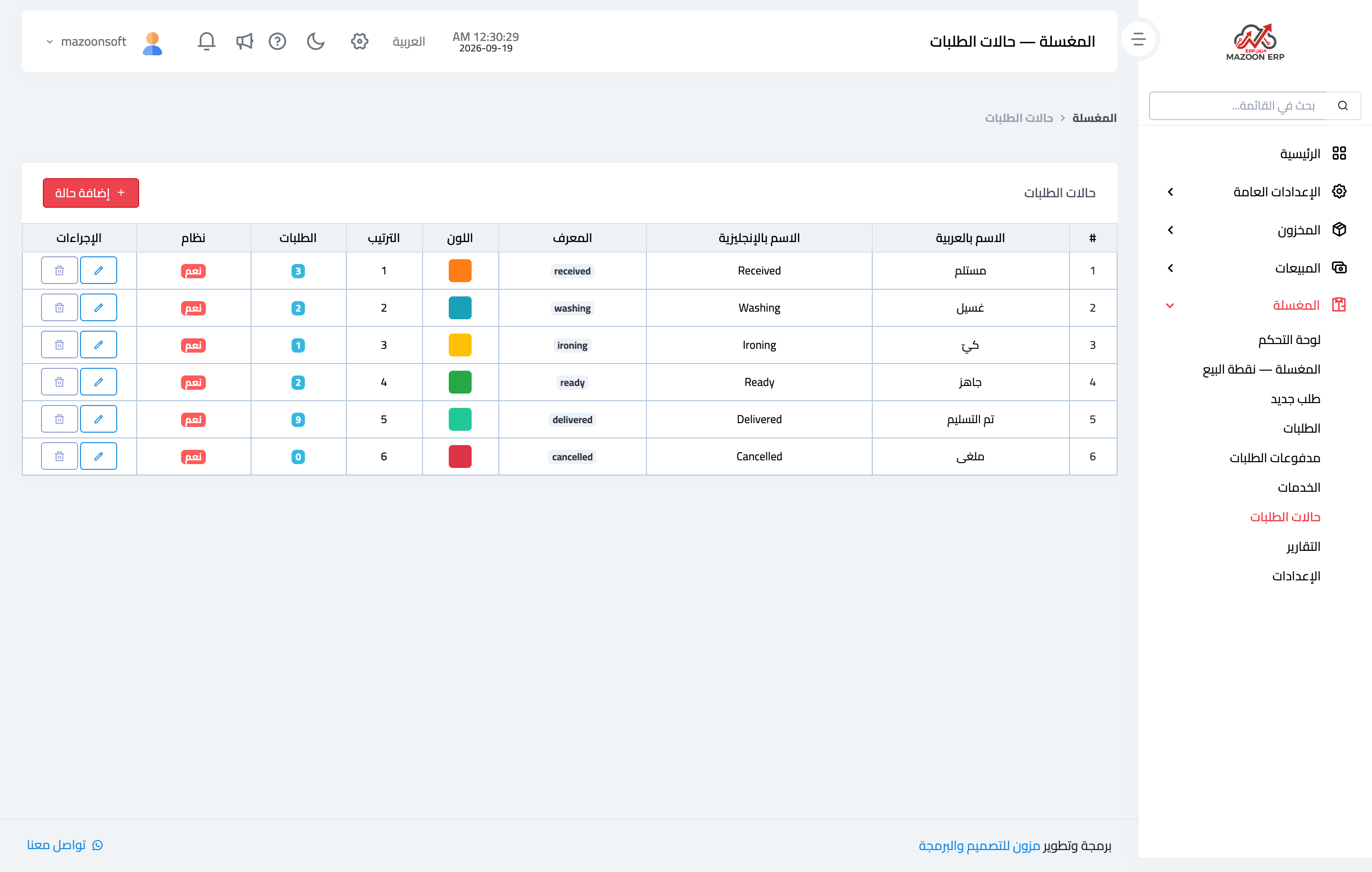
Figure 1
Try what you just read on your own data
Open a free 7-day trial — no credit card, with your own company link in minutes.