
How do I manage sub-consultant contracts and their invoices?
Many offices sub-contract surveying, laboratory work or MEP design to another firm, and that is a cost that comes straight out of the project’s profit.
Steps
- From the project page open Sub-consultants, or go to Engineering → Sub-consultants — Figure 1.
- Add a contract: pick the contact, and enter the scope, the contract value, the currency and the start and end dates.
- When their invoice arrives, add it under the contract with its number, date and amount.
- Review the work, then approve the invoice, and record the payment when you pay it.
- The invoice status moves: pending → approved → partially paid → paid.
Notes
- Do not approve a sub-consultant’s invoice before you have received and reviewed their deliverables; approval is your acknowledgement of receipt.
- Sub-consultant cost feeds the project profitability report; ignoring it makes your profit imaginary.
- Do not pay the sub-consultant before you have been paid by the client, unless the contract obliges you to.
Screenshots
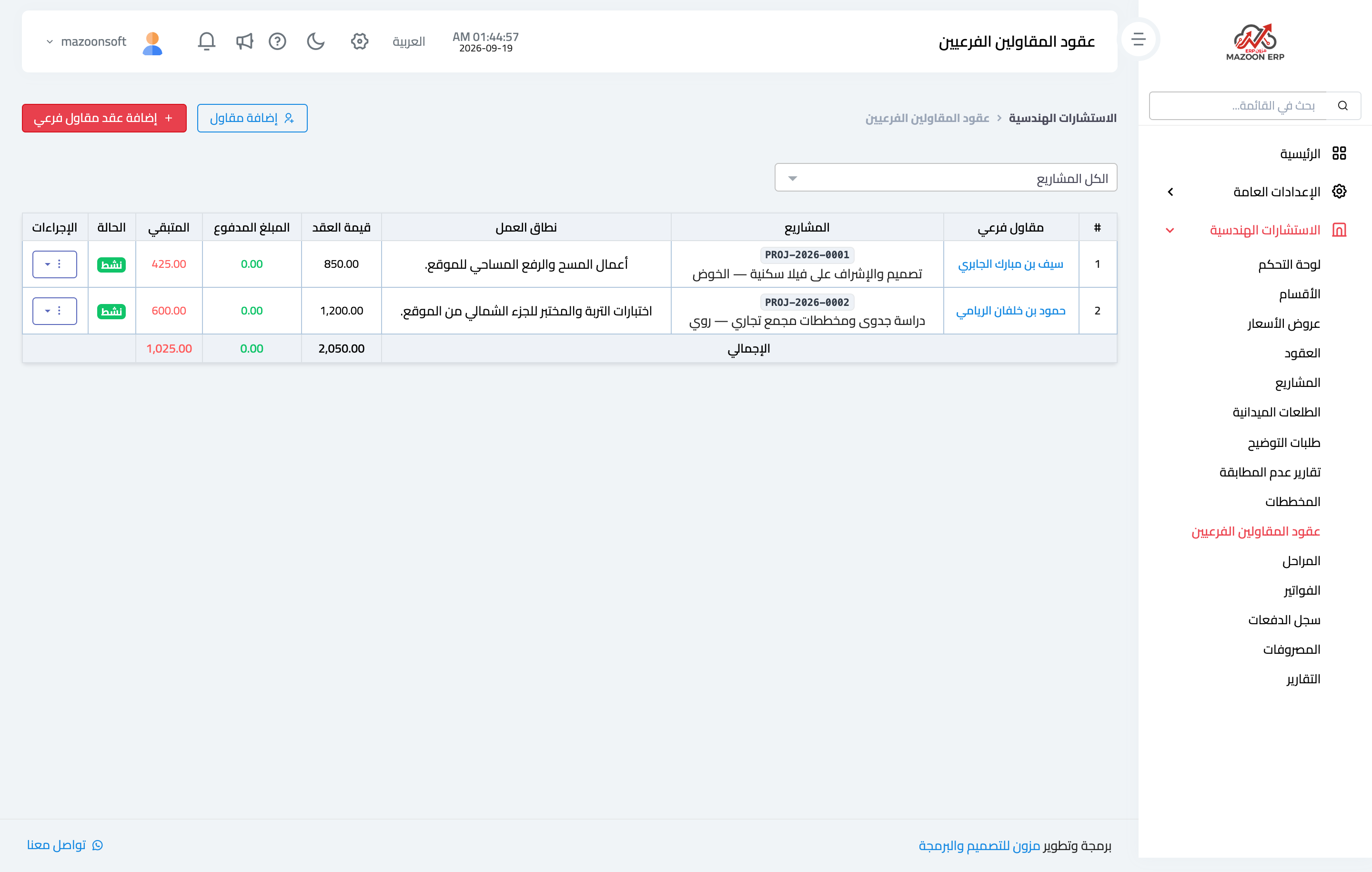
Figure 1
Try what you just read on your own data
Open a free 7-day trial — no credit card, with your own company link in minutes.