
How do I record a site visit and write its report?
Supervision is not turning up at the site; it is a written report someone will read a year later.
Steps
- From the project page open Site Visits and add one — Figure 1.
- Set the visit date, its type — scheduled or urgent — and the related phase.
- Record the weather; it matters when an extension of time is claimed because of rain or heat.
- Write the findings (what you saw) and the instructions (what you asked for), and keep them separate.
- Upload the visit photos and set the next visit date.
- From Engineering → Site Visits — Figure 2 — you see every project’s visits.
Notes
- Write the report the same day; anything put off to tomorrow gets written incomplete.
- A material breach you observe deserves its own NCR, not just a line in the visit report.
- The next-visit date is what keeps supervision regular instead of on-demand.
Screenshots
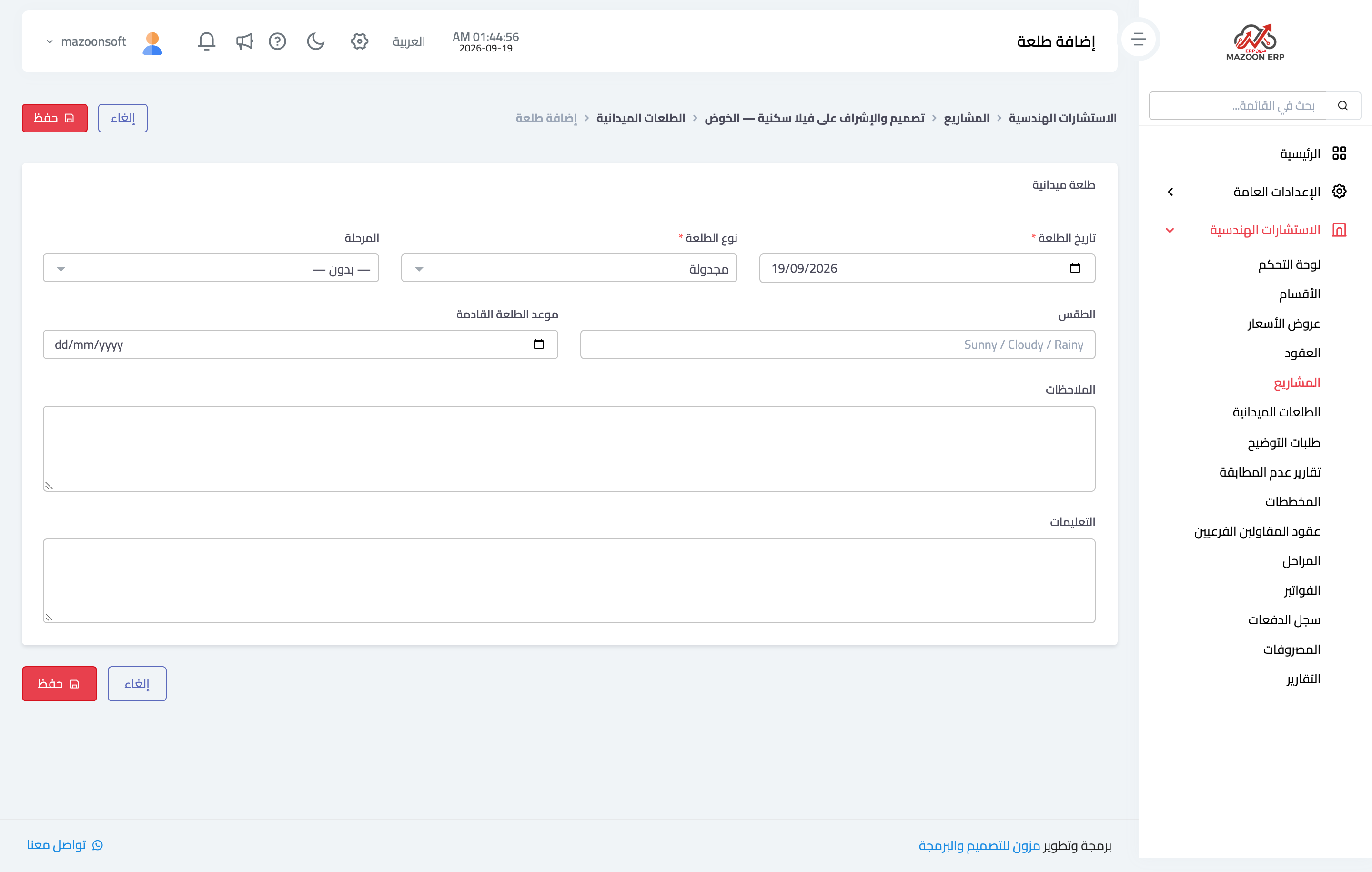
Figure 1
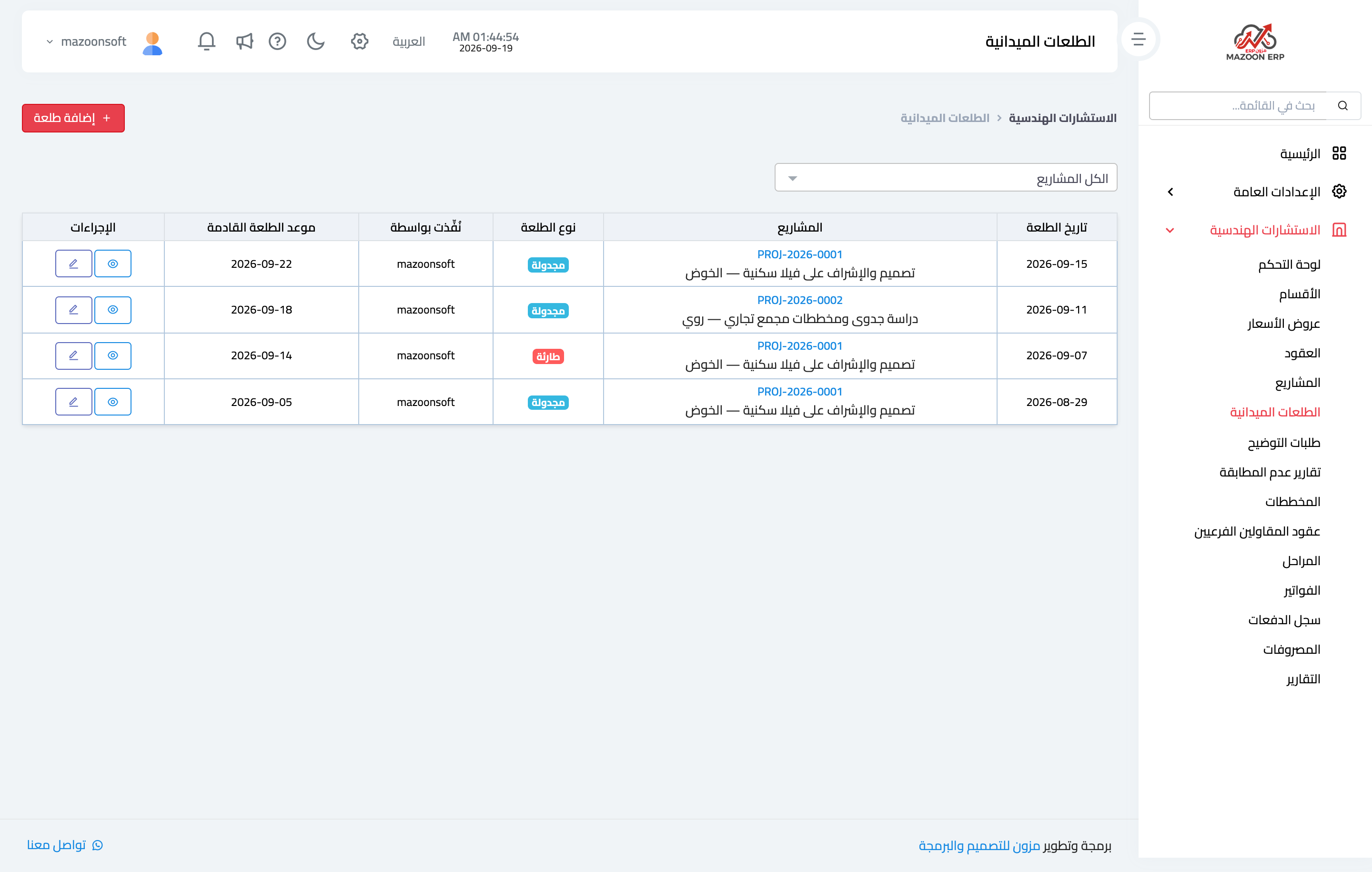
Figure 2
Try what you just read on your own data
Open a free 7-day trial — no credit card, with your own company link in minutes.