
How do I read the project profitability report and the invoices report?
An office full of projects that does not know which ones make money and which lose it is an office working without a compass.
The profitability report
- Open Engineering → Reports → Project Profitability — Figure 1.
- Each project gets a row: contract value, invoiced, collected, expenses, sub-consultant cost, then profit and its percentage.
- Filter by period or project status, or search by project code, name or client, then print or export the report. The period limits invoices, sub-consultant invoices and expenses to their own dates, so you see the profit of that period alone.
The invoices report
From Reports → Invoices — Figure 2 — you see invoiced, collected, outstanding and retained amounts, filtered by period and status.
Notes
- The report is only honest if expenses and sub-consultant invoices are entered as they happen; a project with no expenses looks like gold.
- The gap between invoiced and collected is what clients owe you, and it is the first thing to look at each month.
- A project showing negative profit is not always a pricing mistake; check for unbilled change orders before you judge.
Screenshots
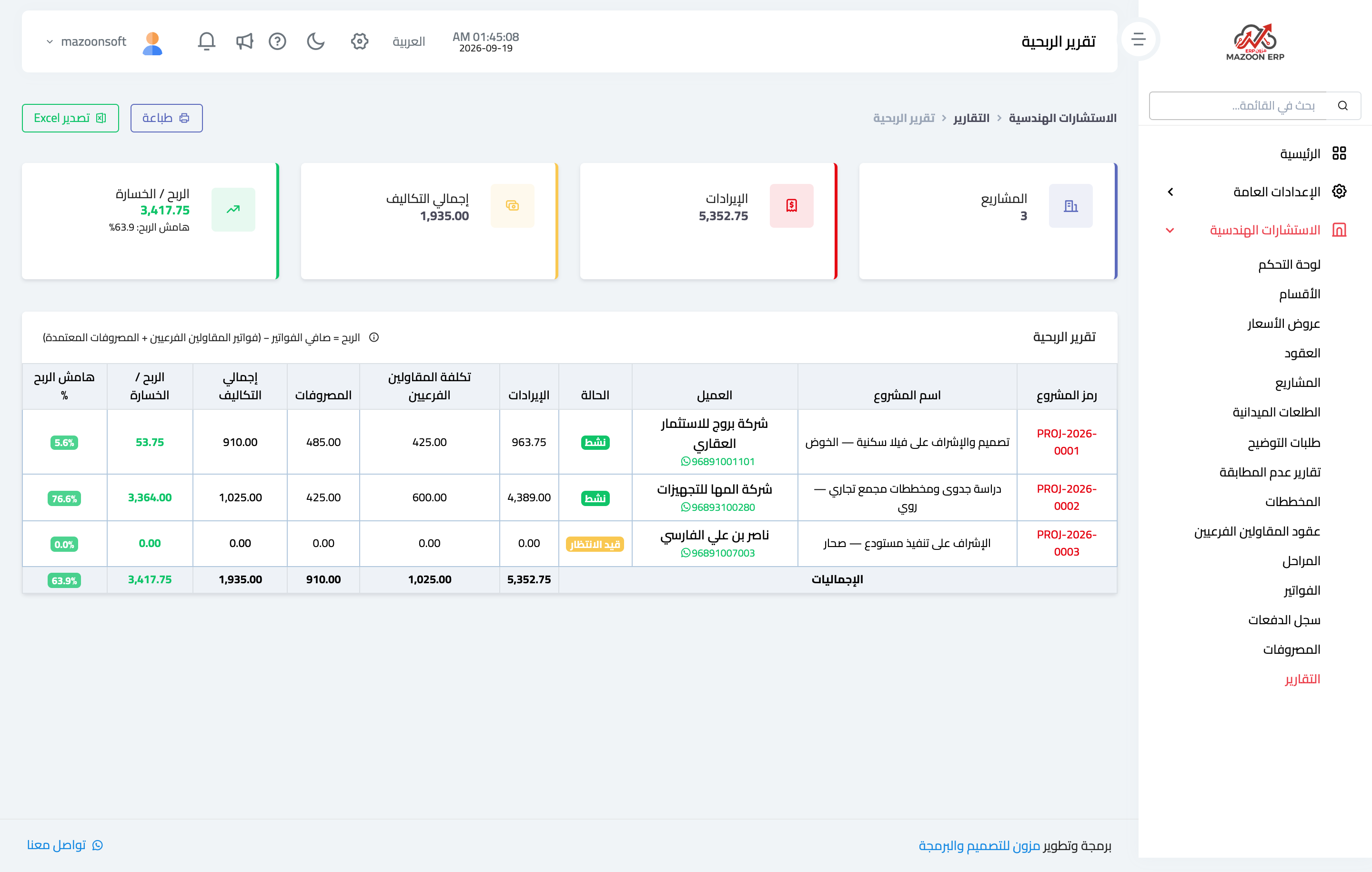
Figure 1
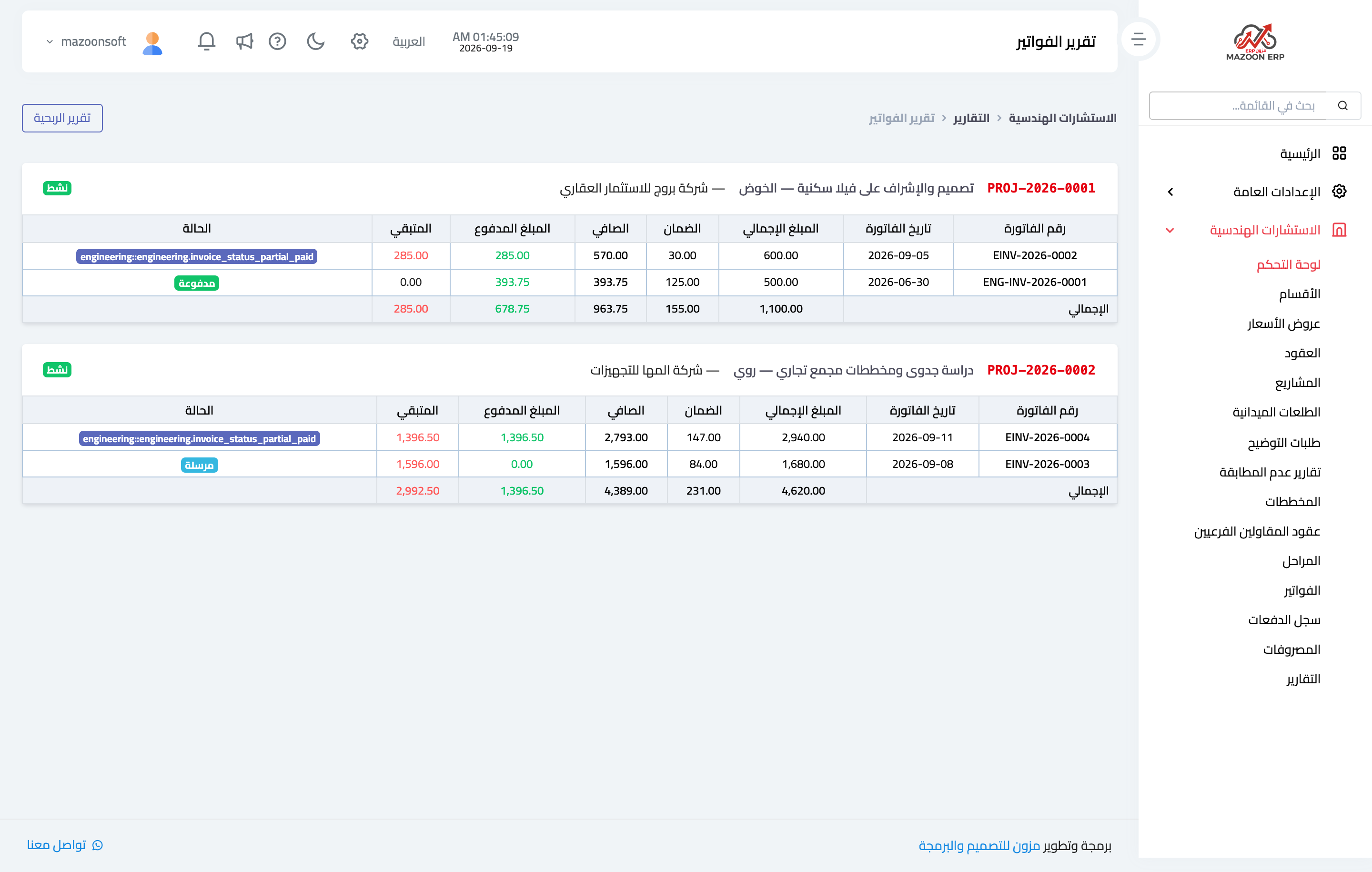
Figure 2
Try what you just read on your own data
Open a free 7-day trial — no credit card, with your own company link in minutes.