
How do I set up the office: project types, statuses and expense categories?
Three lists you set up once in the first week, and every project you run afterwards leans on them.
Project types
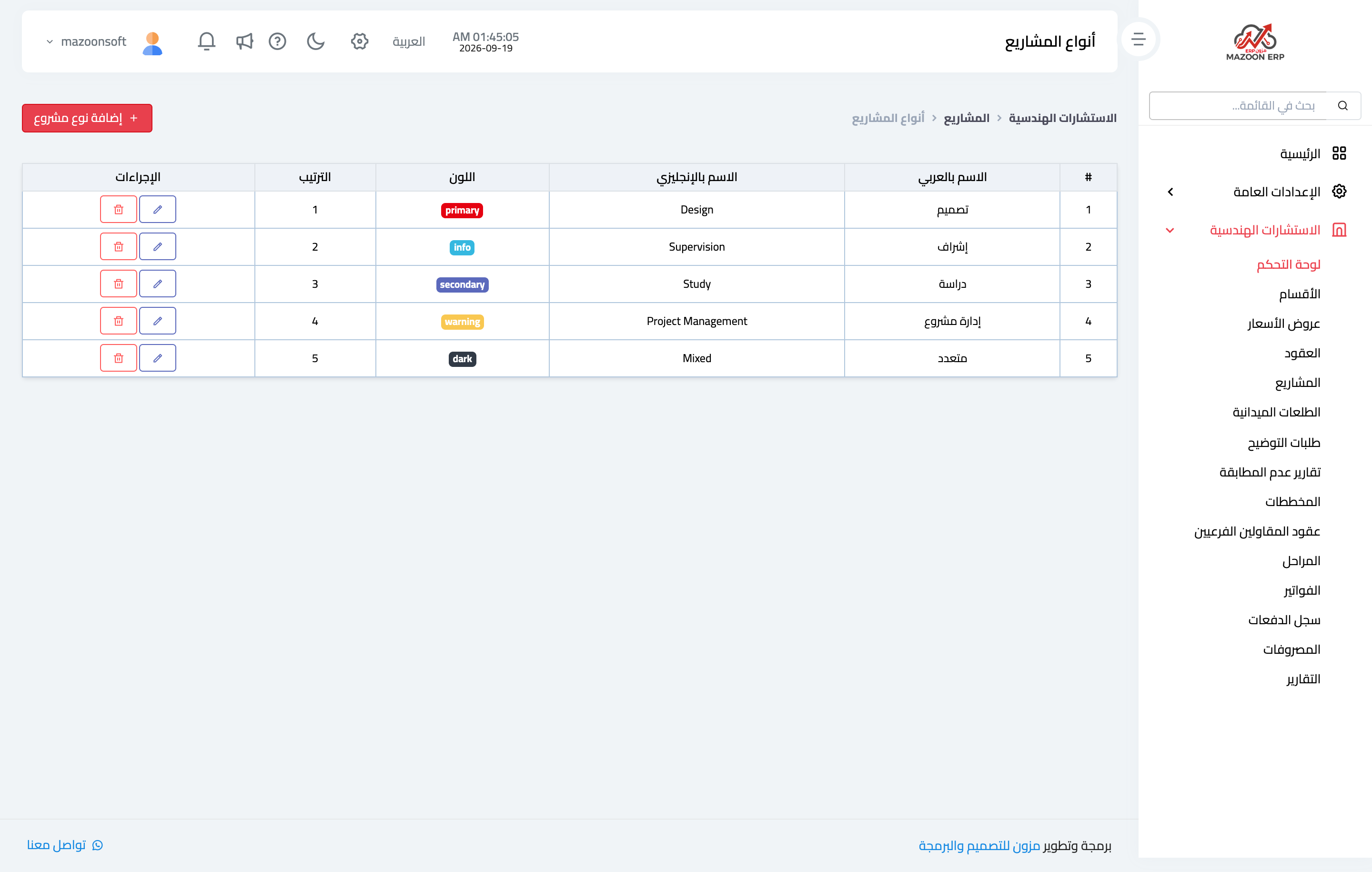
From Engineering → Office Settings → Project Types — Figure 1 — you find the ready-made types: design, supervision, study, project management, mixed. Add whatever you are missing, with a name in both languages, a distinguishing colour and a sort order.
Project statuses
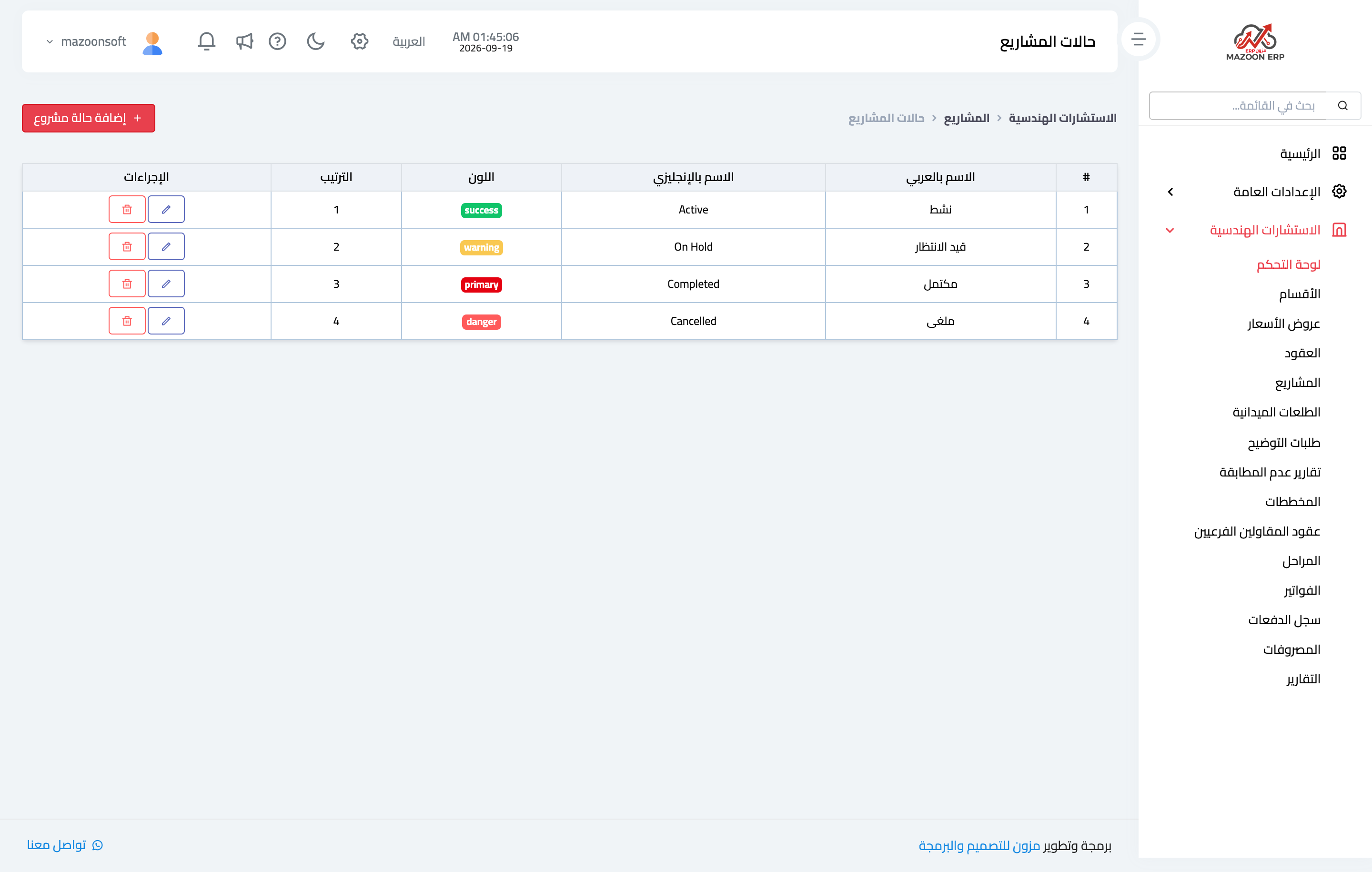
From Project Statuses — Figure 2 — you get: active, on hold, completed, cancelled. These are what the projects list filters by and what the dashboard counters are built on.
Expense categories
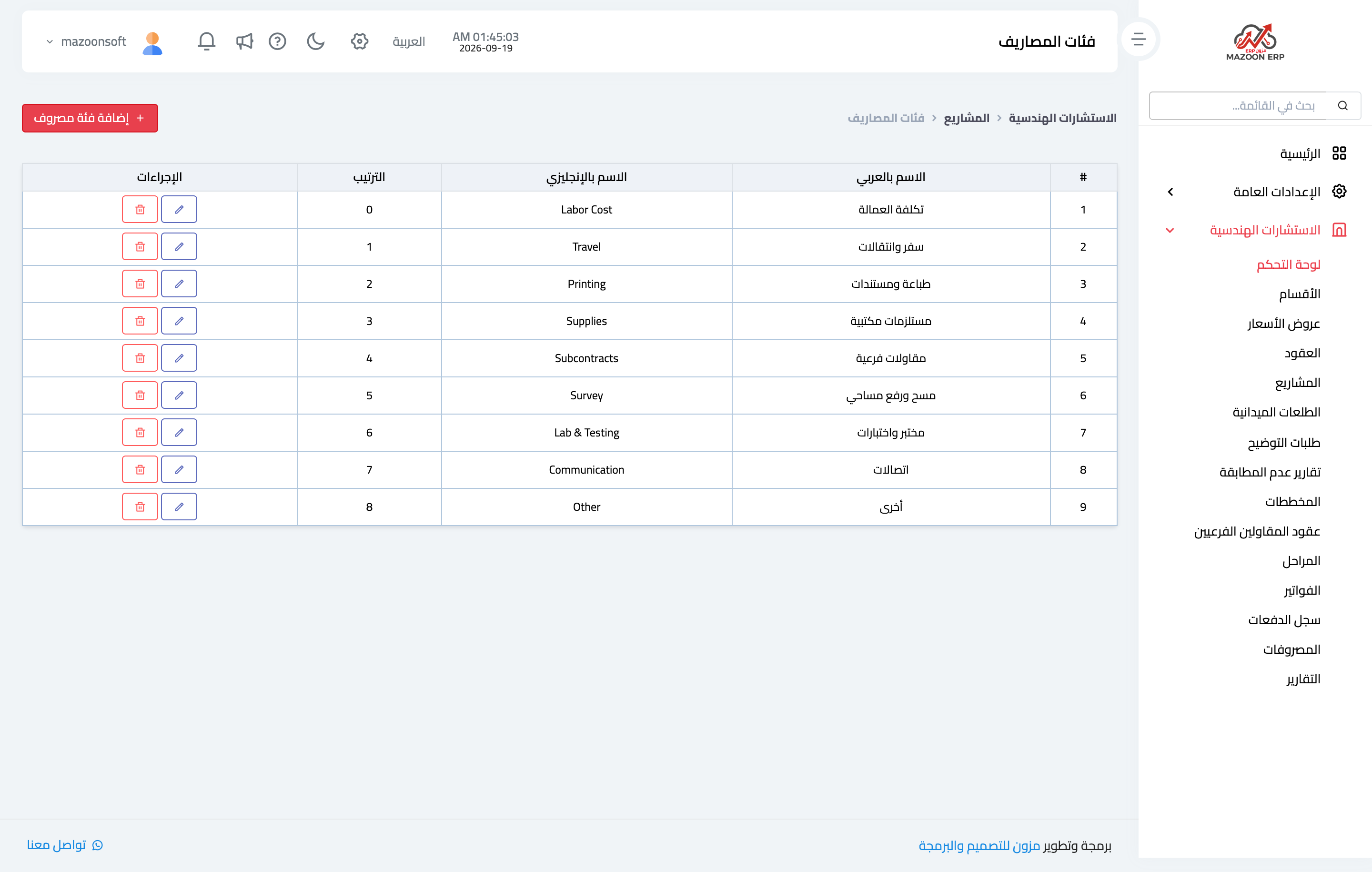
From Expense Categories — Figure 3 — you get: travel, printing and documents, sub-contracting, surveying, laboratory and testing, and others. These are what the project profitability report is built on.
Notes
- Do not create too many categories; ten clear expense categories give you better analysis than thirty overlapping ones.
- The colour is not decoration: you read the projects list by colour before you read it by text.
- Set these lists up before you enter the first project; changing them later leaves an inconsistent record.
Screenshots
Try what you just read on your own data
Open a free 7-day trial — no credit card, with your own company link in minutes.