
What is an RFI and how do I raise one and follow up the answer?
An RFI is a written question raised by the execution team when they find something ambiguous or contradictory in the drawings. Written, because a phone call proves nothing.
Steps
- From the project page open RFIs — Figure 1.
- Add one with its number, subject and description, and upload attachments if there are any.
- Set the assignee, the due date and the priority: low, medium, high.
- When you answer, write the response on the RFI itself and the status becomes answered.
- Close it as closed once the solution has actually been carried out on site.
- From Engineering → RFIs — Figure 2 — you see every project’s RFIs.
Notes
- An open, overdue RFI means work stopped on site, so filter by open every morning.
- The due date is not a formality; it is what you cite when a contractor claims an extension of time.
- The written answer is your reference in a dispute, so do not settle for a call or a passing message.
Screenshots
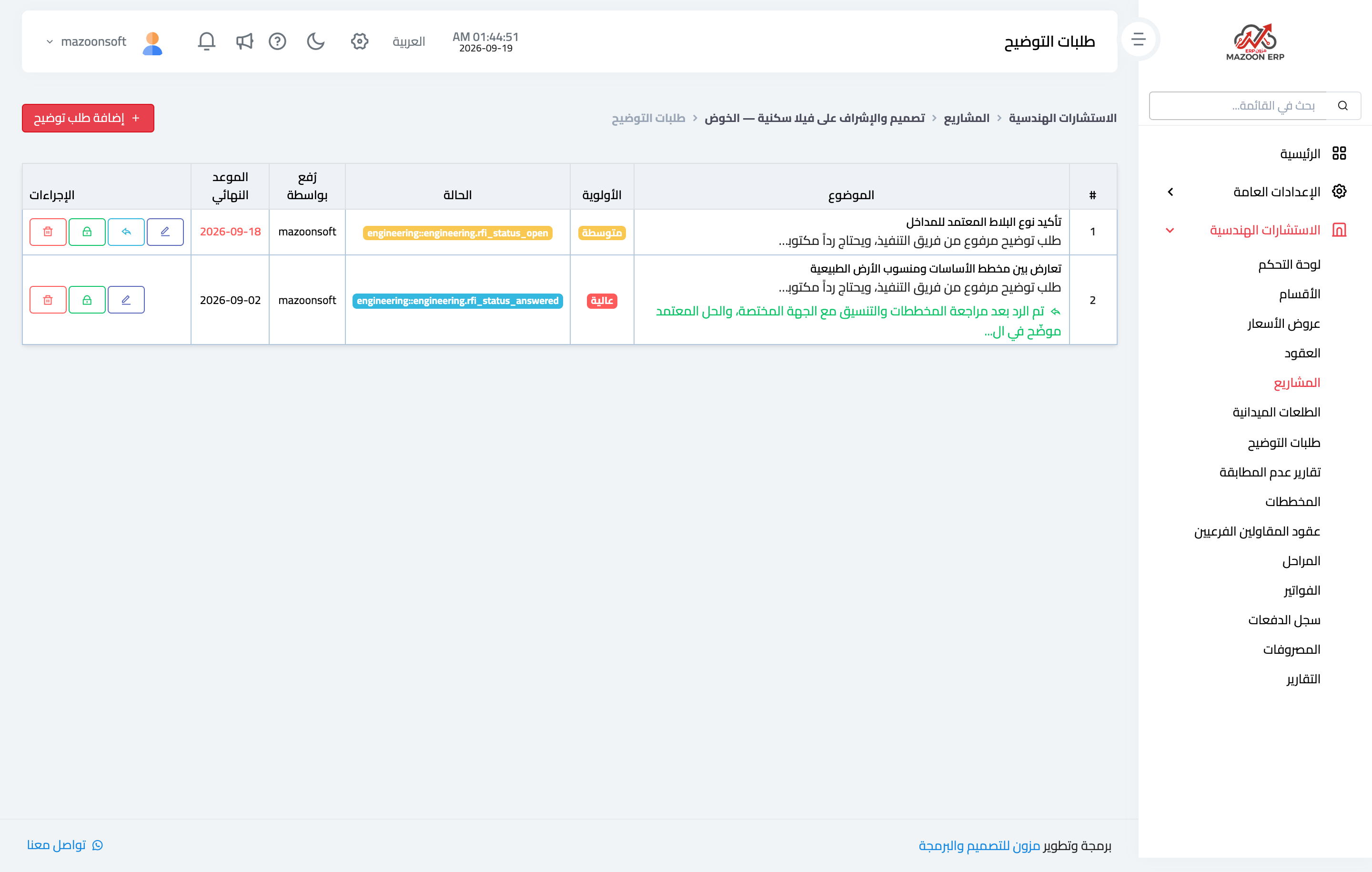
Figure 1
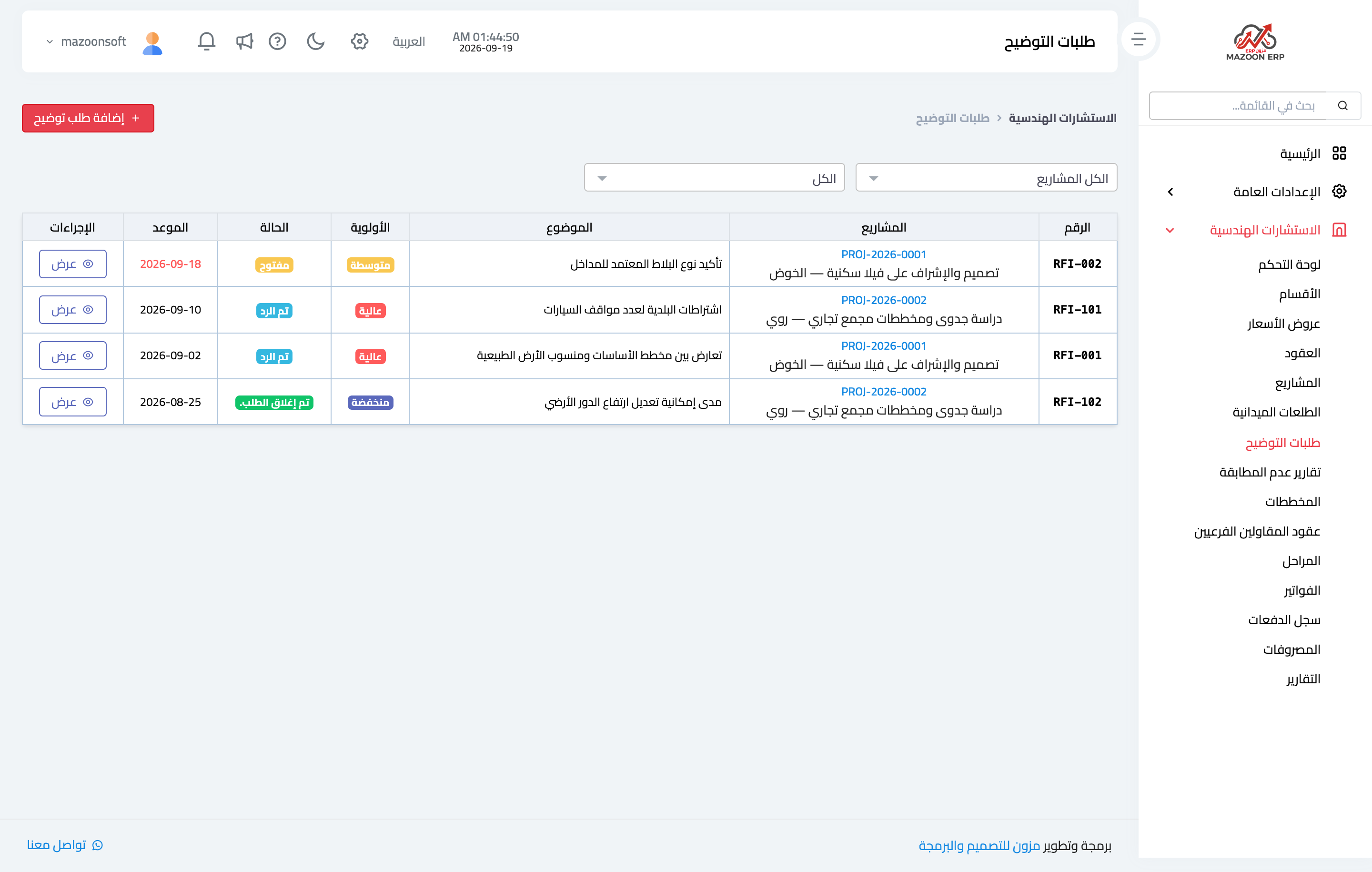
Figure 2
Try what you just read on your own data
Open a free 7-day trial — no credit card, with your own company link in minutes.