
How do I create the office departments and assign the team to them?
An engineering project passes through more than one team: planning, then design, then execution, then delivery. Departments are what make that path visible.
Steps
- Open Engineering → Departments — Figure 1. Departments are listed one per row, each showing its member and project counts.
- You will find four ready-made departments: Planning, Design, Execution and Delivery, marked Default.
- Add a new department with Add Department: a name in both languages, a colour and an icon.
- Press Add Member on a department's row and choose the employee and their role: Member or Department Manager.
- Click a department's name to show or hide its members, or use Expand All and Collapse All.
- To edit a member, press the pencil icon next to them: you can change the person, their role or their joining date. To remove them from the department, press the remove icon beside it.
- Edit, deactivate or delete the department itself from the ⋮ menu on its row.
Notes
- The engineering dashboard shows the project and member count per department; a crowded department beside an empty one is a signal worth looking at.
- The four default departments cannot be deleted, and a department with members cannot be deleted until they are removed.
- Do not delete a department that still has projects; those projects lose their current department. Deactivate it instead: it disappears from the project pick lists and the record stays intact.
- Department membership shows who works in each department and who manages it. If Assignment is enabled for your company, department members see its projects automatically, and any project can be shown to or hidden from each employee — see How do I choose who sees each project (Assignment)?. Until it is enabled, role permissions alone decide who sees projects.
Screenshots
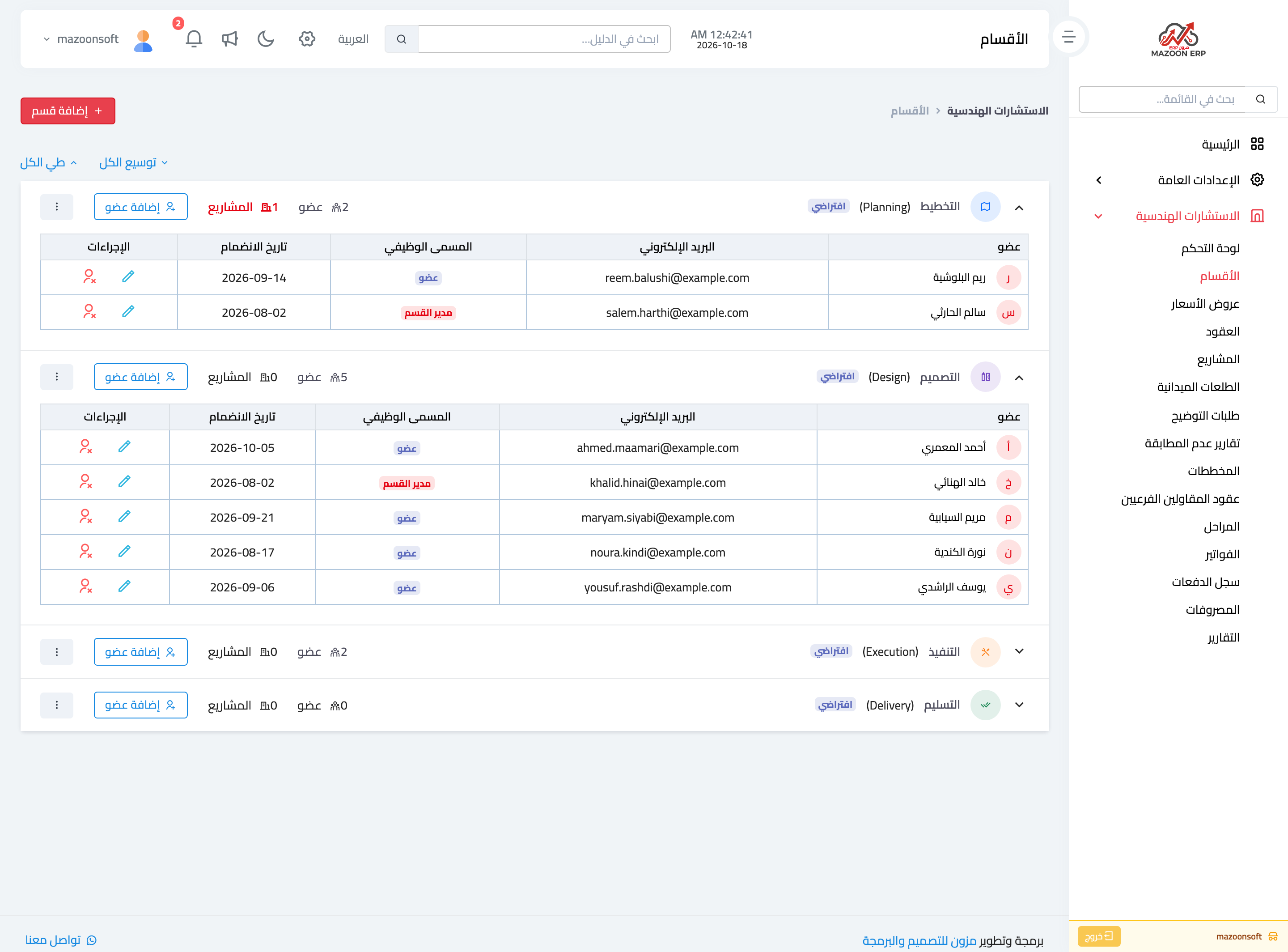
Figure 1
Try what you just read on your own data
Open a free 7-day trial — no credit card, with your own company link in minutes.