
How do I create a project and split it into phases with completion percentages?
The project is where everything comes together: phases, drawings, site visits, invoices and expenses.
Creating the project
- Open Engineering → Projects — Figure 1 — and press the add button — Figure 2.
- Link the project to its contract and the client fills in automatically.
- Enter the project name and code, and choose the type, the status and the current department.
- Set the start and end dates and the location, and write a description someone reading it a year later will understand.
Phases
- From the project page — Figure 3 — add the phases in order: planning, architectural design, structural design, supervision…
- Give each phase its percentage of the contract value, and the amount is computed for you.
- Set a start date and a due date per phase.
- As the work advances, move the phase status: pending → in progress → completed → invoiced.
- From Engineering → Phases — Figure 4 — you see every project’s phases in one list.
Notes
- The phase percentages must add up to 100%; anything less is money you will never invoice.
- The phase is the unit of invoicing, so do not make it so long that you wait forever for the payment.
- Do not move a phase to completed before the client has approved its deliverables in writing.
Screenshots
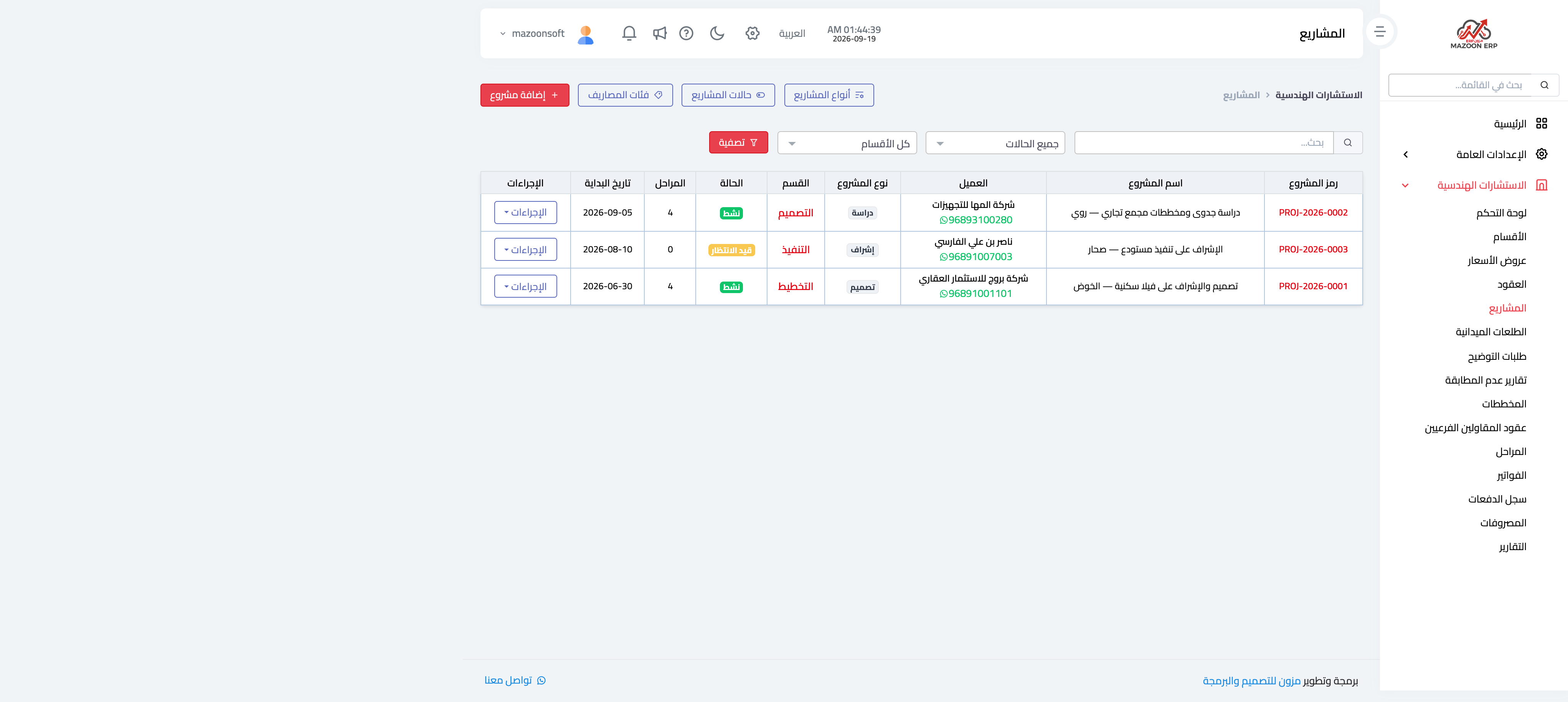
Figure 1
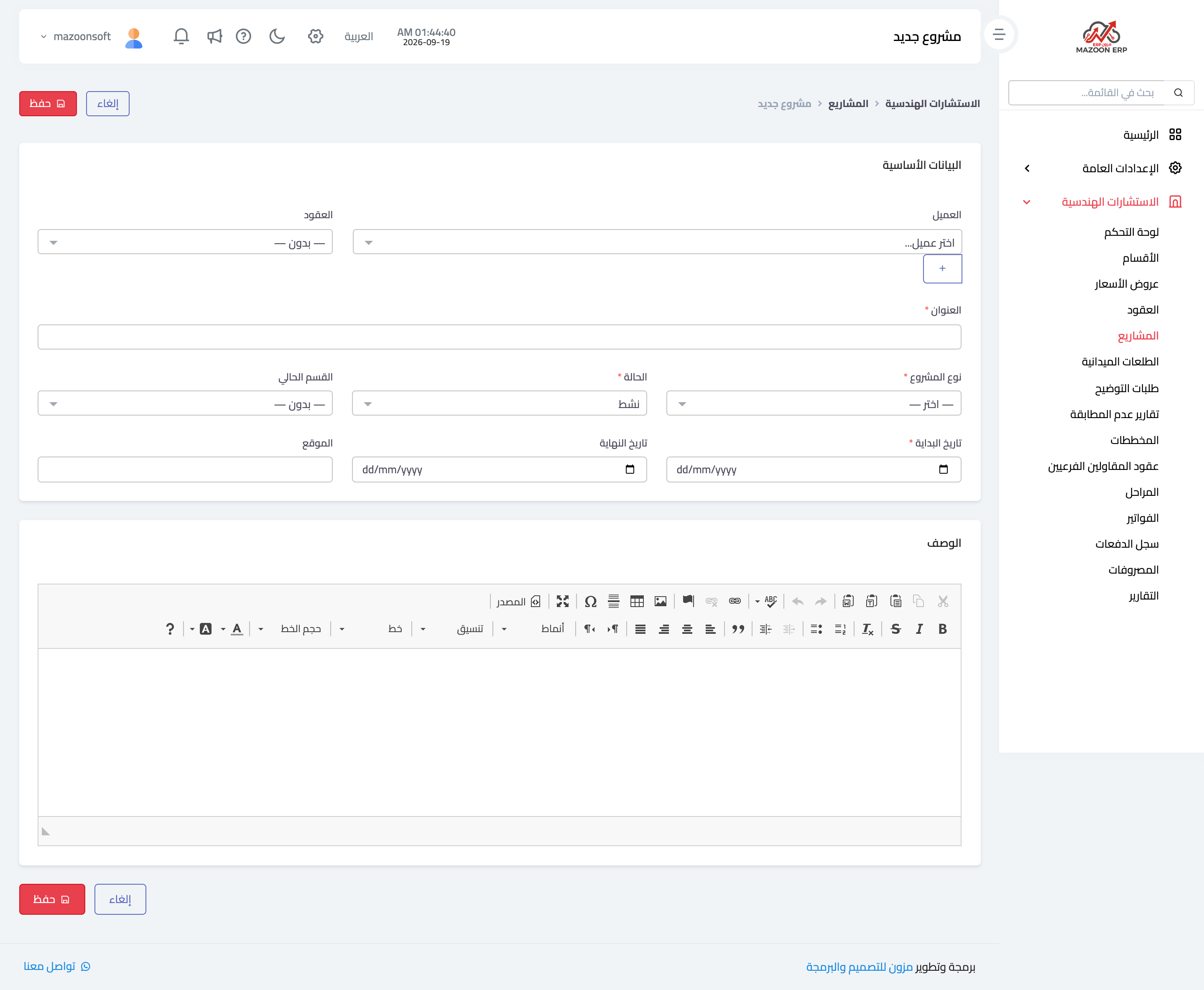
Figure 2
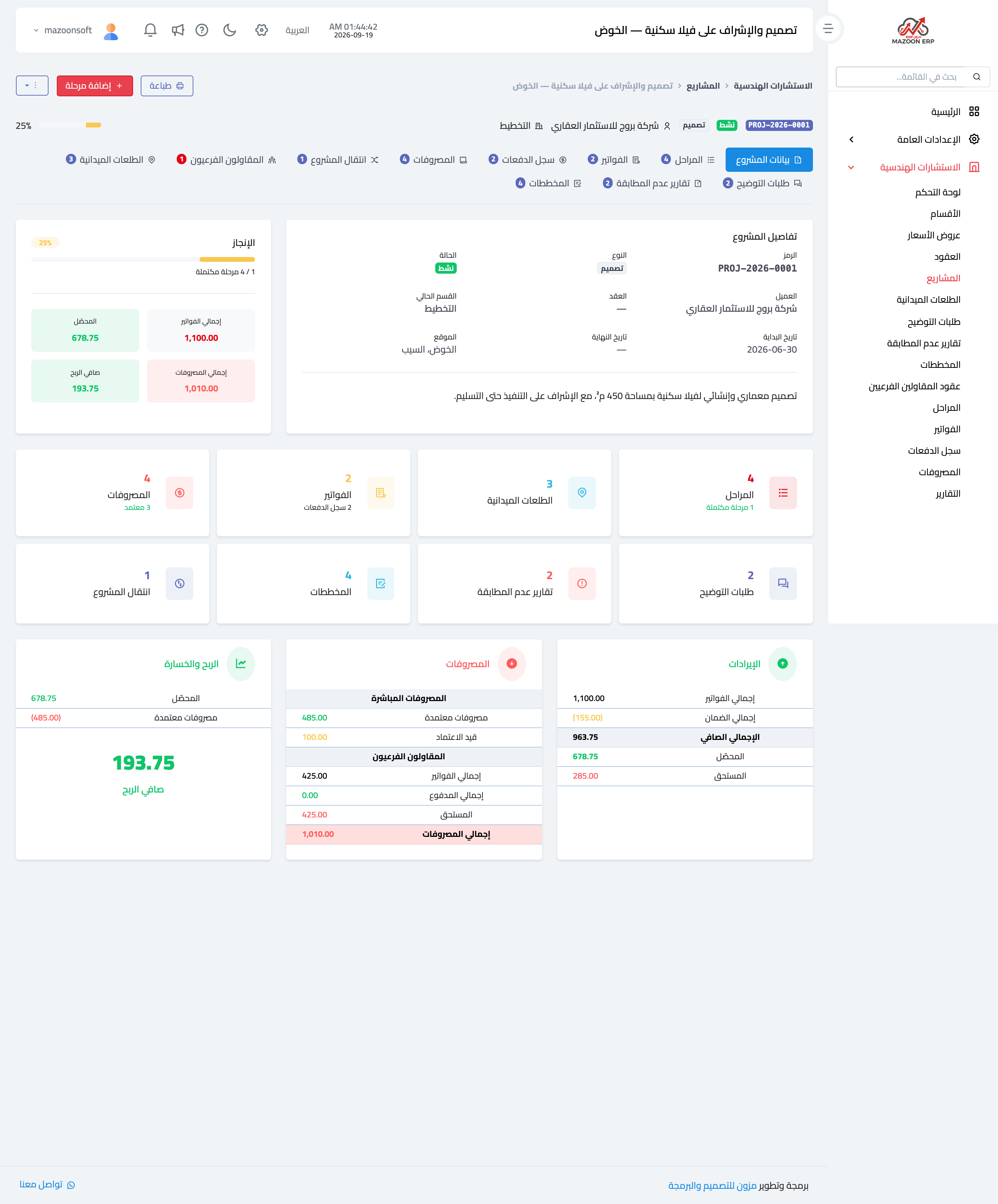
Figure 3
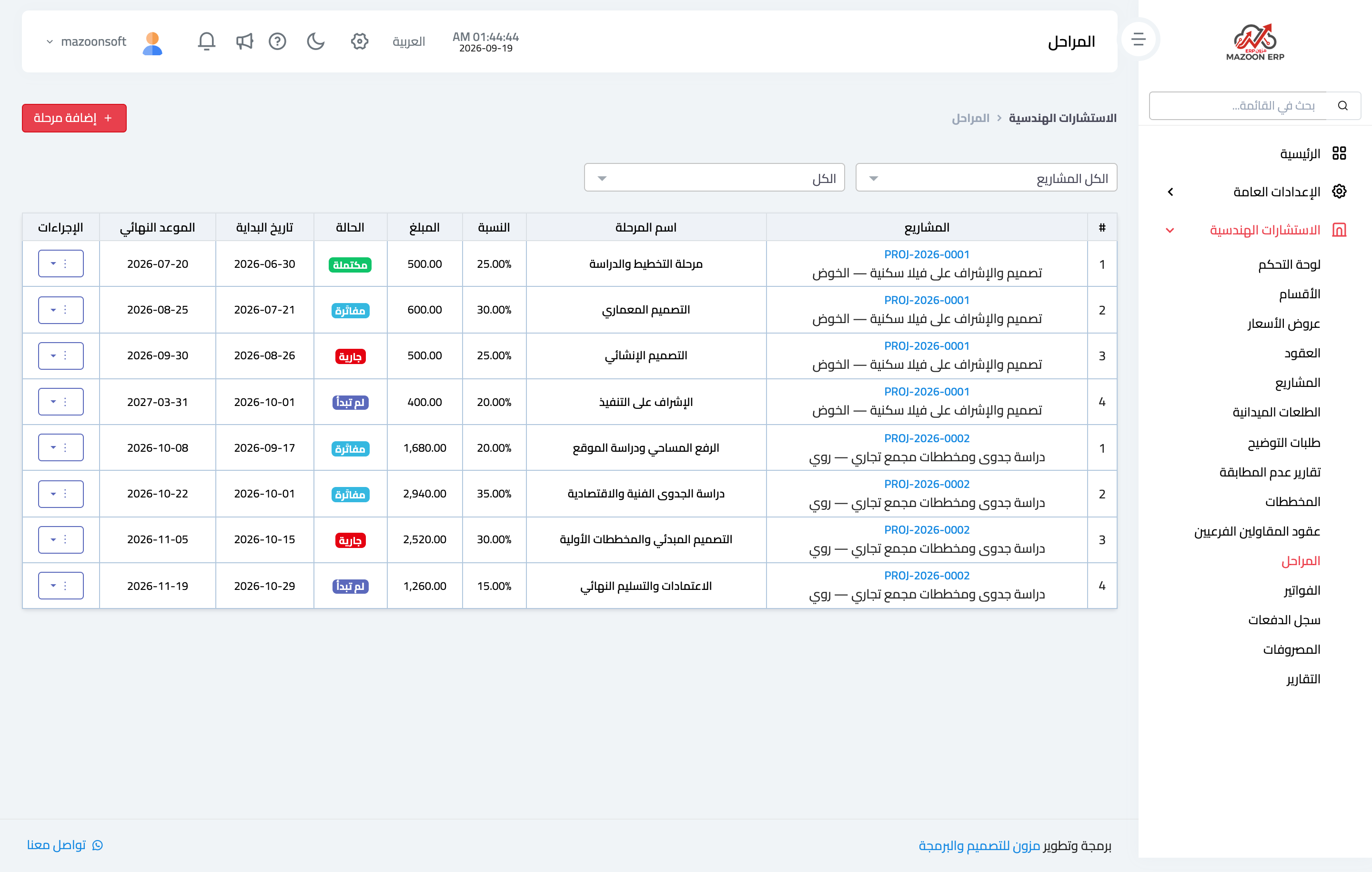
Figure 4
Try what you just read on your own data
Open a free 7-day trial — no credit card, with your own company link in minutes.