
How do I raise a non-conformance report (NCR) and follow its correction?
When you see work on site that contradicts the drawing or the specification, your job is to document it — not to mention it verbally and walk on.
Steps
- From the project page open NCRs, or go to Engineering → NCRs — Figure 1.
- Add a report with its number, description and the location within the project.
- Upload before photos; they are stronger than any written description.
- Write the required corrective action and the correction due date.
- Move the status: open → correcting → closed, and upload after photos before closing.
Notes
- Never close a report before you have seen the correction yourself and photographed it.
- Before-and-after photos are what protect you with the client, the authorities and, if it comes to it, the court.
- An NCR left open for weeks means the defect is still standing in the building.
Screenshots
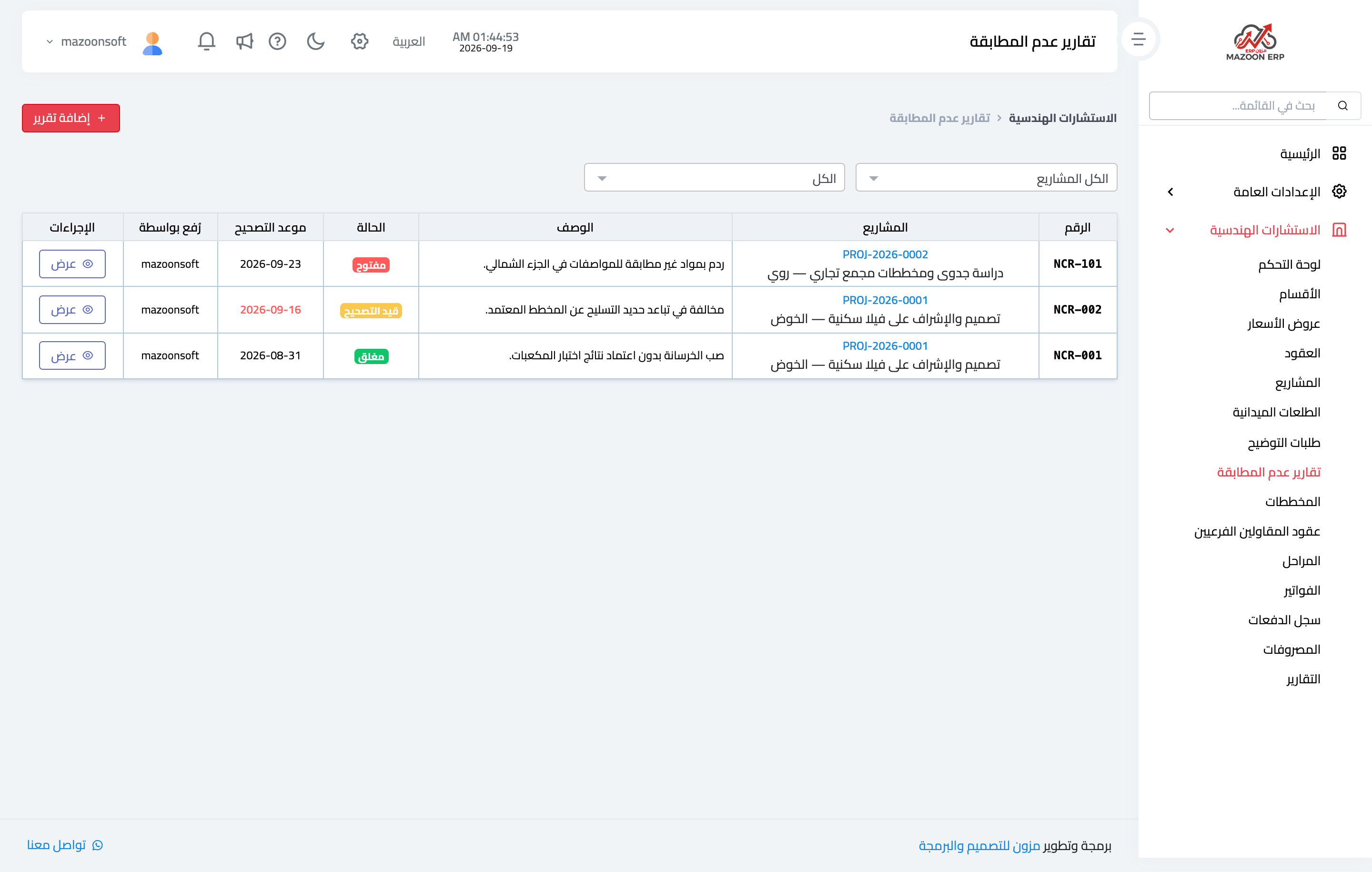
Figure 1
Try what you just read on your own data
Open a free 7-day trial — no credit card, with your own company link in minutes.