
How do I create the contract, set the retention and add a change order?
The contract is what you point to in the first dispute, and it is what the phase invoices are built on.
Creating the contract
- The fastest route: from an accepted proposal press Convert, and the items and value carry over automatically.
- Or open Engineering → Contracts — Figure 1 — and add a contract from scratch.
- Enter the contract value, the discount and the retention percentage.
- Write the terms; they print with the contract and the client signs against them.
- Save, then open the contract — Figure 2 — and generate the sign link for the client to sign electronically.
- To print it, press Print — Figure 3.
Change orders
- From the contract page press add change order whenever the client asks for work outside the contract scope.
- Write the description and the value change (positive or negative).
- On approval the amount is added to the contract’s approved value.
Notes
- Retention is deducted from every phase invoice automatically and released at final handover, so set it on the contract, not on each invoice.
- Never start work on a change order before it is approved in writing; this is where engineering offices lose the most fees.
- Do not delete a signed contract; set its status to completed or terminated.
Screenshots
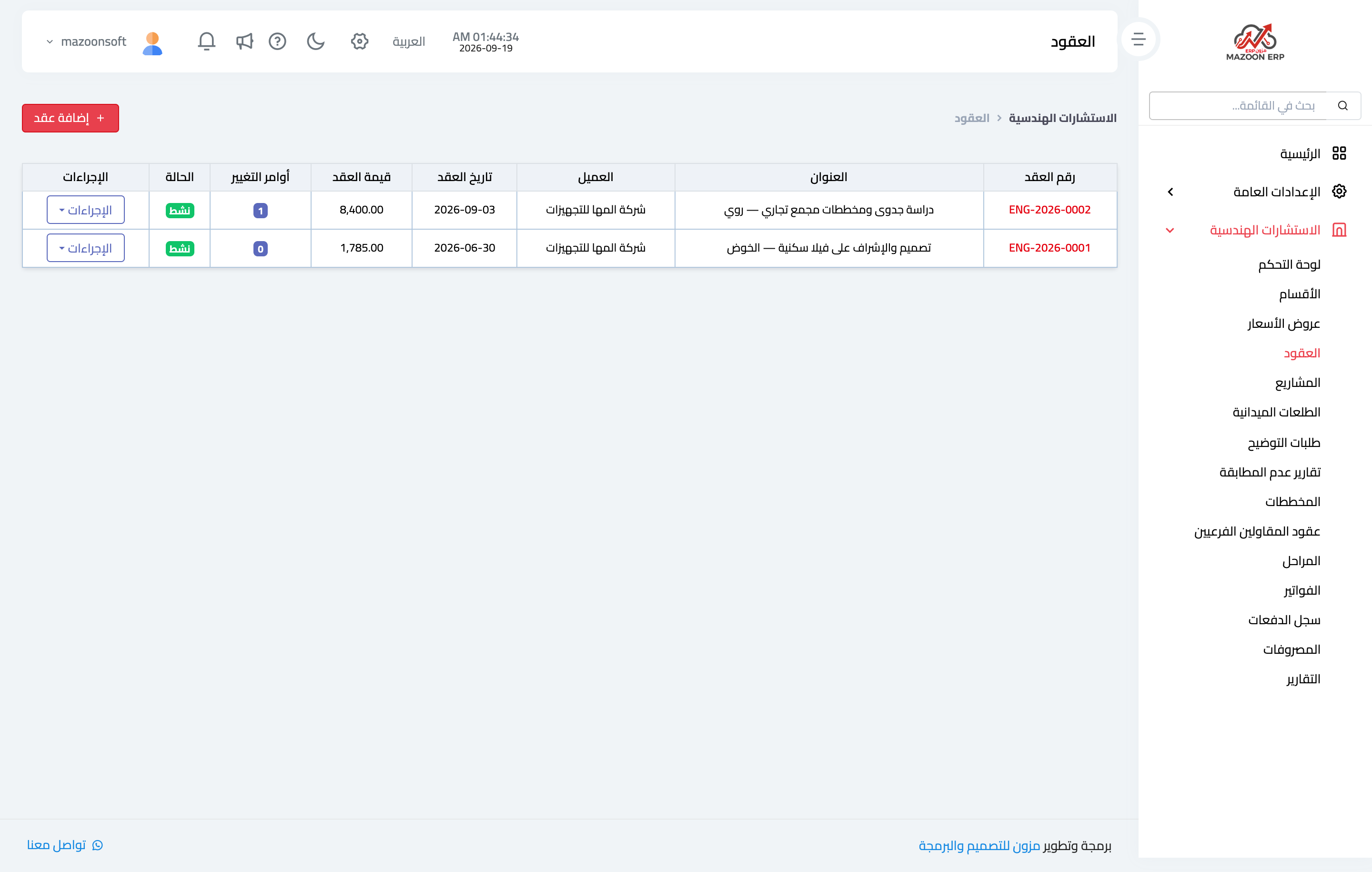
Figure 1
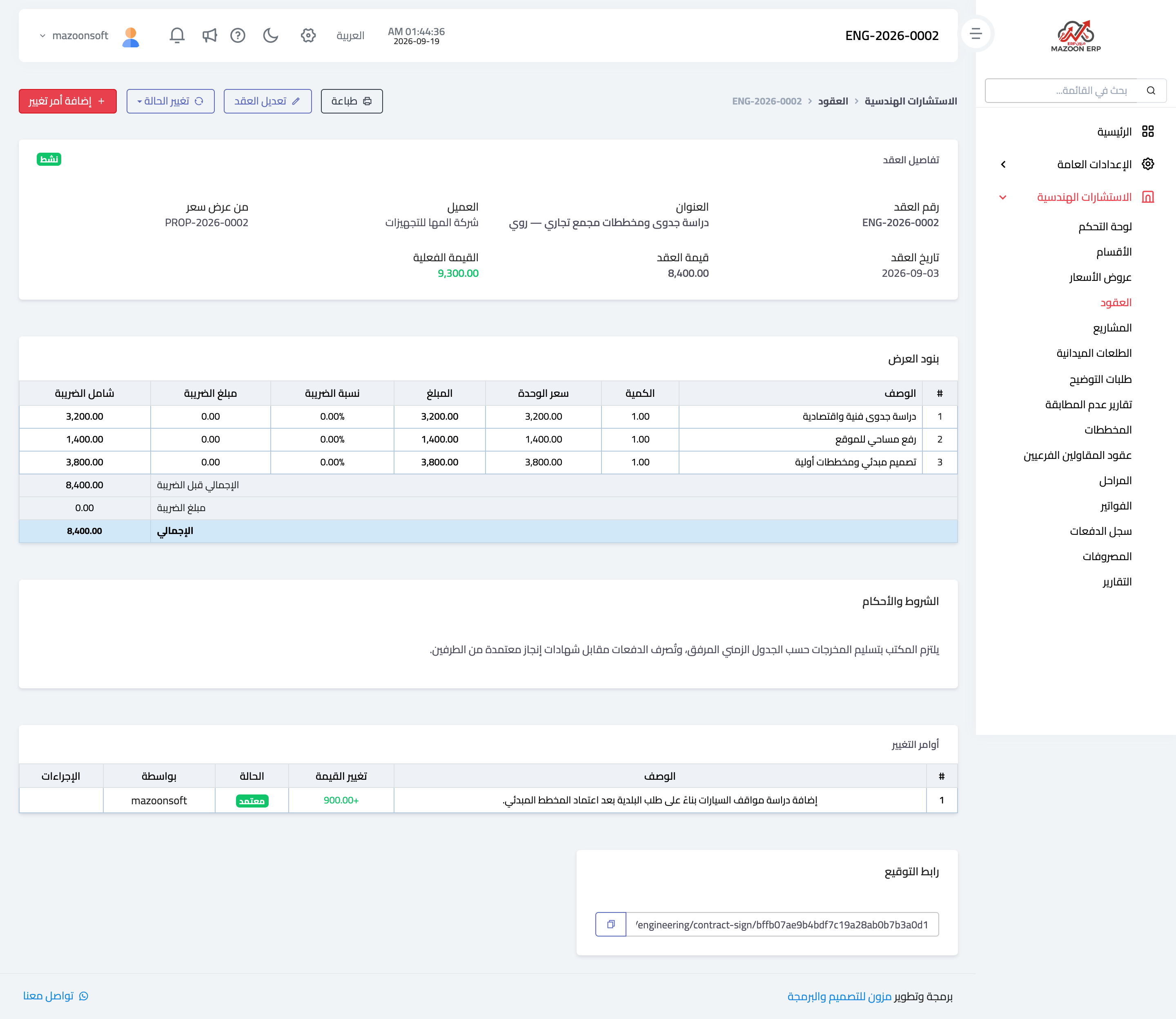
Figure 2
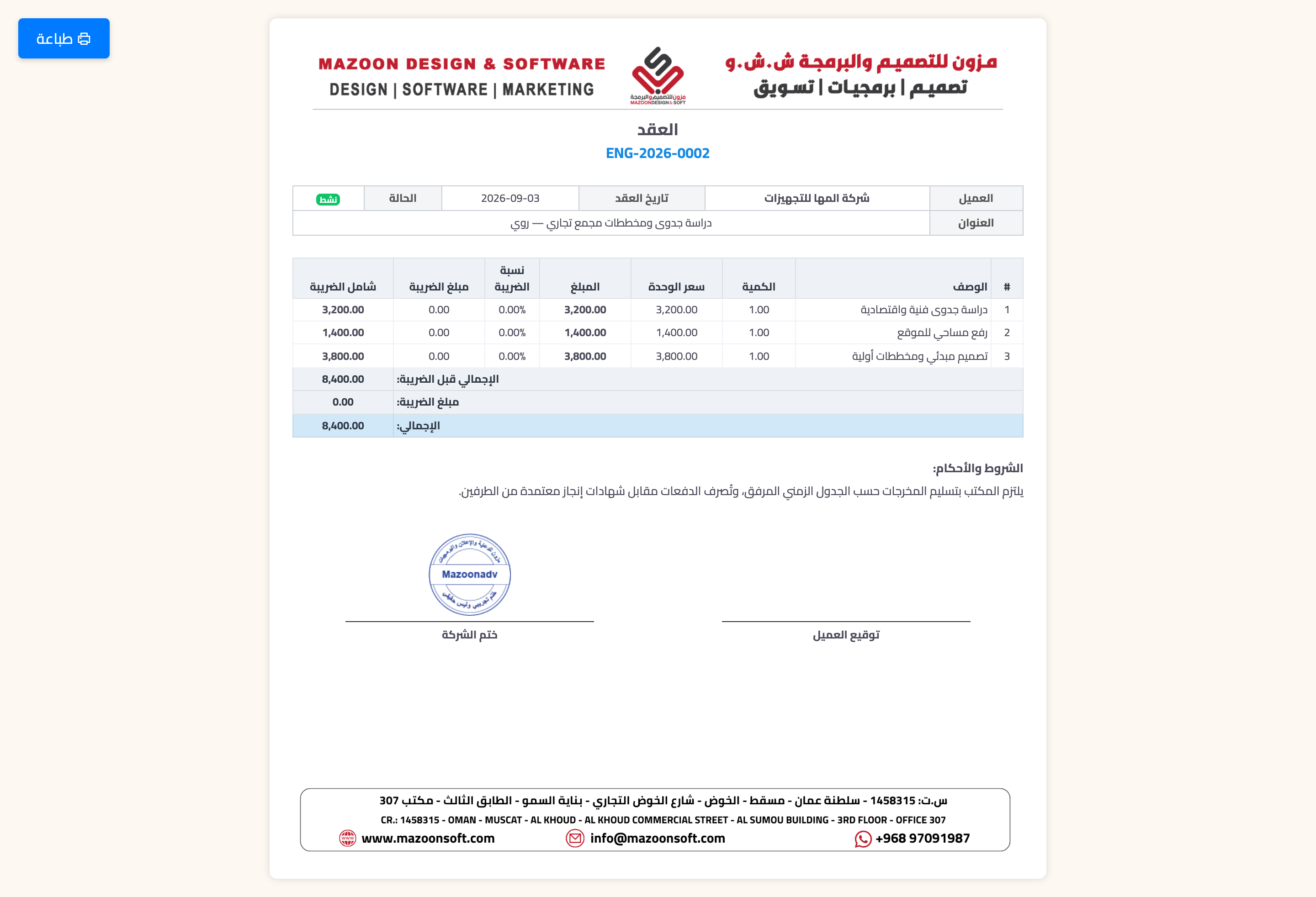
Figure 3
Try what you just read on your own data
Open a free 7-day trial — no credit card, with your own company link in minutes.