
How do I hand a project over from one department to another?
What gets lost in engineering offices is usually what falls between two departments: design assumed execution had taken it, and execution was waiting. That is why a project only moves to another department through a request that is confirmed, and every move stays on record in a timeline.
Steps
- Open the project from Engineering Consultancy → Projects — Figure 1. The Department Handoffs card at the top of the page shows the project's current department and how many times it has moved; click it to open the Department Handoffs tab.
- Press Move to another department. A window opens showing From Department, the current one; choose the receiving department in To Department, write in Notes what you are handing over and what is still outstanding, then press Move to another department.
- The request stays pending and appears at the top of the timeline with the receiving department's name marked Awaiting confirmation, together with who requested it, the date and the note; the tab itself is flagged too.
- Members of the receiving department see the badge Awaiting your confirmation next to the project's name in the projects list; clicking it opens the handoffs tab directly.
- The request is settled with Confirm Handoff or Reject Handoff; both buttons appear for roles with the Manage Project Handoffs permission.
- On confirmation the current department moves to the new one and the department counts on the dashboard change with it. On rejection the project stays where it is and the refused request is recorded in the timeline.
Reading the timeline
The Department Handoffs tab shows the project's path between departments, newest first:
- A pending request, if any, at the top, then the current department marked Now.
- Each department the project reached shows Arrived with the confirmation date and who confirmed it, and below it a line showing who handed it over and who confirmed it, with the note that was written.
- Refused requests appear in red with the date and the name of whoever refused them.
- The first department, at the bottom, shows The project started here with the project's creation date and its creator.
- If the project's department was changed from the project edit form rather than by a handoff, that department shows Set from the project details.
Notes
- A new handoff cannot be requested until the pending one is settled, and a project cannot be handed to the department it is already in.
- A project with no department yet needs no confirmation: choosing a department with Move to another department assigns it directly.
- A rejection is not a quarrel; it is the only way to record that the deliverables were not complete. The reject button does not ask for a reason, so tell the sending department what is missing; they request the handoff again once it is complete.
- Write in the note what was actually handed over (drawings, reports, approvals); that is the record you will come back to.
- A project sitting in one department for months is a delay signal worth asking about.
- If Assignment is enabled for your company, members of the receiving department see the project while the request is pending, and members of the previous department keep seeing it after confirmation — see How do I choose who sees each project (Assignment)?.
Screenshots
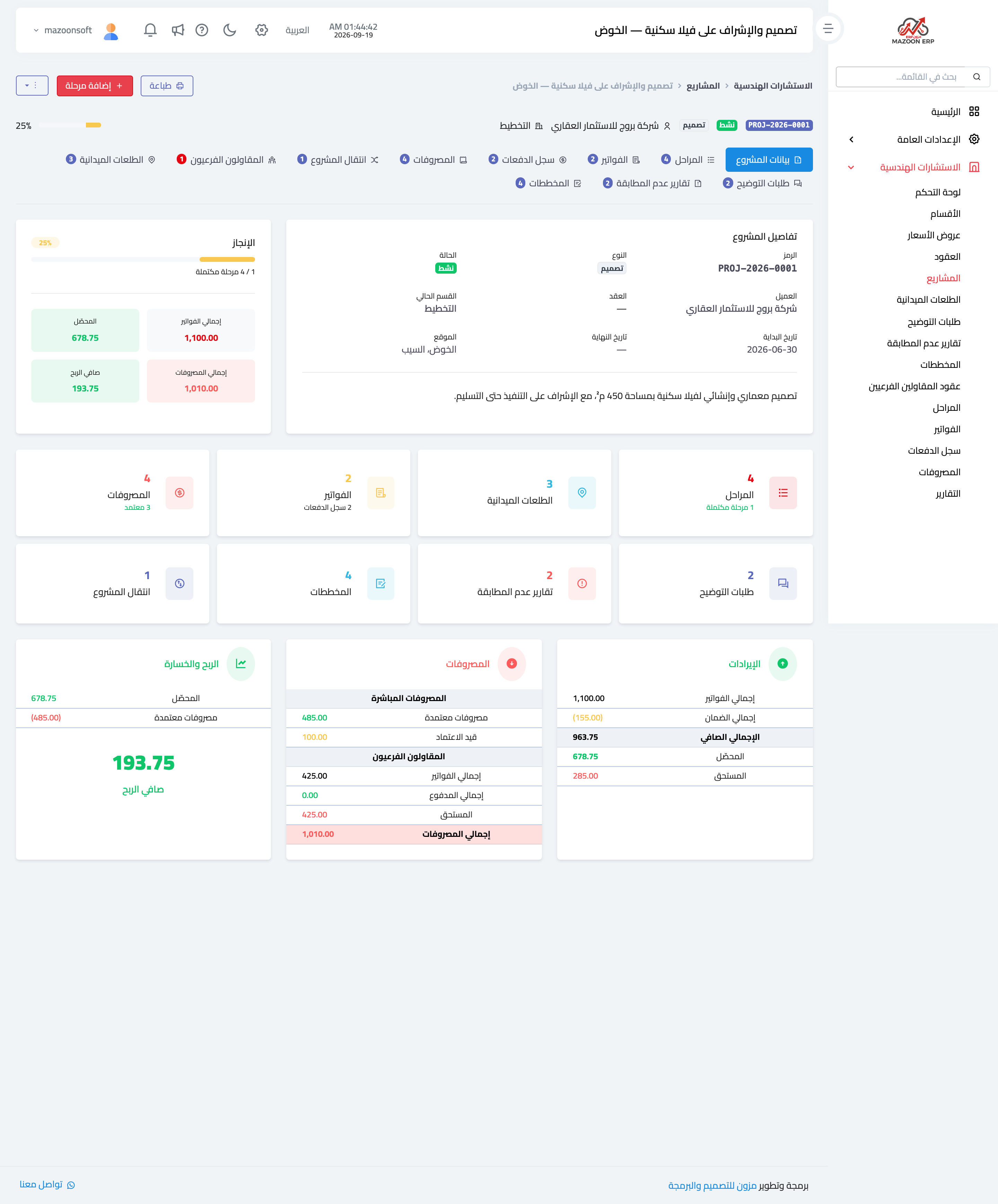
Figure 1
Try what you just read on your own data
Open a free 7-day trial — no credit card, with your own company link in minutes.