
How do I prepare a proposal and send it for the client to sign electronically?
Every project starts from a proposal, and the proposal generates the contract and then the project — so you never enter the same thing twice.
Preparing the proposal
- Open Engineering → Proposals — Figure 1 — and press the add button — Figure 2.
- Pick the client and enter the title, the date and the validity date.
- Write the scope of work; it is the most important field in the proposal, because it sets what is in and what is out.
- Add the items: description, quantity and unit price, and the total is calculated for you.
- Save, then open the proposal — Figure 3 — and review it before sending.
Sending and signing
- Press Print — Figure 4 — to see the proposal as the client will see it.
- Press generate sign link and send it to the client; it is a public link that needs no account.
- The client opens it, reads the proposal and signs with a finger on their phone, and the status becomes accepted.
- From the proposal page press Convert and the contract is created with its items and value automatically.
Notes
- Write what the proposal does not include as well; most disputes come from an item the client assumed was in.
- The validity date protects you from a client who comes back six months later demanding the old price.
- Do not delete a rejected proposal; set its status to rejected and it stays available for later review.
Screenshots
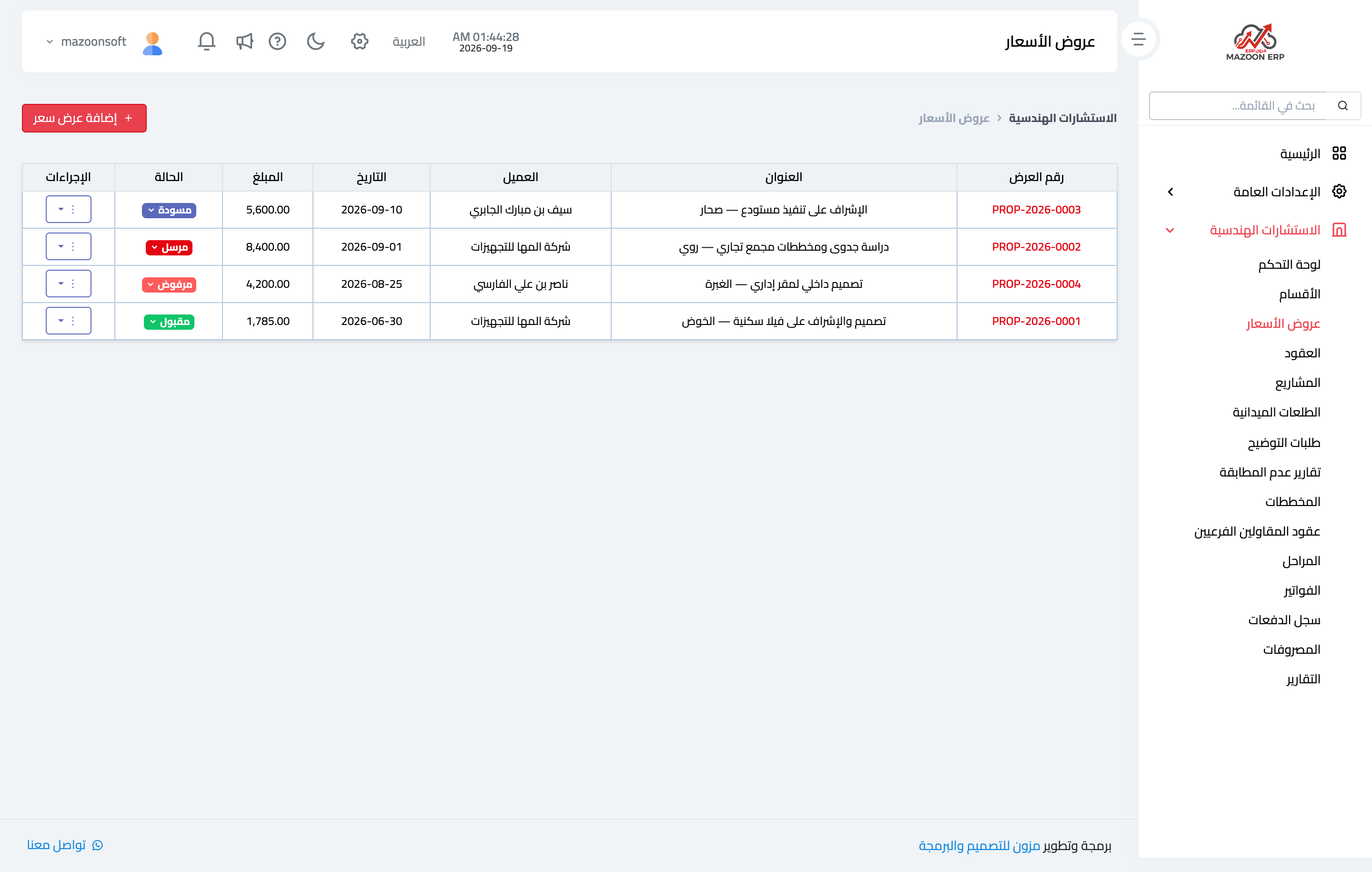
Figure 1
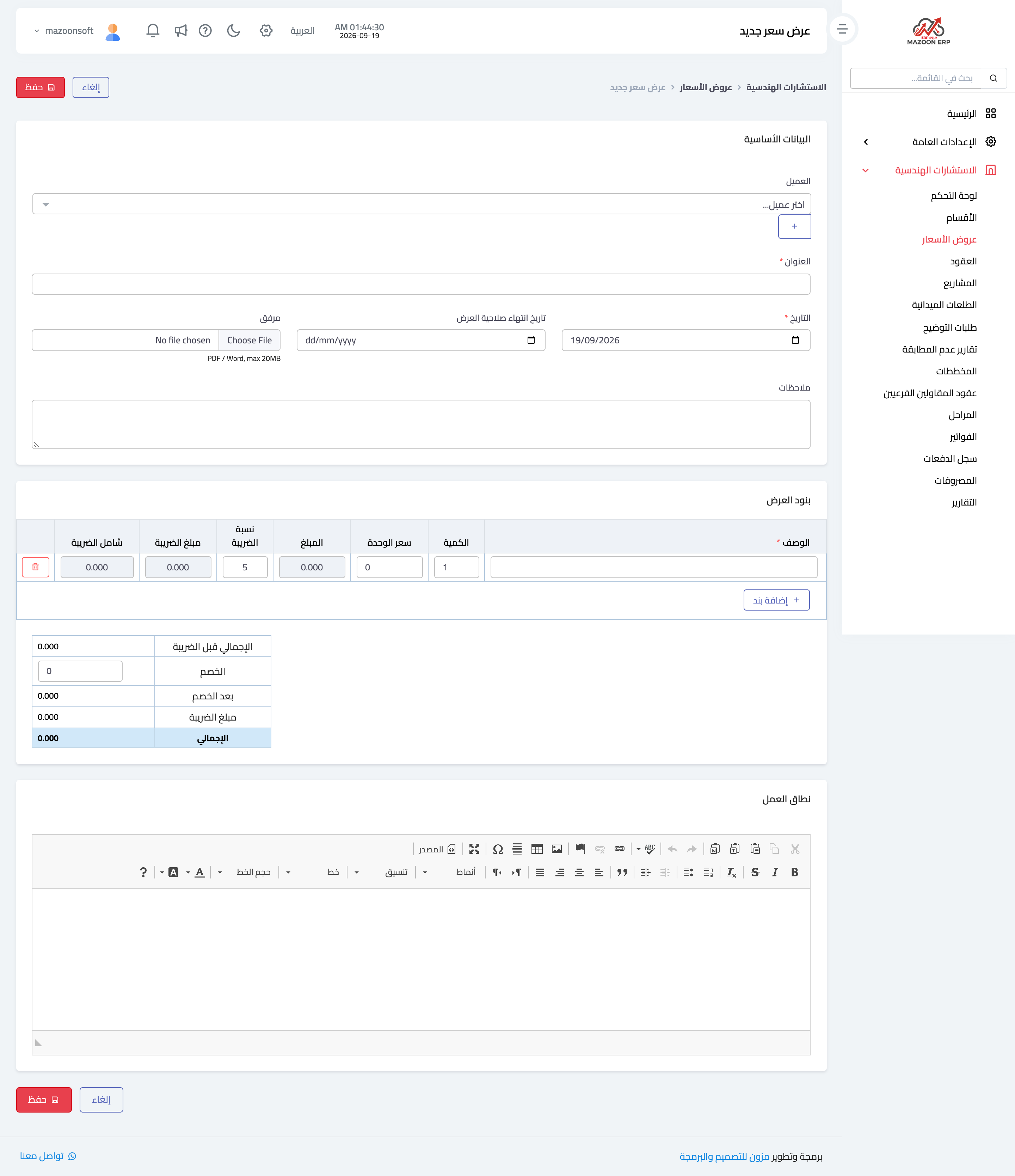
Figure 2
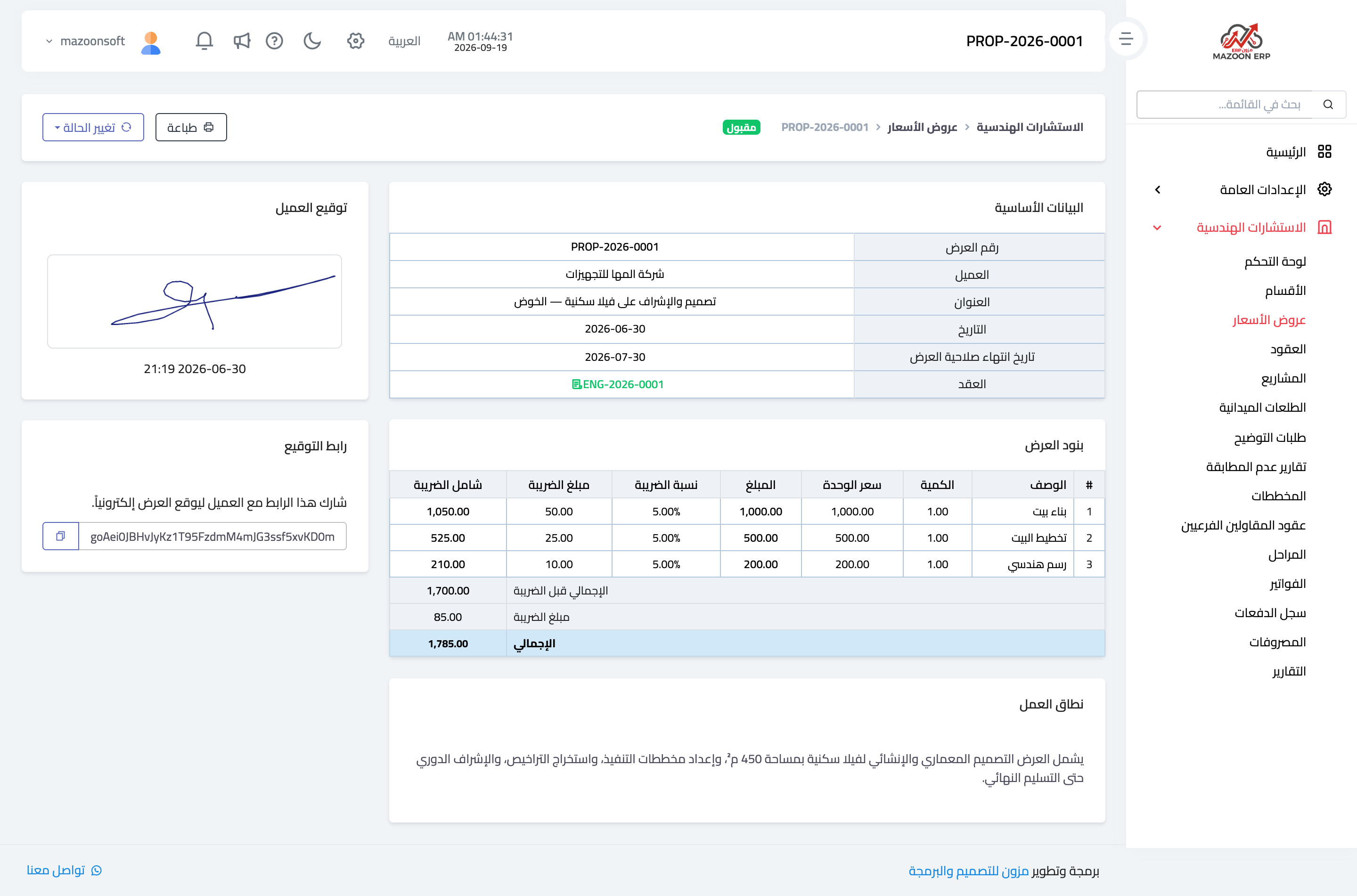
Figure 3
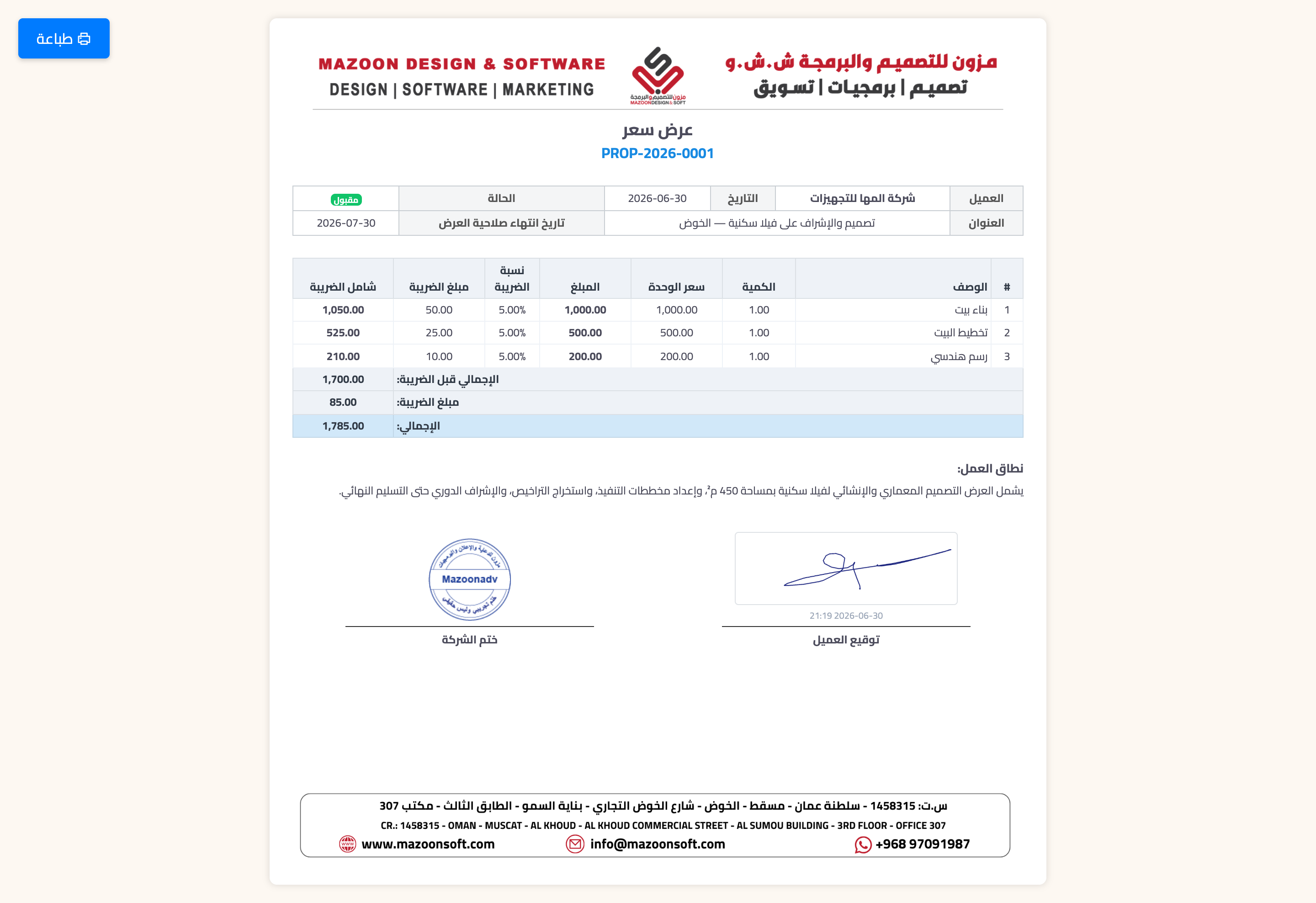
Figure 4
Try what you just read on your own data
Open a free 7-day trial — no credit card, with your own company link in minutes.