
How do I record and approve project expenses?
Every rial spent on a project and not recorded against it is imaginary profit you will see in the report.
Steps
- From the project page, or from Engineering → Expenses — Figure 1 — add an expense.
- Choose the project, the phase and the expense category.
- Enter the description, the amount and the expense date, and set who paid.
- Upload the receipt; an expense without a receipt is an expense in dispute.
- The expense stays pending until it is approved, and only then does it enter the profitability report.
Notes
- Tie the expense to a specific phase where you can; that shows you which phase is eating your margin.
- General office overheads (rent, electricity) do not belong here; these are expenses of one specific project.
- Do not leave expense entry to the end of the project; you will forget half of it.
- The Expenses page lets you filter by project, category, status and period, search by description, notes or project, print or export to Excel, and shows the total and its approved part under the table.
Screenshots
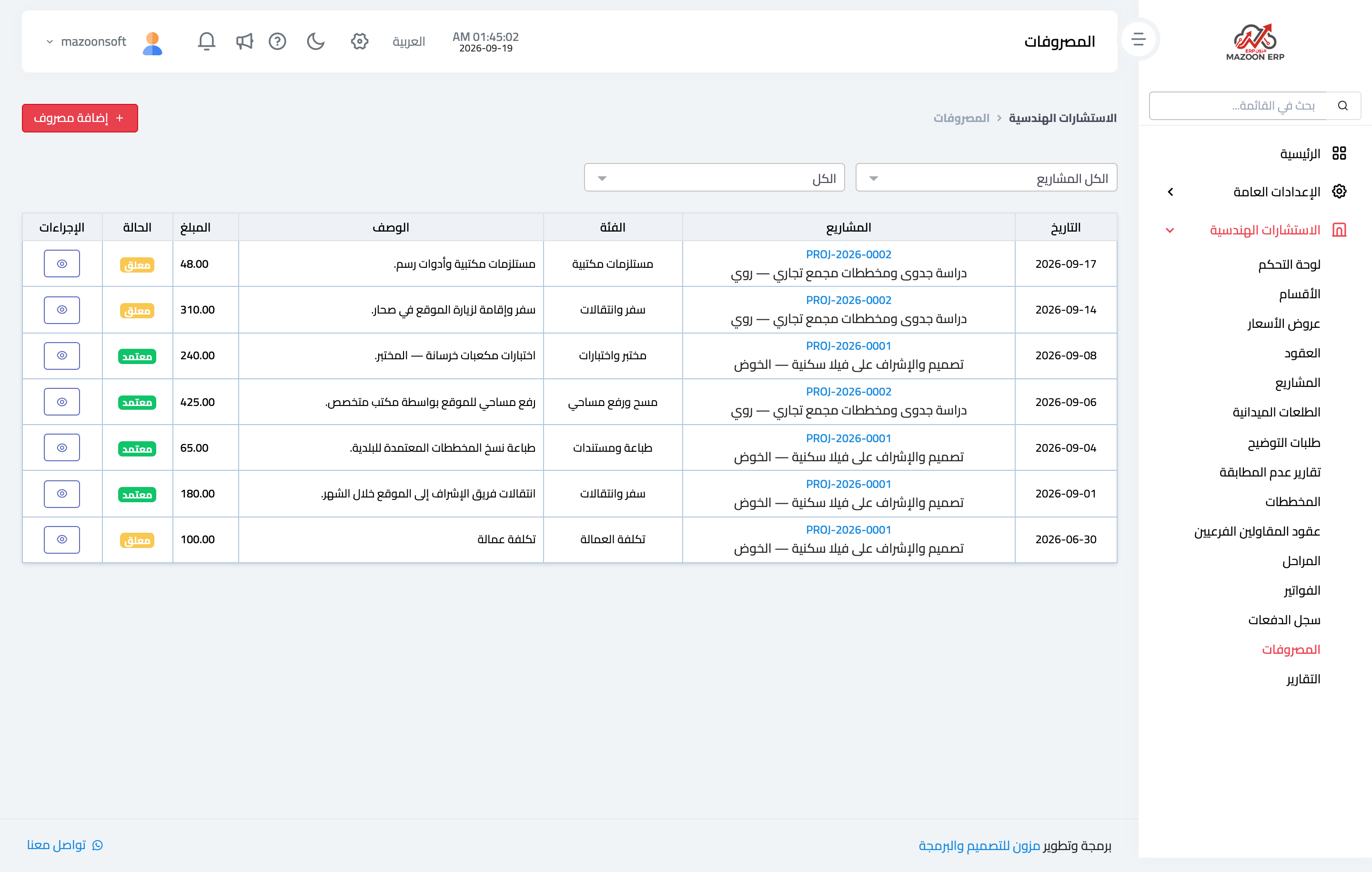
Figure 1
Try what you just read on your own data
Open a free 7-day trial — no credit card, with your own company link in minutes.