
How do I issue a phase invoice and record the client’s payment?
An engineering office does not invoice by the hour or by the item; it invoices by the completed phase.
Issuing the invoice
- From the project page move the phase to completed, then issue an invoice for it.
- The gross amount is filled from the phase amount, and the retention is deducted at the contract’s percentage.
- Add the advance deduction and the tax rate if they apply, and the net amount is calculated.
- Set the due date, then click Save and approve the invoice, print it and send it to the client. If it is not yet time to issue it, click Save as draft and approve it later from its actions menu.
- From Engineering → Invoices — Figure 1 — you see every project’s invoices with their statuses. It lets you filter by project, status and period, search by invoice number, project or client, print or export to Excel, and see the totals paid and remaining.
Recording the payment
- Open the invoice and add a payment: amount, payment date, payment method and reference.
- The invoice status moves on its own: sent → partially paid → paid.
- From the payments register — Figure 2 — you see everything collected, dated by payment date rather than invoice date. It lets you filter by project, payment method and period, search, print or export to Excel, and see the total collected.
Notes
- Retention is not a loss; it is a deferred amount released at final handover, so keep track of its total.
- Do not invoice a phase whose deliverables the client has not approved; a disputed invoice delays payment by months.
- Record a payment on its real date; the collection reports are built on it.
- If your account is linked with ZATCA (phase two), an invoice sent there can no longer be edited; to cancel it choose Credit note (cancel invoice) from its actions on the project page, as long as ZATCA accepted it and it has no payments, then issue the correct invoice. Advance-payment invoices and invoices with retention or an advance deduction are not supported yet in the link.
Screenshots
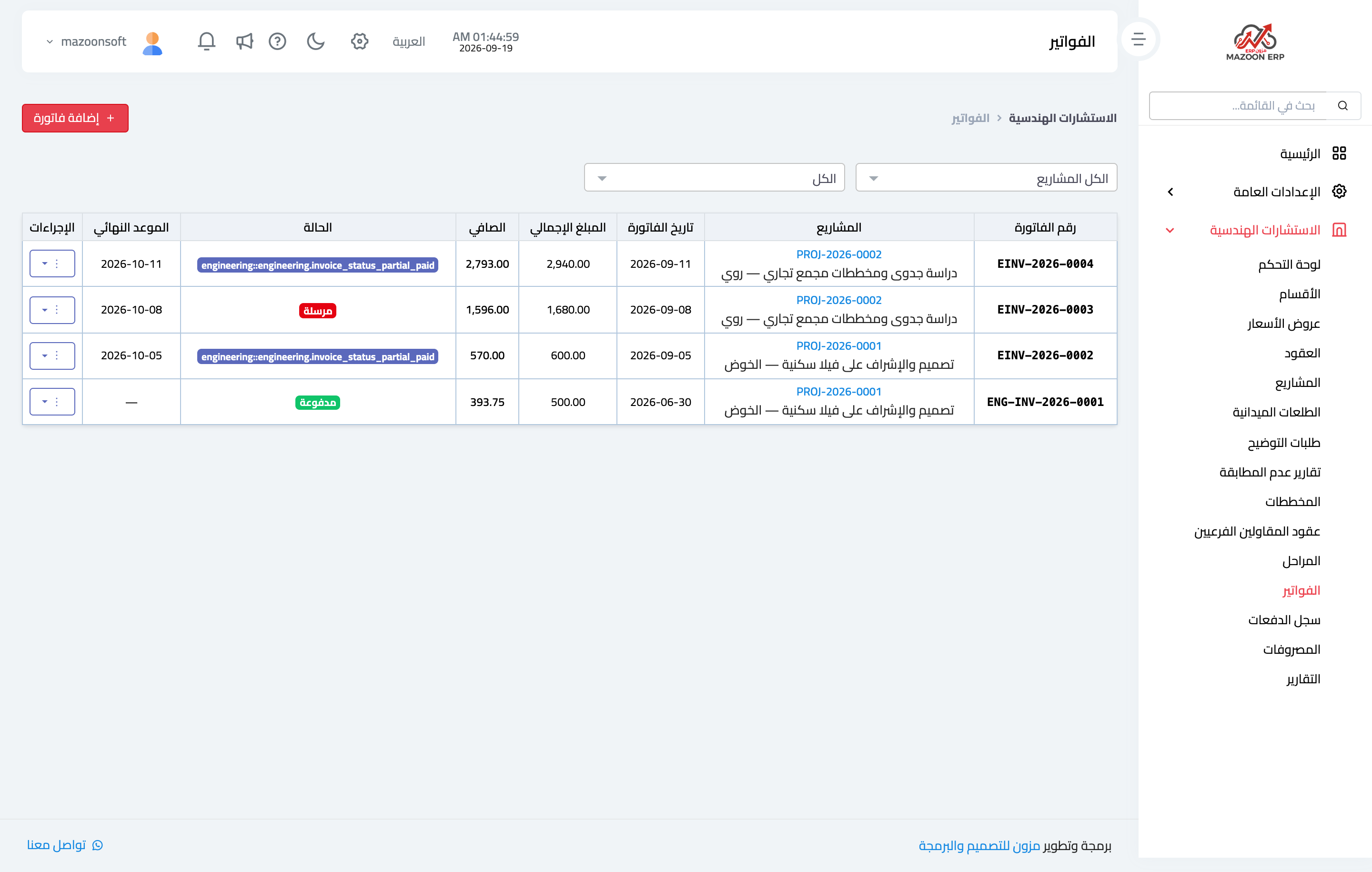
Figure 1
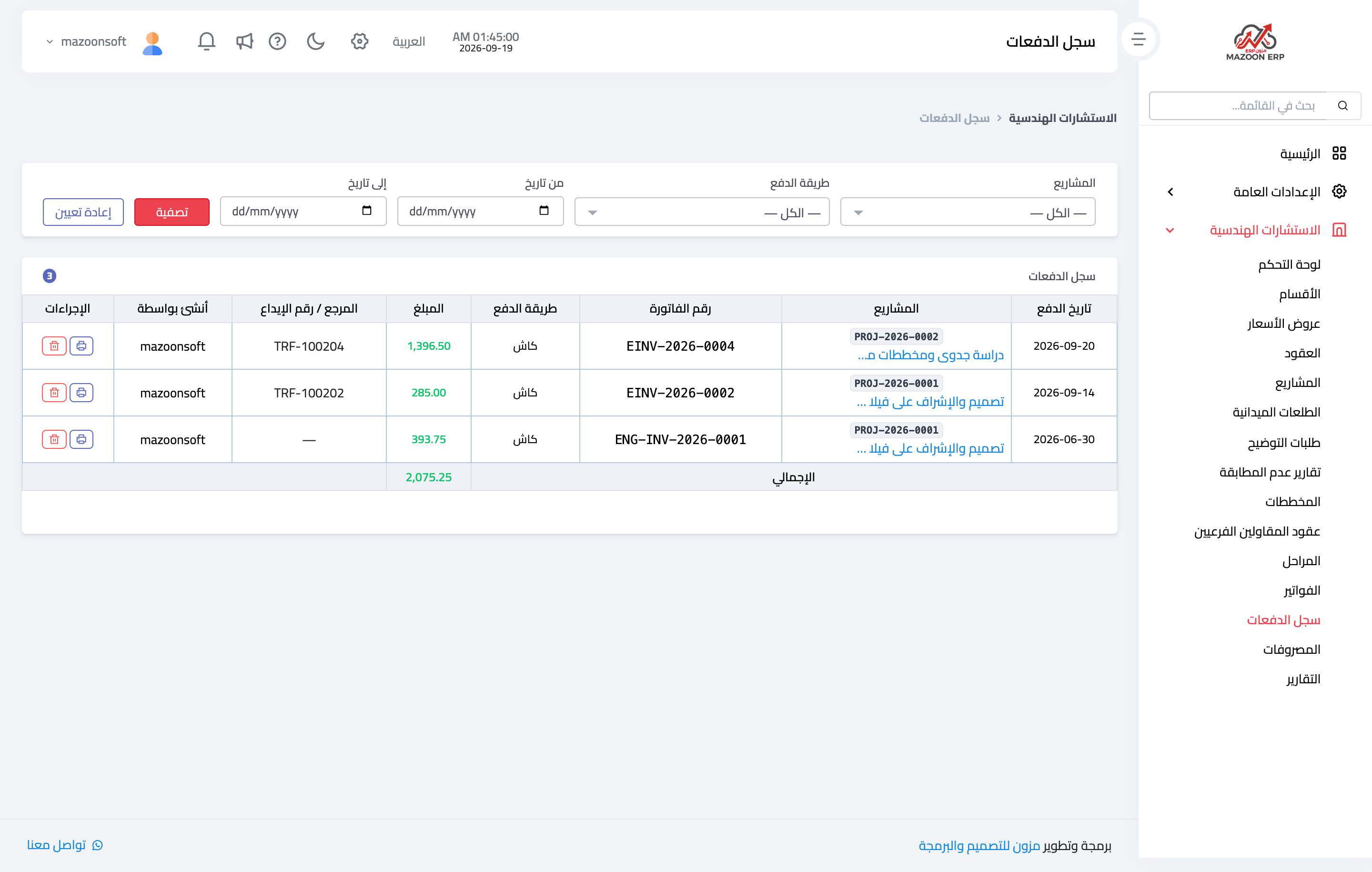
Figure 2
Try what you just read on your own data
Open a free 7-day trial — no credit card, with your own company link in minutes.