
Setting up the school: academic year, grades, and students
The Schools module handles the administrative and financial side: who the students are, which class they are in, what fees they owe, and how much they have paid.
The dashboard
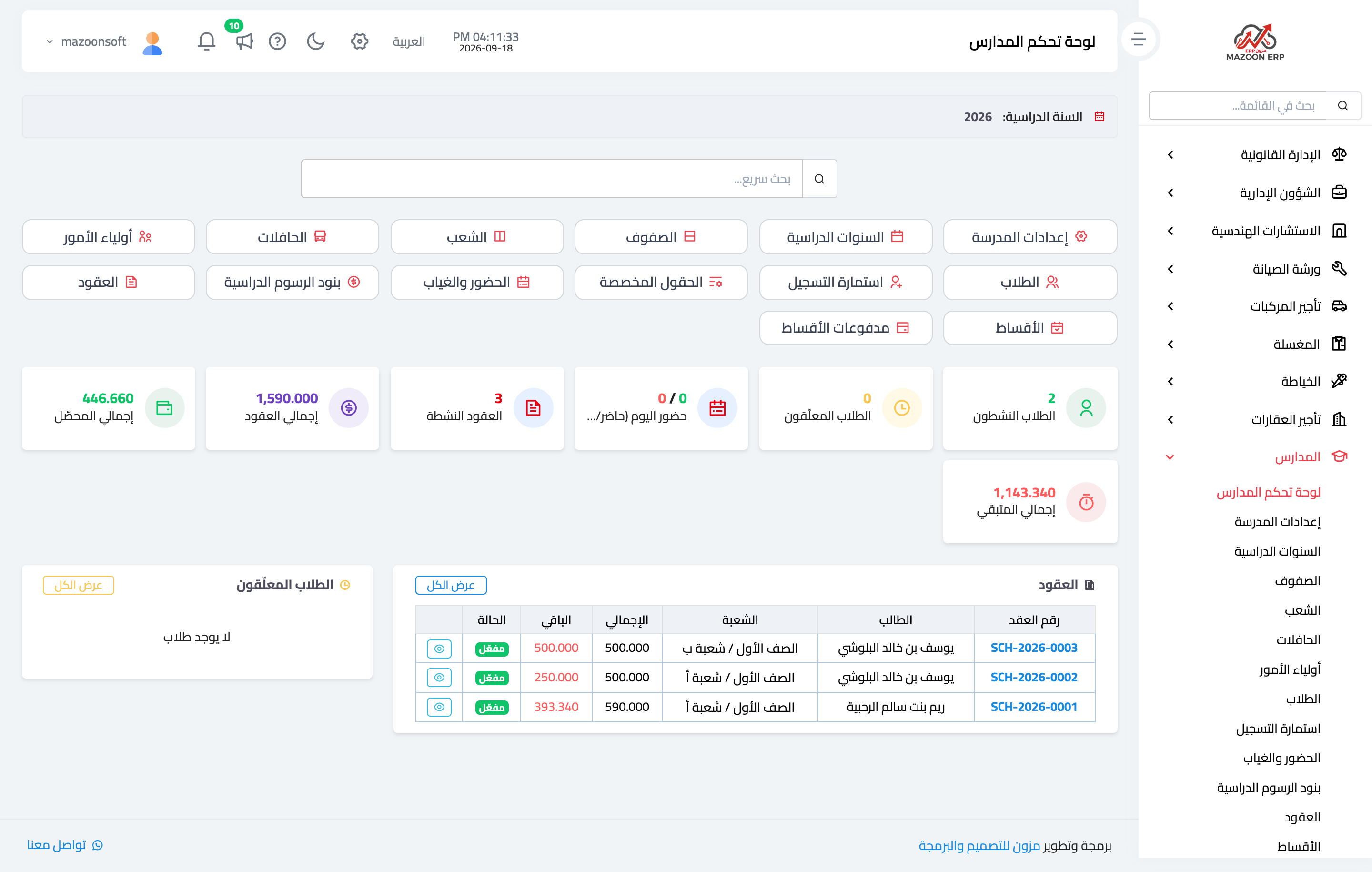
Open Schools → Dashboard, as in Figure 1: the number of students, active contracts, total fees, collected, outstanding, and the instalments falling due soon.
The academic structure: three levels
The system arranges the school in three levels:
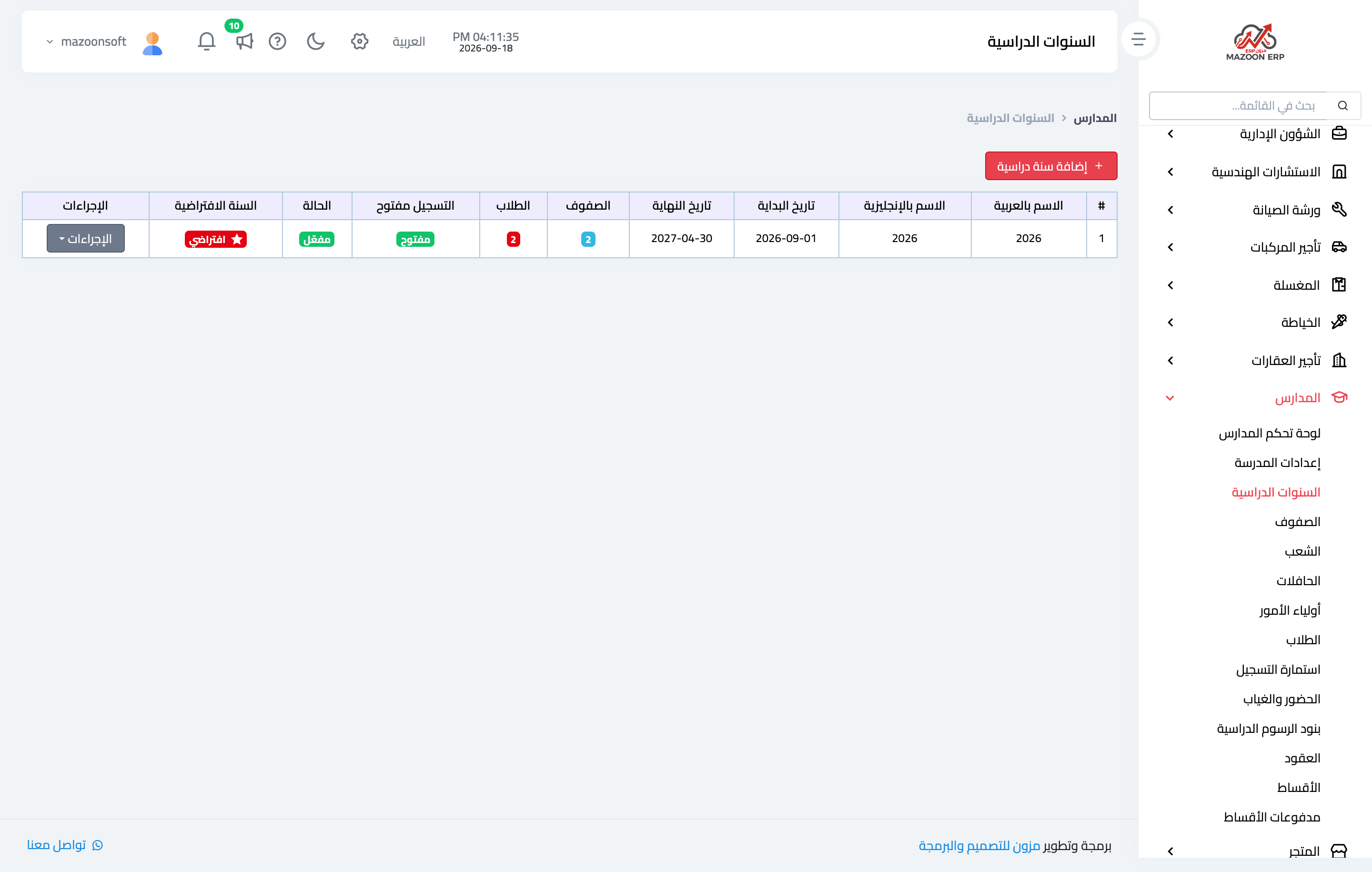
- Academic year — Figure 2 — the outer container, with start and end dates and an active flag. Everything under it renews with it each year.
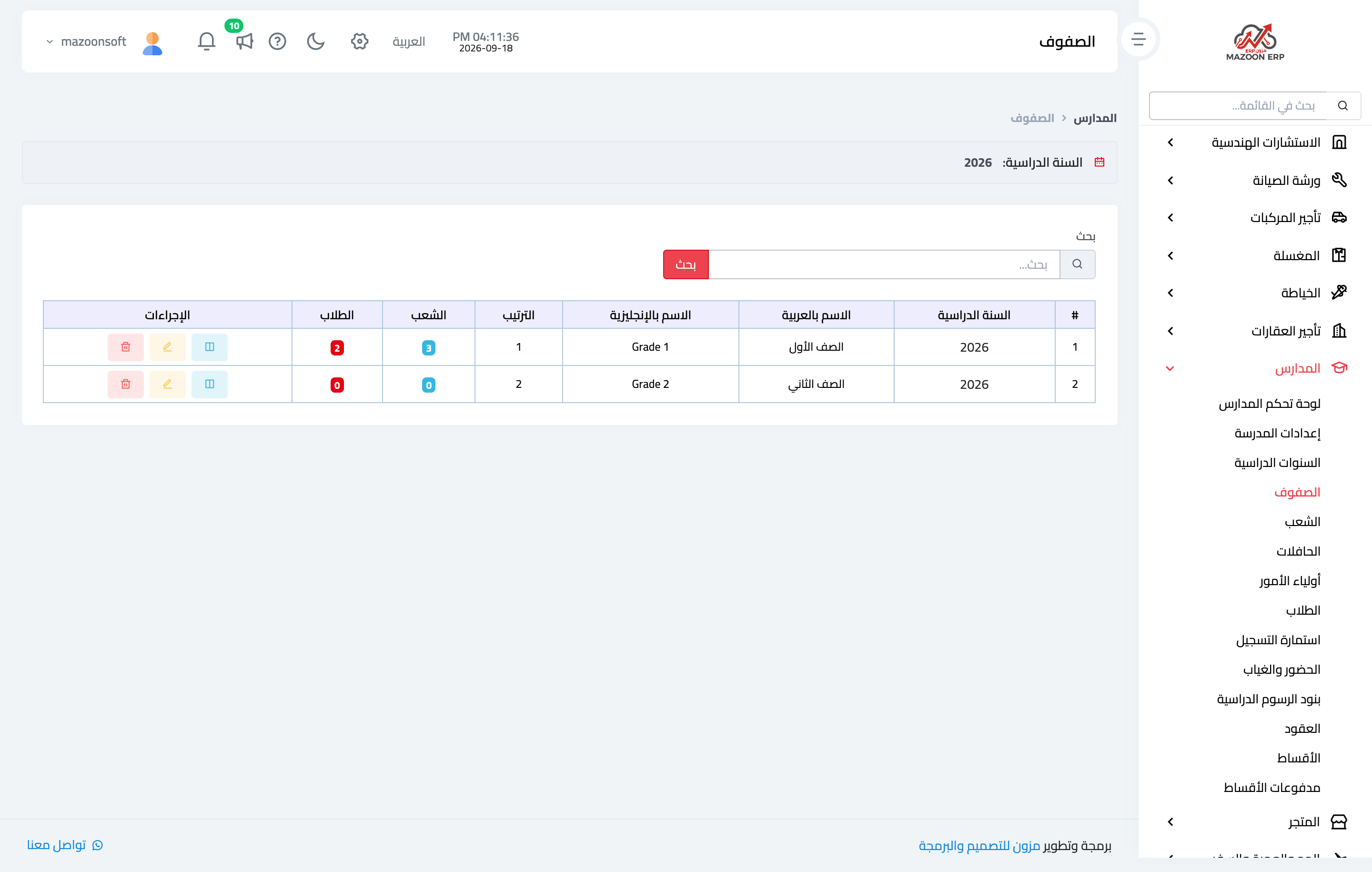
- Grade — Figure 3 — inside the year: grade one, grade two, and so on, with an order that governs how they are listed.
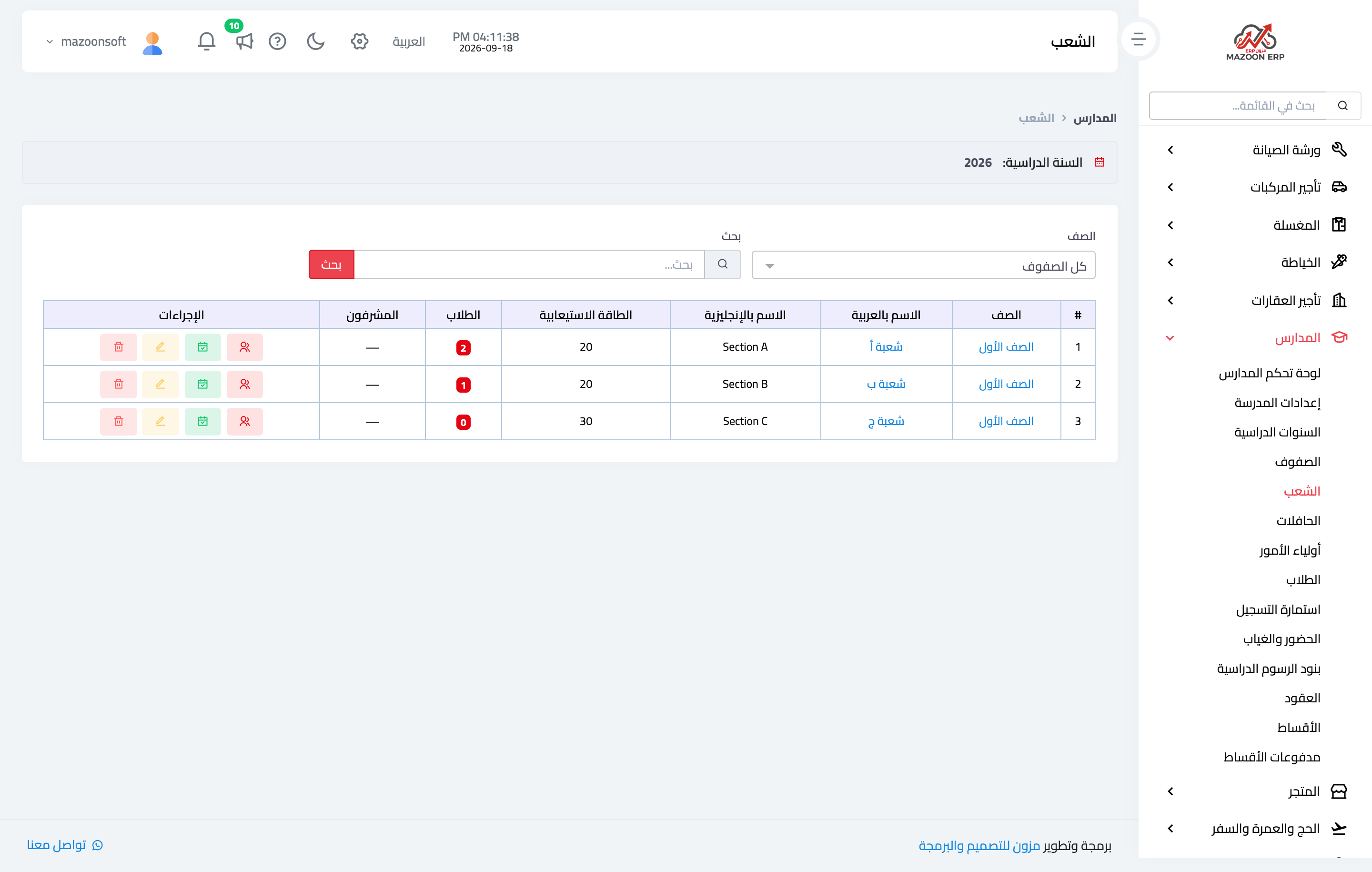
- Section — Figure 4 — inside the grade: section A, B, C. A section has supervisors assigned to it, and they are the ones who record attendance.
A student is recorded once and then attached to a section each year through their contract — so you do not re-enter them annually.
Fee items
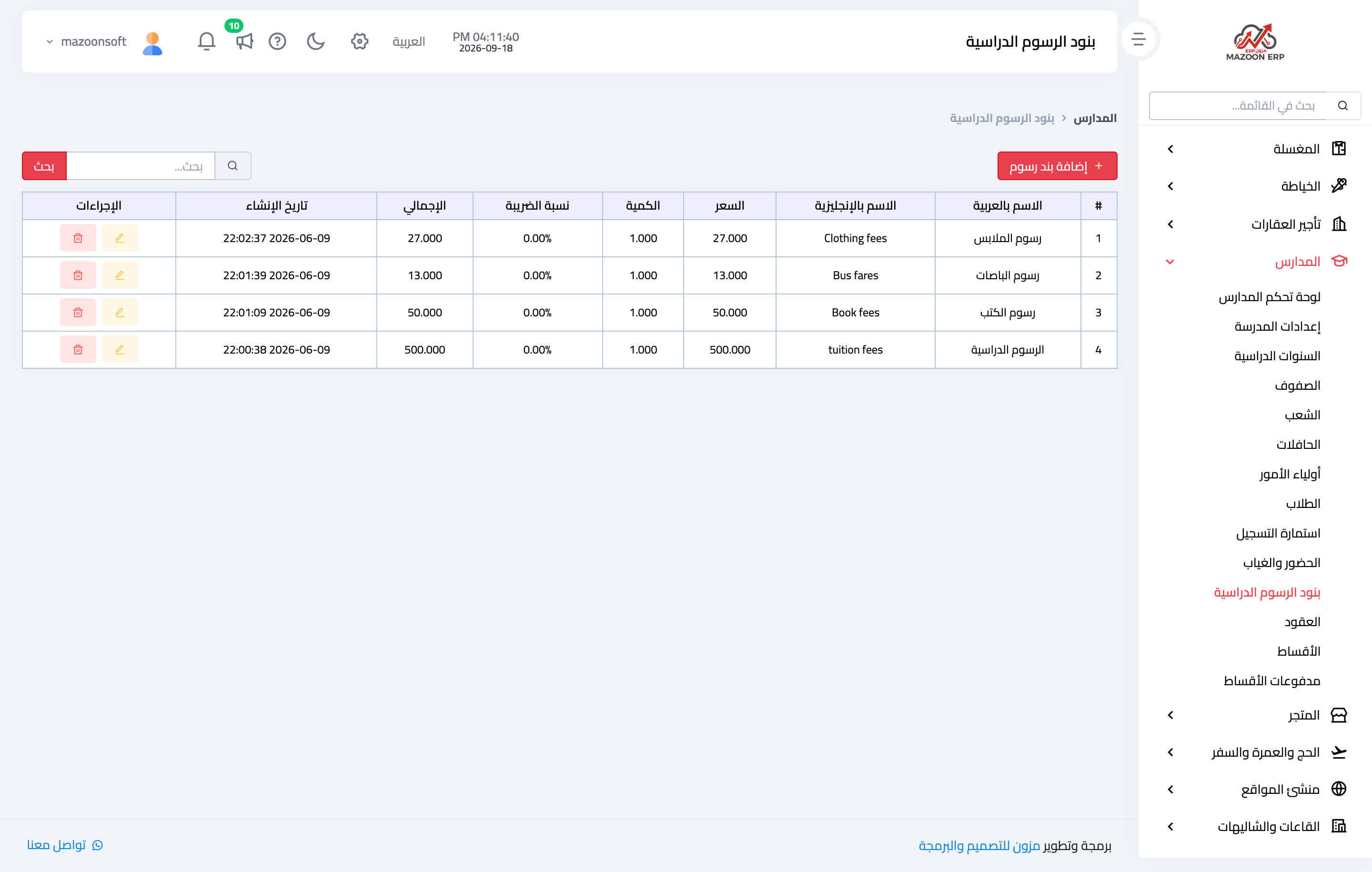
Before the first contract, set up the fee items — Figure 5: tuition, books, bus, and uniform. Each has a price and a tax rate, and is proposed automatically when a contract is created.
Splitting the items is not decoration: the parent who asks “what exactly did I pay for?” finds an itemised answer in the contract.
Guardians and students
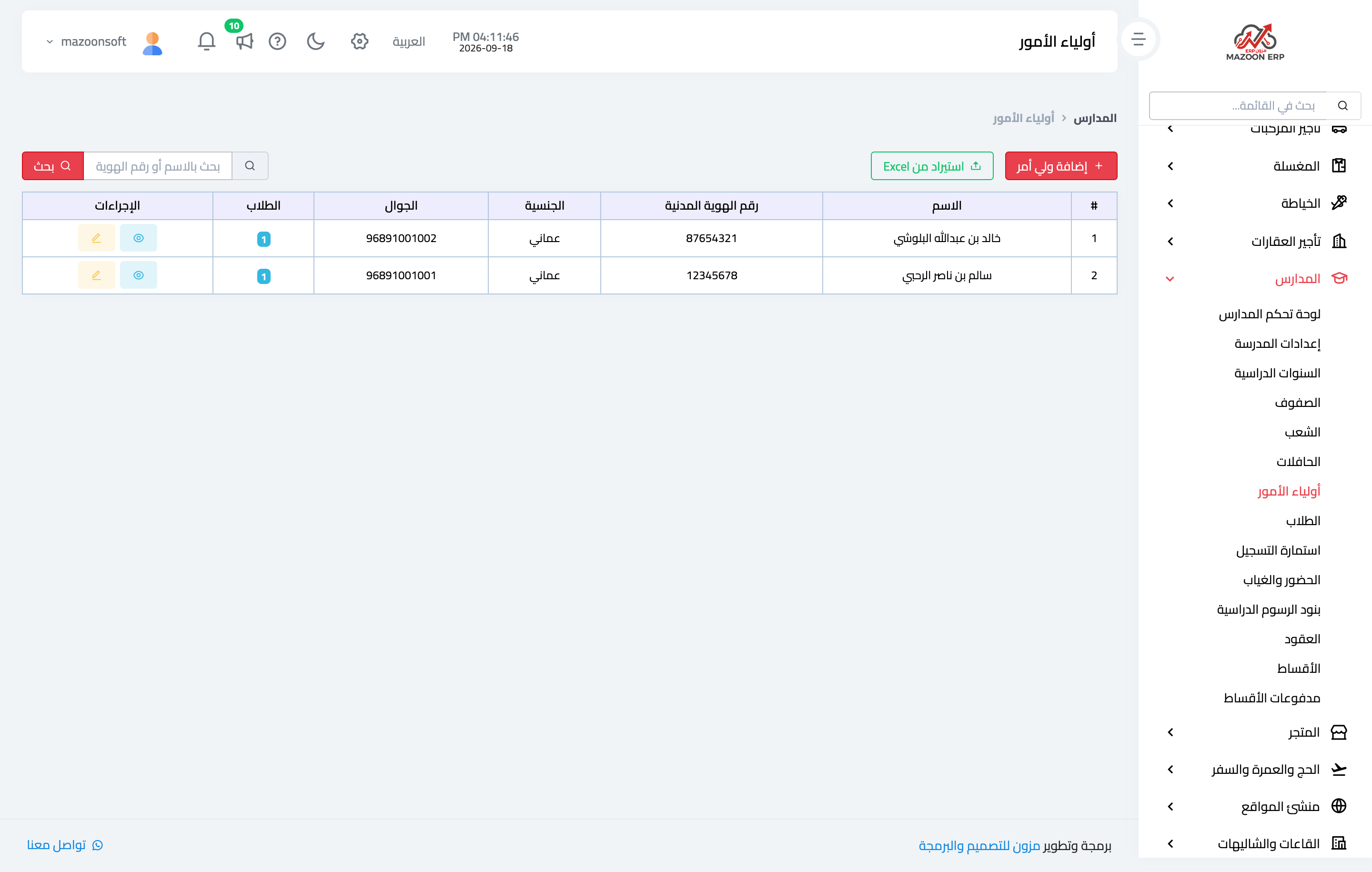
The guardian is recorded first — Figure 6 — with their name, nationality, civil ID, workplace, and phones, and their children are then attached to them. That saves re-entering their details per child and gathers all their children’s contracts in one place.
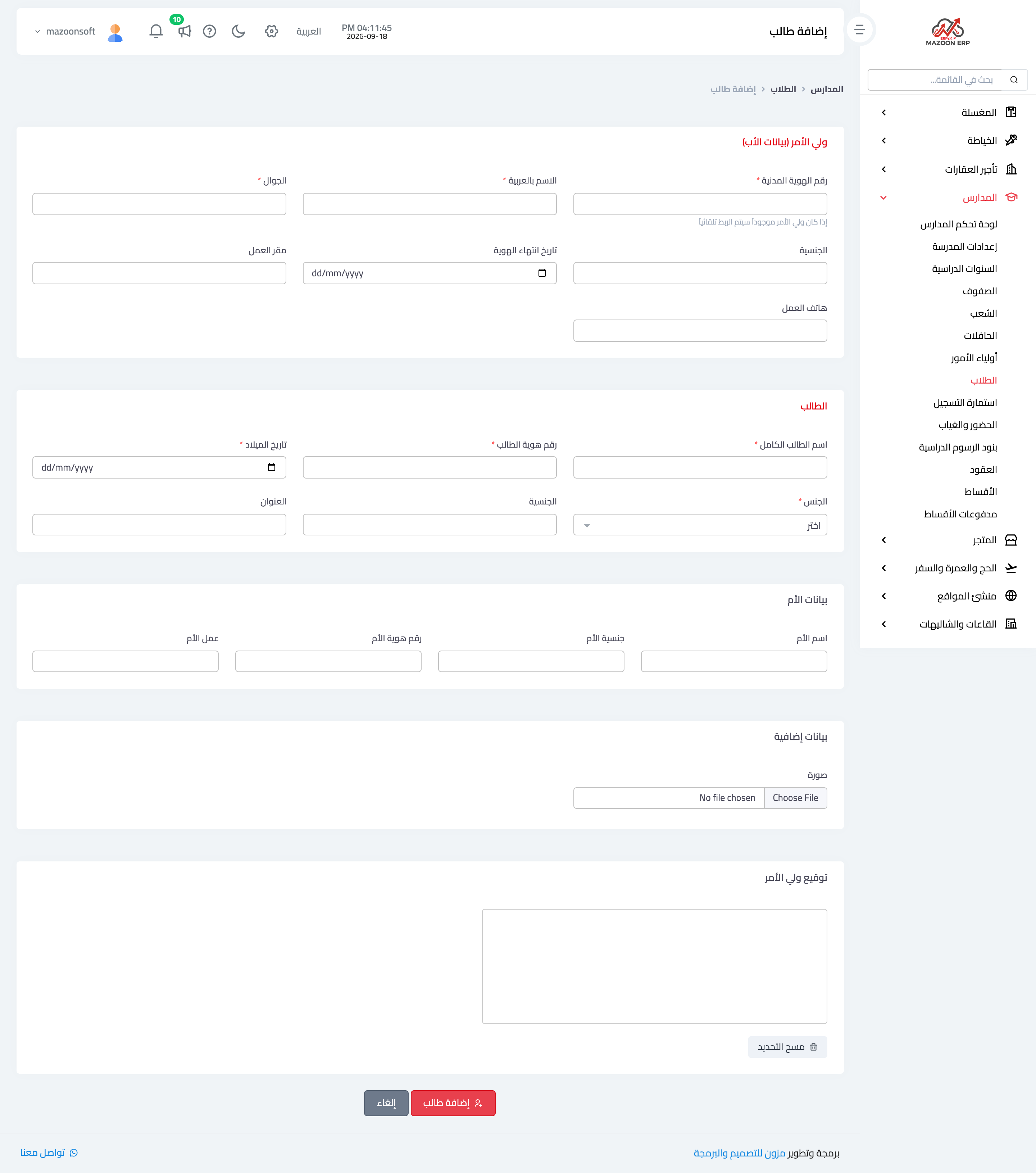
The student form — Figure 7 — is longer than it looks because it is the official enrolment form itself:
- Student details — the full four-part name, civil ID, date of birth, nationality, and address.
- Mother’s details — separate from the guardian.
- Emergency contact — name, relationship, and phone, and this is what is reached for when it is actually needed.
- Health status — allergies, hearing or vision problems, medical notes, and attachments for the medical report and vaccination card.
- Attachments — photo, passport, and birth certificate.
- Transport service — one way or both ways, and the bus fee follows from it.
The health fields in particular are the most often skipped and the most suddenly needed.
Bulk import
At the start of a year, entering hundreds of students by hand is not sensible, so students and guardians both have a file import with a ready template to download and fill. After import, the system shows a report of what succeeded and what failed and why, with an errors file you correct and re-upload.
Notes
- Create the new academic year before opening enrolment; every grade and contract hangs off it.
- Record a guardian once and attach their children; duplicating them splits their account.
- Fill the emergency and health fields even if they seem secondary; they are what gets asked for at the worst moment.
Screenshots
Try what you just read on your own data
Open a free 7-day trial — no credit card, with your own company link in minutes.