
How do I set up the school fee items?
School fees are not one number: tuition, books, uniform, transport. Separating them is what makes the contract legible to a guardian.
Steps
- Open Schools → Fee items — Figure 1 — then a new item — Figure 2.
- Enter the Arabic and English name — tuition fees, book fees, and so on.
- Enter the price, the quantity and the tax percentage if any; the total is computed for you.
- Save. When you create a contract these items appear ready to add.
Notes
- Keep the items separate rather than lumping them into one figure; guardians accept an amount far more easily when they can see what it is made of.
- Transport fees are added only for those who subscribe, so do not fold them into the base fees.
- The price here is a suggestion, not a rule; you can change it on any contract.
- Review the items at the start of each academic year before contracts begin.
Screenshots
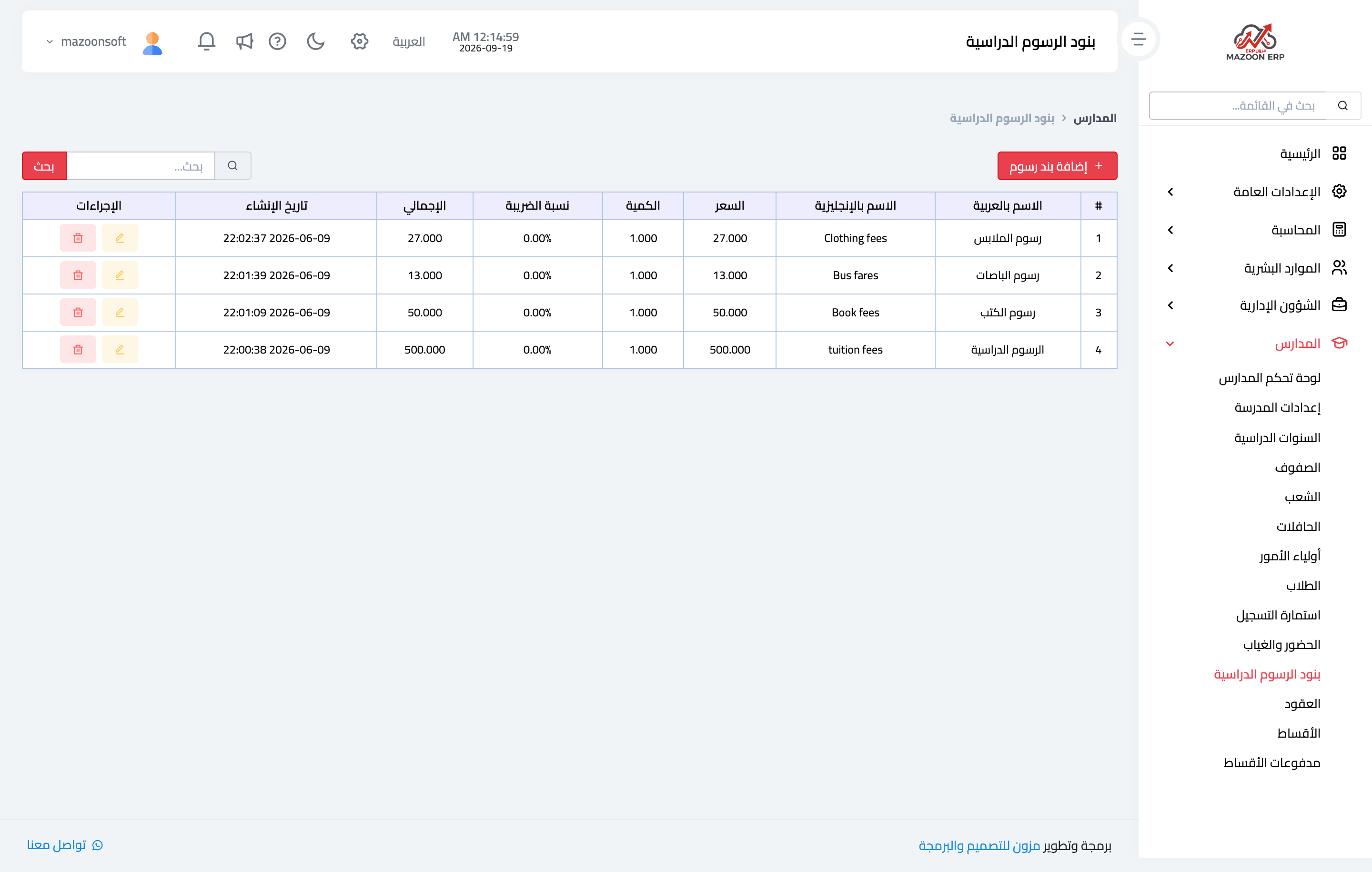
Figure 1
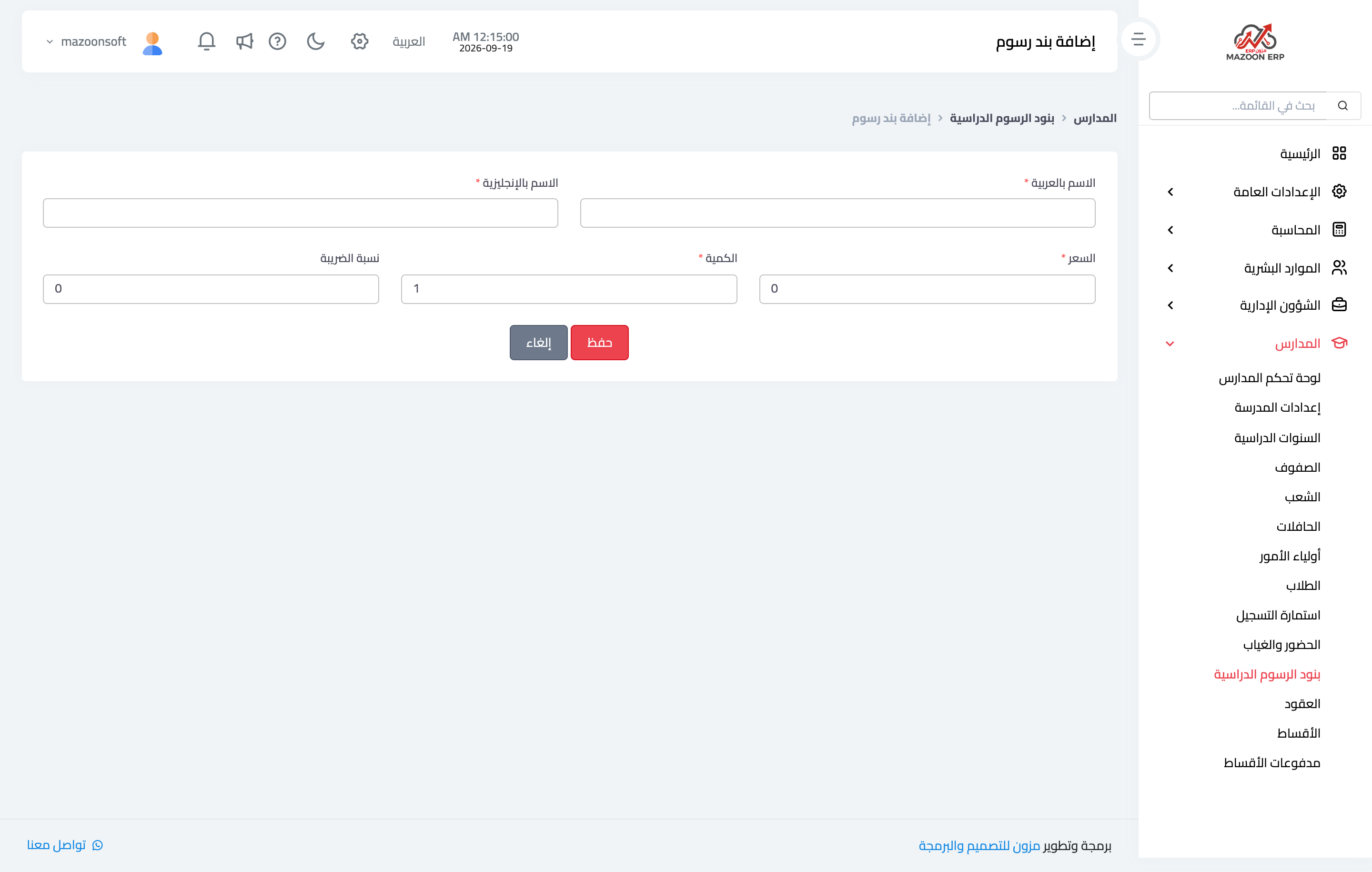
Figure 2
Try what you just read on your own data
Open a free 7-day trial — no credit card, with your own company link in minutes.