
How do I register a guardian and a new student?
A student is always linked to a guardian, and the contract, the signature and the fee claim all flow from the guardian. So start there.
The guardian
- Open Schools → Guardians — Figure 1.
- Enter the name, nationality, civil ID and its expiry date.
- Enter the workplace, work phone and mobile — the mobile matters most, since the contract signing link goes to it.
The student
- Open Students then New student — Figure 2.
- Link them to the guardian, and enter the full four-part name, the civil ID, the date of birth and the gender.
- Enter the mother’s details and the emergency contact with their phone — a field that should never be left empty.
- Enter the address: governorate, wilayat, village and a landmark.
- Record the health information: allergies, hearing or vision issues, and medical notes.
- Set whether they use the transport service, set the status, and save — Figure 3.
Notes
- Health information is not an administrative field; an unrecorded food allergy is a real liability for the school.
- The emergency number should belong to someone other than the guardian where possible, or its usefulness is limited.
- Link siblings to the same guardian; their claims then come out together and collection is easier.
- Do not delete a student who has left; set them inactive so their record and financial file survive.
Screenshots
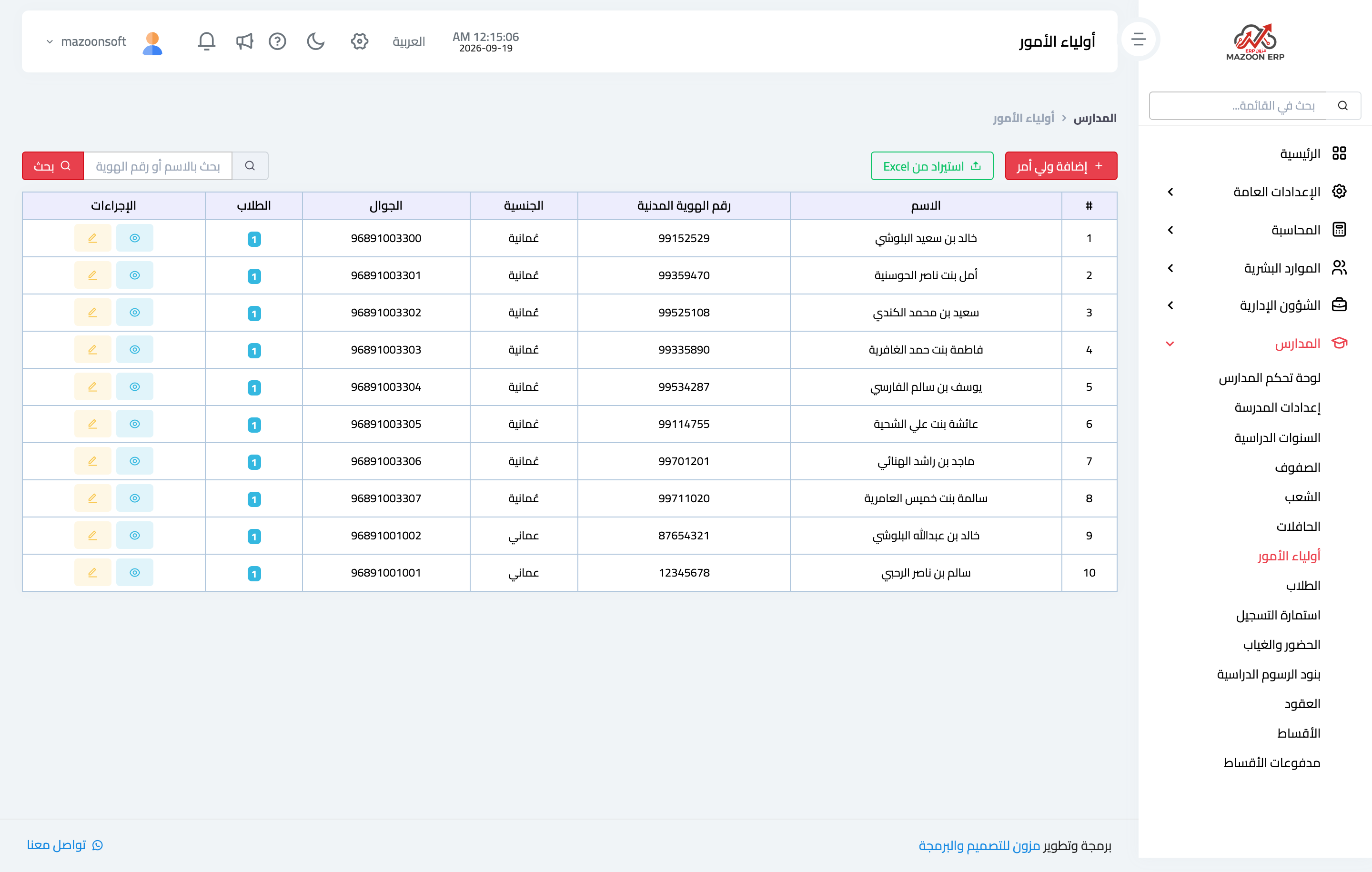
Figure 1
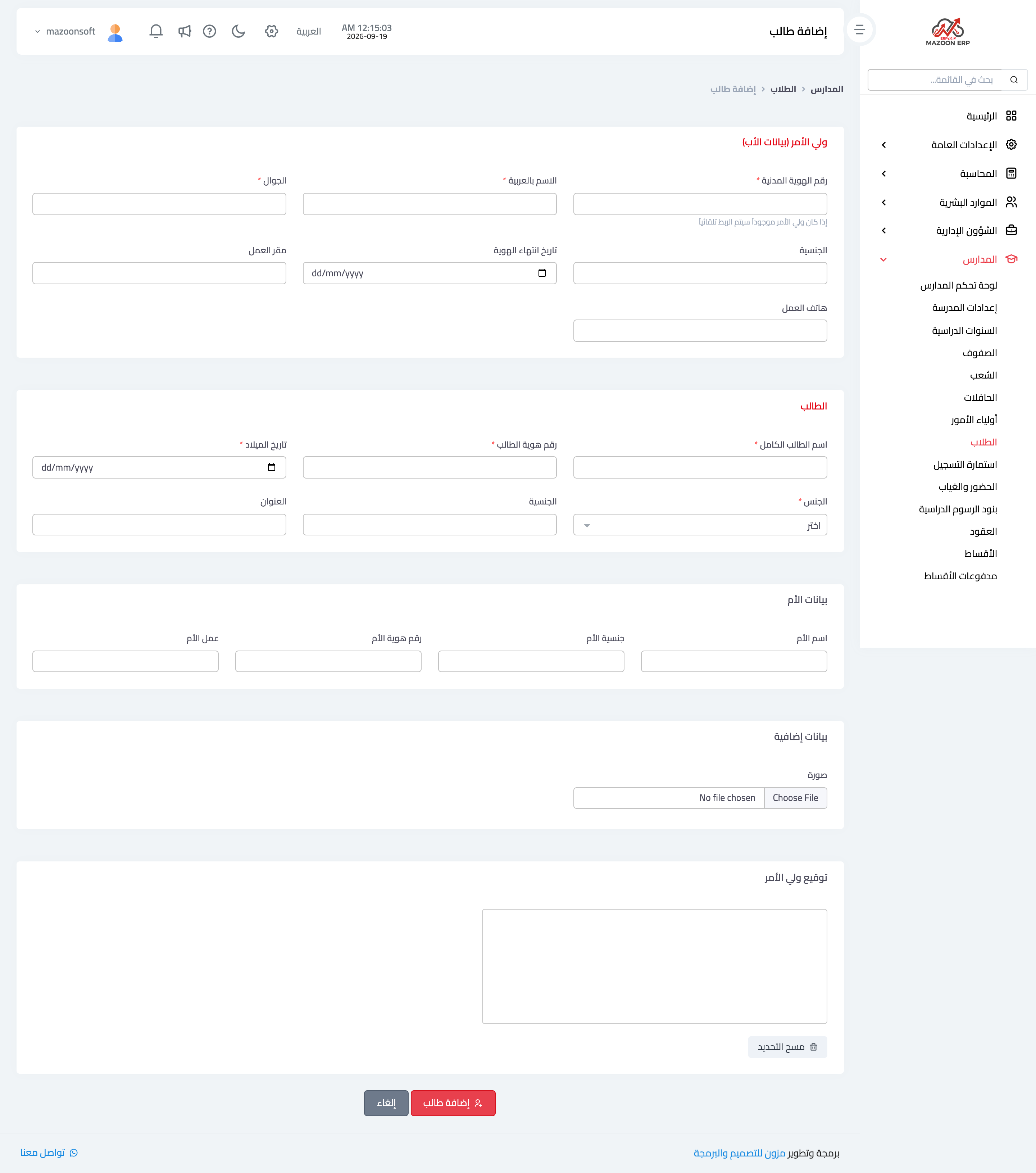
Figure 2
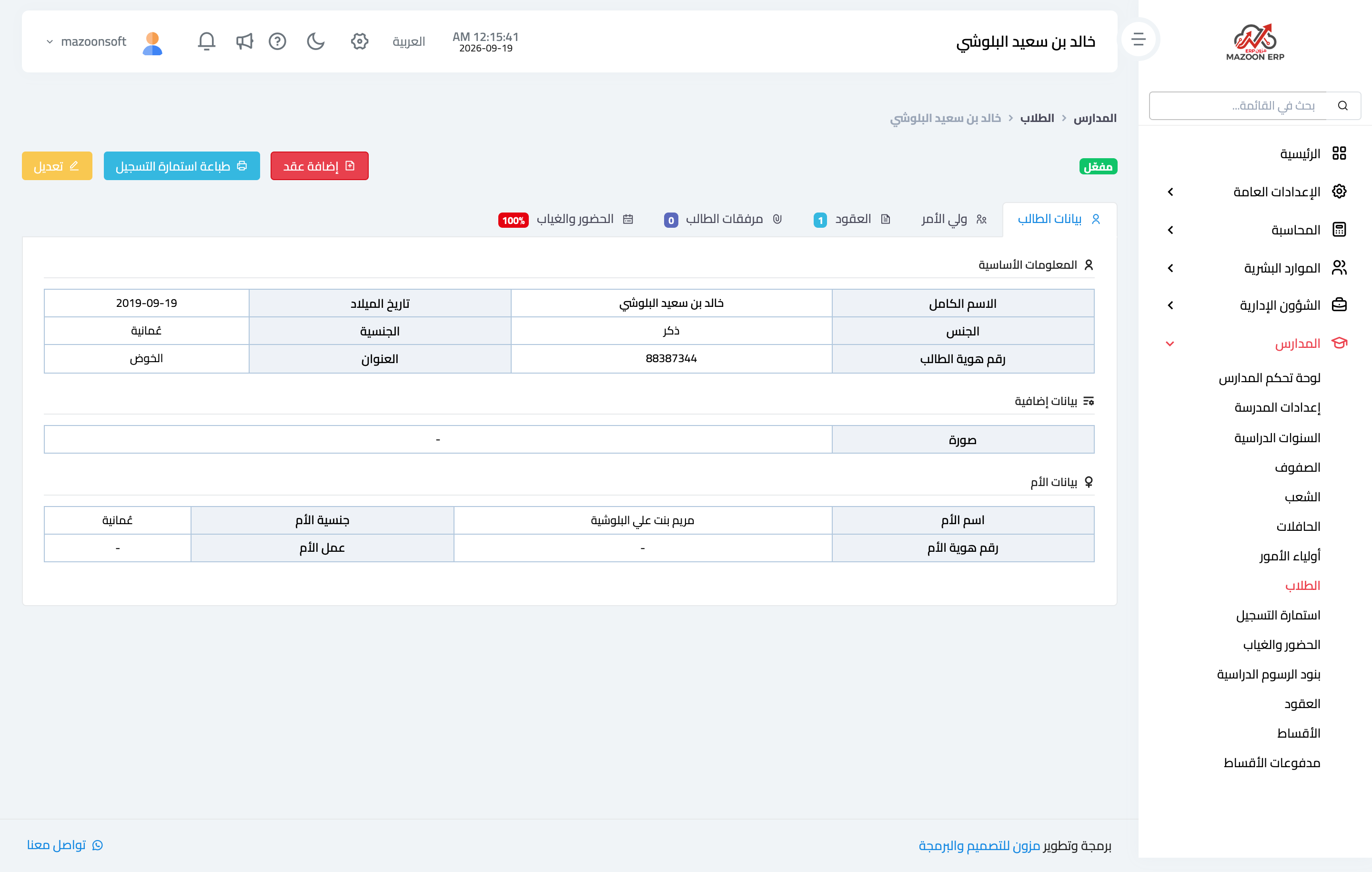
Figure 3
Try what you just read on your own data
Open a free 7-day trial — no credit card, with your own company link in minutes.