
Fee contracts, instalments, and attendance
The fee contract is what ties a student to the academic year and to money at the same time: it holds their section, what they owe, and the schedule for paying it.
Creating the contract
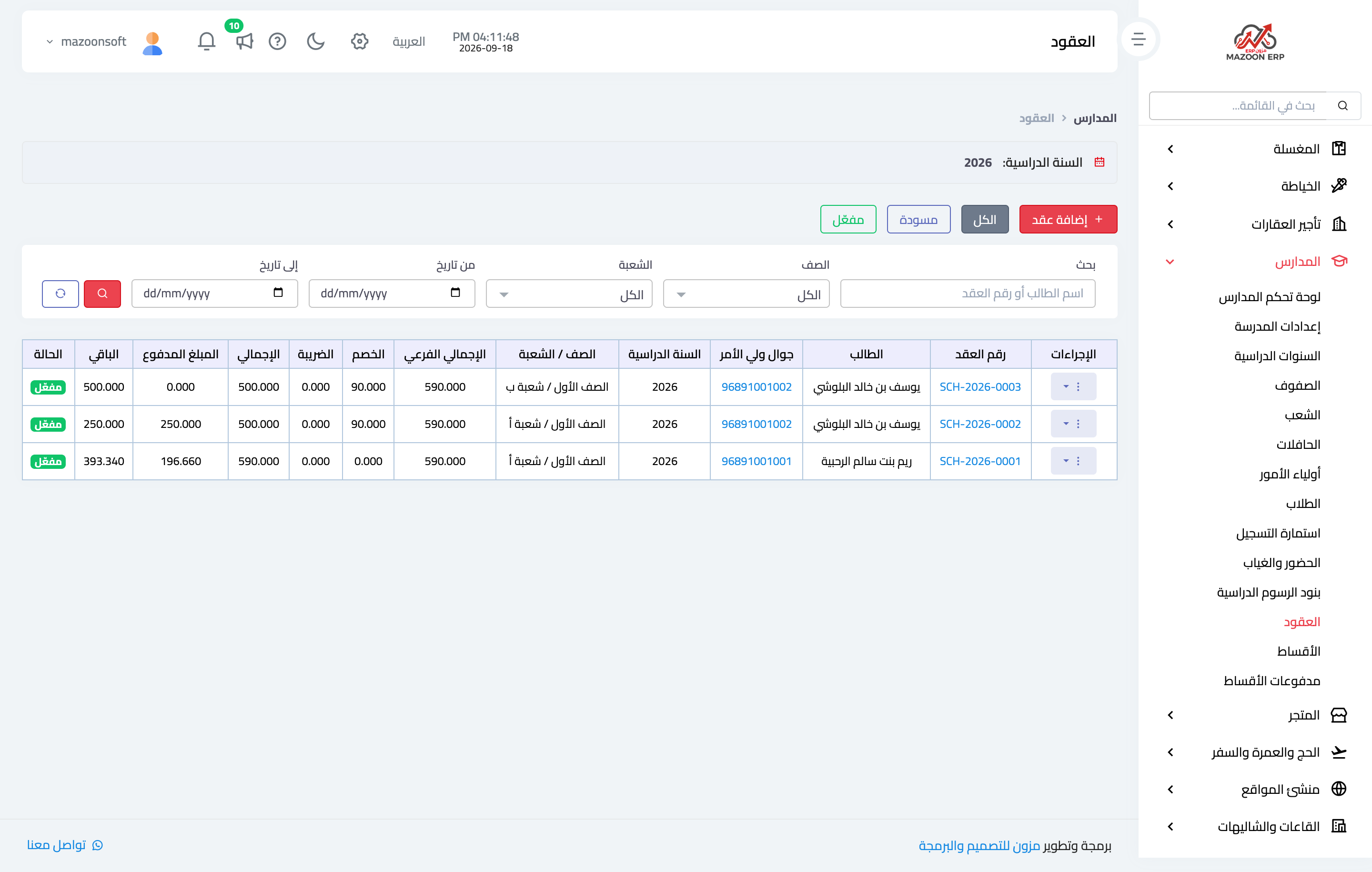
From Contracts — Figure 1 — press Add: pick the student, the academic year, the grade, and the section, plus the bus if they use transport, then add the fee items.
Each item comes with its price from the fee list and can be adjusted for this contract alone — which is what you do when granting a second-sibling discount or an early-payment discount.
The contract page and instalment schedule
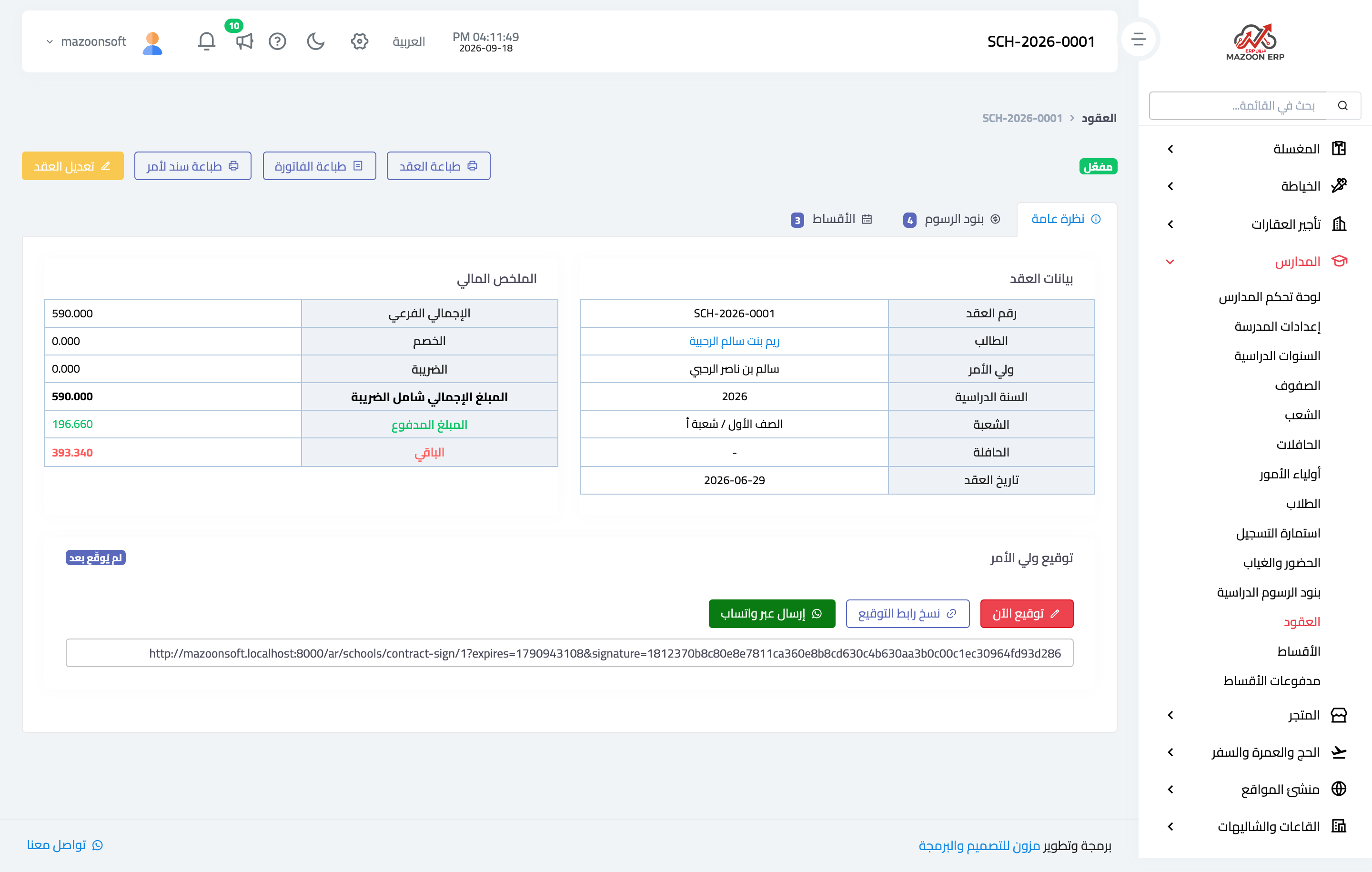
Once the fees are set, you spread them over instalments with due dates. The contract page — Figure 2 — gathers it in three tabs: overview with the financial summary, fee items, and instalments showing each one’s date, amount, amount paid, and status. At the top are buttons to print the contract, the invoice, and a promissory note.
The guardian’s signature
At the bottom of the page is the signature box, with three ways: sign now on your device, copy signing link, or send over WhatsApp so the guardian signs from home.
Amending and duplicating
Two buttons on the contract save a lot of time:
- Amend contract — to change a fee or add a service mid-year while keeping the same contract and what has been paid against it.
- Duplicate — creates a new contract from an existing one, which is what you do at the start of a new year or for a second sibling.
Instalments and payments
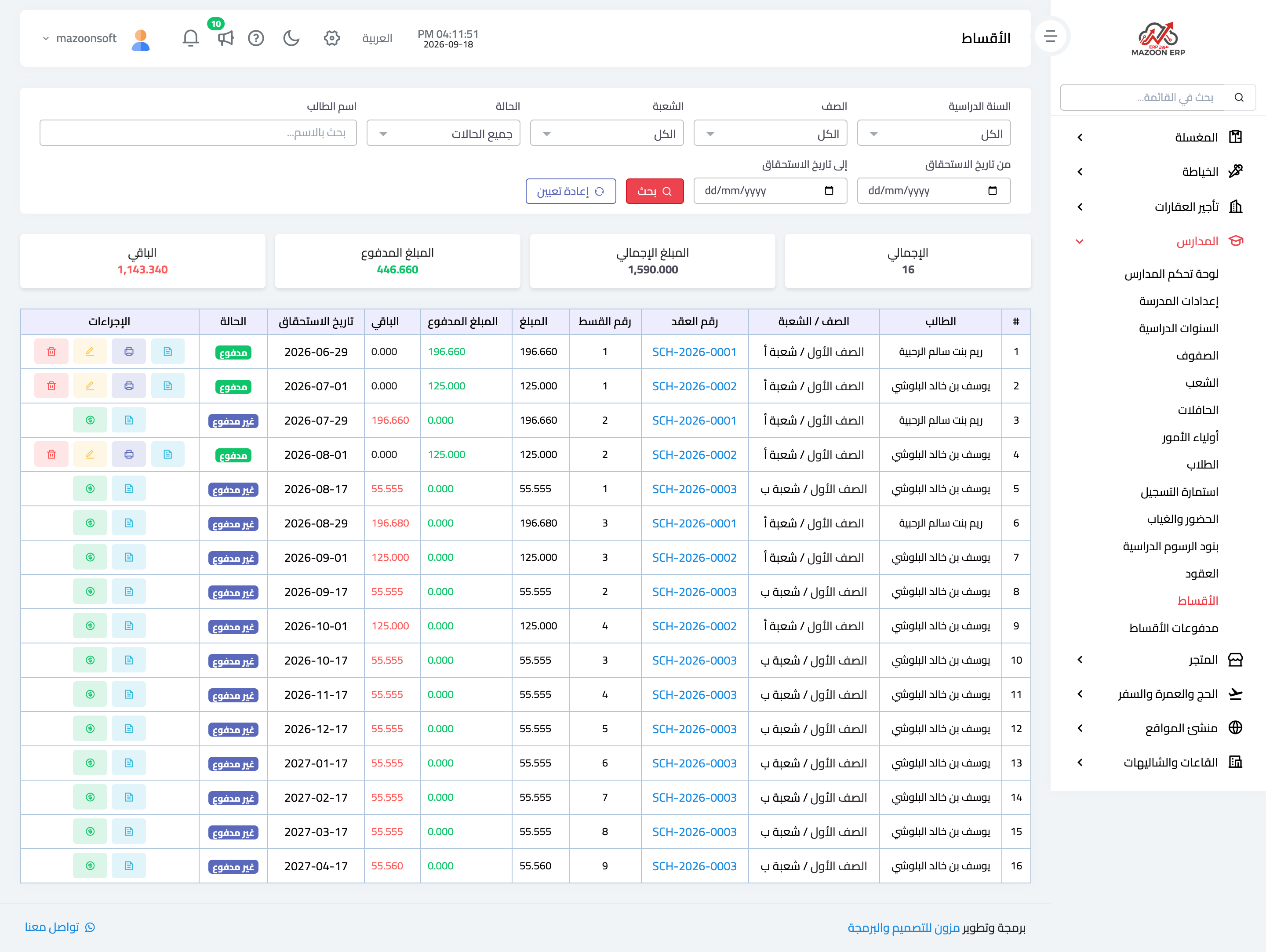
The Instalments screen — Figure 3 — gathers every instalment in the school ordered by due date, with filters by status, grade, and student. It is what you open at the start of each month to see who to bill.
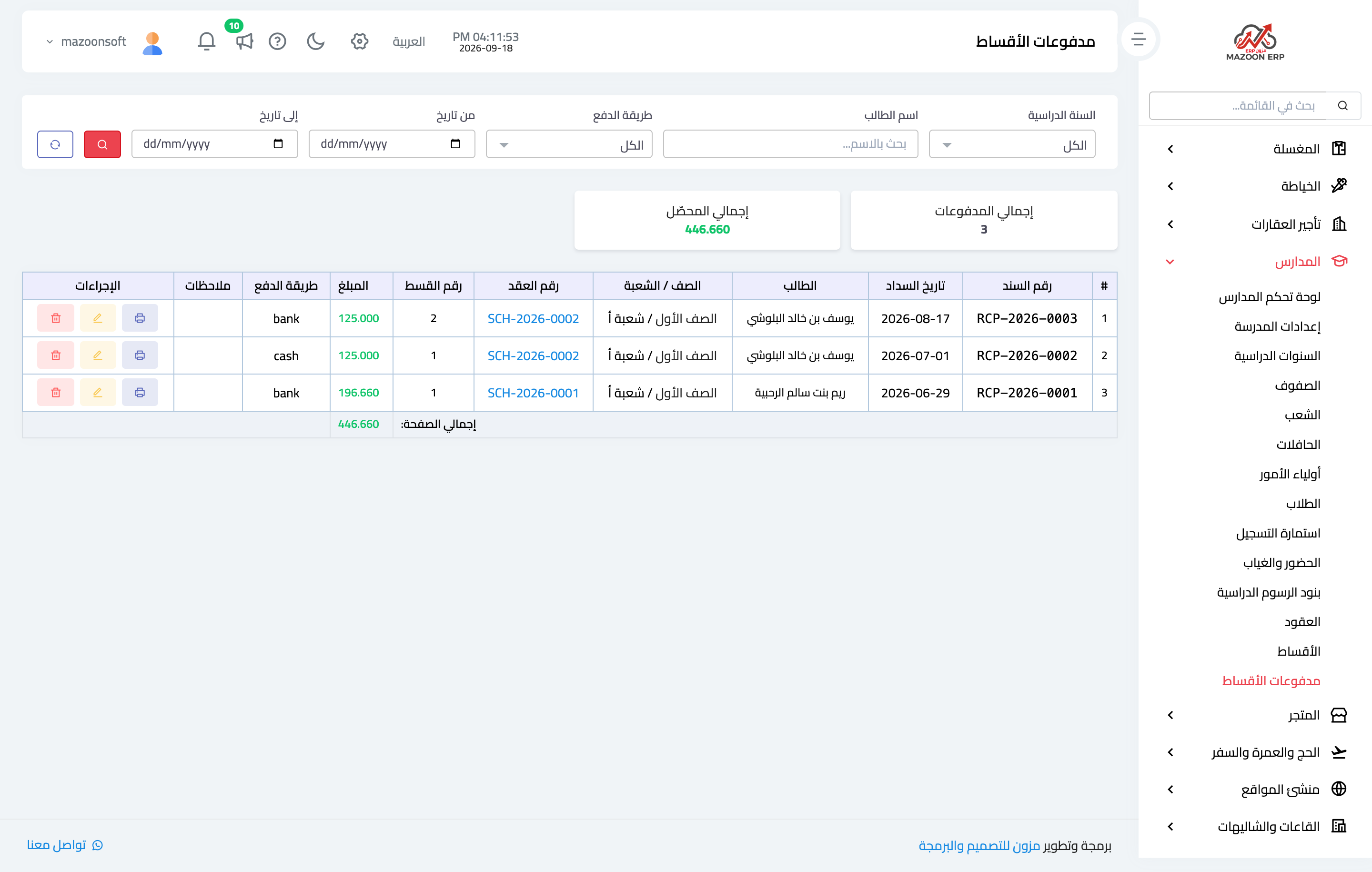
Instalment payments — Figure 4 — shows what was actually collected: date, student, amount, payment method, and who collected it. Each payment has a receipt to hand to the guardian.
Attendance
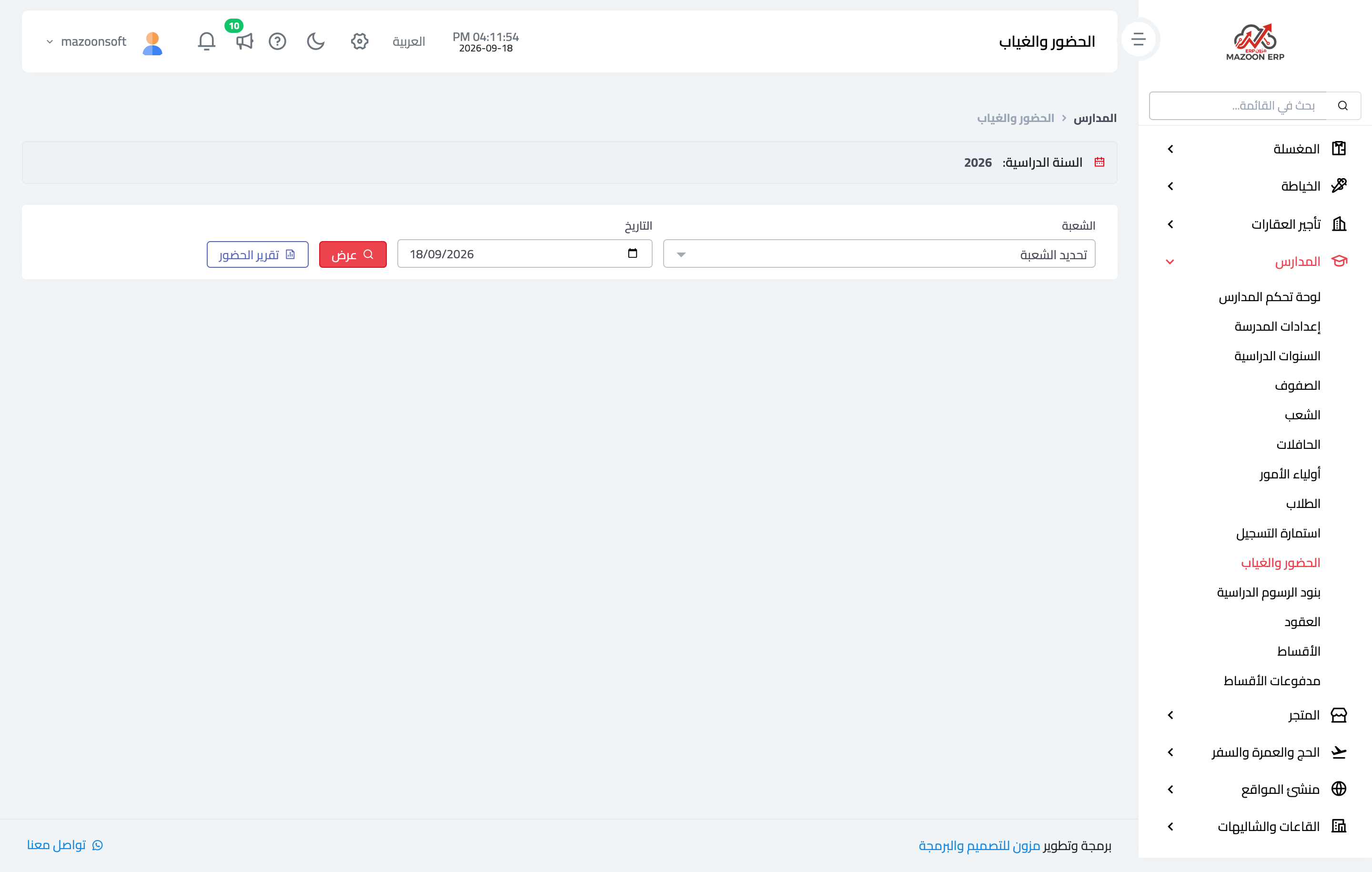
Absences are recorded from Attendance — Figure 5 — by picking the section and the date; its student list appears and you mark who is absent or late. It is normally recorded by the section supervisor rather than the school office.
The attendance report gathers a whole period: each student’s number of absent days and the percentage, which is what accompanies a notice to the guardian.
Buses
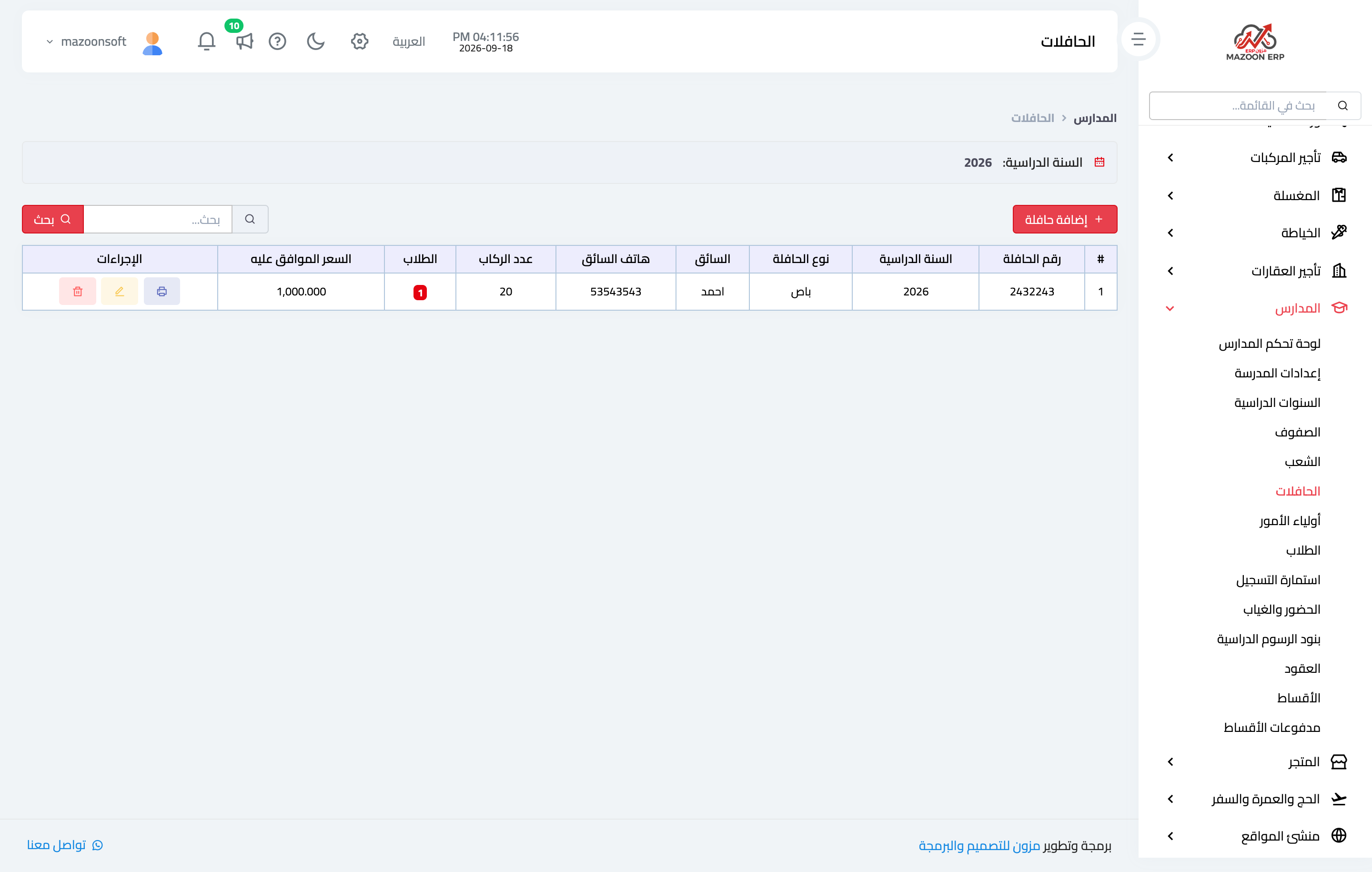
Buses are recorded — Figure 6 — with their plate number, driver, route, and capacity, and are linked to a student’s contract. That link tells you who rides which bus — a question asked suddenly in any emergency.
Notes
- Spread the instalments over realistic dates that match when guardians are paid; an instalment due at the right moment collects itself.
- Have the contract signed before the year starts; an unsigned demand stands on weak ground.
- Use Duplicate rather than starting from scratch each new year; it carries the items across as they are.
Screenshots
Try what you just read on your own data
Open a free 7-day trial — no credit card, with your own company link in minutes.