
How do I amend a signed contract or duplicate it for a sibling?
A student moves between sections, subscribes to transport a month late, or a sibling joins the same school. Each case has its own route.
Editing and amendments
- Open the contract — Figure 1 — and press Edit contract while it is still unsigned.
- If it is signed and something material changes — a transport subscription or a change of grade — use the contract amendment.
- An amendment preserves the original contract and its signature, and records the change as documented.
Duplicating for a sibling
- Open the first sibling’s contract and press Duplicate contract.
- Change the student, the grade and the section; the fee items and the discount stay as they are.
- Apply the second-sibling discount if you have such a policy, then save — Figure 2.
Notes
- Do not delete a signed contract and rewrite it; you lose the signature and the record of instalments already paid.
- Any change to the amount after signature needs the guardian’s written agreement, and the amendment is your means for that.
- When duplicating, check the bus fees; one sibling may use transport and the other may not.
- A cancelled contract stays in the record with its status; contract numbering requires it.
Screenshots
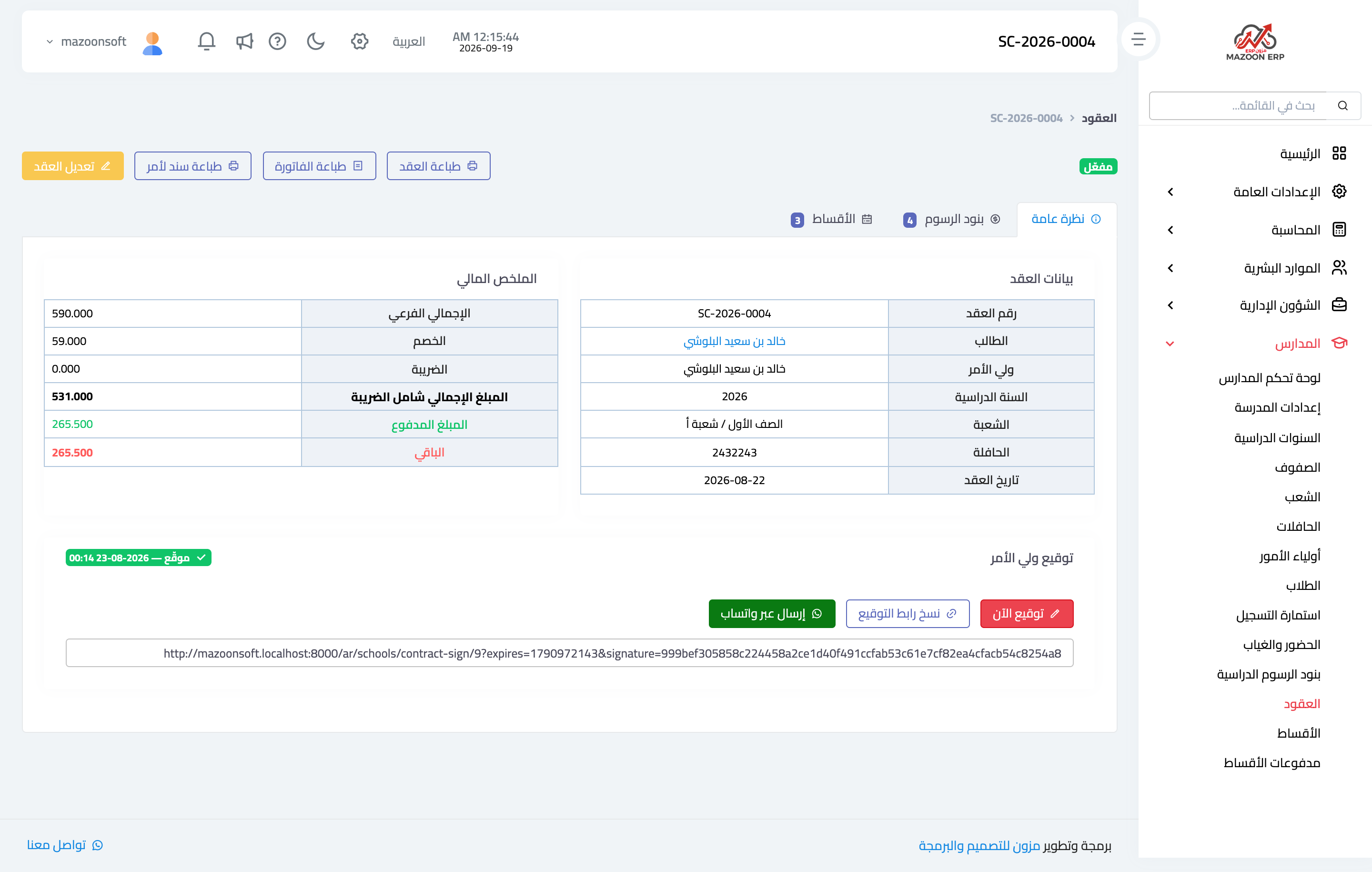
Figure 1
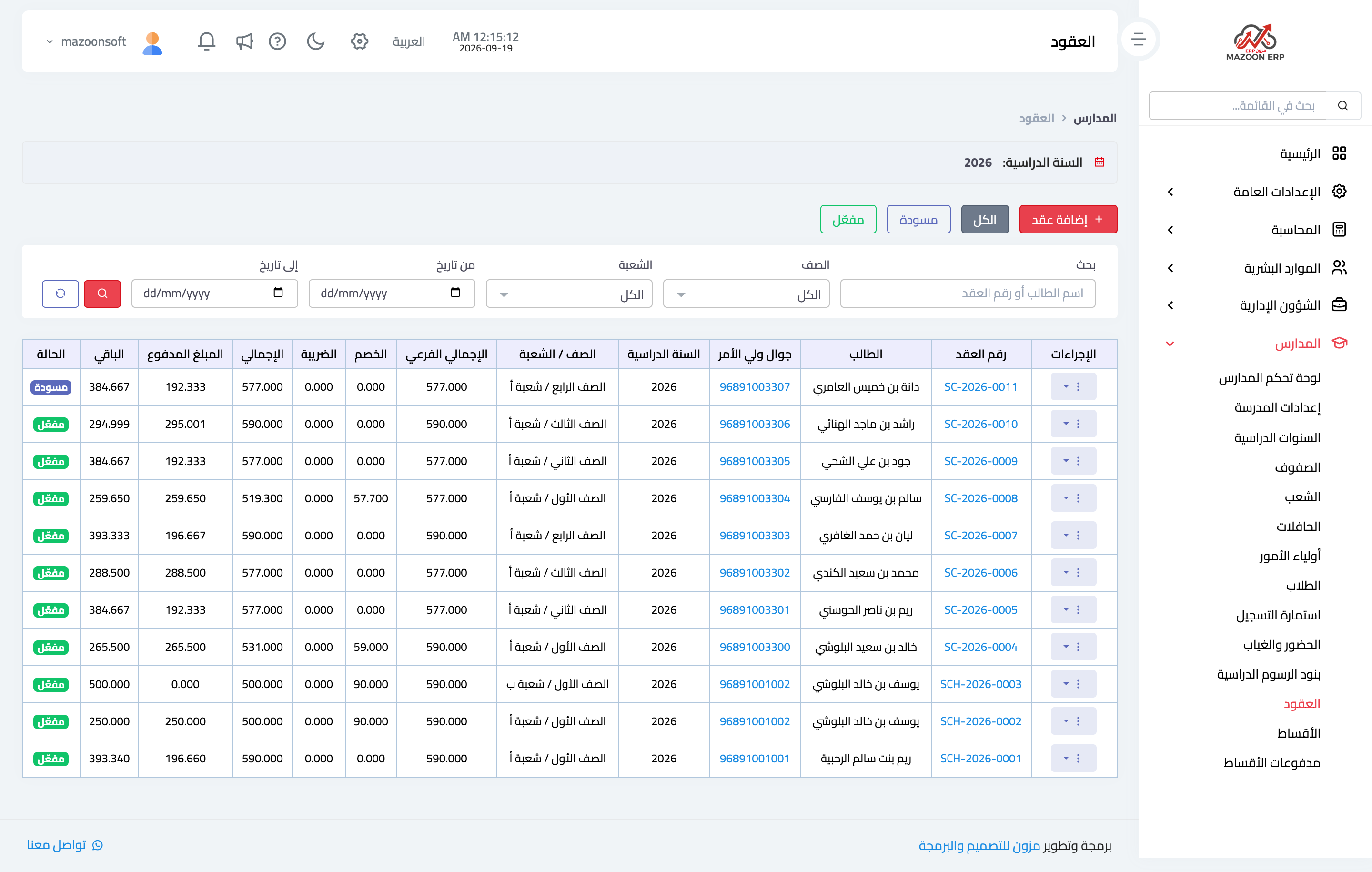
Figure 2
Try what you just read on your own data
Open a free 7-day trial — no credit card, with your own company link in minutes.