
How do I open a new academic year and add its grades and sections?
Everything in the schools module hangs off the academic year: grades, sections, contracts, buses and attendance. Start there.
The academic year
- Open Schools → Academic years — Figure 1 — then a new year.
- Enter the name, the start date and the end date.
- Turn on registration open when you start accepting applications, and close it once you are full.
- Set the default year to the current one — Figure 2 — and it is suggested automatically on every new contract.
Grades and sections
- From the academic year go into Grades and add each grade with its Arabic and English name and its order.
- From the grade go into Sections — Figure 3 — and add a section with its capacity.
- Capacity is not decorative; it is how you know when to open a third section instead of discovering the crowding on day one.
Notes
- Open the new year well before the registration season; contracts cannot be written without a year, a grade and a section.
- Do not delete last year; it holds contracts, instalments and attendance you will need.
- Standardise grade and section naming from the start — “Grade 1 / Section A” — because changing it after a hundred contracts is painful.
- Close registration once the sections fill; the form keeps accepting while it is open.
Screenshots
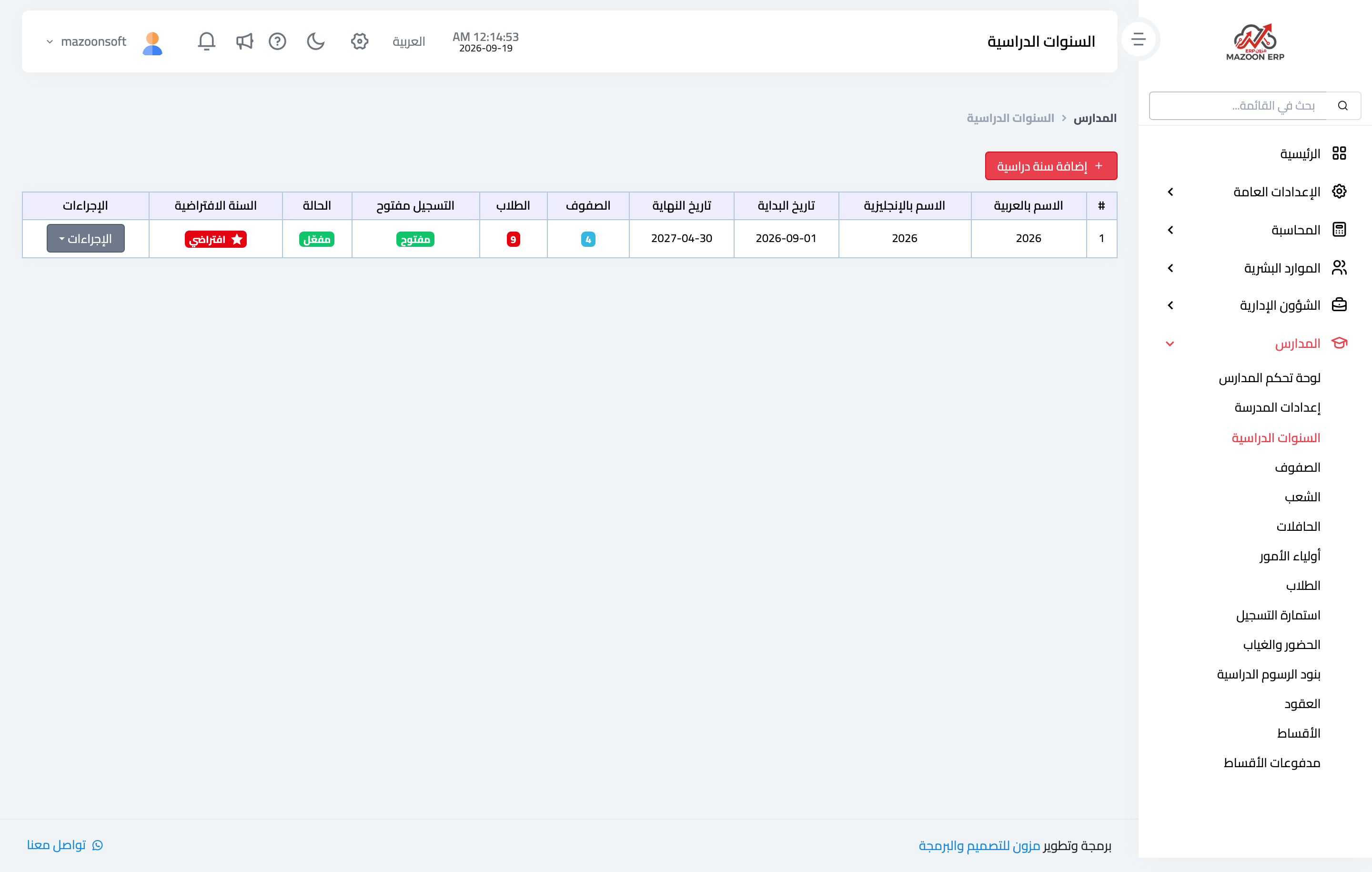
Figure 1
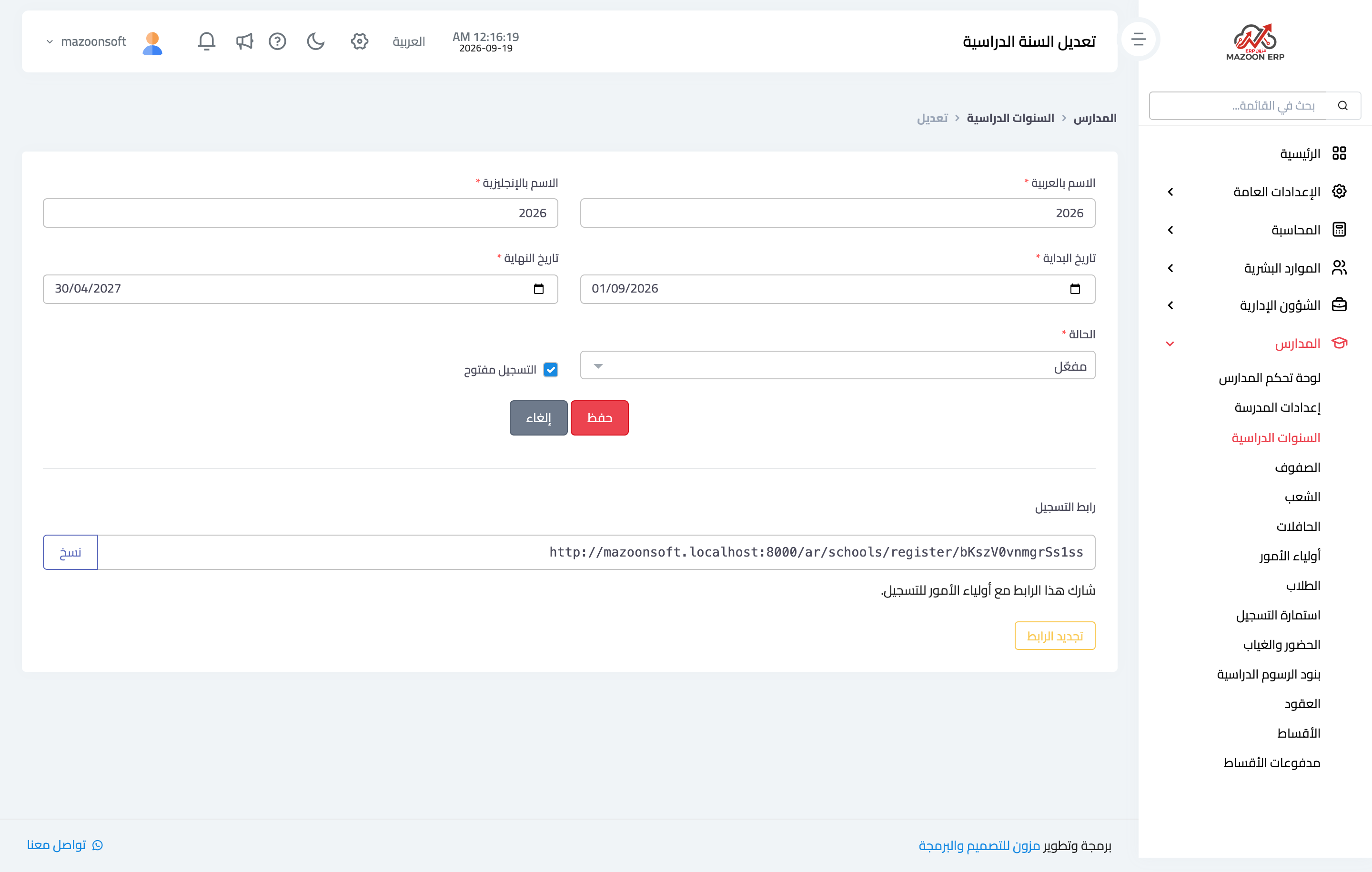
Figure 2
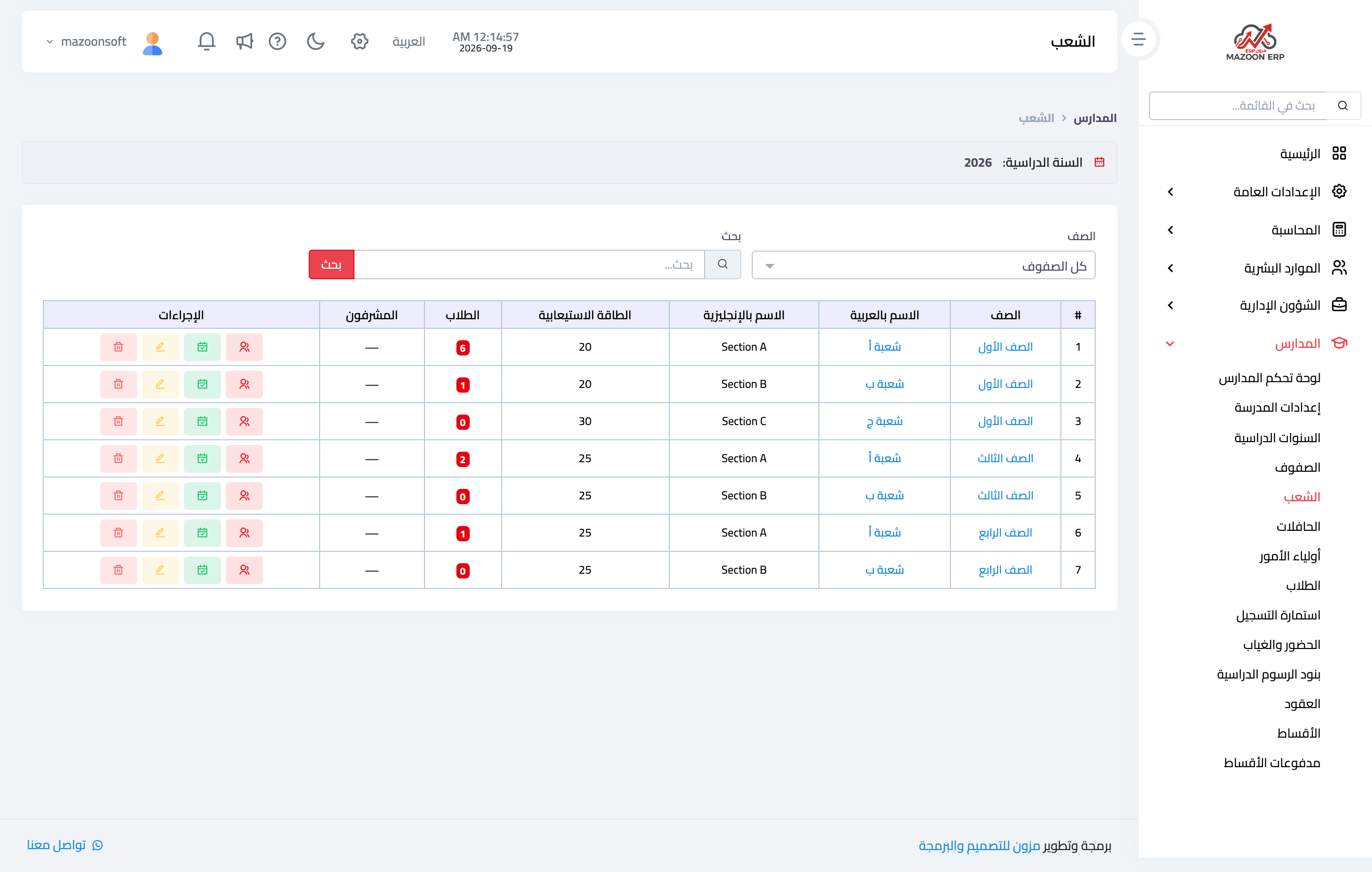
Figure 3
Try what you just read on your own data
Open a free 7-day trial — no credit card, with your own company link in minutes.