
How do I record an instalment payment and print the receipt?
Every amount that comes in from a guardian is recorded against a specific instalment, not against the contract as a whole.
Steps
- Open Schools → Instalments, or the instalments tab inside the contract, and pick the instalment.
- Record the payment: the amount, the payment date and the payment method.
- For a cheque, enter its number, date and due date, and track its status.
- Save; a receipt number is generated automatically and the instalment status updates.
- Print the receipt and give it to the guardian.
- To follow all collections, open Instalment payments — Figure 1 — and filter by period and payment method.
Notes
- Enter the real payment date, not today’s; cash reports are built on it.
- Part payment is allowed; the remainder stays visible on the instalment until it is complete.
- Track cheques by their due dates and do not treat one as collected on receipt; this is where schools most often go wrong.
- Always print the receipt; it is the simplest way to prevent a dispute about payment.
Screenshots
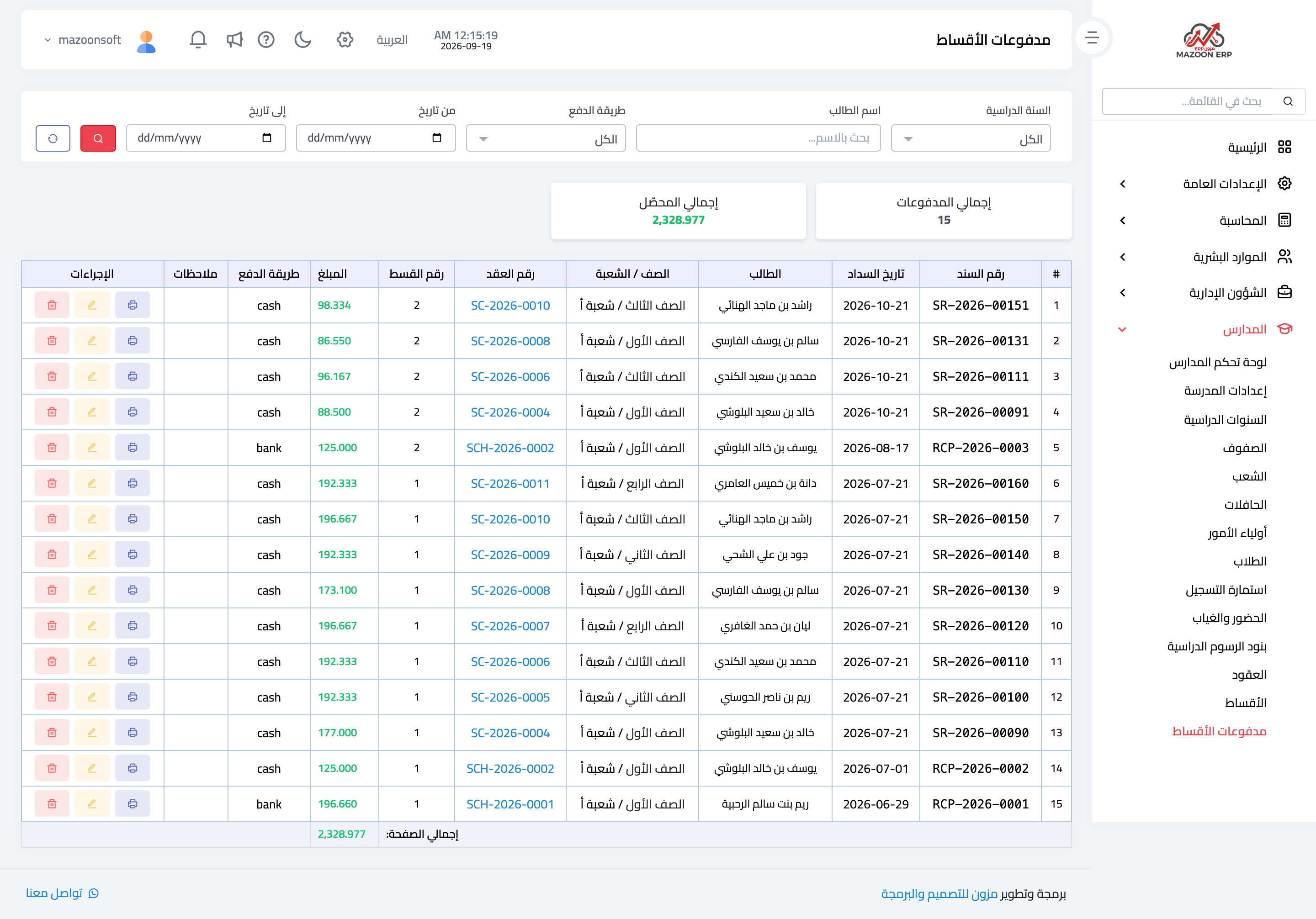
Figure 1
Try what you just read on your own data
Open a free 7-day trial — no credit card, with your own company link in minutes.