
How do I use the online registration form?
Instead of guardians queueing in front of a clerk, each of them fills in the registration form from their phone and the data reaches you ready.
Steps
- Make sure registration is open on the academic year.
- From the academic year open the QR code — Figure 1 — and download it, or copy the form link.
- Put the code on a board at the gate or in the guardians’ groups, or send the link on WhatsApp.
- The guardian fills the form — Figure 2 — with their details, the student’s details and the health information, and uploads the documents.
- The application arrives under Students with the status pending — Figure 3.
- Review the data and the documents, then set the status to active and write them a contract.
Notes
- Never accept an application without review; guardians mistype civil IDs and dates of birth more often than you would expect.
- Close registration once you are full; the form keeps accepting while it is open and you end up apologising.
- The form saves the most time in the registration season, but it does not replace checking the original documents.
- The code is tied to the academic year; each year has its own, so do not reuse last year’s.
Screenshots
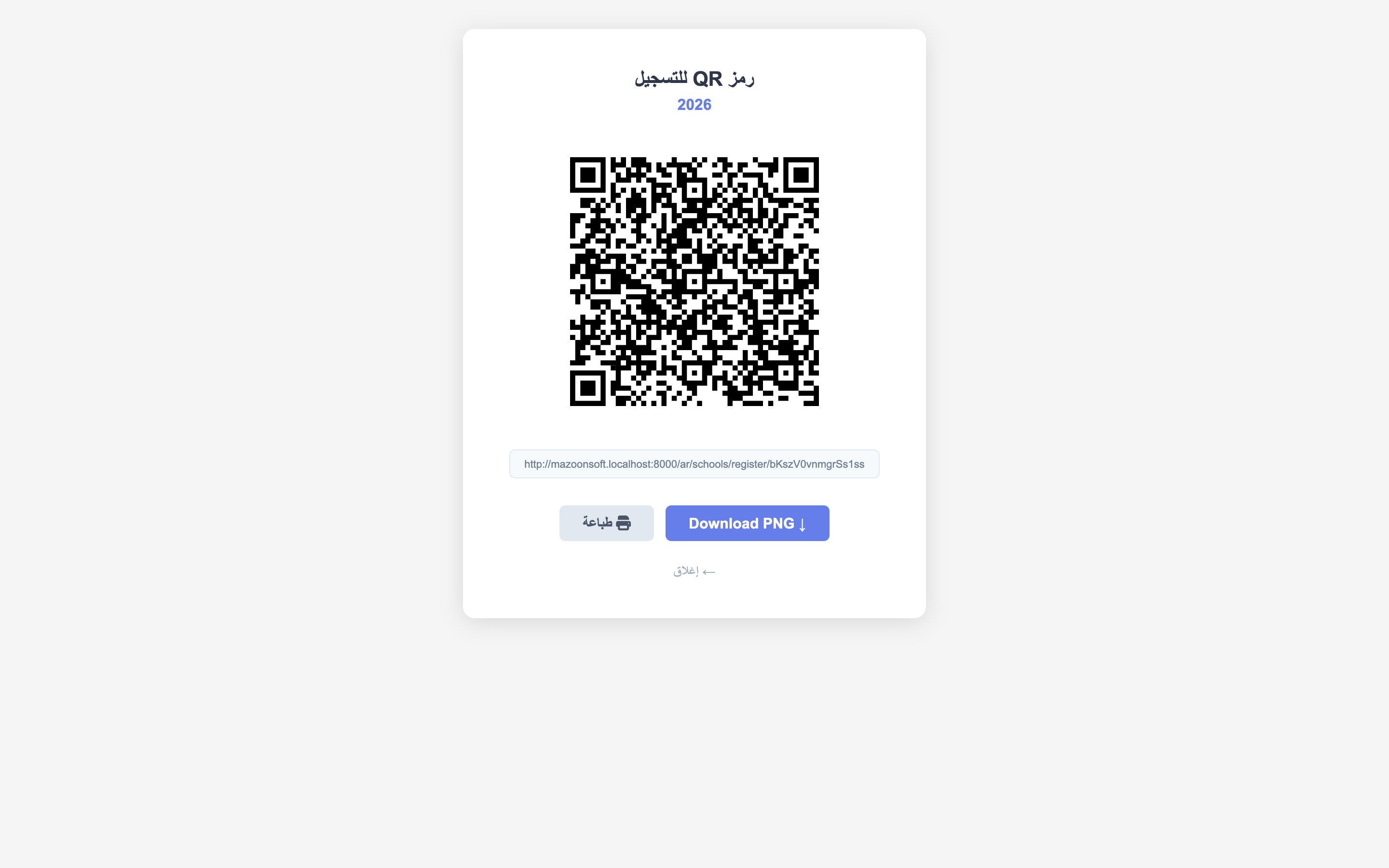
Figure 1
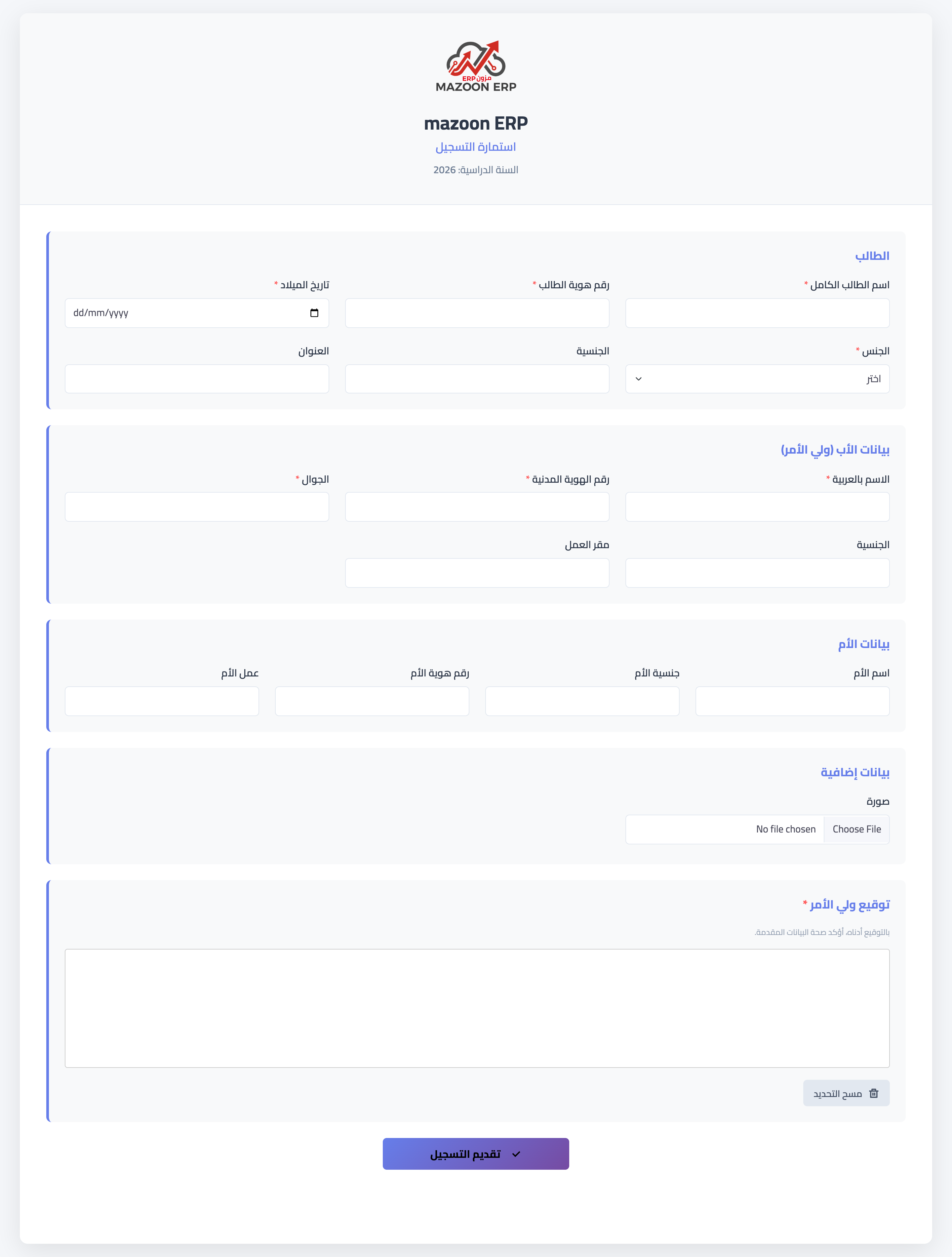
Figure 2
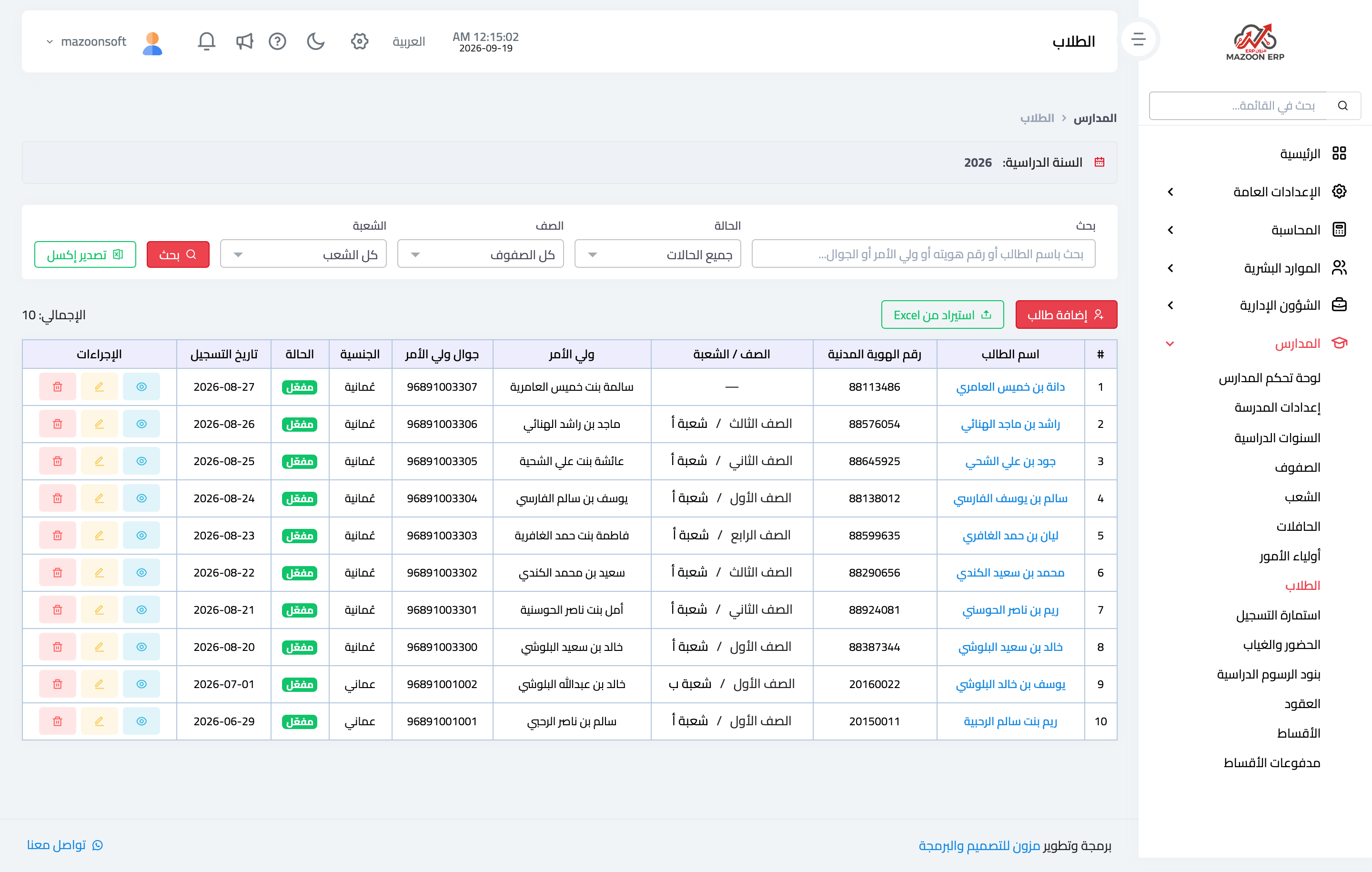
Figure 3
Try what you just read on your own data
Open a free 7-day trial — no credit card, with your own company link in minutes.