
How do I add a bus with its route and driver?
School transport is a liability before it is a service, so document every bus, its driver and its route.
Steps
- Open Schools → Buses — Figure 1 — then a new bus — Figure 2.
- Enter the bus number, its type, its model and the passenger count.
- Set the route: from where to where.
- Enter the driver name, phone and ID number.
- Enter the agreed price with the bus owner or driver.
- Write the terms and conditions in both languages and take the driver’s signature — Figure 3.
- When writing a contract for a student who uses transport, pick the bus on the contract and add the bus fees to its items.
Notes
- The passenger count is not decorative; it tells you when a route is full and you need a second bus.
- The driver’s phone matters the day a guardian calls asking about their child, so do not leave it empty.
- Transport terms signed by the driver protect you if something goes wrong, and they are the cheapest insurance available.
- Review each route’s subscriber list at the start of every term; addresses change.
Screenshots
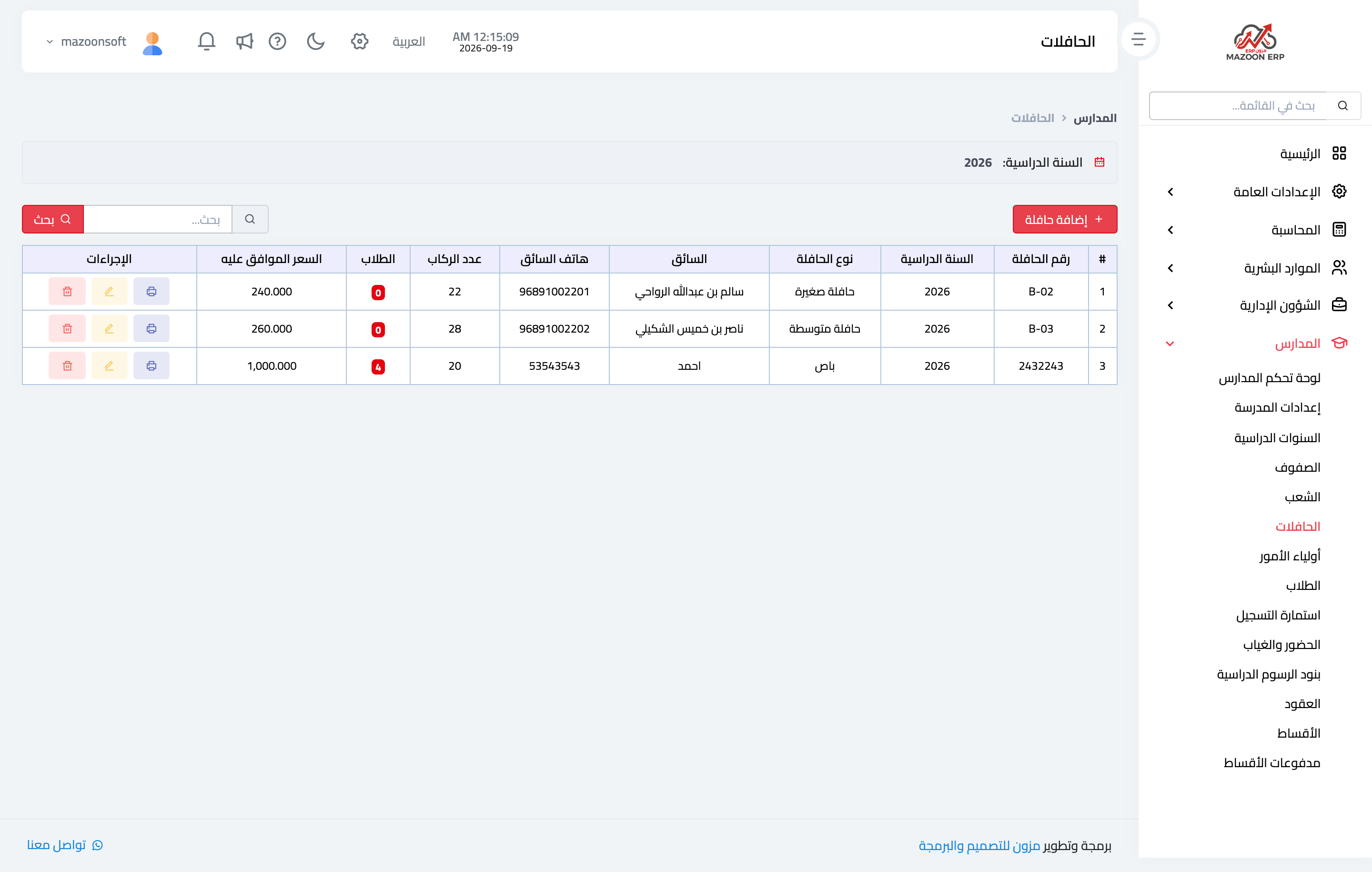
Figure 1
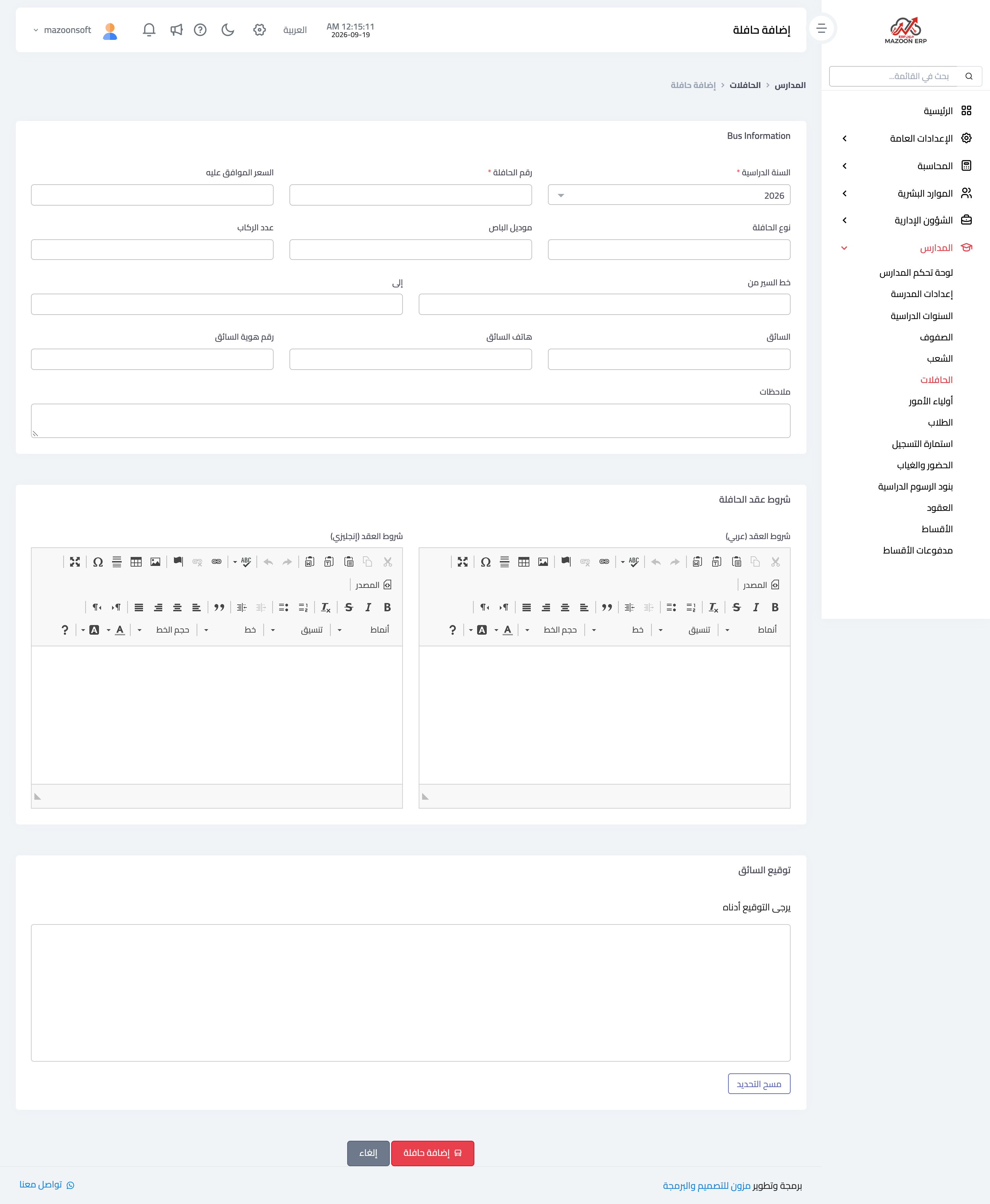
Figure 2
Figure 3
Try what you just read on your own data
Open a free 7-day trial — no credit card, with your own company link in minutes.