
What is the Car Dealership module, and how does it work?
The Car Dealership module runs a vehicle's full life cycle inside the showroom: from the moment it is bought or taken in, through costing, inspection and display, all the way to sale, ownership transfer and profit settlement. It is built to be the single source of truth — every operation posts its own accounting entry and moves the vehicle's status automatically, so nothing has to be recorded twice.
How the workflow runs, end to end
A showroom's natural cycle moves through six ordered stages, each building on the one before it:
- Intake: the vehicle is recorded with its VIN, make, model and year. It enters stock as "in preparation" or "available".
- Ownership: either a purchase deal (the showroom owns the car), a consignment agreement (the car belongs to a customer and the showroom sells it on their behalf), or a car bought against a specific customer request.
- Costing: expenses are added to the car — customs, shipping, servicing, detailing — and each one records who bears it: the showroom or the customer. That distinction is what later builds total cost and profit.
- Preparation: a documented technical inspection, test drives for interested buyers, then publishing the car to the public showroom site.
- Sale: a sales deal moves through stages — reserved with a deposit, then invoiced, then delivered. Payment can be cash, an instalment plan, or bank financing.
- Closing: the official ownership transfer, settling any partners' shares, and calculating the salesperson's commission.
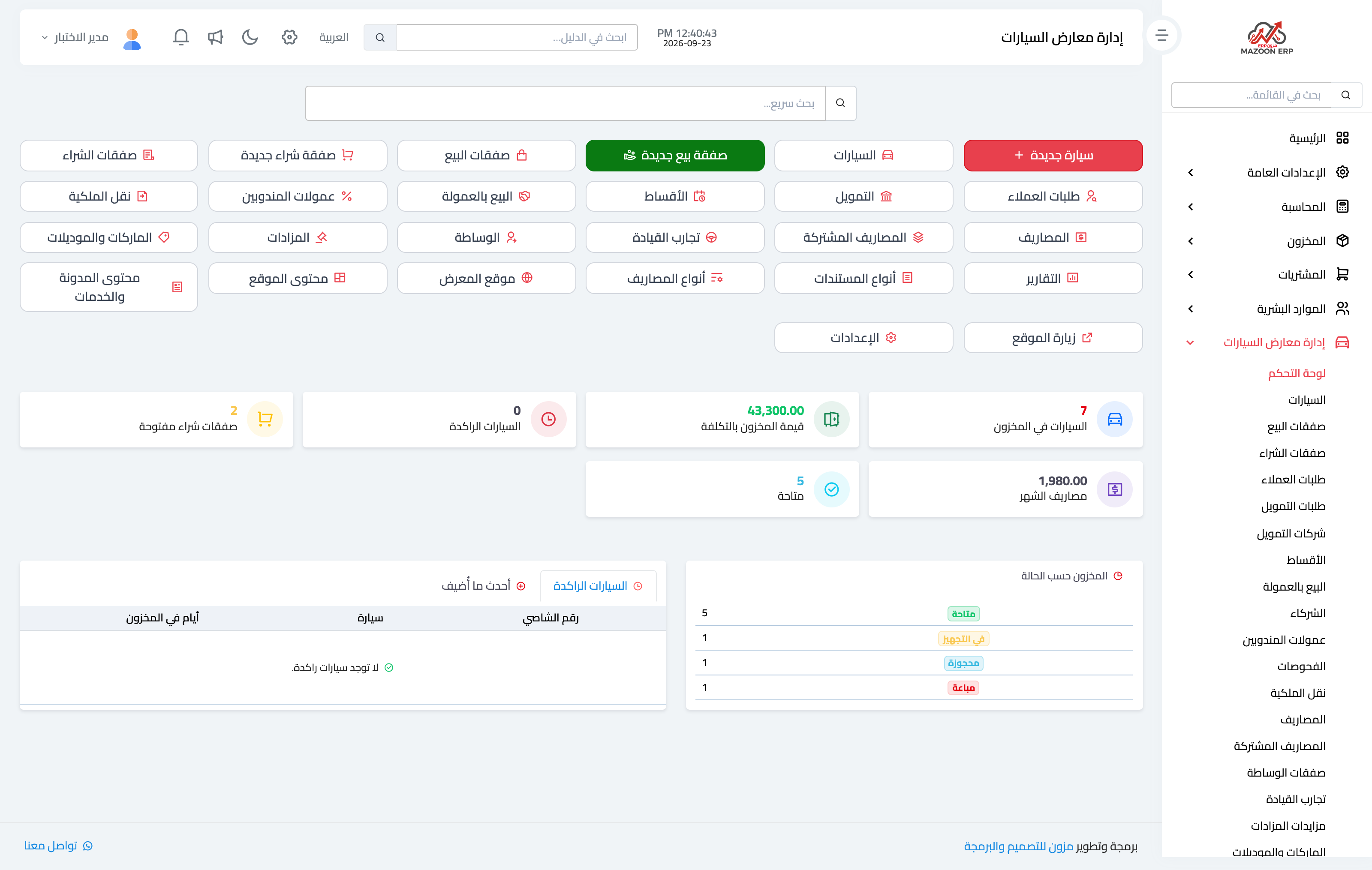
Image 1 — the module dashboard: cars in stock, their value at cost, the month's expenses and the stock split by status, with quick links to every screen.
Why the vehicle status matters
Every car has exactly one status at any moment: in preparation, available, reserved, sold. The status is not a label you type — it is the result of your operations: recording a deposit makes it reserved, delivering it to the buyer makes it sold. A sold car disappears from the public showroom site automatically, so nobody calls asking about a vehicle you no longer have.
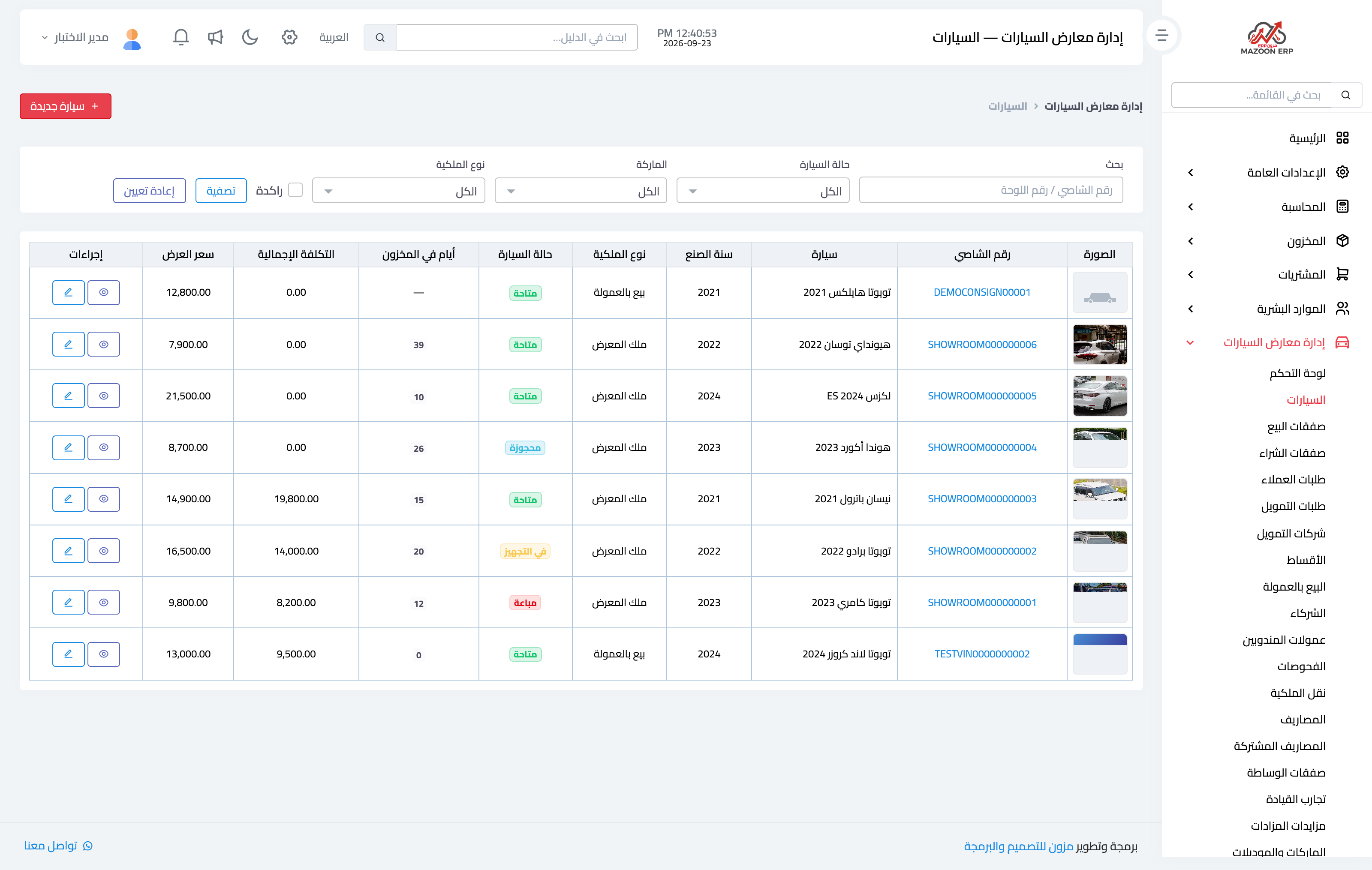
Image 2 — the cars screen: each vehicle's photo, status, ownership type, total cost and how many days it has been in stock.
What the system calculates for you
- Total cost: purchase price plus every expense the showroom bears.
- Profit: sale price less total cost, shown per vehicle in the reports.
- Recovered expenses: costs borne by the customer are added to the sales invoice as lines automatically.
- Days in stock: how long a car has gone unsold, with an alert on stagnant vehicles.
- Accounting entries: every purchase, sale, expense and payment posts to the ledger as soon as it is approved.
Where do I start?
Before entering your first vehicle, set three things up once: makes and models, expense types, and the module settings (currency, stagnation threshold, target margin). After that, taking cars in and selling them becomes quick routine work.
Screenshots
Try what you just read on your own data
Open a free 7-day trial — no credit card, with your own company link in minutes.