
The sales deal: reserve, invoice, deliver
A sales deal moves through ordered stages, and each one changes the vehicle's status and posts its entry. Understanding the order saves you rejected attempts and error messages.
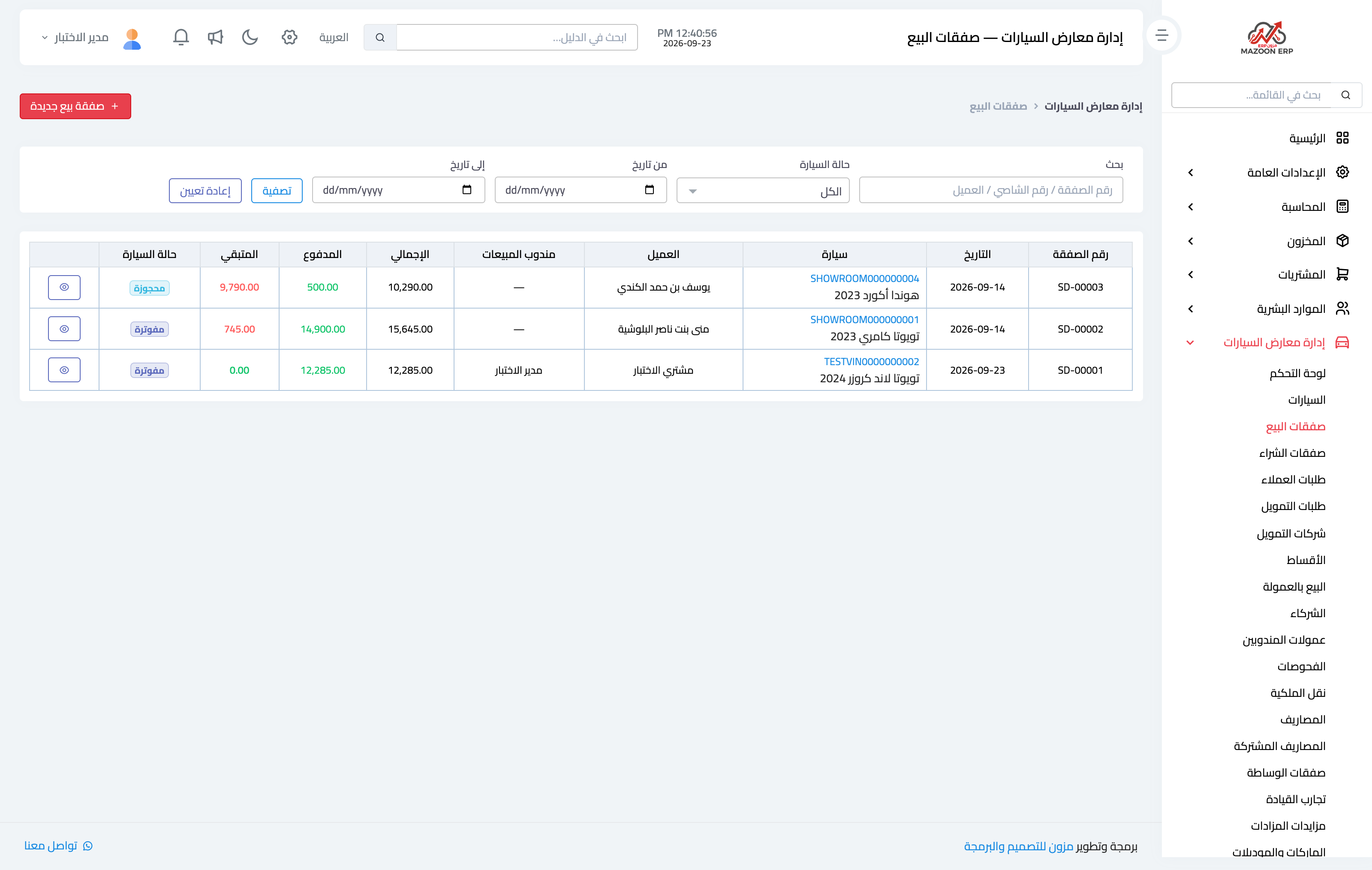
Image 1 — the sales deals screen.
The stages
- Draft: the deal exists with its price and customer, and nothing has been paid.
- Reserved: you recorded a deposit and set a reservation expiry. The vehicle's status becomes "reserved" and it disappears from the public showroom immediately, so nobody else calls about it.
- Invoiced: the invoice is issued. This is where recoverable expenses borne by the customer are added to the invoice total automatically.
- Delivered: the buyer has taken the vehicle. Its status becomes "sold" for good.
Why delivery is sometimes refused
A vehicle is not delivered before the full amount is paid, and the system shows exactly what remains. Note that the total is not always the sale price: if the car carries expenses borne by the customer, they were added to the invoice, and the balance is measured against the total, not the sale price alone.
Payment types
- Deposit: the reservation amount.
- Down payment and payment: ordinary settlement.
- Trade-in: the value of a vehicle the buyer hands over against part of the price.
- Refund: money returned to the buyer.
- Forfeit: when the buyer withdraws and the deposit is kept.
Discounts and the minimum price
A discount can be granted on the sale price, but if the price falls below the vehicle's minimum the system requires the "approve below minimum" permission. That prevents a loss-making sale going through without management knowing.
Cancelling
Cancelling a deal returns the vehicle to "available", reverses its entries and payments, and it reappears on the showroom site. Cancelling a delivered deal is an exceptional operation requiring its own permission.
Screenshots
Try what you just read on your own data
Open a free 7-day trial — no credit card, with your own company link in minutes.