
Customer requests and auctions: buying to order, not to guess
The greatest danger in the car trade is buying what nobody asks for. These two screens invert the equation: you start from a real customer request, then go looking for the vehicle.
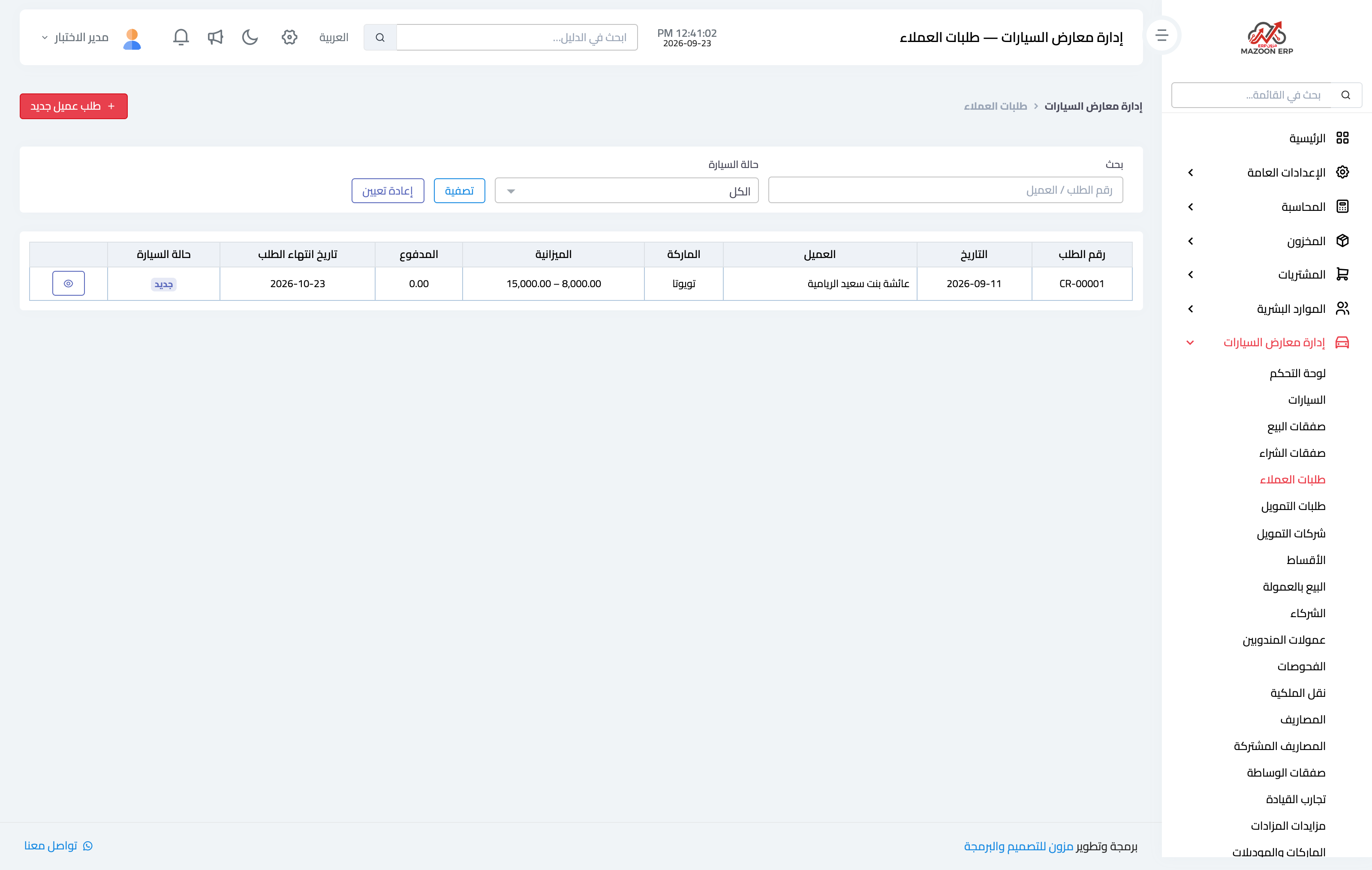
Customer requests
Image 1 — the customer requests screen.
When a customer asks for a specification you do not hold, do not settle for a note on the side. Record a request with the make, model, year range, colour, maximum mileage and a budget from/to.
Pricing method
The request records how you will earn:
- Fixed price: you agree a final price with the customer whatever your purchase costs.
- Cost plus commission: you buy and add your commission as a percentage or an amount. More transparent and less risky.
Candidates
When you find vehicles matching the request, they are added as candidates and shown to the customer, who accepts or declines. That builds a record of what was offered, so you never re-offer a car they already turned down.
The link works both ways: when you enter a new vehicle, the system shows you the open requests it matches, so you can call the customer before listing it publicly.
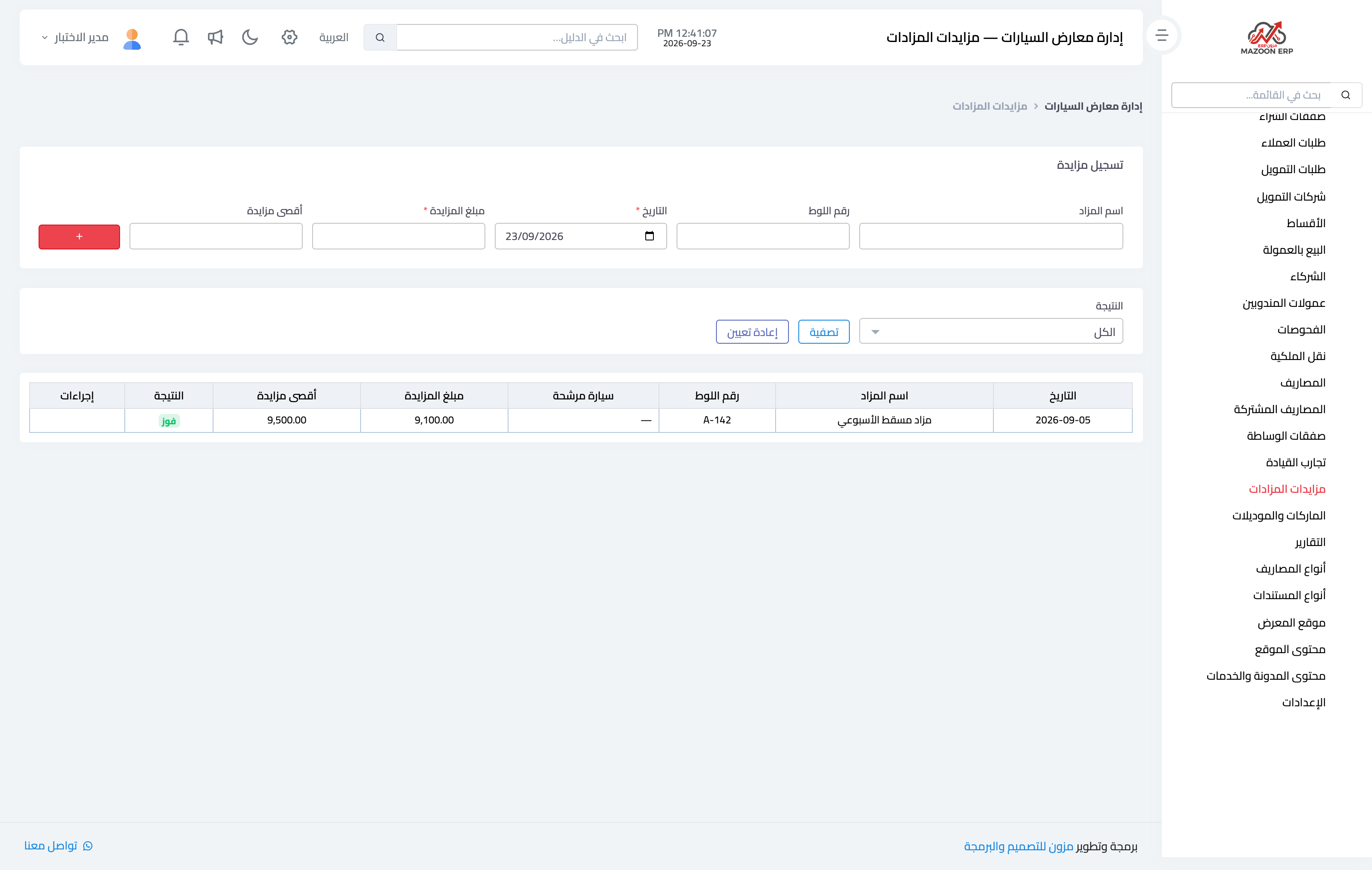
Auction bids
Image 2 — the auction bids screen.
Before going to an auction you record the vehicle you intend to bid on, with its lot number and description, and the maximum you will not exceed. That ceiling is the screen's real value: it is written in a calm moment rather than in the heat of the room.
After the auction you record the outcome — won, lost or withdrew — with the actual bid. Accumulated, these records give you a realistic picture: how often you leave empty-handed, how often you exceeded your ceiling, and whether auction prices really beat buying directly.
A winning bid becomes a vehicle in stock through a purchase deal whose source is "auction", closing the chain.
Screenshots
Try what you just read on your own data
Open a free 7-day trial — no credit card, with your own company link in minutes.