
Adding a vehicle to stock: the fields that actually matter
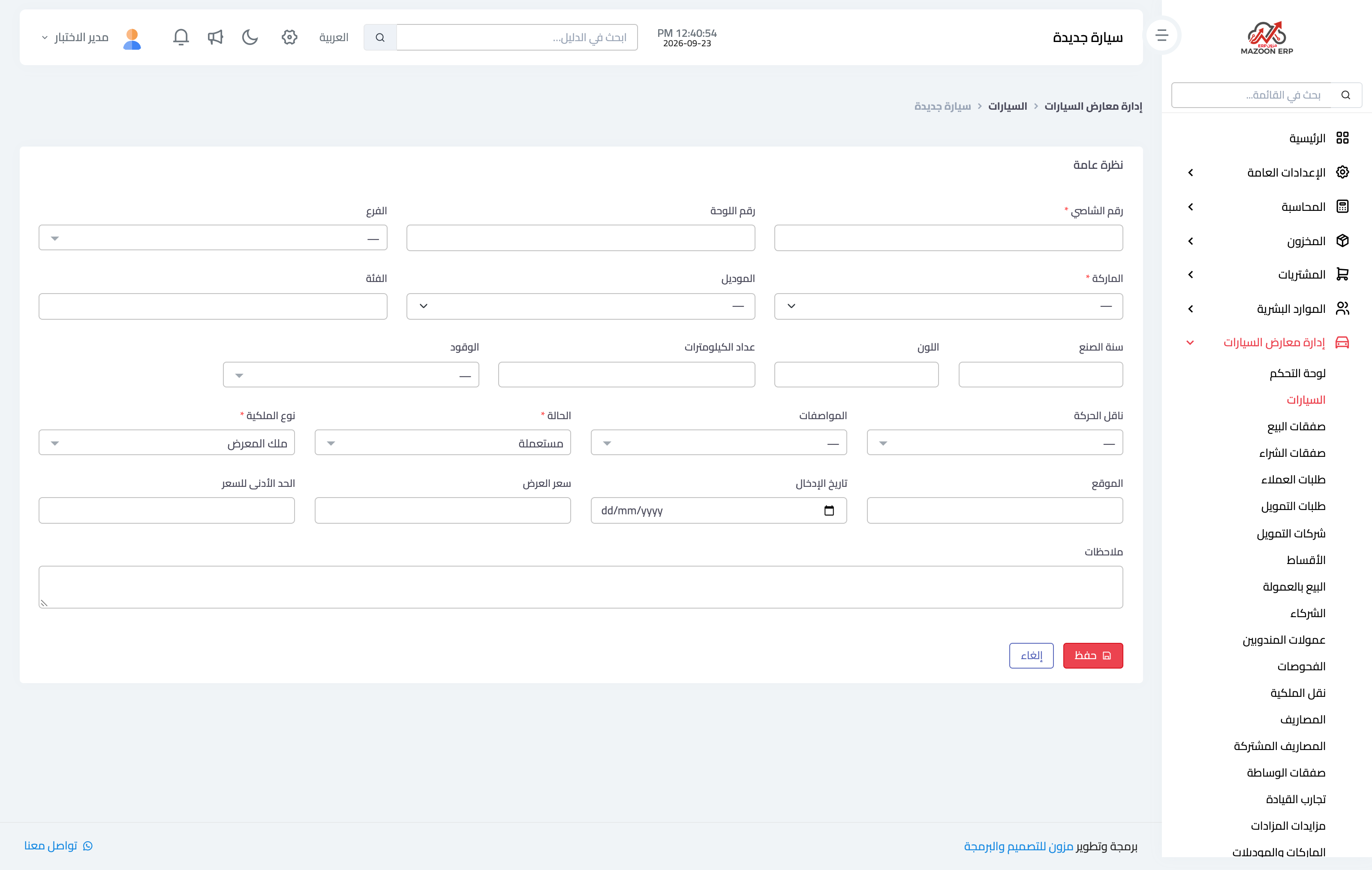
Recording the vehicle is the first step in the cycle. The screen has many fields, but only a few change what happens afterwards — and those are the ones worth mastering.
Image 1 — the new vehicle screen.
The VIN: the one identifier
The VIN is the vehicle's identity in the system, and it is unique. Trying to enter a car with a VIN that already exists is refused — deliberately, because it stops the same vehicle being recorded twice by mistake. If the earlier car with that VIN was closed or returned to its owner, the number counts as released and can be used again.
Ownership type: the field that changes everything after it
Three options, and your choice sets the whole path:
- Owned by the showroom: the car is yours, it links to a purchase deal, it counts towards your stock value, and its profit is entirely yours.
- Sale on commission: the car belongs to a customer and you sell it on their behalf. It does not count towards stock value, and your income from it is the commission only. It cannot be linked to a purchase deal.
- Customer request: a car bought specifically to satisfy a recorded request from a named customer.
This field is hard to change once the vehicle has operations against it, so choose correctly from the start.
Status, listing price and publishing
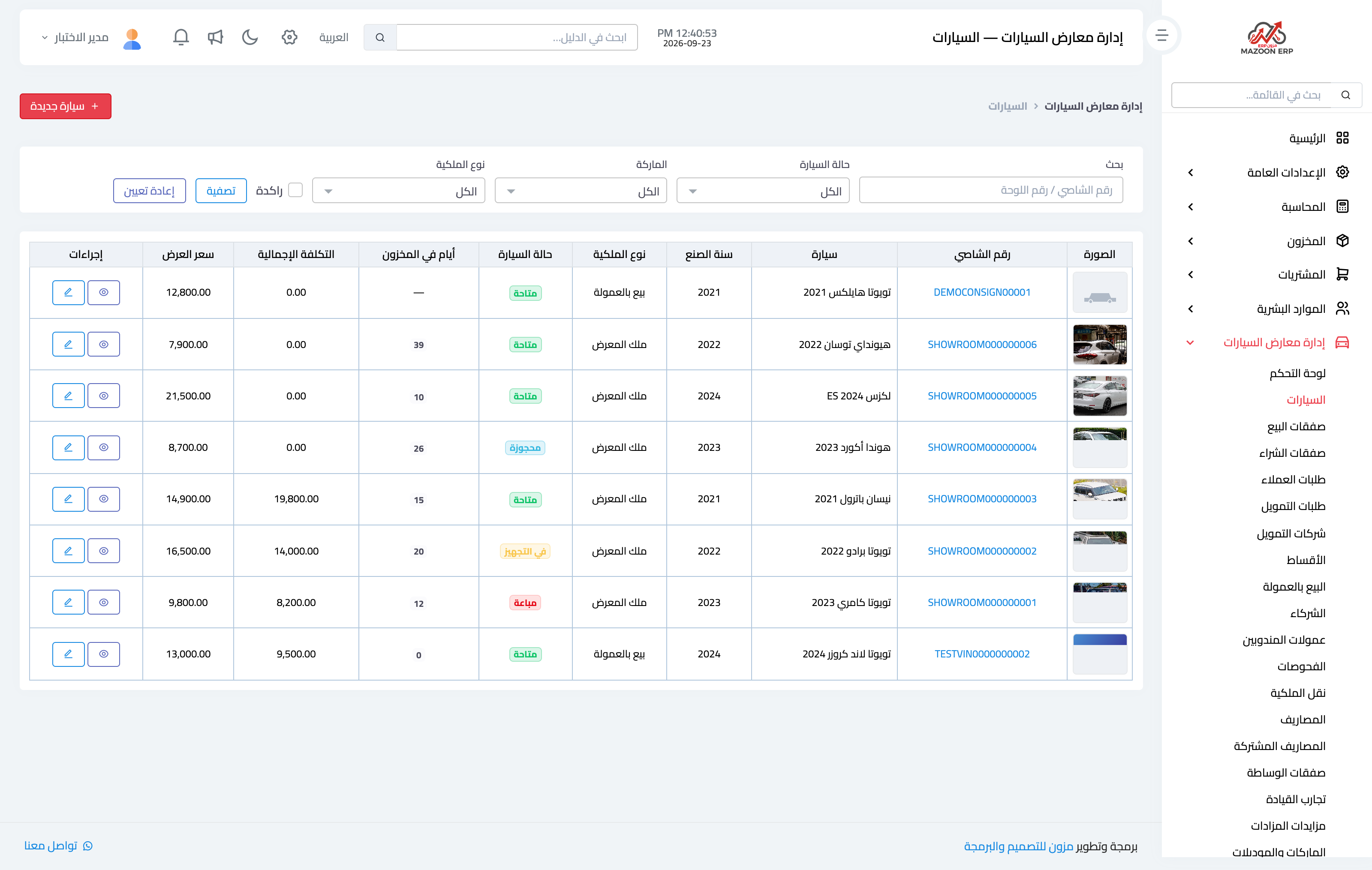
A new vehicle usually starts "in preparation" and moves to "available" when it is ready to sell. The listing price is what a visitor sees on the showroom site, separate from the purchase price and total cost, which only users holding the cost-visibility permission can see.
A vehicle appears on the public site only when two conditions hold together: its status is available, and the published box is ticked.
Image 2 — the cars screen after the vehicle is added, showing each car's photo, status and days in stock.
Photos
Vehicle photos are uploaded from its own page, and one is marked as the main image that appears in lists and on the car's card on the site. The limit is two megabytes per image.
Screenshots
Try what you just read on your own data
Open a free 7-day trial — no credit card, with your own company link in minutes.