
How do I register a traveller with their passport details and spot expiring passports?
The most common thing that stops a traveller at the airport is a passport close to expiry, and that is your responsibility, not theirs.
Steps
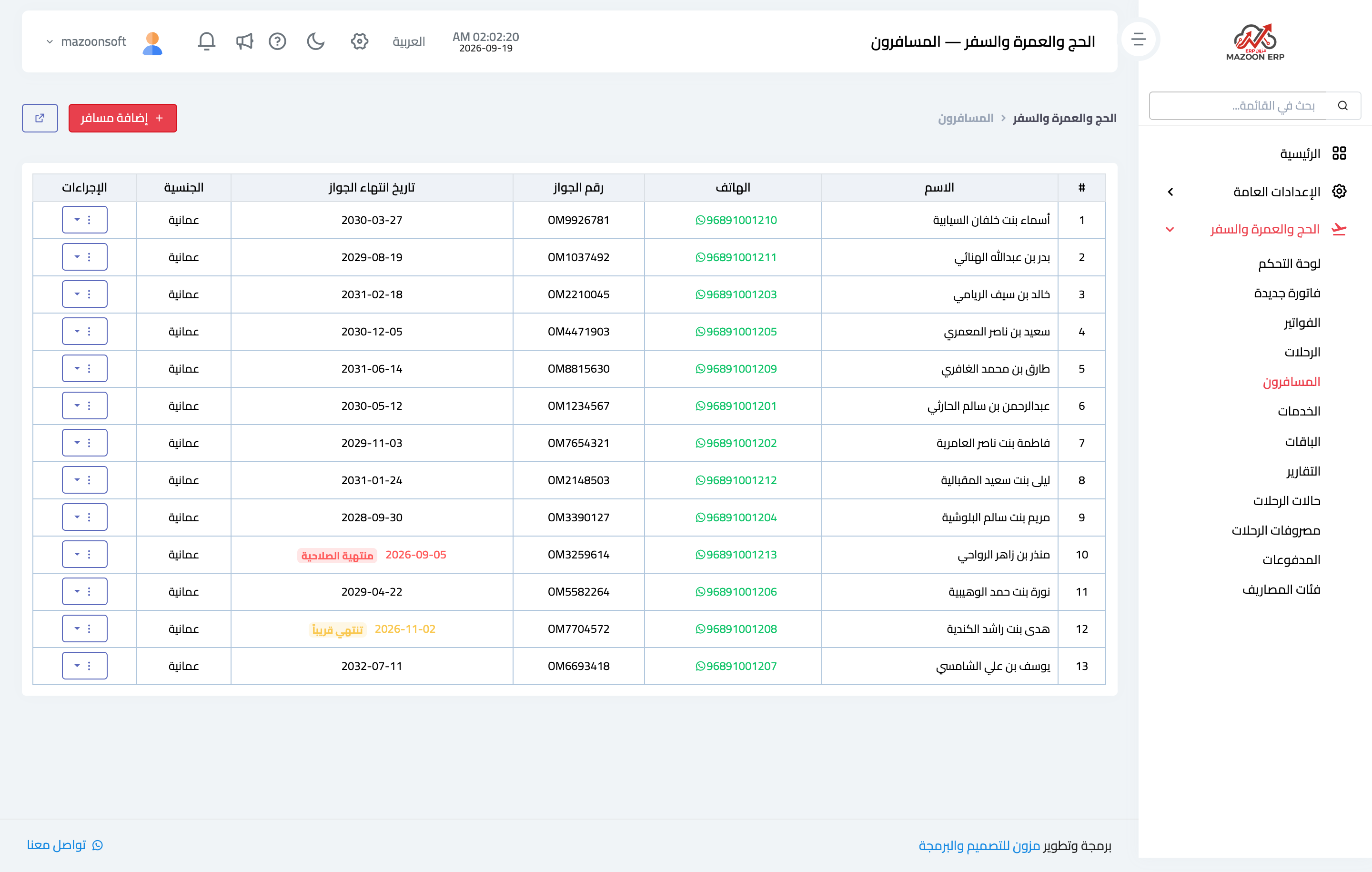
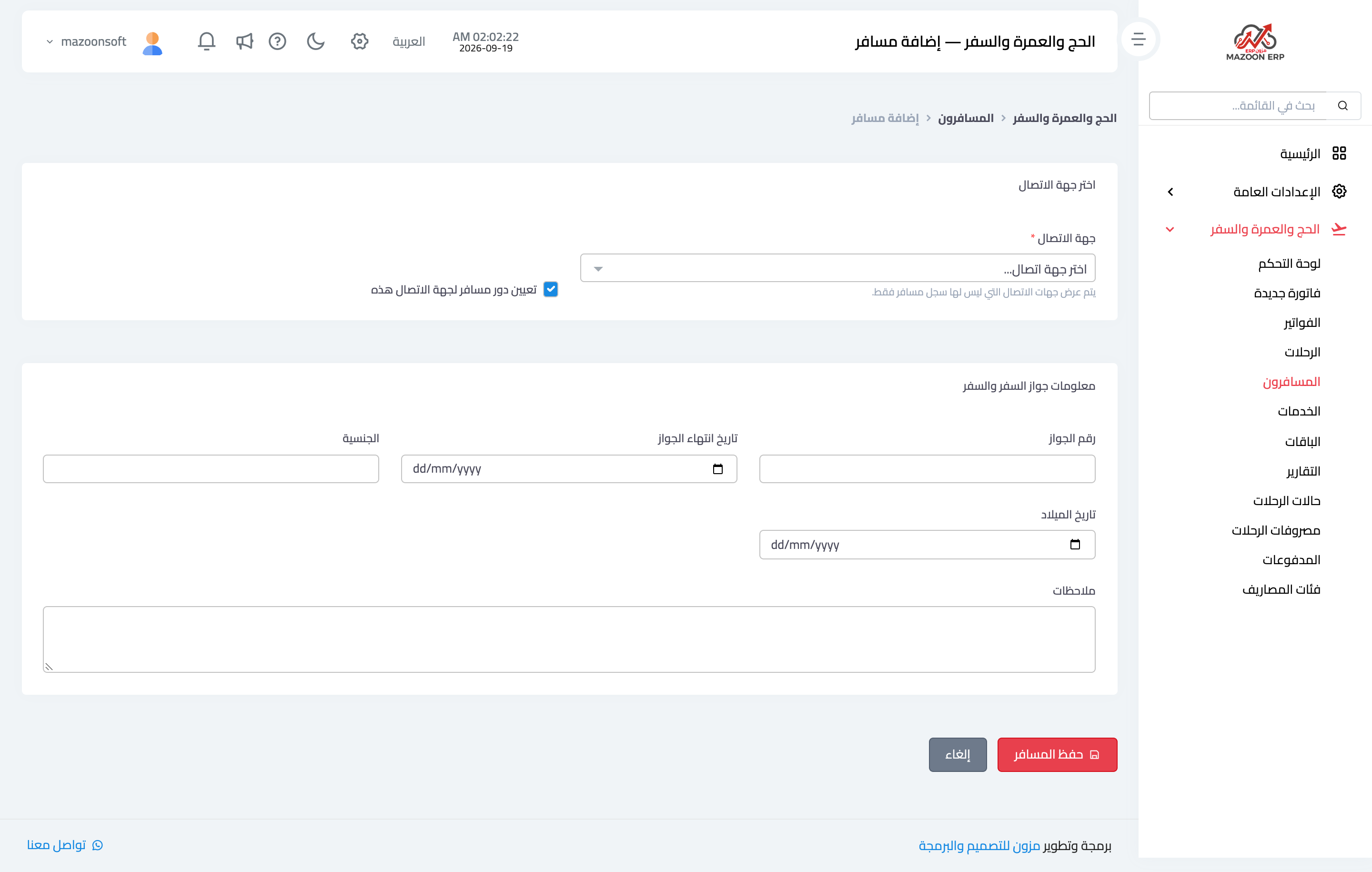
- Open Travel → Travellers — Figure 1 — and press Add traveller — Figure 2.
- Enter the name, phone and email.
- Enter the passport number, its expiry date, the nationality and the date of birth.
- Use the notes for anything operationally relevant: wheelchair, special meal, companion, and so on.
- Save, and from then on you can pick them for any trip or invoice.
Watching passport expiry
The travellers list flags passports that are close to expiry, so review it before each season. Most countries require at least six months’ validity from the travel date.
No duplicate travellers
On save, the system looks for the traveller across every branch:
- The same passport number is already registered: the save is refused and the existing traveller is shown with the branch that registered them, so you press Use this traveler instead of creating a second copy.
- Only the same phone number: a warning lists the travellers registered with it; use one of them, or press Add as a new traveler anyway, since family members often share one phone.
Travellers and branches
A branch employee sees the travellers their branch registered or invoiced. If the duplicate warning shows a traveller registered by another branch, issue them an invoice from your branch and they then appear in your list. The head office sees every traveller, with a Registered by branch column.
Search and filters
Search by name, passport or phone, and filter by trip, nationality and passport state: expiring within 90 days, expired, or no passport number. Then print the result or export it to Excel.
Notes
- Check the passport number character by character against the passport itself; one wrong character gets the visa rejected.
- A traveller is a contact in the system, so do not register them twice if they already exist — just add the passport details to the existing record.
- Do not book a ticket before you have seen the passport image yourself; correcting a name after booking costs money.
- The “expiring within 90 days” filter before each season is the quickest way to see who needs a passport renewal.
Screenshots
Try what you just read on your own data
Open a free 7-day trial — no credit card, with your own company link in minutes.