
How do I record payments and print the invoice and the receipt?
The traveller wants a piece of paper proving they paid, and you want a record proving what you received and when.
Recording a payment
- Open the invoice and add a payment: amount, payment date, payment method and reference.
- The payment status and the remaining amount update automatically.
- From Payments — Figure 1 — you see everything collected, filtered by period and payment method.
Printing
- From the invoice page press Print — Figure 2; that is the copy you hand to the customer.
- Next to each payment press receipt to print a separate receipt voucher for it.
Notes
- Record the payment on its real date, not the date you entered it; collection reports are built on the payment date.
- Put the transfer number in the reference; it saves you an hour of bank reconciliation at month end.
- Do not hand over tickets or visas on a partially paid invoice without a written agreement.
Screenshots
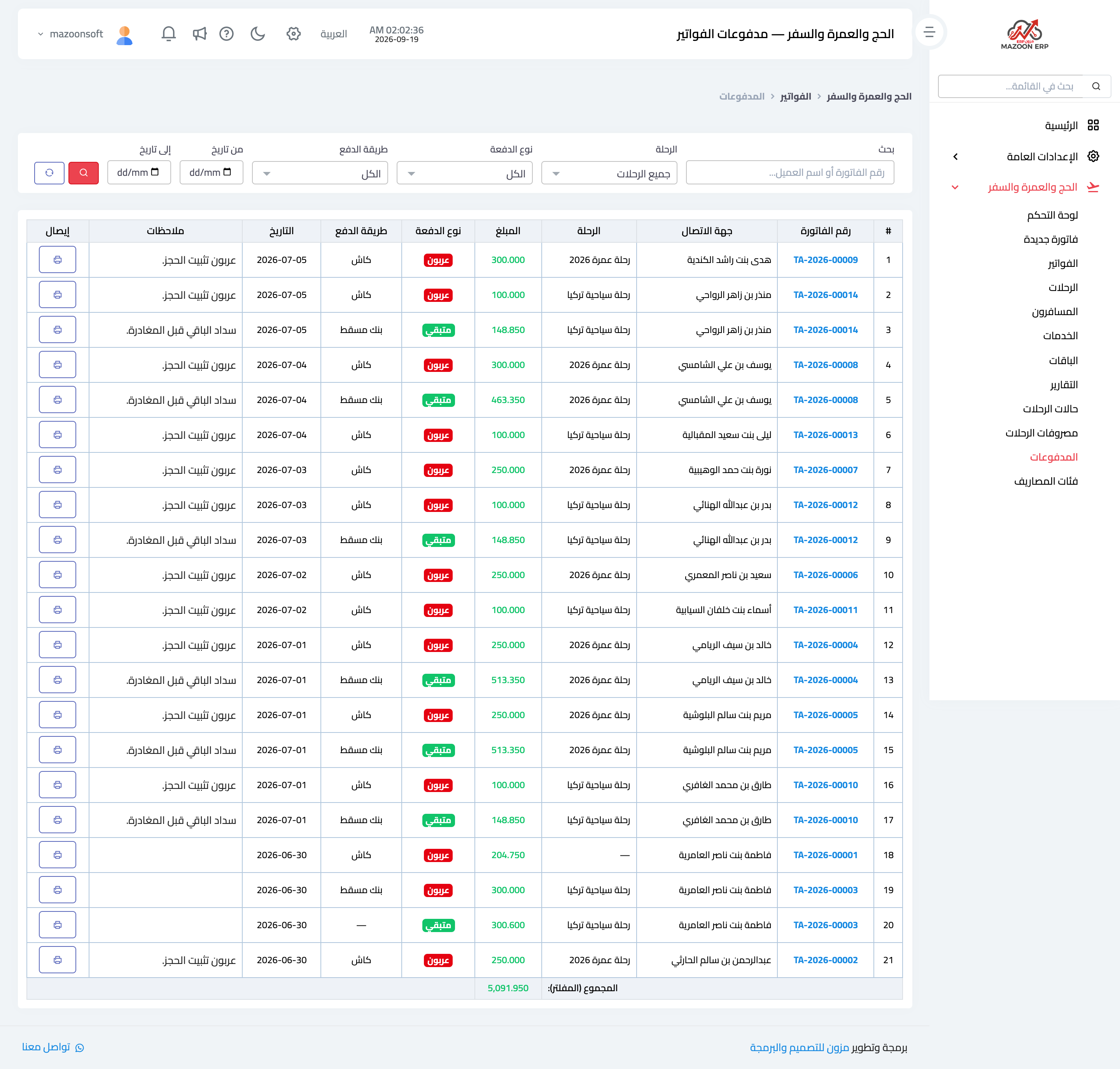
Figure 1
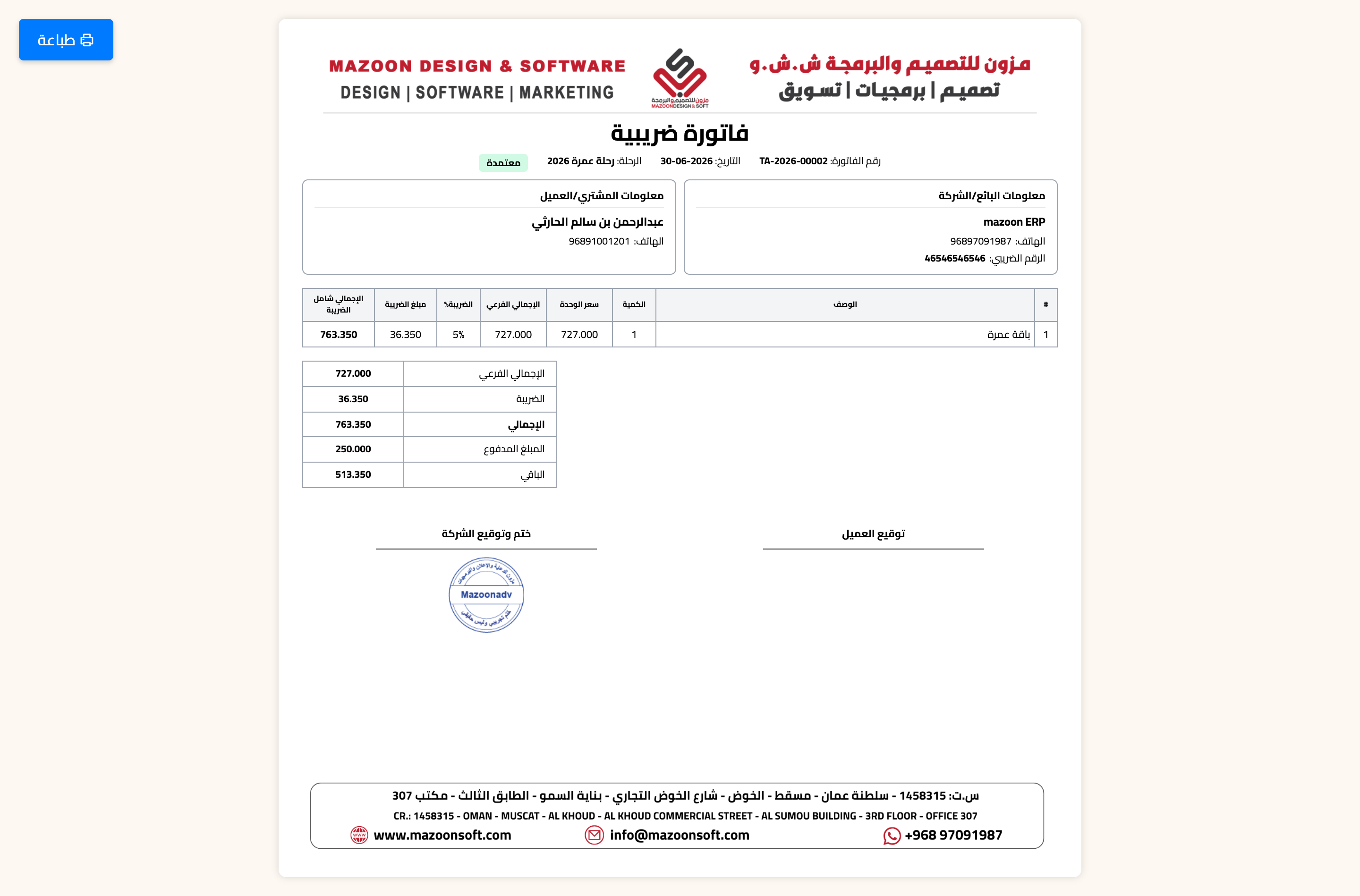
Figure 2
Try what you just read on your own data
Open a free 7-day trial — no credit card, with your own company link in minutes.