
Trips, invoices, and trip expenses
The trip is the unit of profit and loss in a travel agency: invoices gather on it, expenses are charged to it, and the two together give its net profit.
The trips list
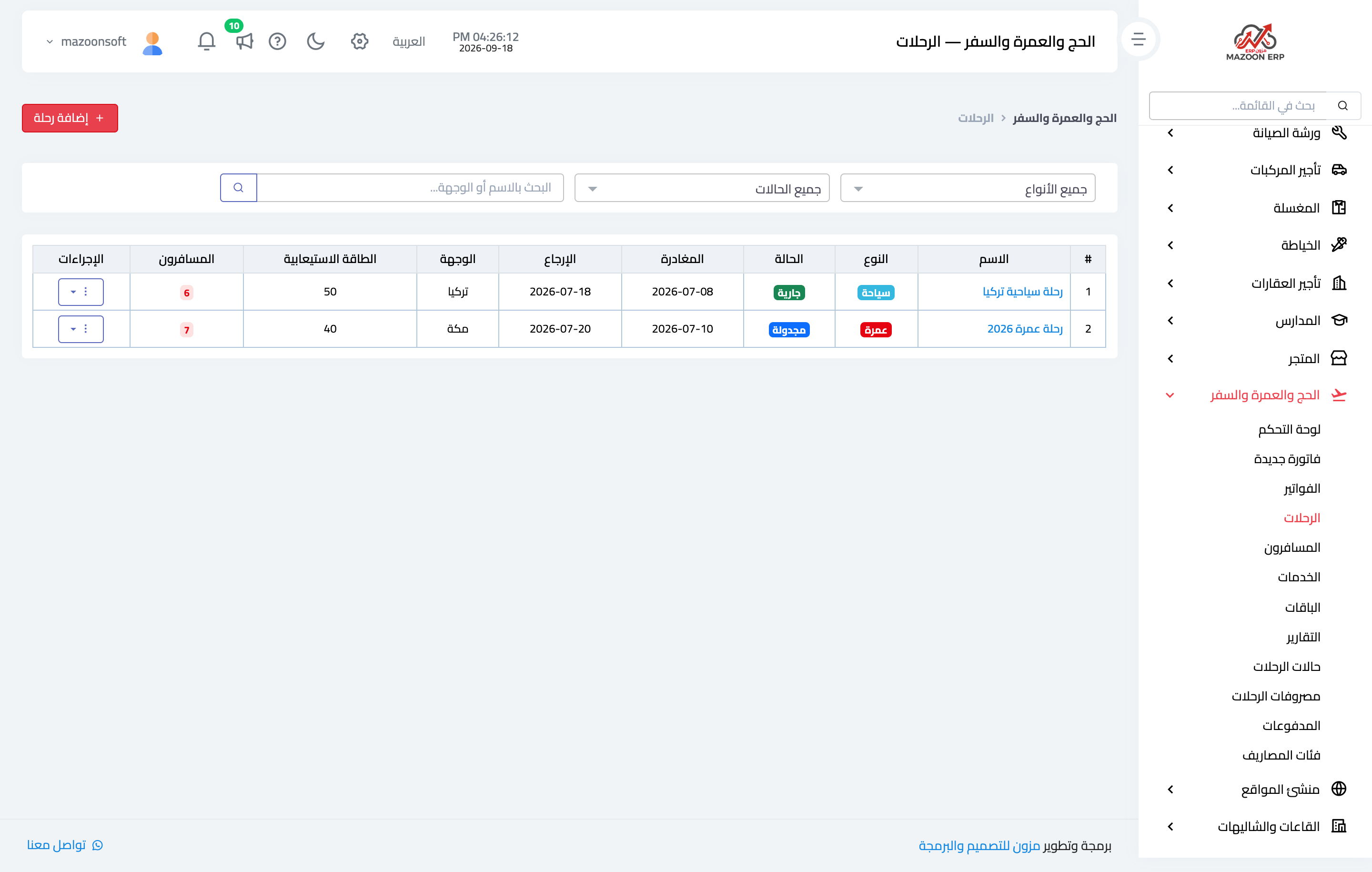
The Trips screen — Figure 1 — shows the trip name and type (Hajj, Umrah, tourism), the destination, the departure and return dates, the capacity, and the current status.
The trip page
Four figures at the top of the trip page sum up its whole position:
- Travellers — how many are booked against the capacity, so you know how many seats remain.
- Invoices — the total sold on this trip.
- Expenses — what was actually paid to airlines, hotels, and transport.
- Net profit — the difference, and the only figure that says whether the trip was worth running.
Below them sit four tabs: details, travellers, invoices, and expenses. The details tab carries a box for updating the status with a note, and a status log that keeps every move with its time and who made it.
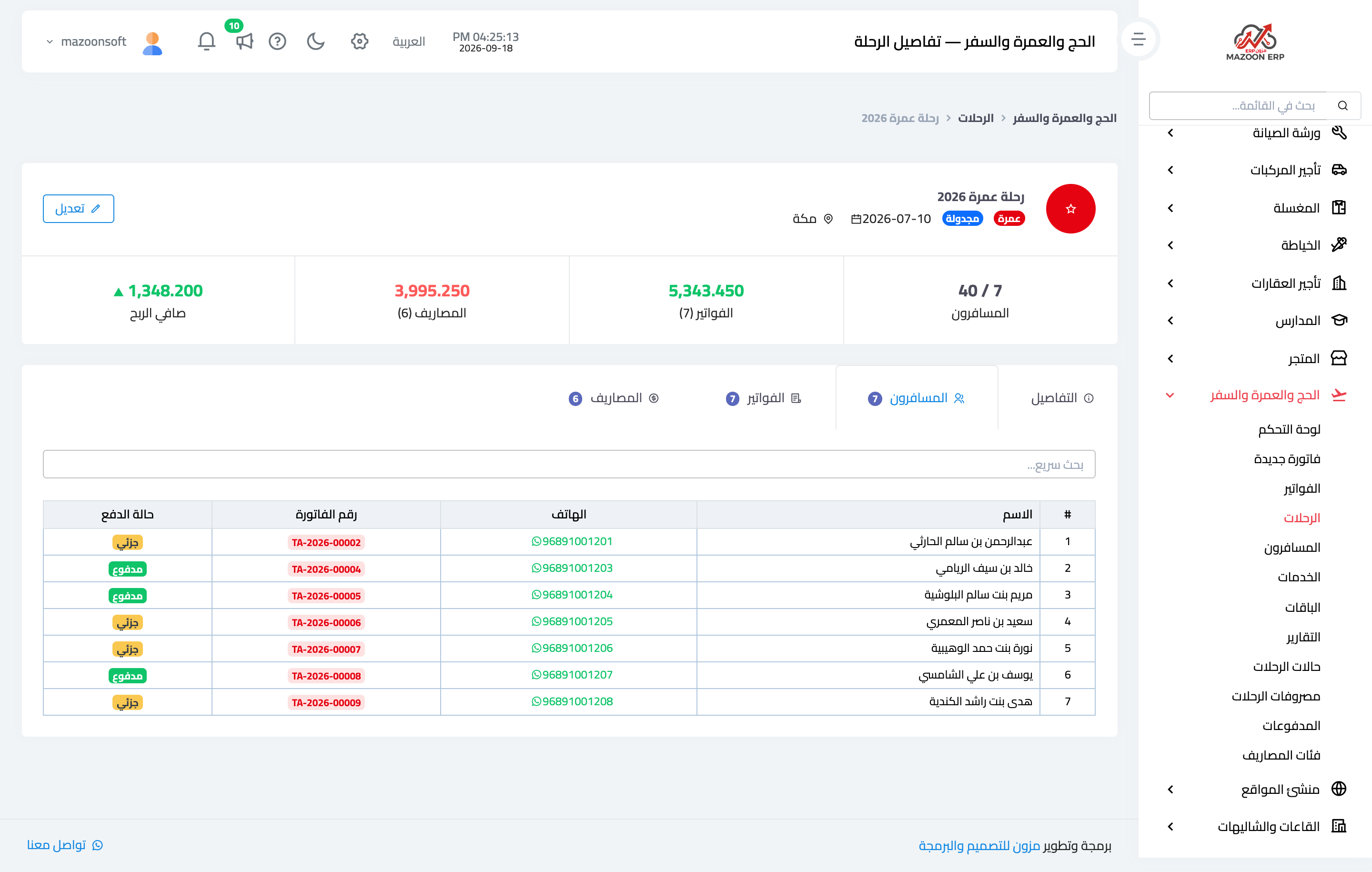
The travellers tab — Figure 2 — lists who is on the trip, each one's invoice number, and their payment state, so you know before departure who has not settled.
Invoices
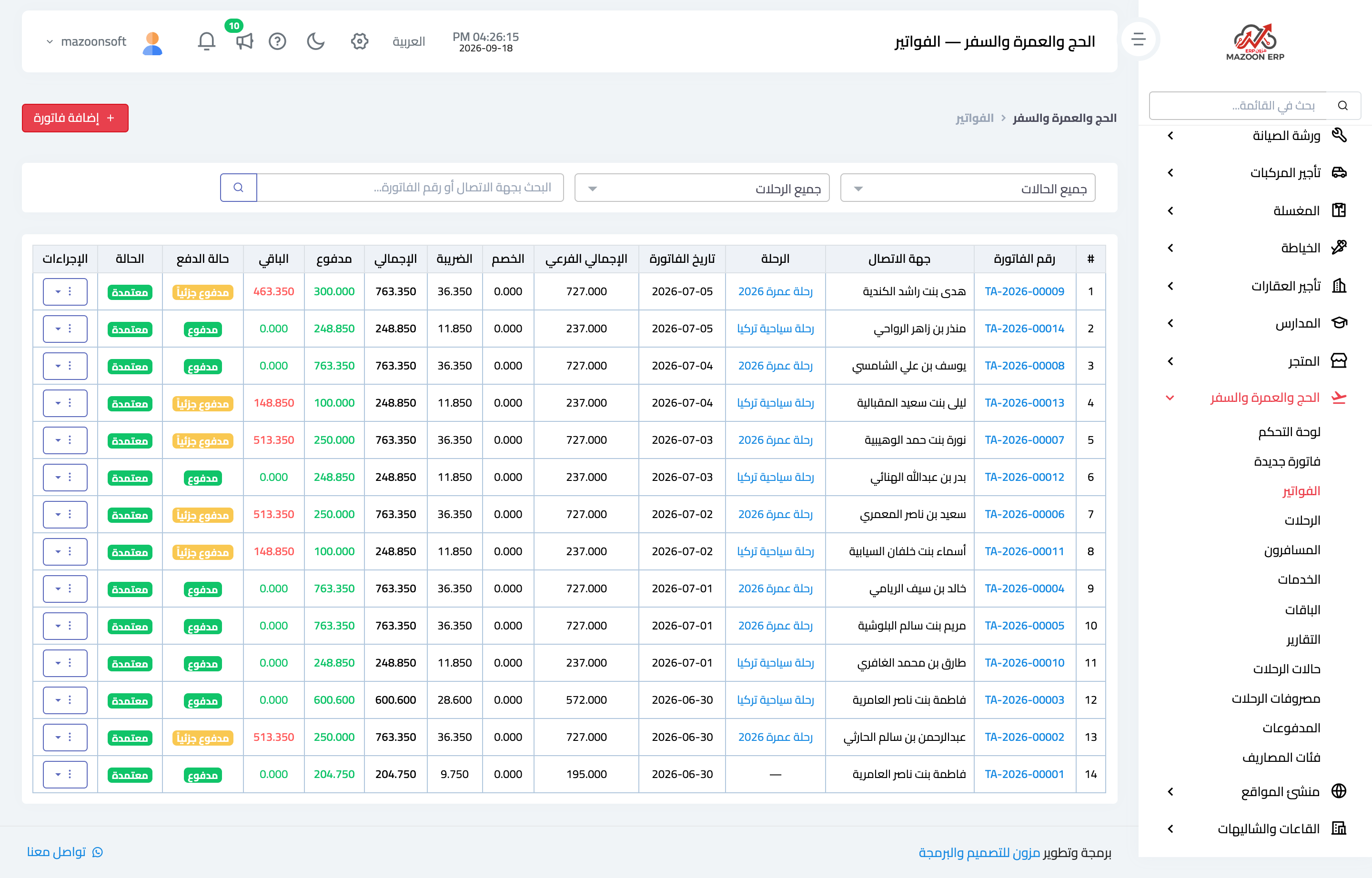
The Invoices screen — Figure 3 — gathers every invoice in the agency, filters by trip or by status, and carries paid and balance columns so the outstanding amount shows at a glance.
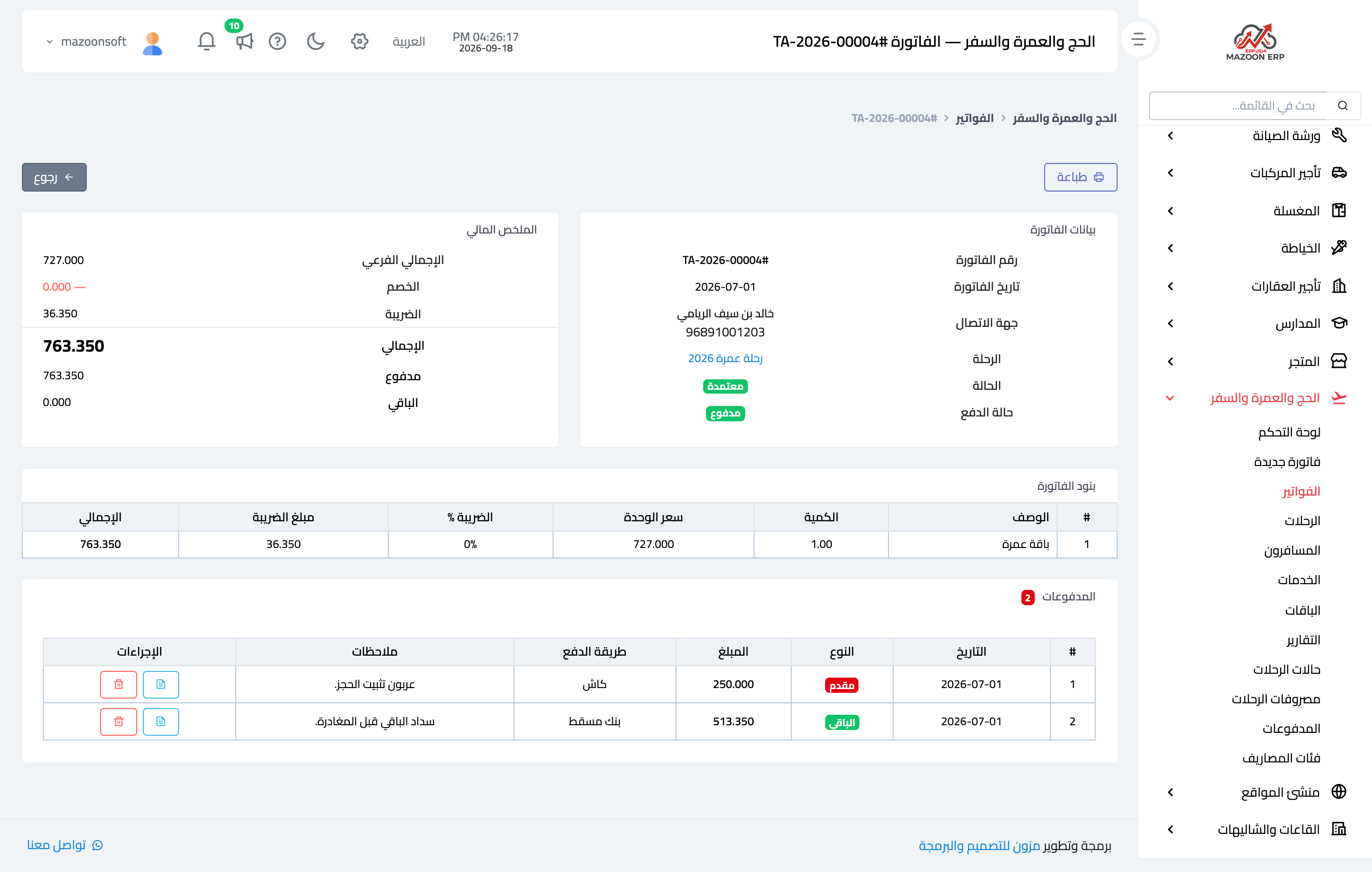
The invoice page — Figure 4 — holds the customer, the linked trip, and the invoice lines; a line is either an individual service or a whole package.
What distinguishes a travel invoice is that it separates the deposit from the balance: the customer pays an advance to hold the booking, then settles the rest before departure. Each appears in the payments table with its type, date, and method.
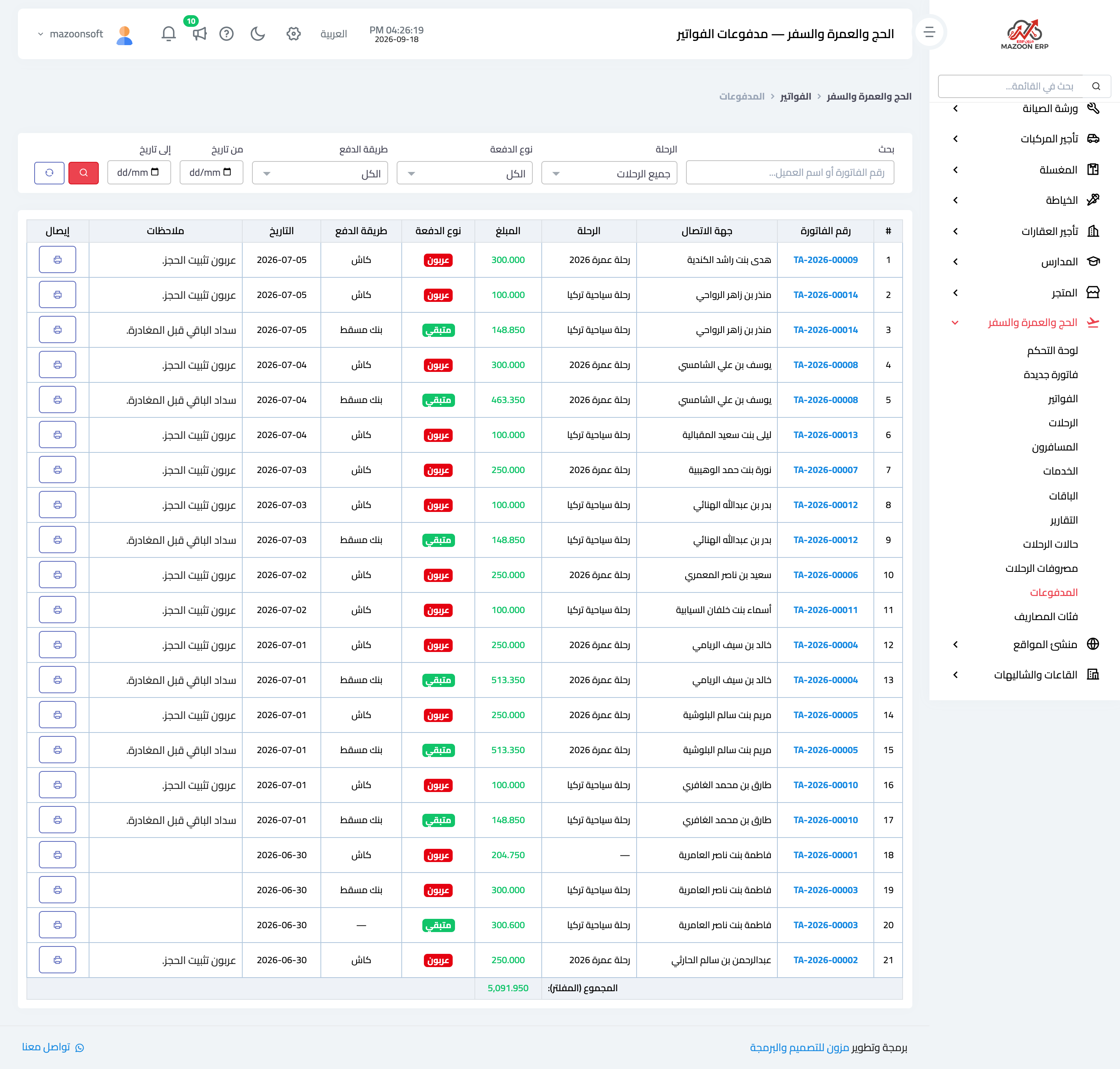
The Payments screen — Figure 5 — gathers everything collected in the agency whatever its invoice, with filters for trip, payment type, and period, and each payment has a printable receipt.
Trip expenses
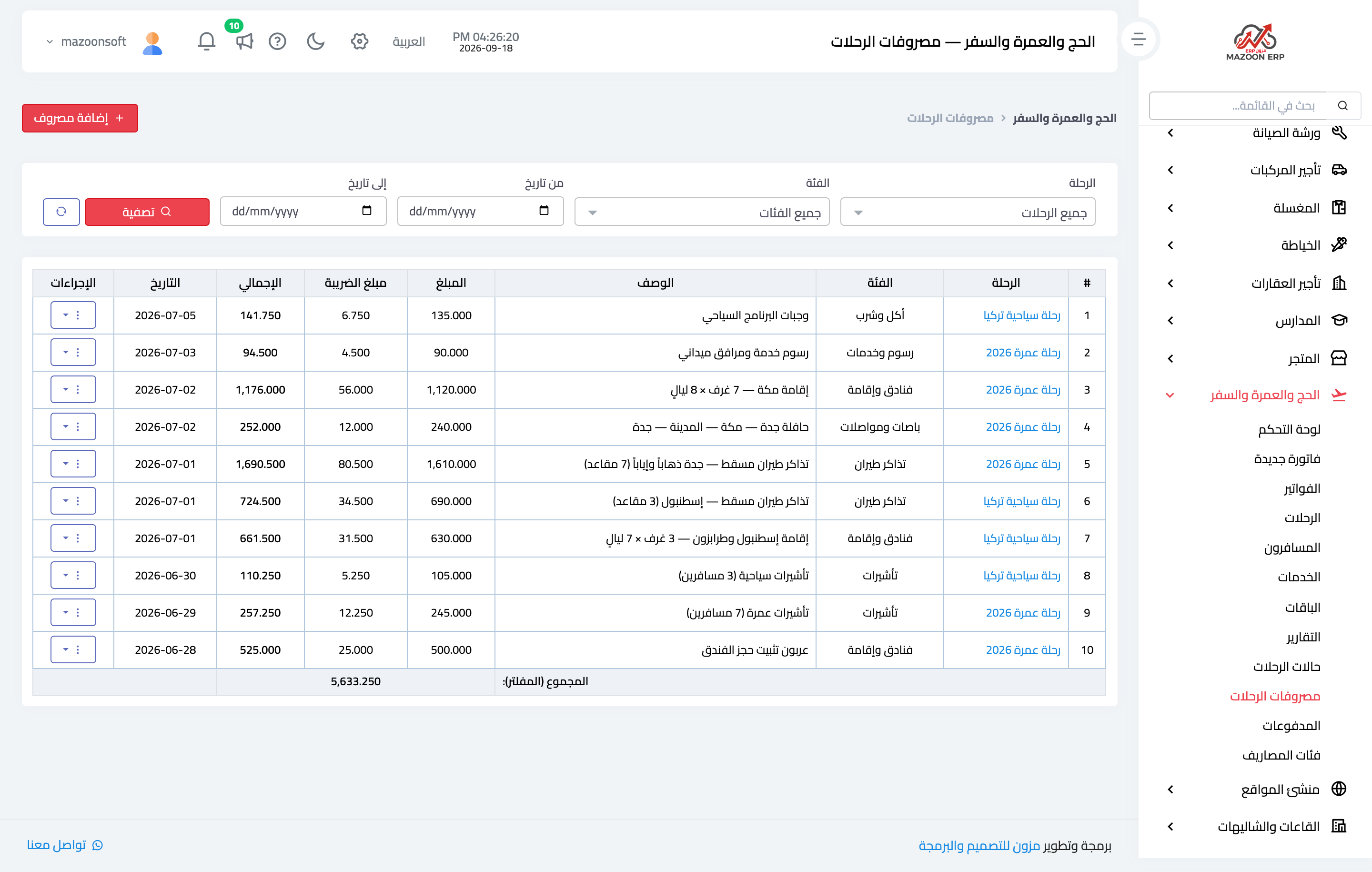
This is the side usually overlooked — Figure 6. Everything paid to suppliers is recorded as an expense on the trip with its category (air tickets, hotels, transport, visas, food, fees), its supplier, amount, and date.
The categories themselves can be edited from the Expense categories screen, so add whatever suits your own programmes.
Without that record the agency looks as though it earns everything it collects — an illusion that only surfaces at the end of the year.
The trip profitability report
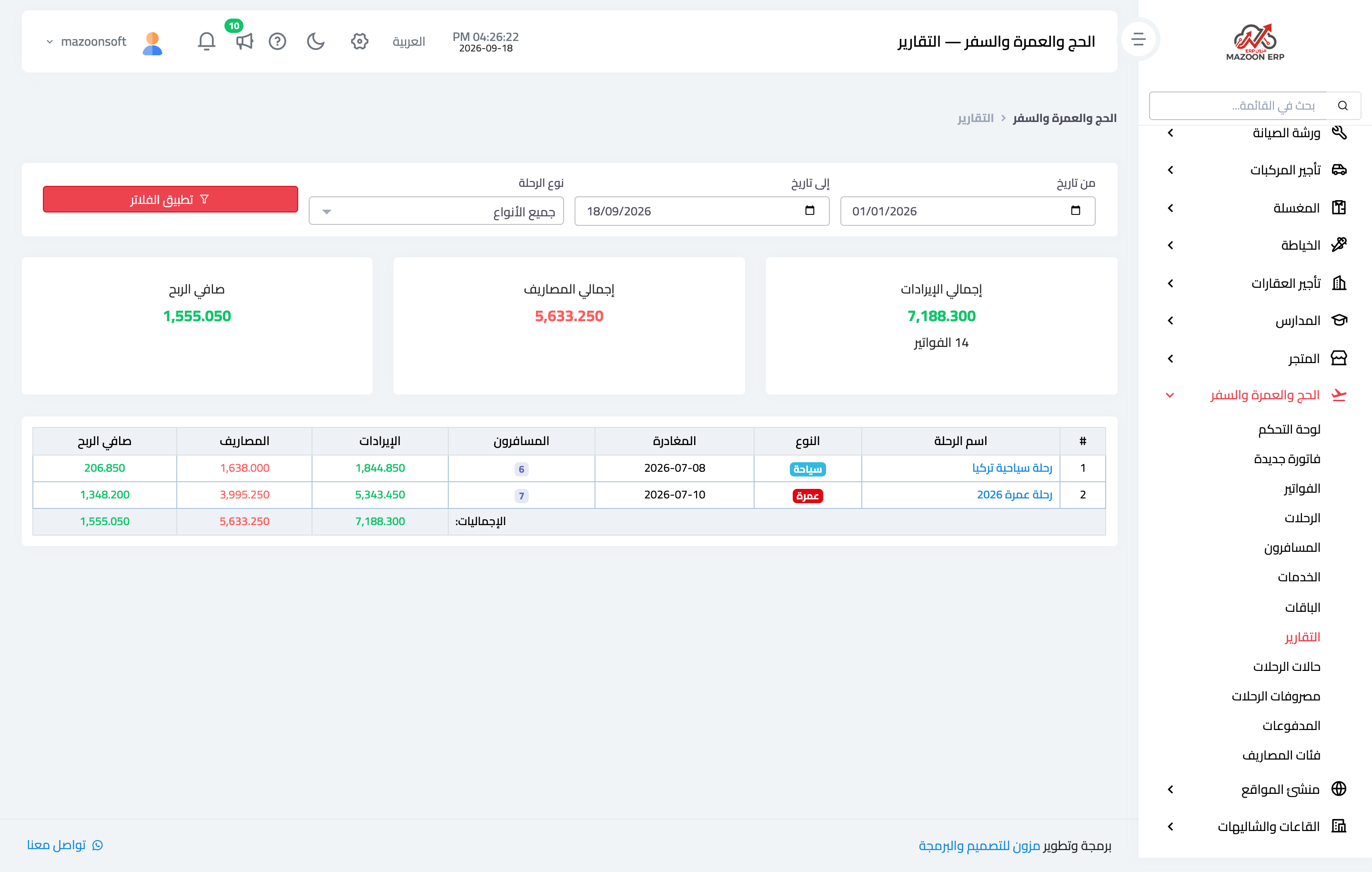
The report — Figure 7 — puts every trip in one table over a period you choose: traveller count, revenue, expenses, and net profit per trip, with totals underneath.
This is where the useful comparison appears: a full trip returns a healthy profit, while an under-sold one barely covers its cost, because the air tickets and the hotel are paid whether the seats fill or not.
Notes
- Link every invoice that belongs to a trip to that trip; leave an invoice without a trip only for standalone services (a visa, a ticket, a passport renewal).
- Record an expense when it is paid, not after the trip ends; what is deferred is forgotten.
- Watch the balance column before departure; collecting it after the traveller has flown is much harder.
- Update the trip status as things happen; the status log is your reference in any disagreement with a customer or a supplier.
Screenshots
Try what you just read on your own data
Open a free 7-day trial — no credit card, with your own company link in minutes.