
Services, packages, and travellers
The Travel Agency module manages what an agency sells: individual services gathered into packages, sold to travellers within trips that have dates and a capacity.
The dashboard
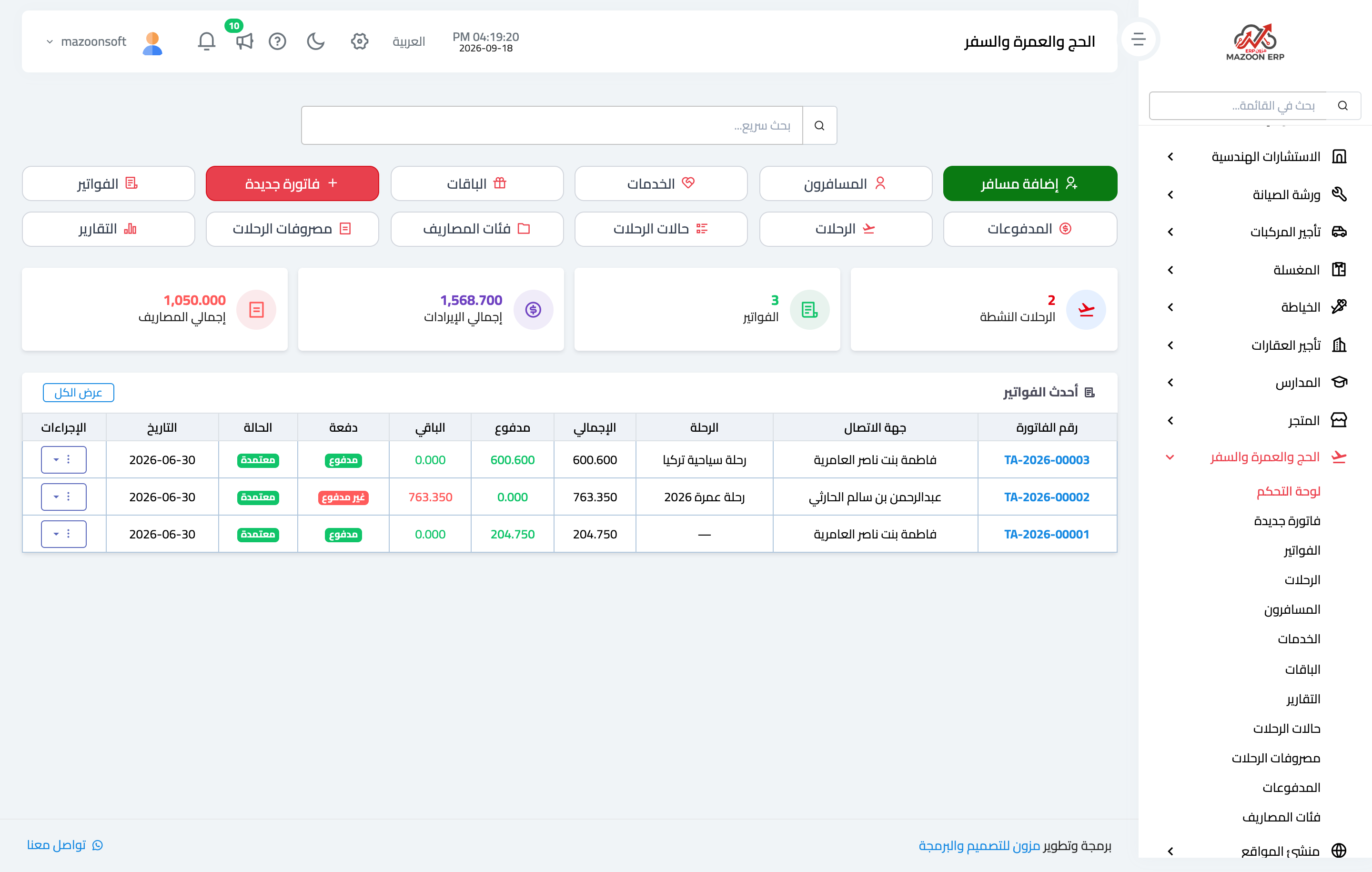
Open Travel → Dashboard, as in Figure 1: the number of trips and their statuses, travellers, invoices and collections, and the upcoming trips.
Services
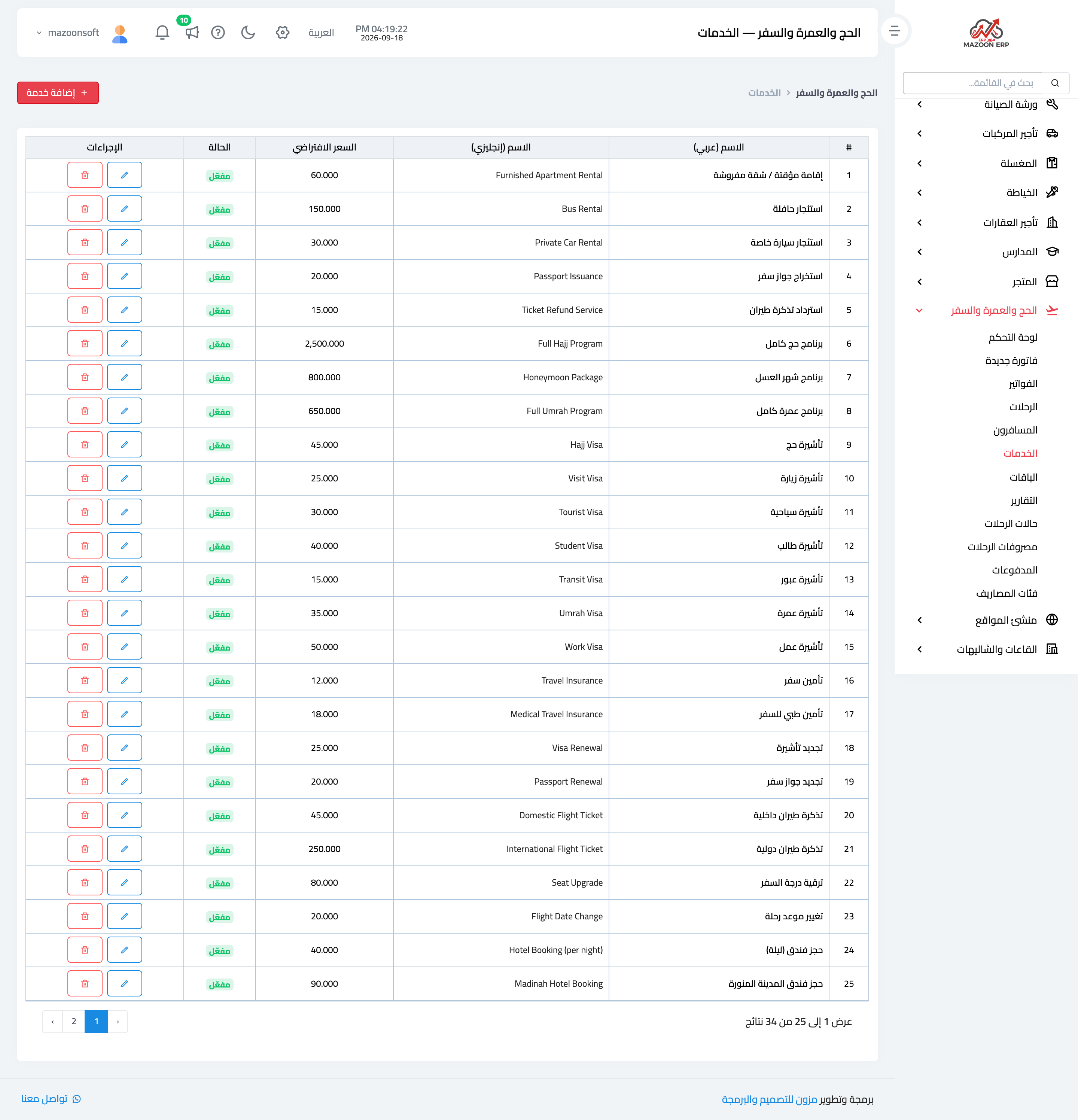
The Services list — Figure 2 — holds the individual units of sale: an air ticket, a hotel booking, a visa, ground transport, and travel insurance. Each has a price proposed automatically when added to an invoice.
Splitting the services is useful even if you only sell packages: a customer may ask for a ticket alone, and the accounting needs to know in detail what was sold.
Packages
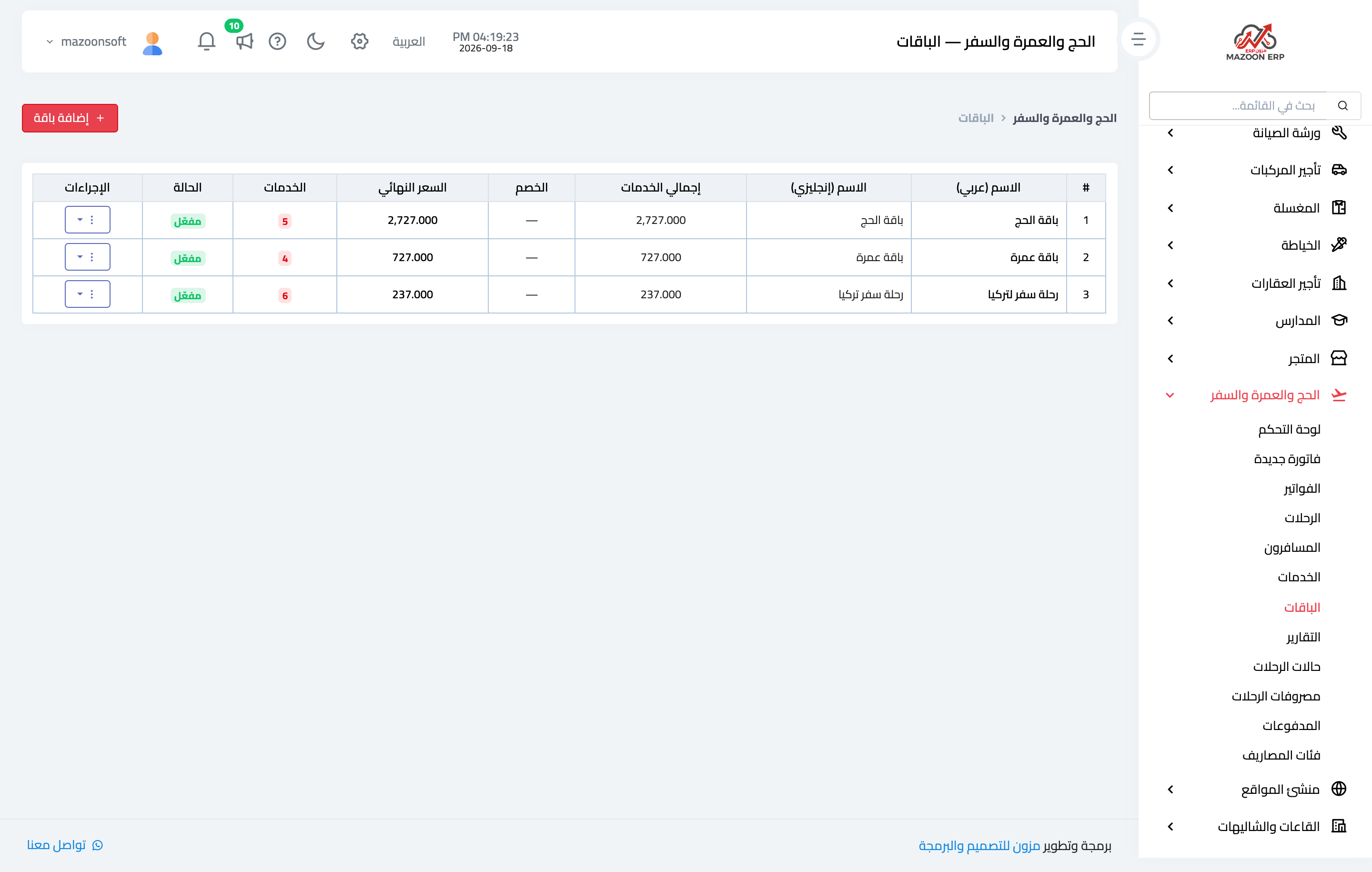
A package — Figure 3 — is a set of services sold together at one price: a Hajj package, an Umrah package, a tourist trip. Each has a name in both languages, a description, a price, a discount by amount or percentage, and the list of services it includes.
Picking a package on an invoice adds its services at once instead of entering them one by one.
Travellers
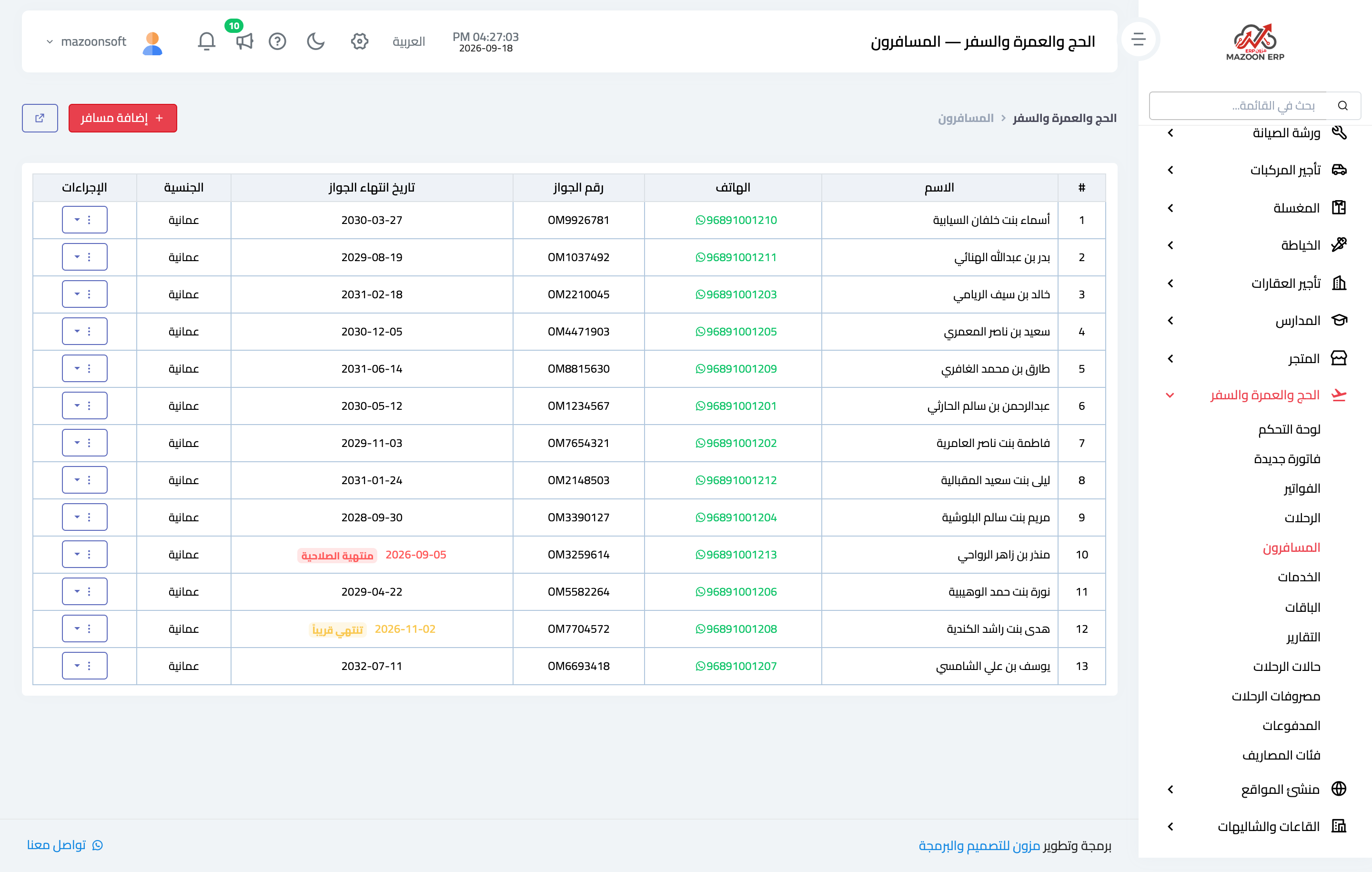
A traveller — Figure 4 — is a system contact with what travel specifically requires added to it: passport number, expiry date, nationality, date of birth, and notes.
The passport expiry in particular is what spares you an awkward moment at the airport: most countries require at least six months remaining.
Trip statuses
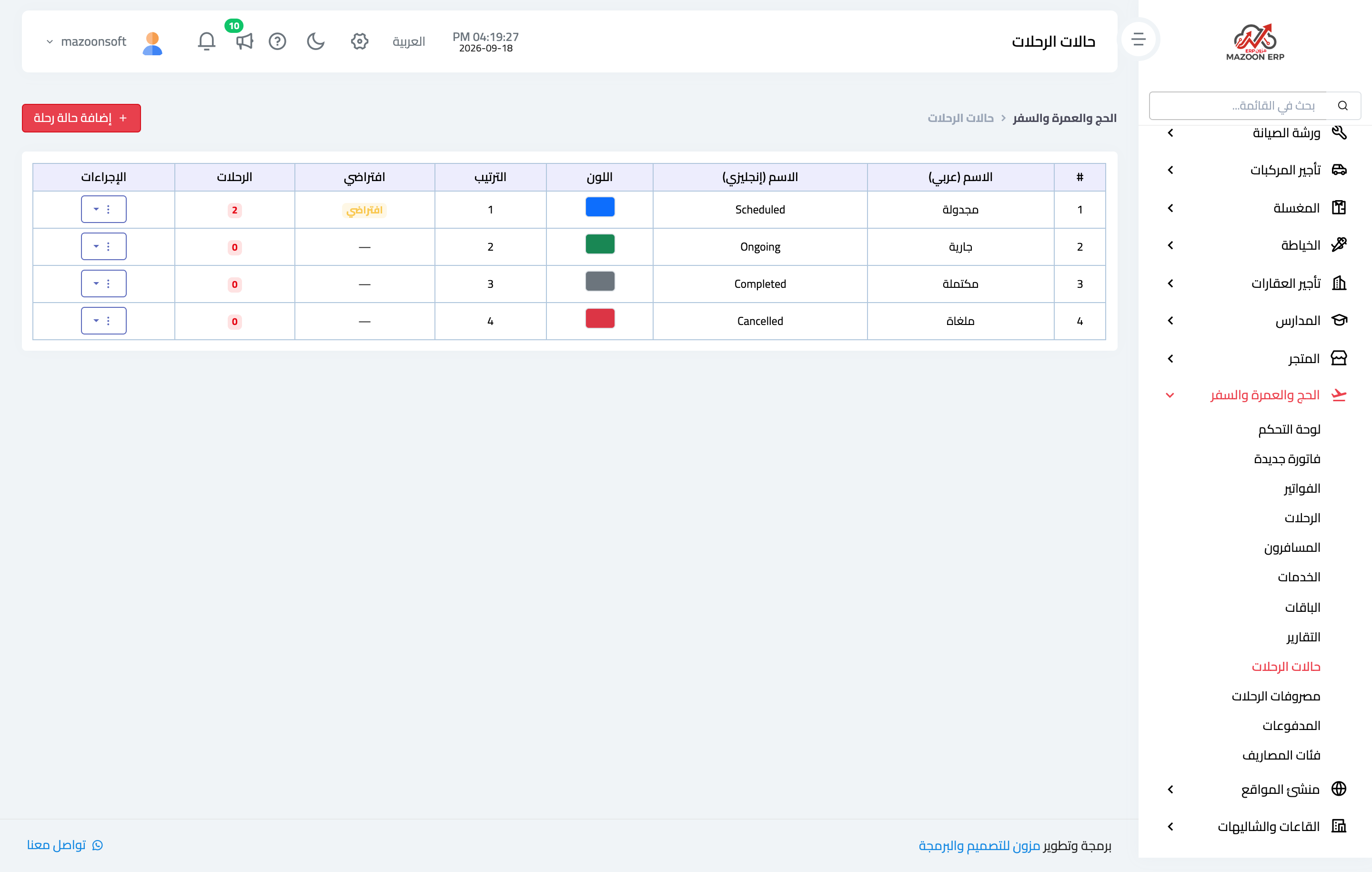
Trip statuses — Figure 5 — are set to suit how you work: scheduled, confirmed, in progress, completed, cancelled. Each has a colour shown in the tables.
Notes
- Enter the passport expiry for every traveller; it is the most common last-minute blocker.
- Define the services first and build packages from them; the other way round makes changing a ticket price repetitive work.
- Set the capacity on each trip; it is what stops you selling more seats than you hold.
Screenshots
Try what you just read on your own data
Open a free 7-day trial — no credit card, with your own company link in minutes.