
How do I issue an invoice for a traveller with a deposit?
Most travellers pay a deposit when booking and the balance before travelling, and the system tracks that for you.
Steps
- Open Travel → Invoices — Figure 1 — then New invoice — Figure 2.
- Pick the contact (the traveller or whoever is paying for them) and the trip, if it belongs to one.
- Add the items: a ready package or individual services, adjusting the price where needed.
- Enter the discount and tax, and the total is calculated.
- Enter the deposit amount and its date, then save the invoice — Figure 3.
Notes
- The payment status changes on its own: unpaid → partially paid → paid, so do not set it by hand.
- Always link the invoice to the trip; an invoice with no trip does not count towards the trip’s profit.
- Put your cancellation and refund terms in the notes; that is your reference if the traveller withdraws.
Screenshots
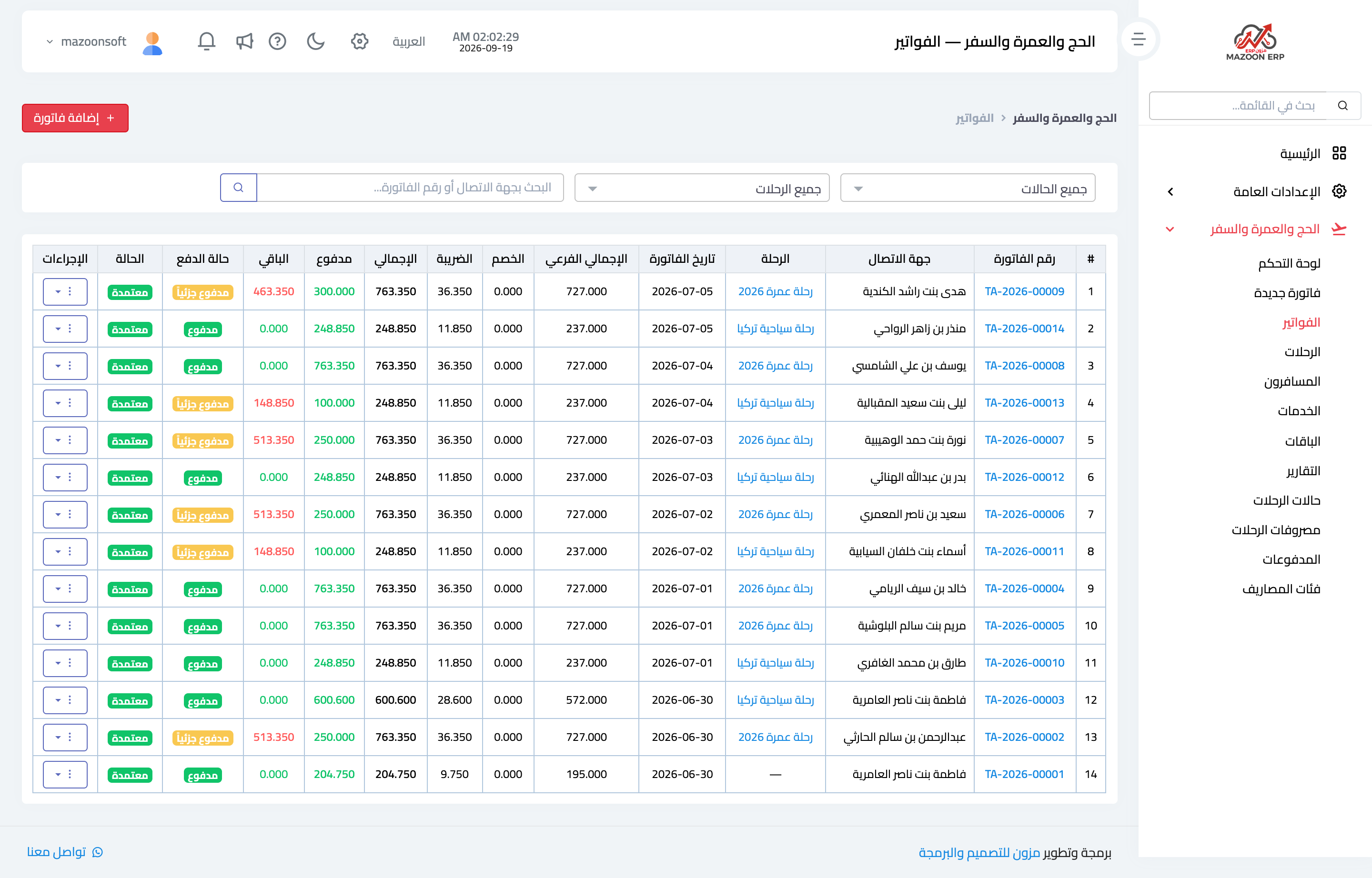
Figure 1
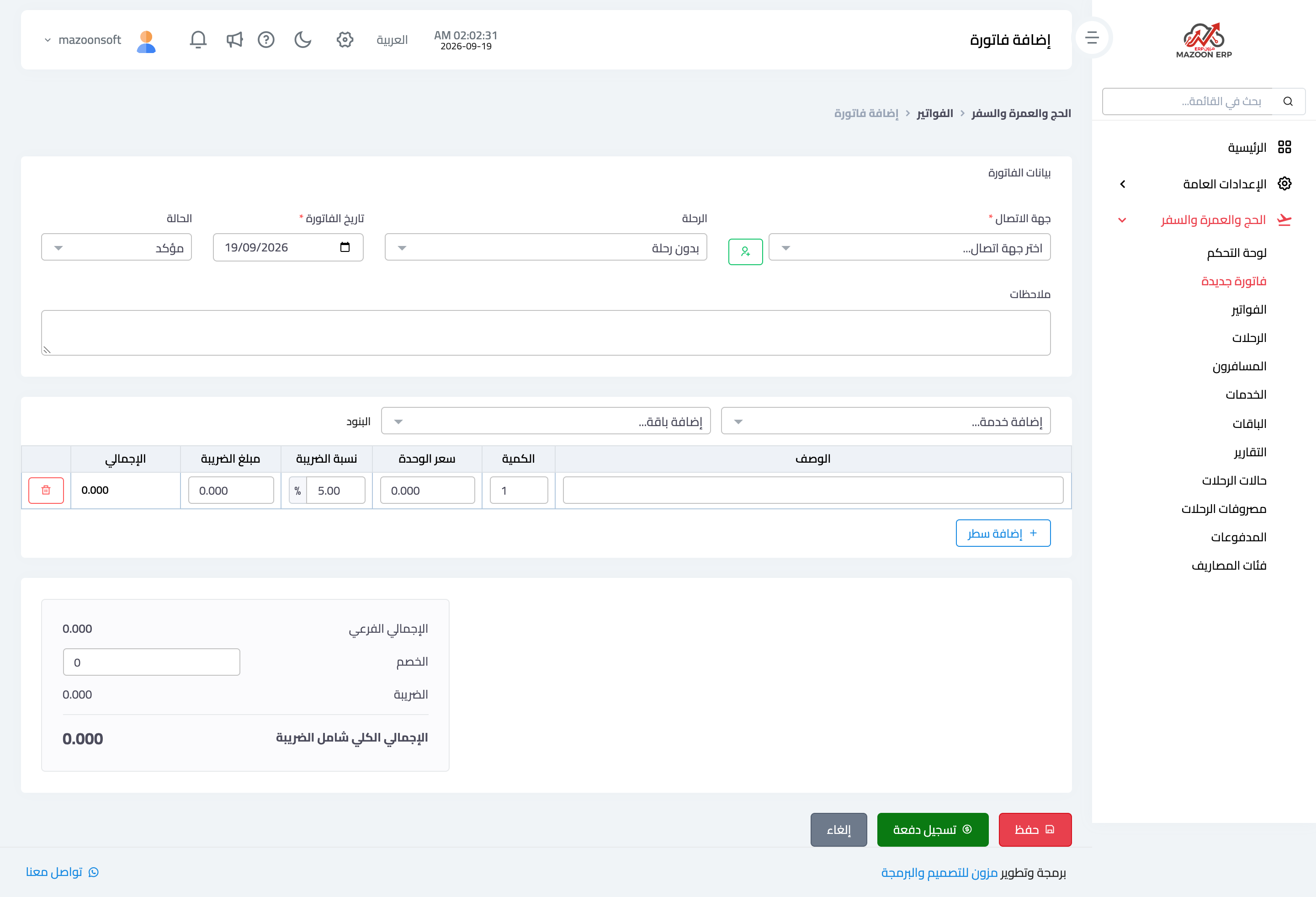
Figure 2
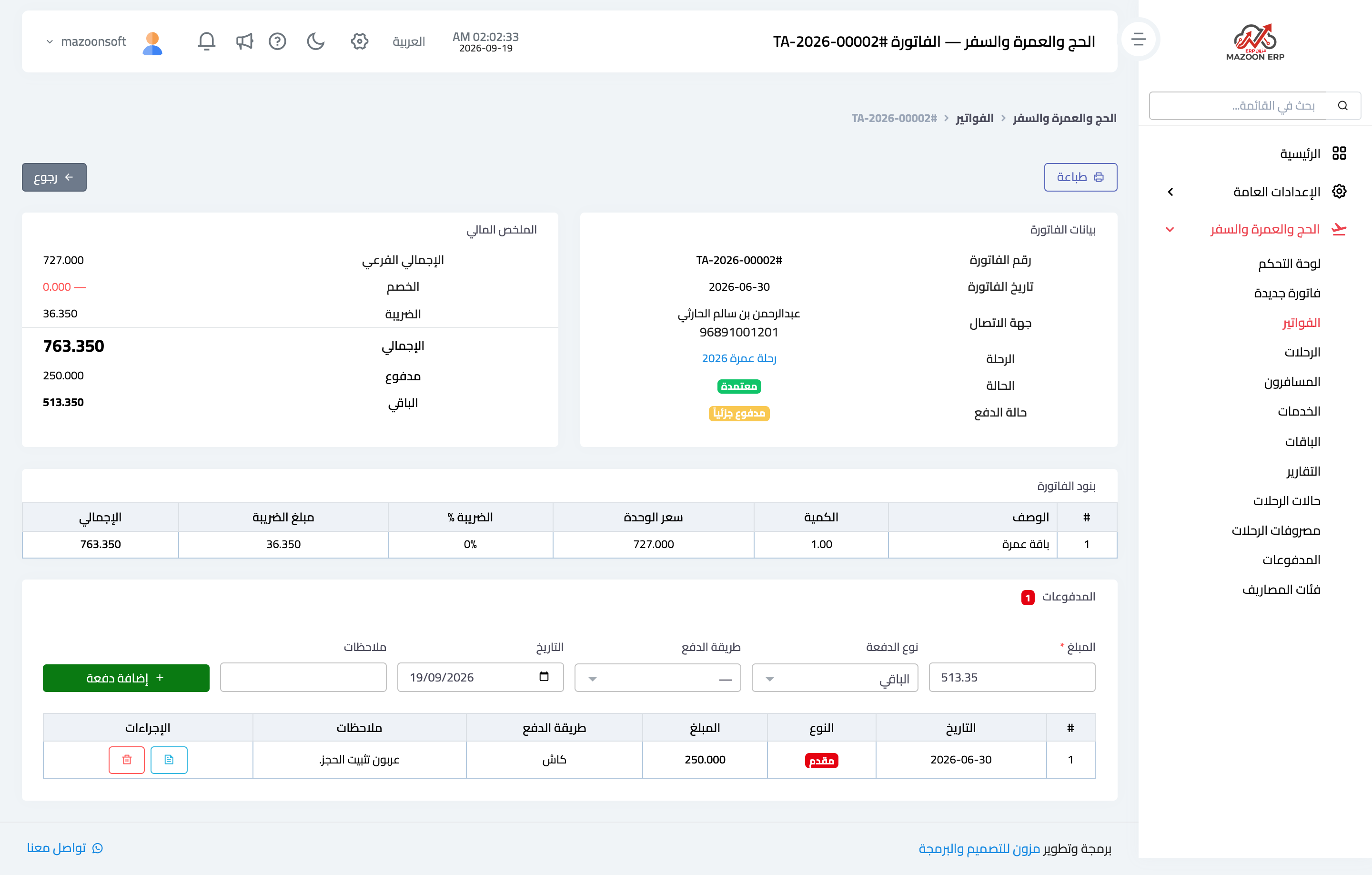
Figure 3
Try what you just read on your own data
Open a free 7-day trial — no credit card, with your own company link in minutes.