
How do I add travellers to a trip and track its capacity?
The trip file is what you open at the airport, and it tells you who turned up and who did not.
Steps
- Open the trip from Trips — Figure 1.
- At the top you see the capacity, the registered count and the remaining seats.
- Add a traveller by searching for their name; if they are not registered yet, add them from the same screen.
- Link the traveller to their invoice, so each name shows what they paid and what is still owed.
- Set the traveller’s status on the trip: confirmed or cancelled.
Notes
- Do not confirm a traveller before the deposit has been received; a seat booked without payment is a seat lost.
- Check the passport validity of the whole group at least a month before departure.
- Print the traveller list and carry it on paper; airport internet is not to be relied on.
Screenshots
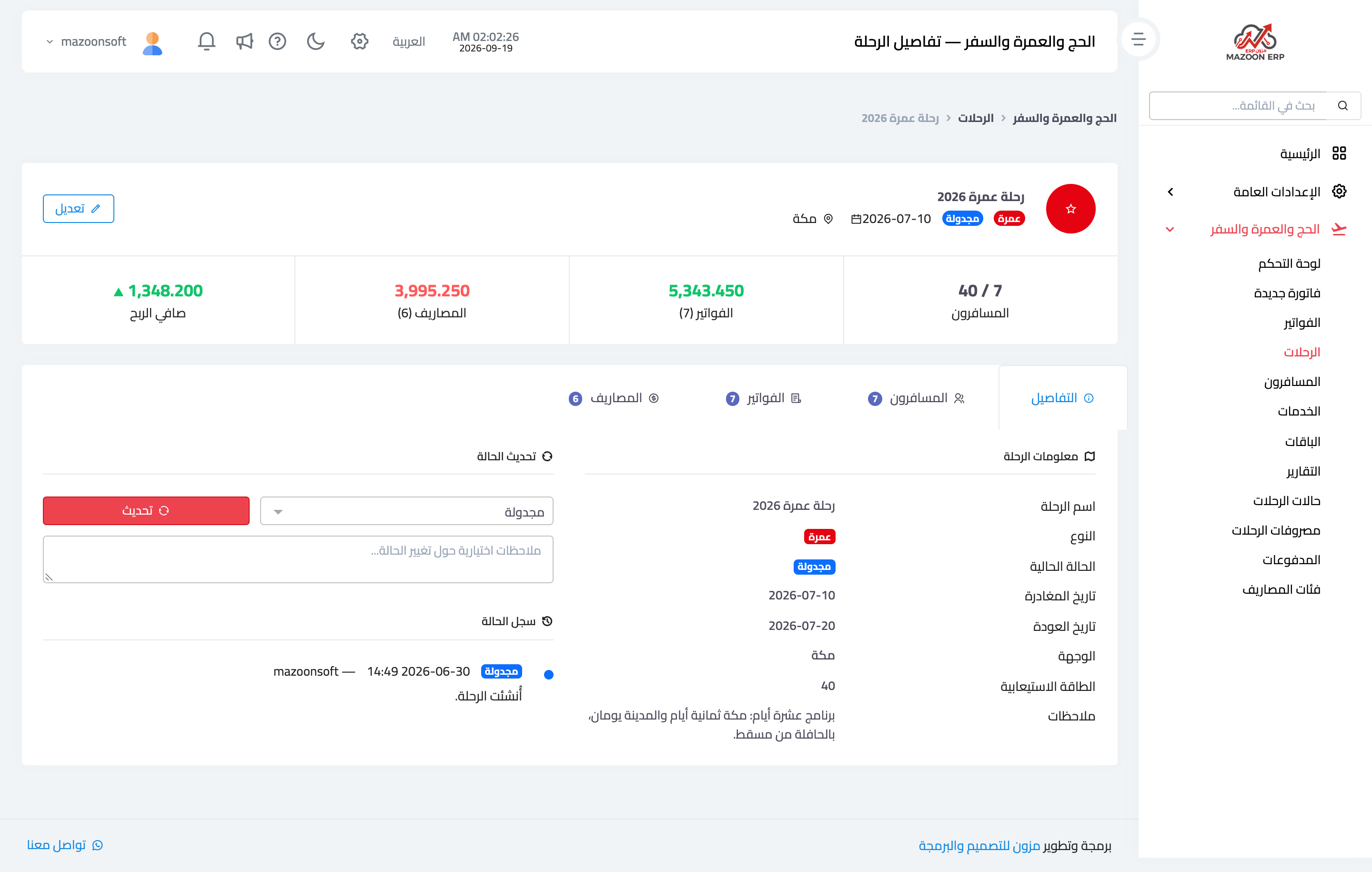
Figure 1
Try what you just read on your own data
Open a free 7-day trial — no credit card, with your own company link in minutes.