
How do I work out a trip’s profit and read the sector reports?
The only question that matters at the end of the season: how much did each trip make?
Trip profit
- Open the trip, then Trip expenses — Figure 1.
- Compare the total of the invoices linked to the trip with the total of its expenses; the difference is what you made from it.
- Look at how the expenses split across categories; that shows you where your money actually goes.
The reports
From Travel → Reports — Figure 2 — you see revenue, expenses, collections and outstanding balances, filtered by period and by trip.
Notes
- A trip that looks profitable on paper with incomplete expenses is not profitable; finish entering the costs before you judge.
- The gap between invoiced and collected is what travellers still owe you, and it is the first thing to chase after the return.
- Compare a season with a comparable season rather than month against month; Hajj and Umrah seasons are not equal.
Screenshots
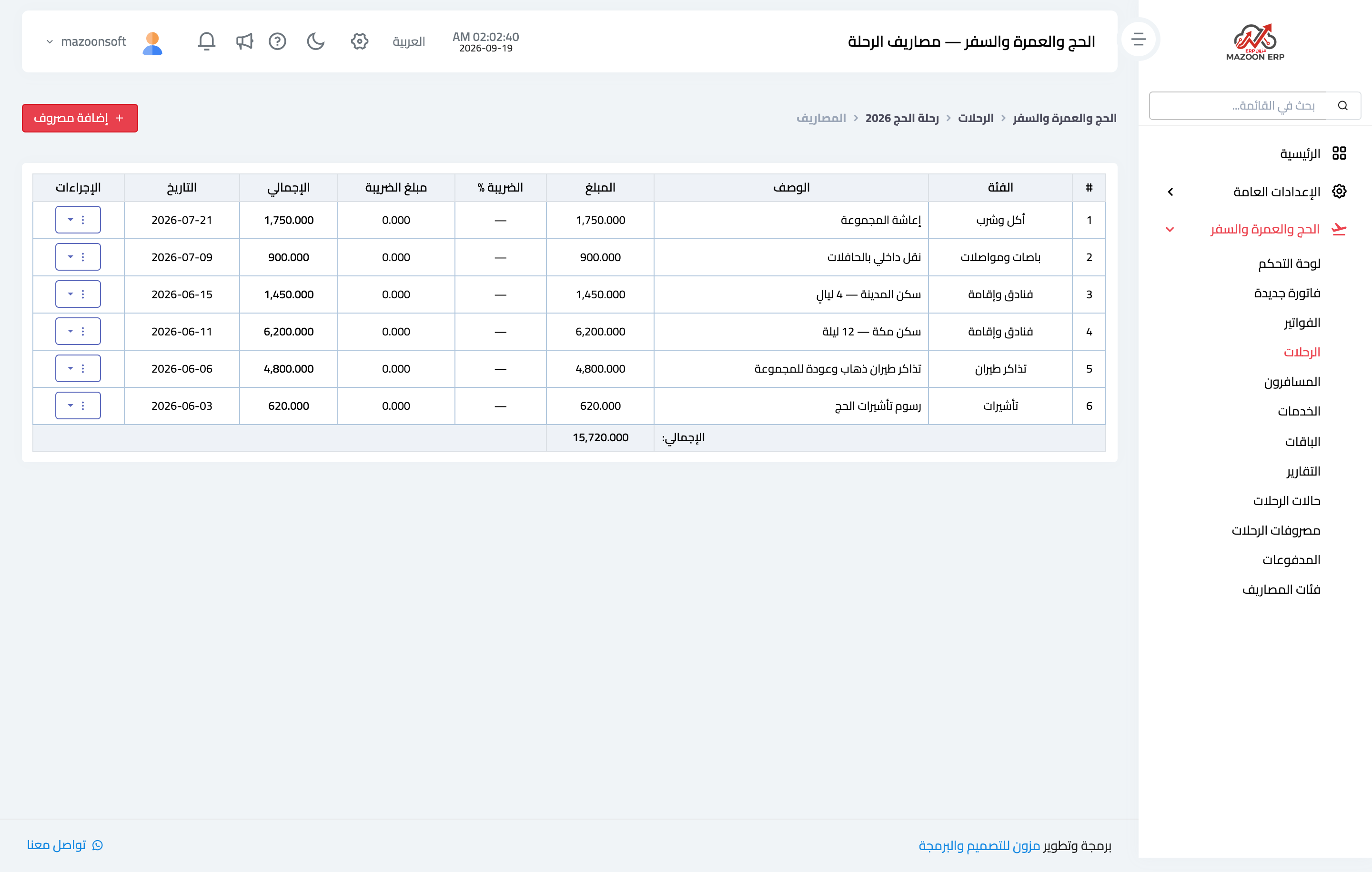
Figure 1
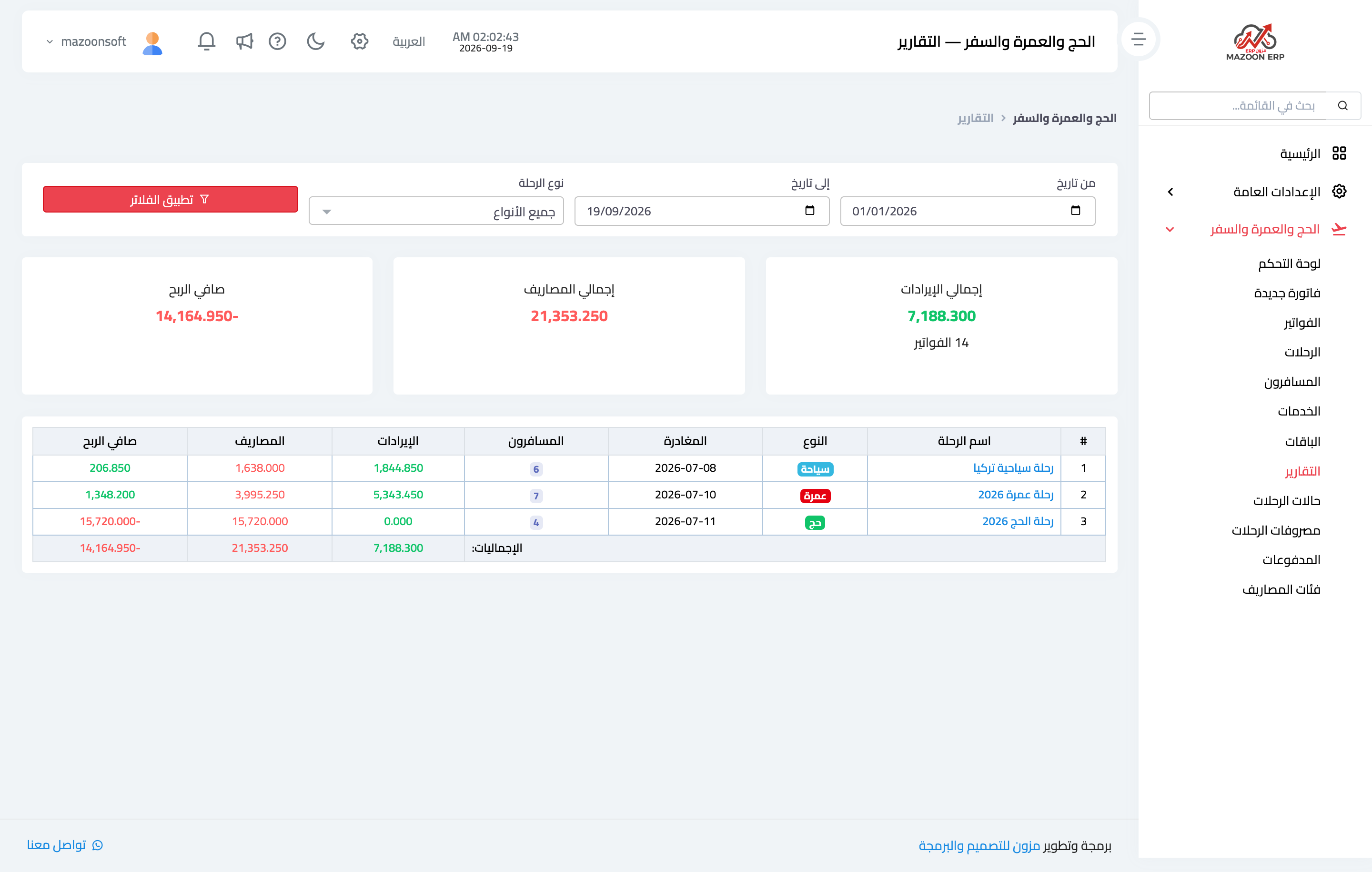
Figure 2
Try what you just read on your own data
Open a free 7-day trial — no credit card, with your own company link in minutes.