
How do I build a Hajj, Umrah or tourism package from services?
A customer does not buy a visa, a ticket and accommodation separately; they buy an “Umrah package” at one clear price.
Steps
- Open Travel → Packages — Figure 1 — and press the add button — Figure 2.
- Write the package name in both languages and a description stating what it includes and what it does not.
- Add the services the package is made of, with their quantities and prices.
- Enter the package price, and set a discount as an amount or a percentage if you want one.
- Activate the package and Save; it is then selectable when you create an invoice.
Notes
- State in the description what the package does not cover (the sacrificial animal, lunches, and so on); most disputes come from an expectation you never corrected.
- Create a new package for each season rather than editing the old one’s price; that way you keep your pricing history.
- The package price is not necessarily the sum of its services; you set the price you actually sell at.
Screenshots
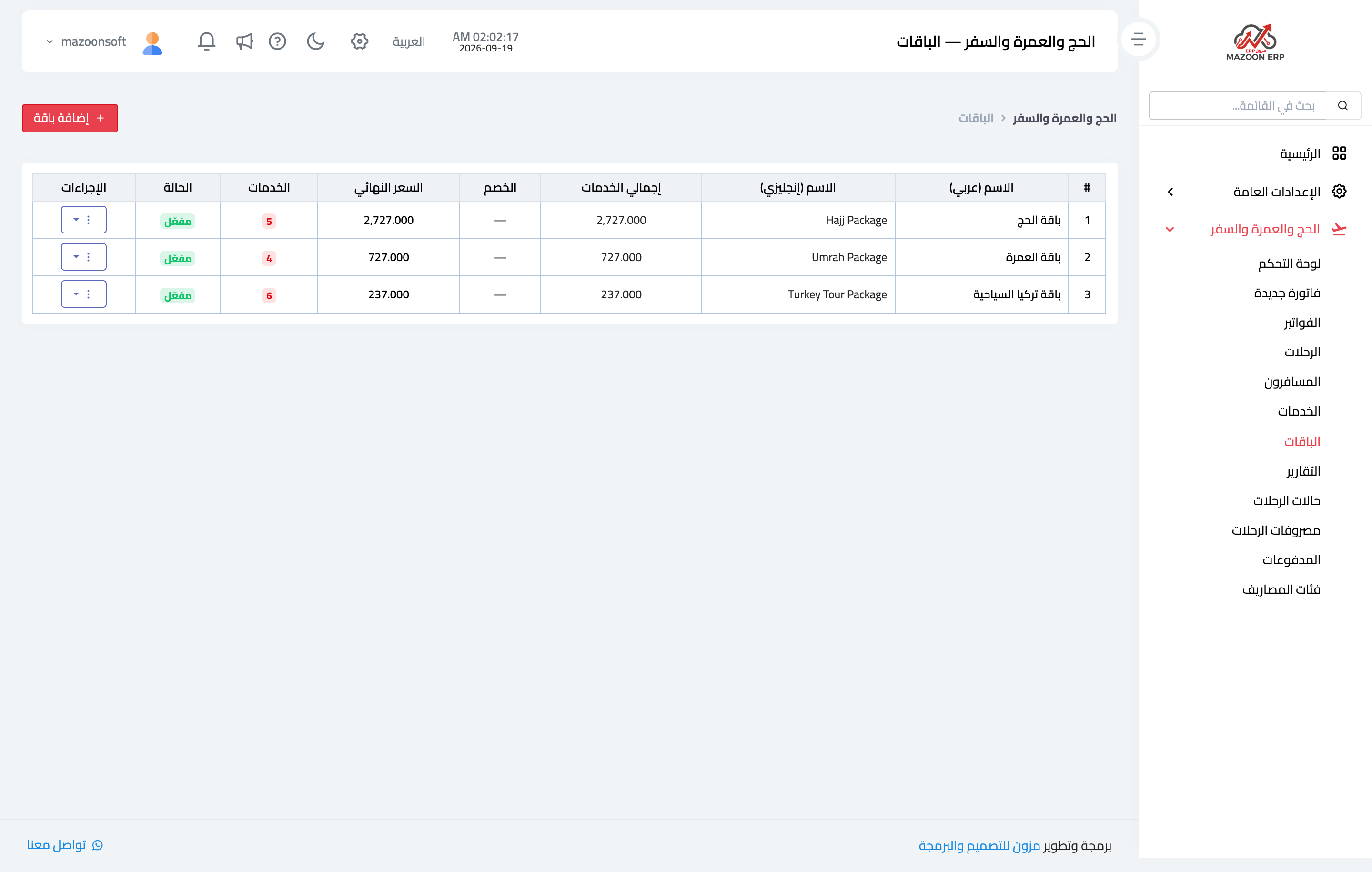
Figure 1
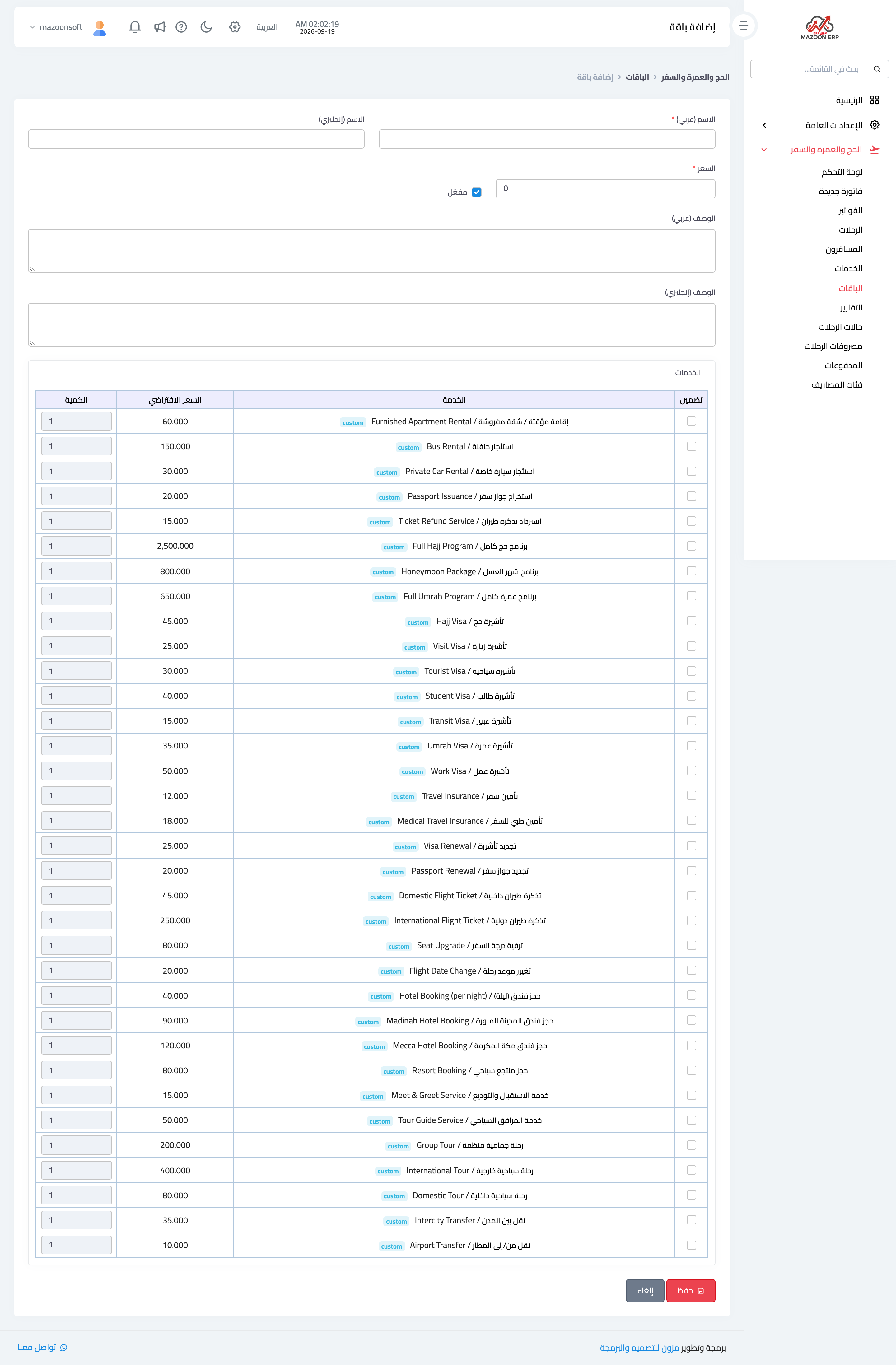
Figure 2
Try what you just read on your own data
Open a free 7-day trial — no credit card, with your own company link in minutes.