
Customer measurements: types, fields, and the diagram
The Tailoring module solves one problem before anything else: where is the customer’s measurement? A paper notebook gets lost, and a measurement kept in memory gets it wrong.
The dashboard
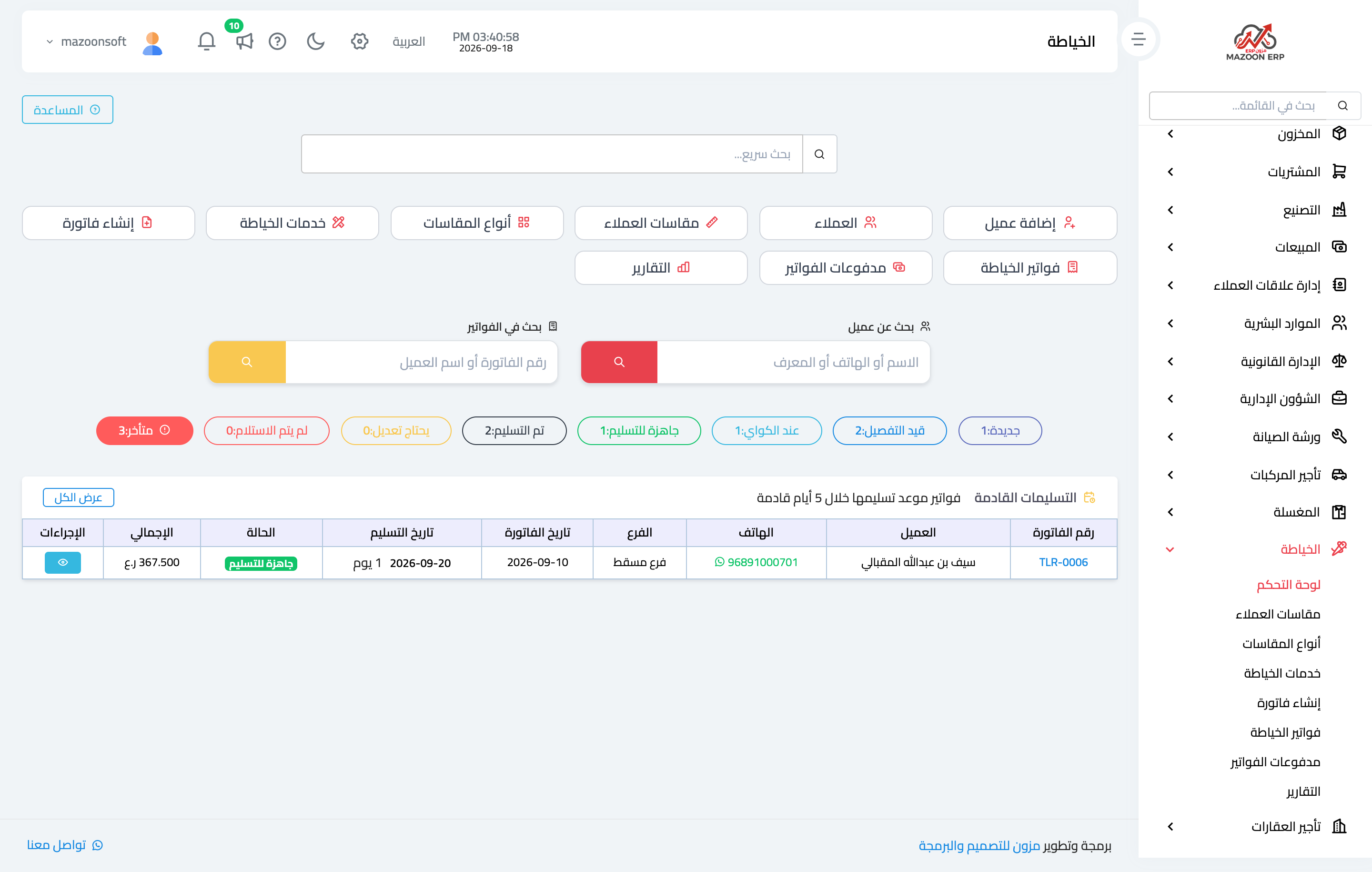
Open Tailoring → Dashboard, as in Figure 1: the number of invoices and how many sit at each stage of the work, collected and outstanding amounts, and the orders due for delivery soon.
Measurement types
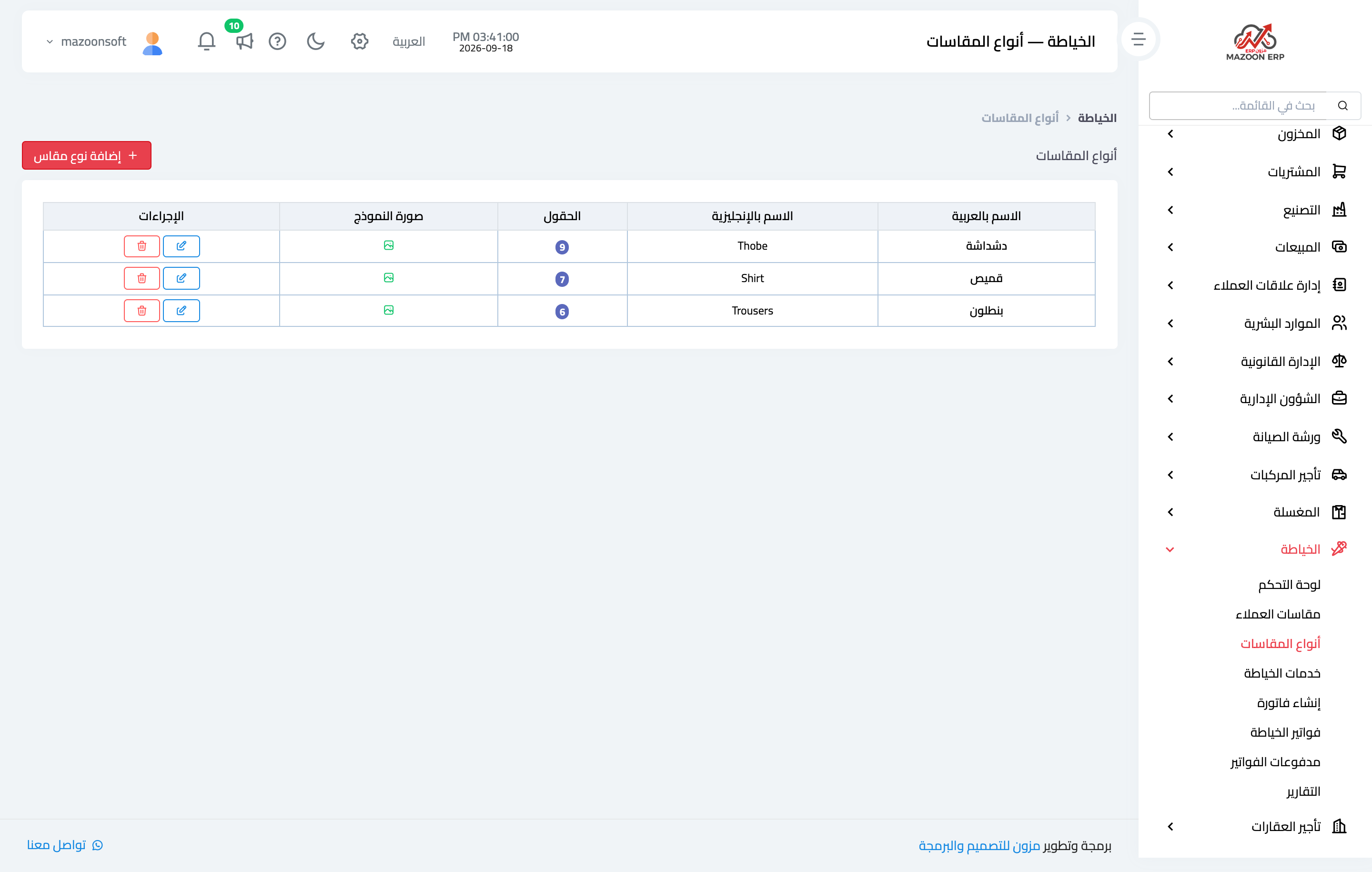
Before recording the first measurement, set up the measurement types as in Figure 2: thobe, shirt, trousers — and whatever you add.
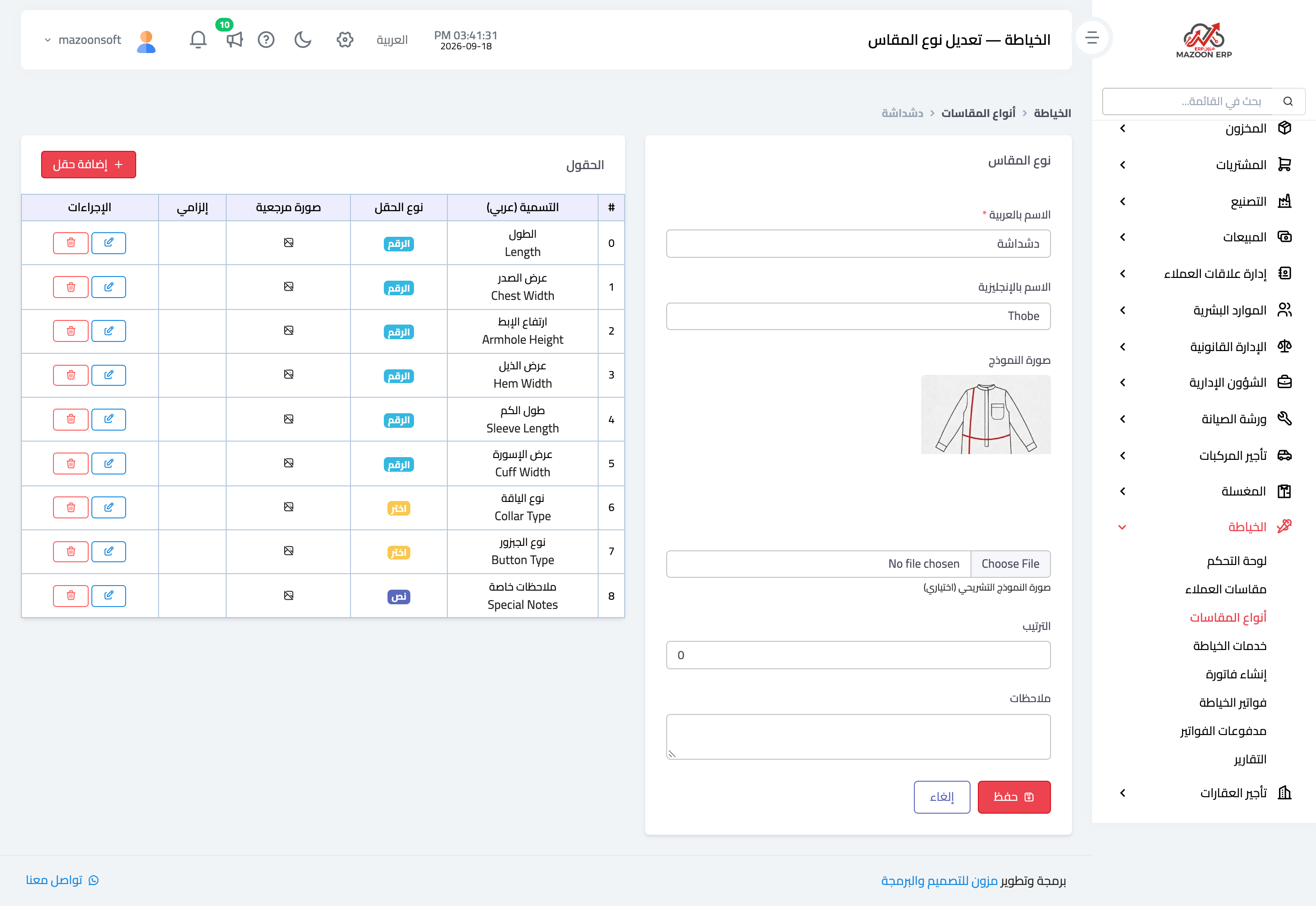
Each type has its own set of fields, as in Figure 3, and a field comes in three kinds:
- Number — for measurements in centimetres: length, chest width, sleeve length.
- Select — for what has known options: collar type (plain, double, standard) and button type (plain, hidden, double).
- Text — for free notes.
Each field takes an optional reference image showing exactly where it is measured, and that is what makes two different clerks measure the same way.
The customer measurement
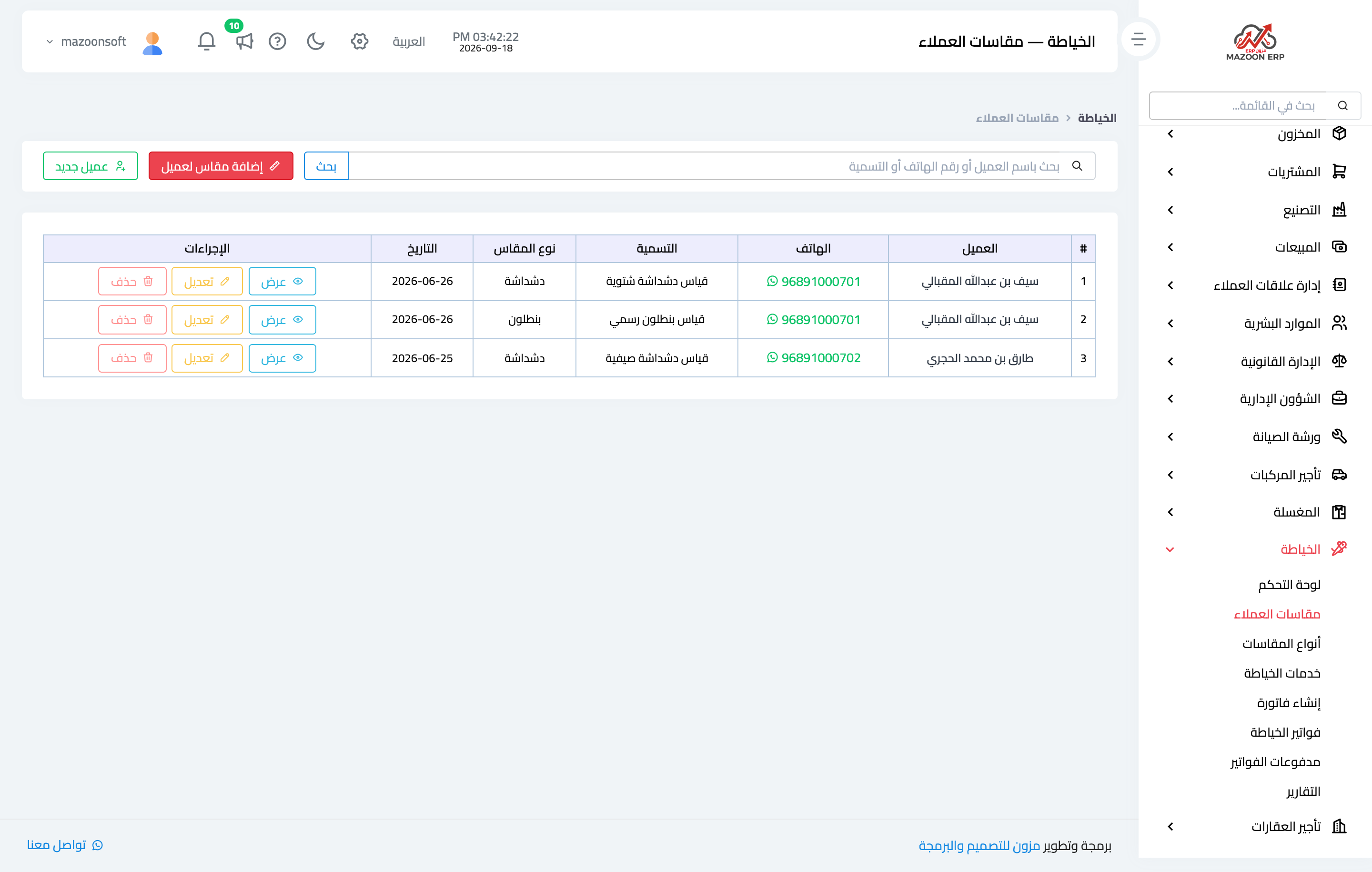
The Customer measurements screen — Figure 4 — lists every recorded measurement with its owner, type, and label. One customer can have several: a summer thobe, a winter one, and formal trousers.
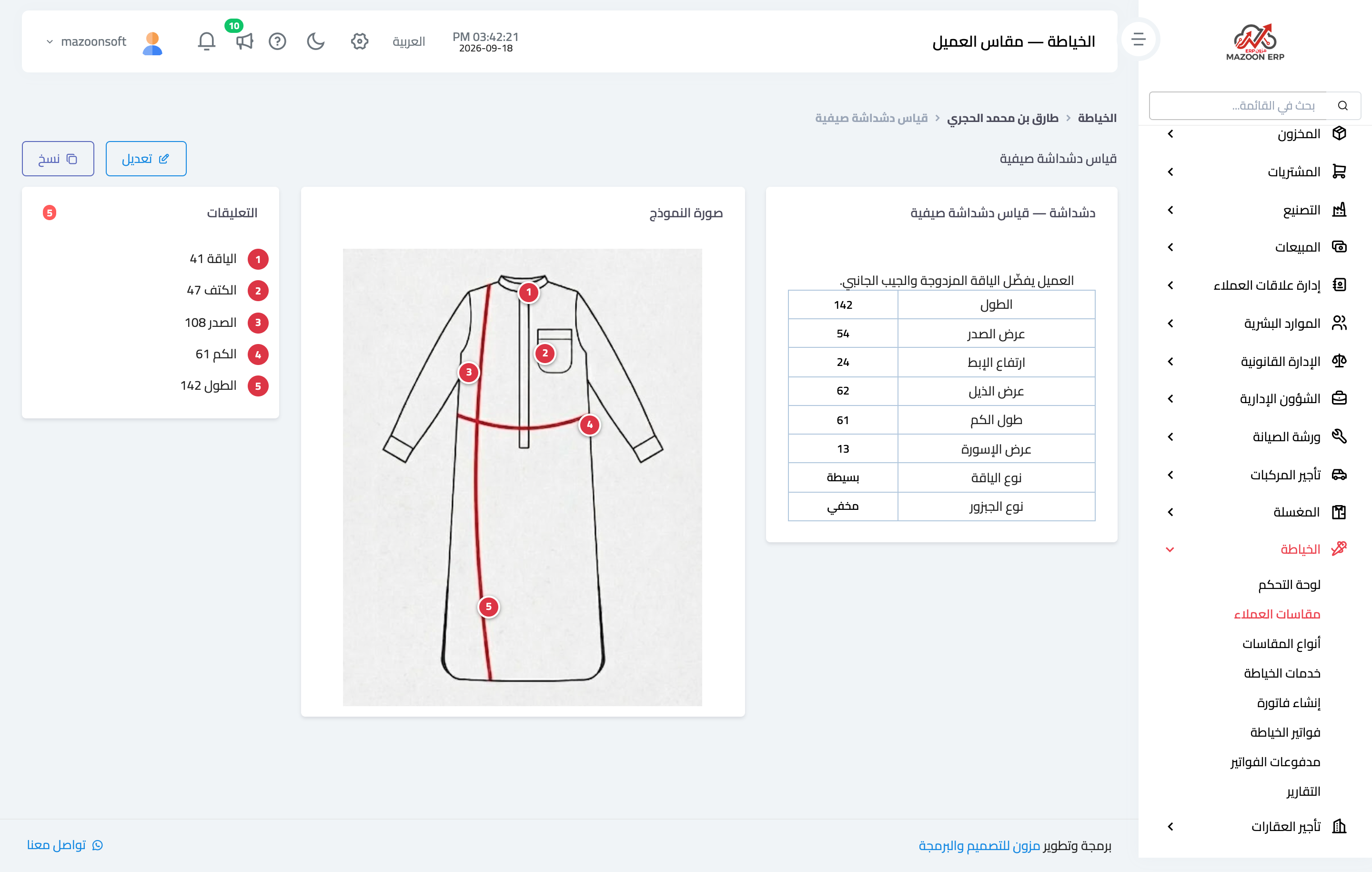
The measurement page — Figure 5 — is in three parts:
- Values — a table of every field and its value, with the measurement note above it.
- The diagram — a drawing of the garment carrying numbered markers you place by clicking the spot.
- Annotations — a numbered list matching the markers, so “3” on the chest reads “chest 108” in the list.
Pairing the number with a position on the drawing is what removes ambiguity: a figure alone does not say from where to where it was taken.
Cloning a measurement
The Clone button at the top creates a new measurement from the old one while keeping the old. That is the right move when a customer’s weight changes: do not edit the old measurement and lose the reference for past invoices — clone it, then adjust the copy.
Tailoring services
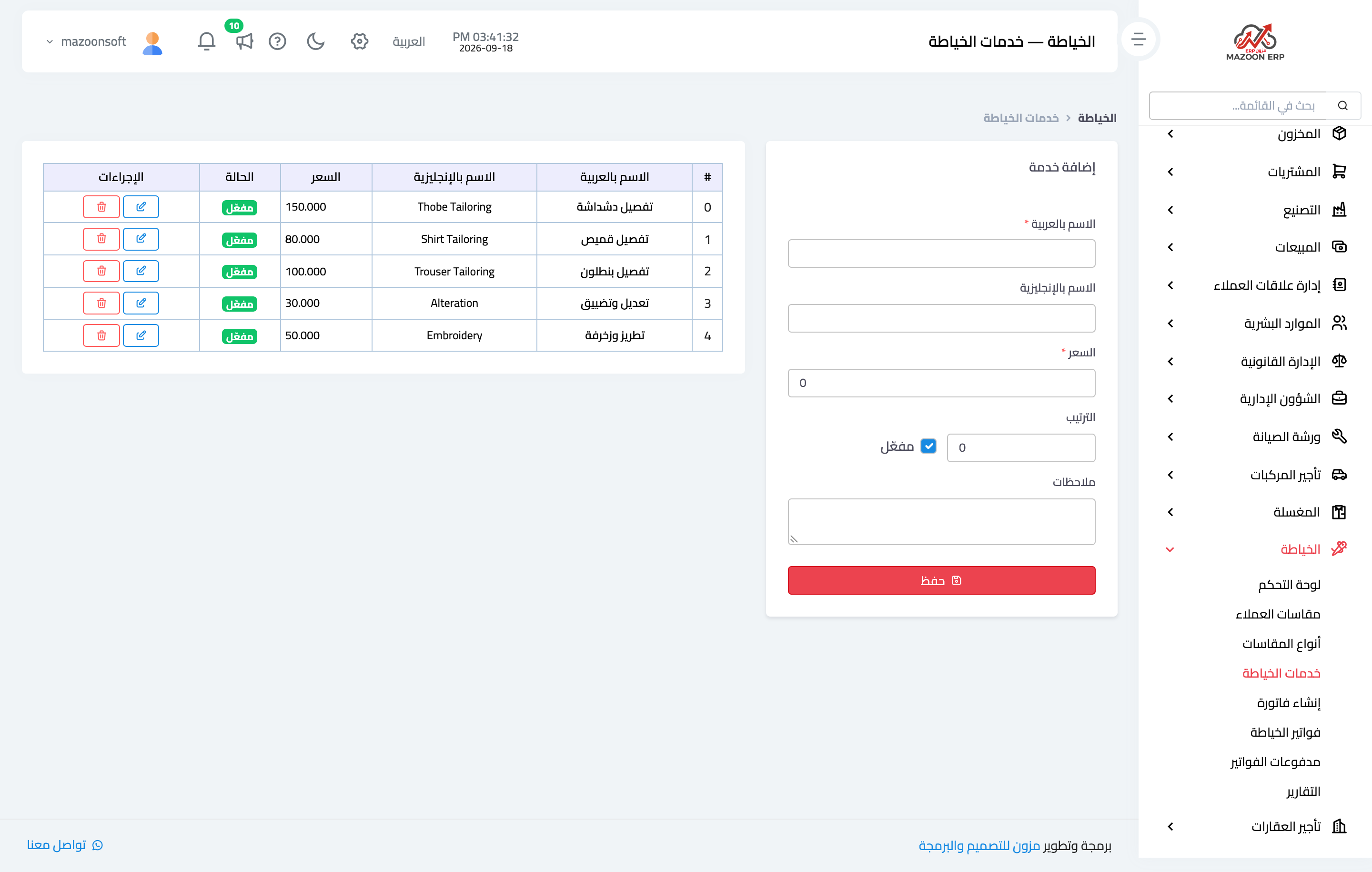
The Services list — Figure 6 — is the price list: tailoring a thobe, tailoring a shirt, alterations and taking in, embroidery and trim. Each service has a price that is proposed automatically when it is added to an invoice.
Notes
- Give a measurement a meaningful label (“summer thobe”) rather than “measurement 1”; you are the one reading it a year later.
- Upload the reference image for each field once; it is what makes your clerks measure consistently.
- Do not edit a measurement already used on an invoice; clone it instead.
Screenshots
Try what you just read on your own data
Open a free 7-day trial — no credit card, with your own company link in minutes.