
The tailoring invoice and tracking the order stages
A tailoring invoice is not an ordinary sales invoice: every line is a garment to be made, with its own measurement and fabric colour, and it passes through stages before it is handed over.
Creating the invoice
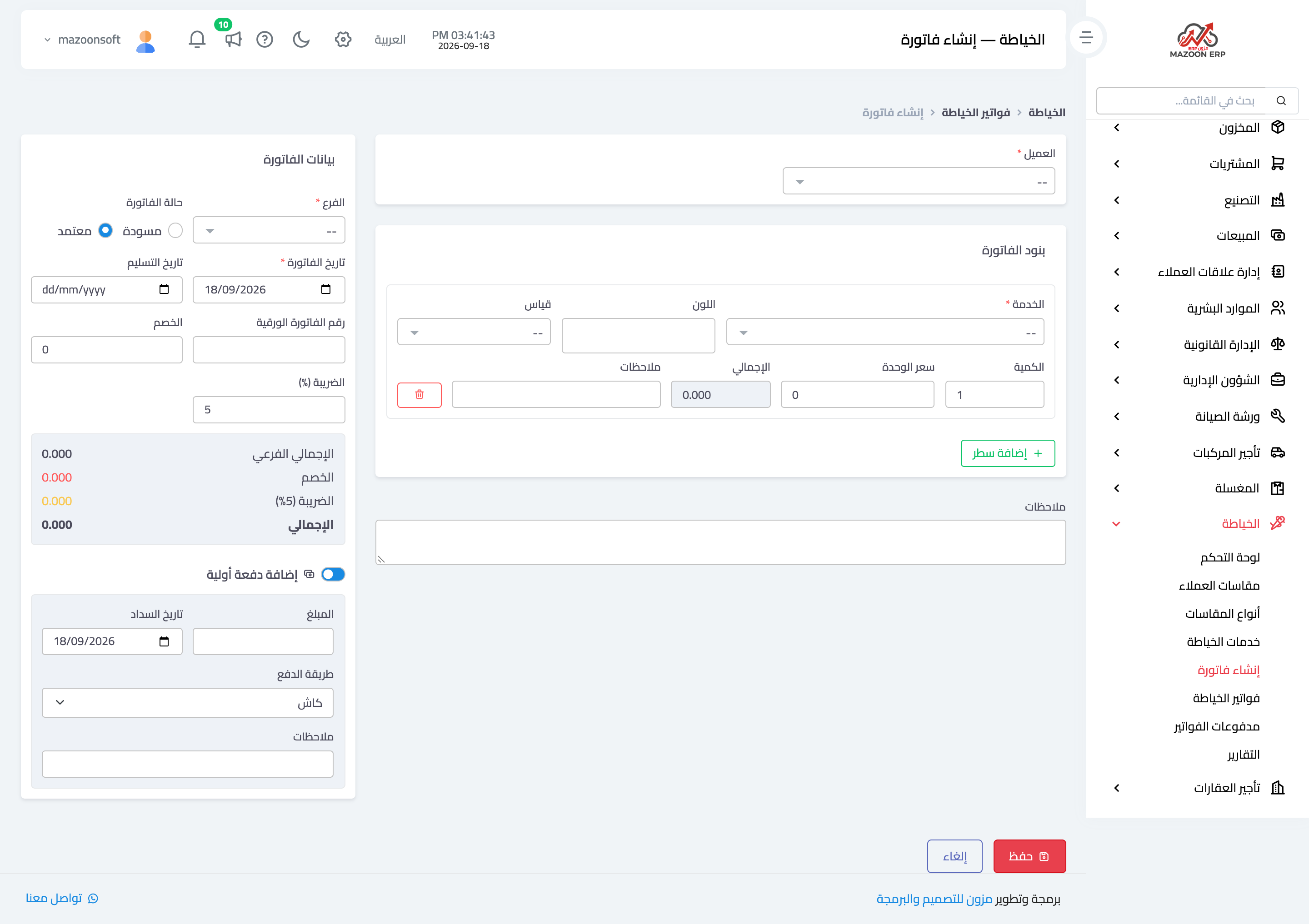
From Create invoice, as in Figure 1: pick the customer, the invoice date, and the delivery date you are promising, then add the lines.
Each line carries:
- Service — from the services list, with its price filled in automatically.
- Measurement — chosen from that same customer’s measurements, tying the line to the measurement actually used. This is the important link: the tailor opens the invoice and reaches the measurement directly, with nothing to ask.
- Colour — the fabric colour, picked from a colour selector, which tells two similar thobes on the same order apart.
- Quantity and price, and a note specific to that line.
Then the discount, tax, and total, plus the paper invoice number if you still keep a paper book alongside the system — which links the two.
Products and the target amount
If the Inventory module is enabled for you, a Products section appears under the services: you sell fabric and accessories from stock there, by picking from the list or scanning the barcode, and the warehouse is deducted on approval. An invoice may hold products only; it counts as delivered once approved.
Next to the discount is the Target amount field: type the total you agreed with the customer and the discount that lands exactly on it is worked out for you.
Order stages
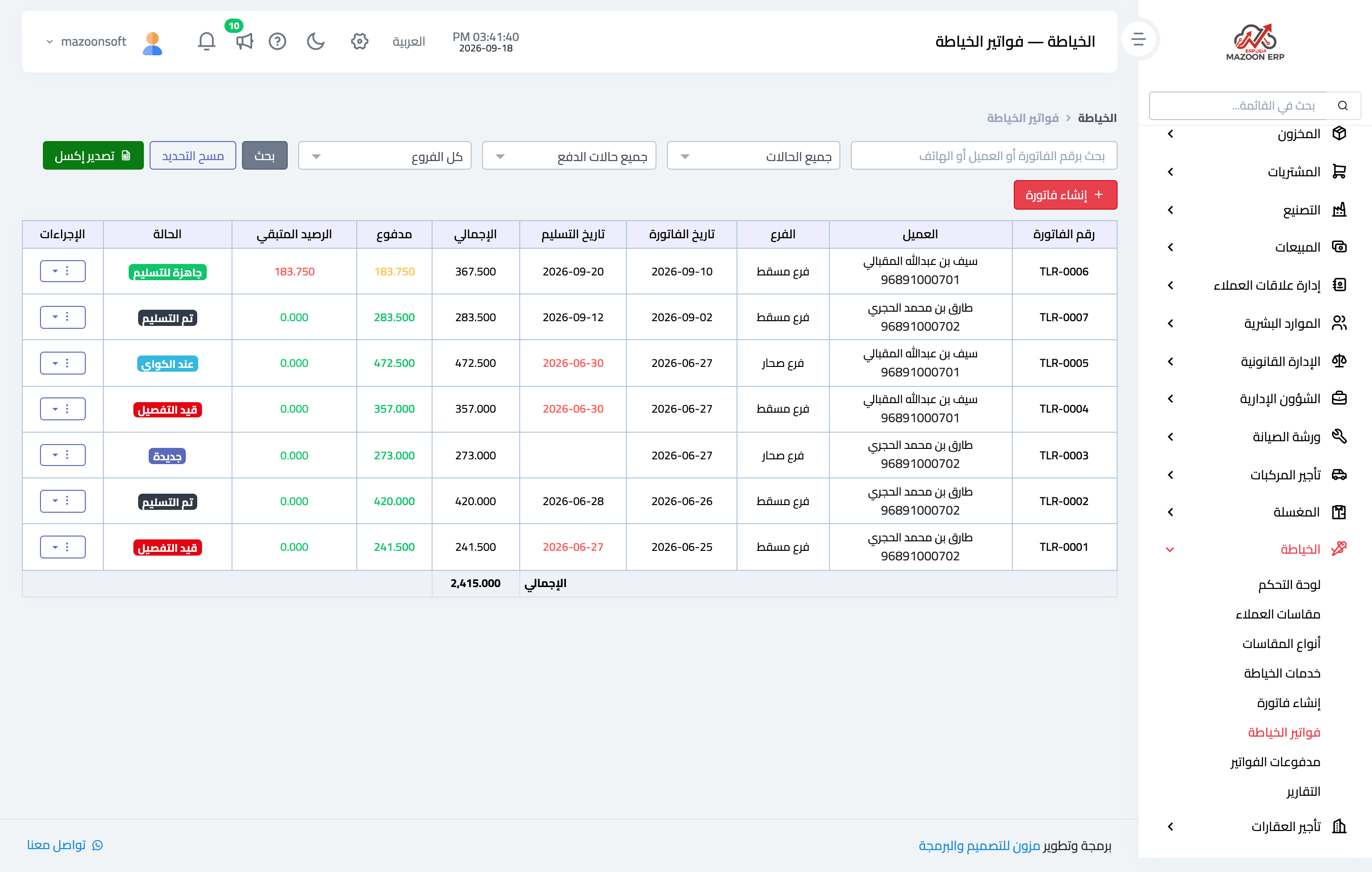
An invoice moves through five stages, as in Figure 2, each with its own colour:
- New — the order is taken in and work has not started.
- In tailoring — with the tailor.
- At ironing — tailoring is finished and pressing remains.
- Ready — this is the moment to call the customer.
- Delivered.
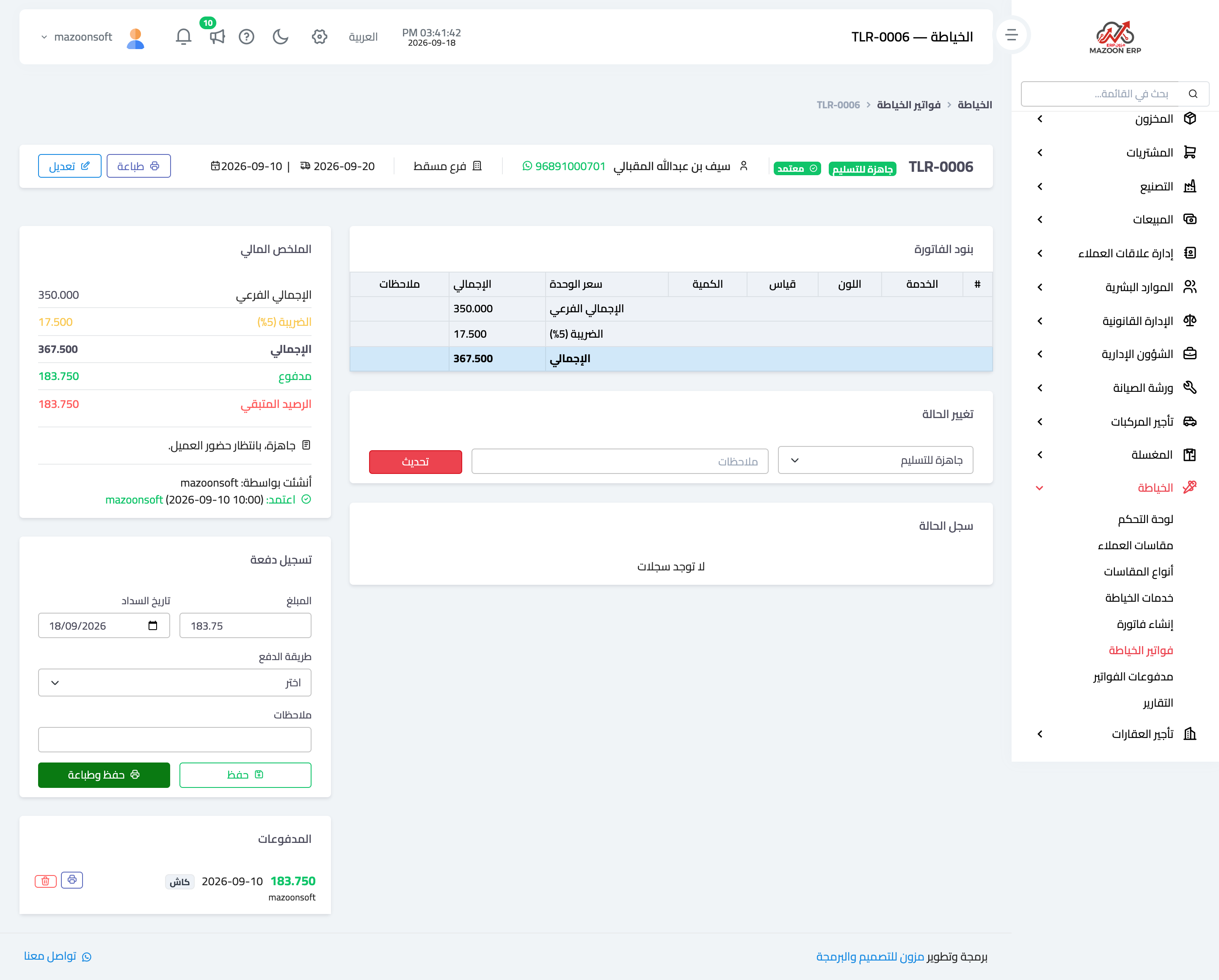
Every move between stages is recorded in the status log inside the invoice with its time and who changed it, so you can see where an order was delayed and with whom.
The invoice page
The invoice page — Figure 3 — shows the customer details, the lines with their measurements and colours, the total, paid, and balance, the stage-change box, and the print buttons.
Payments are recorded from this page, and an invoice accepts more than one: an advance at intake and the balance at handover.
Payments and reports
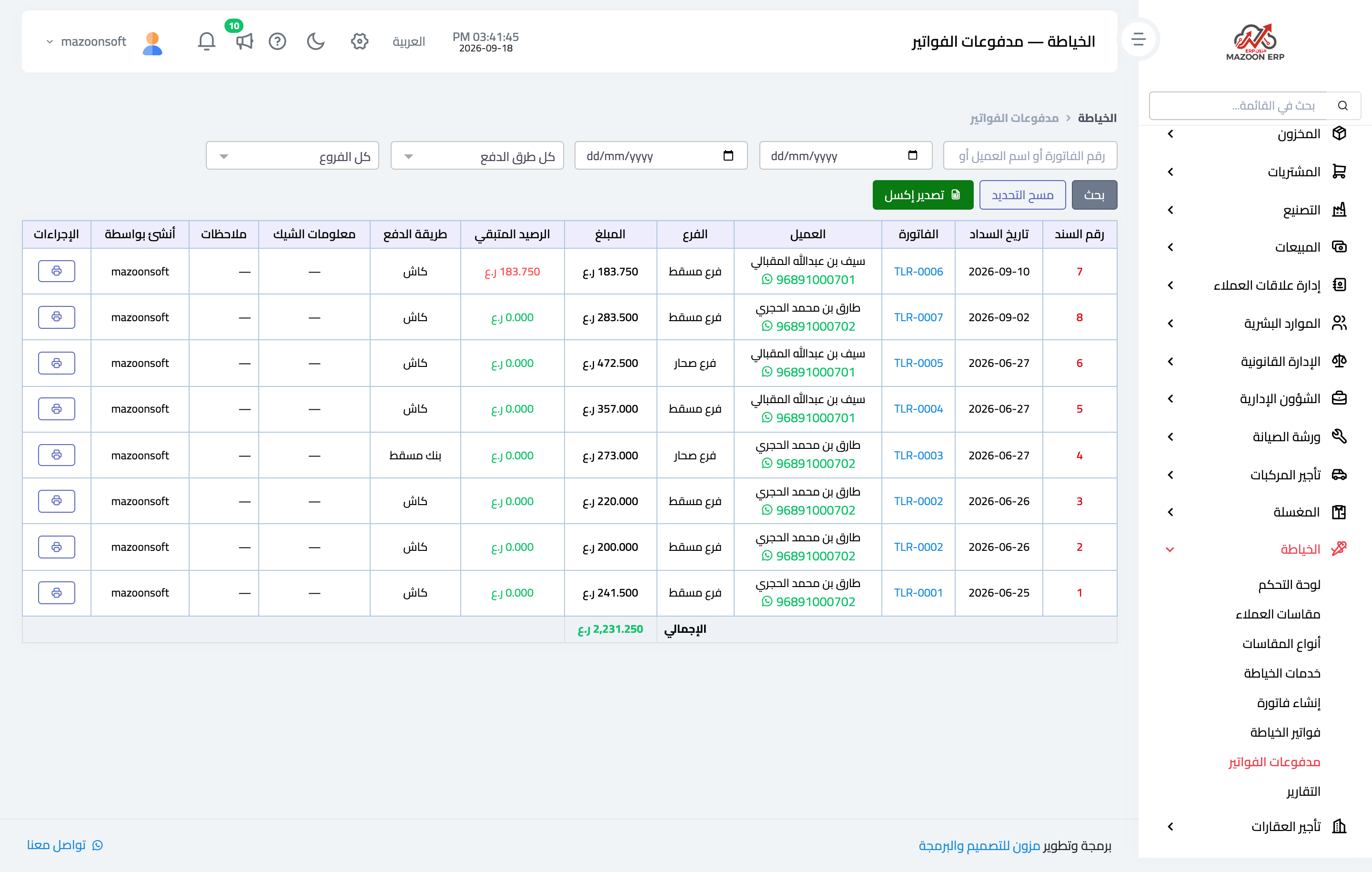
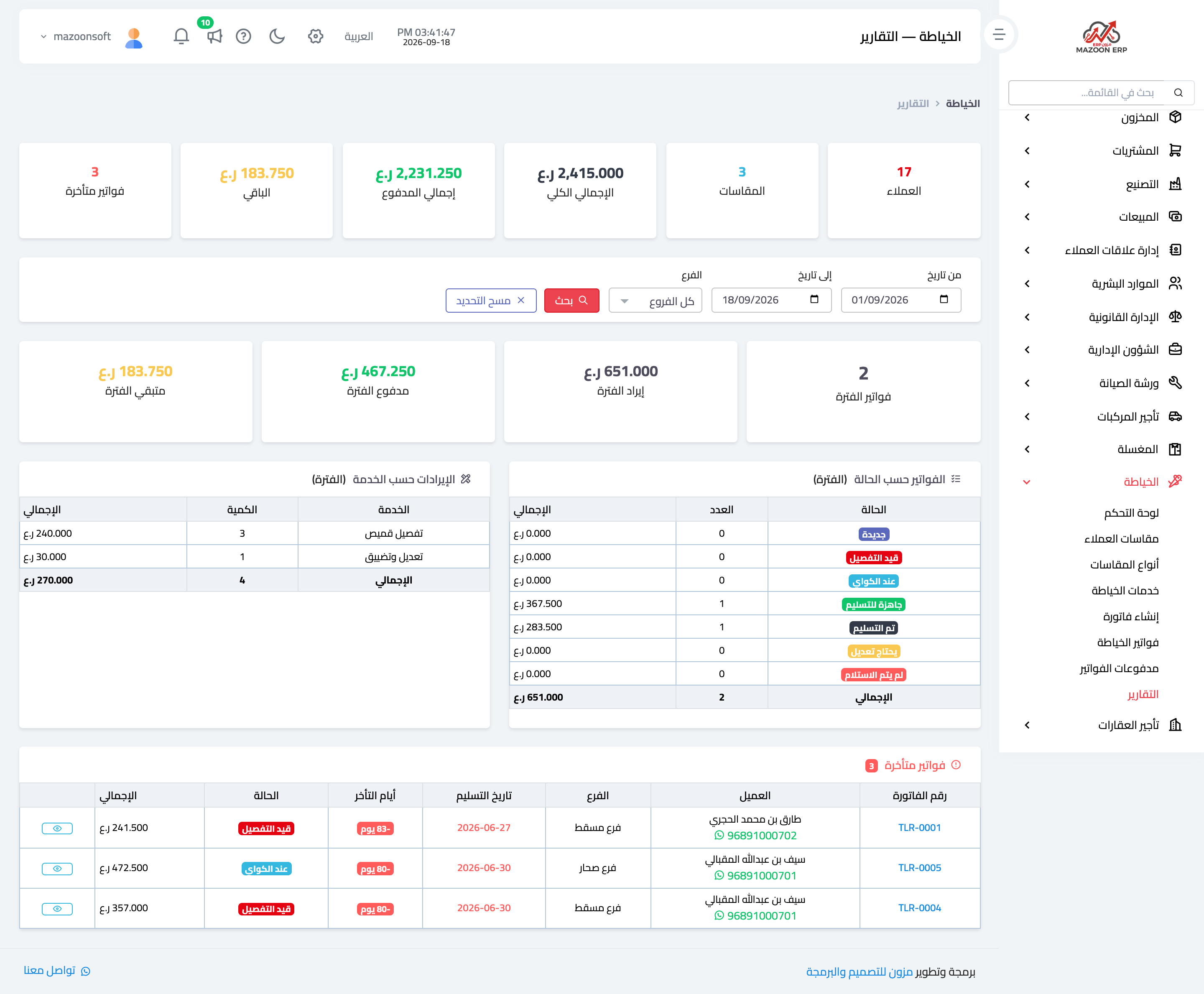
The Invoice payments screen — Figure 4 — gathers everything collected in the shop whatever invoice it belongs to, with filters by date and payment method.
The Reports screen — Figure 5 — shows the shop’s performance for a period you choose: number of invoices and their total, collected, outstanding, the spread of invoices across stages, and the most requested services.
Notes
- Tie every line to its measurement; a line without one sends the tailor back to ask again.
- Set the delivery date from the outset even if approximate; the due-for-delivery list rests on it.
- Move the stage when it actually happens, not at the end of the day; a status log with bunched timestamps tells you nothing.
Screenshots
Try what you just read on your own data
Open a free 7-day trial — no credit card, with your own company link in minutes.