
How do I create a new measurement type and its fields?
Before recording your first customer’s measurements, set up the measurement types. A dishdasha is not measured like trousers, and each type has its own fields.
Steps
- Open Tailoring → Measurement types — Figure 1 — then New type — Figure 2.
- Enter the Arabic and English name and the description.
- Upload the template image: the outline of the garment you will later place notes on.
- Add the fields — Figure 3 — each with its label in both languages, its type (number, text, choice or image) and its sort order.
- Mark required on the fields that must never be left empty — length, chest, shoulder.
- For a choice field, write the options in the options box — collar styles or sleeve types, for instance.
- Upload a reference image for a field that needs explaining, then save.
Notes
- Order the fields in the order you actually measure the customer, top to bottom; it speeds the work up more than you would expect.
- Do not multiply fields; ten that get filled beat thirty left empty.
- The template image is the basis for the annotations on a measurement, so choose one clear drawing and stick to it.
- Create a type for each garment you genuinely sew rather than lumping them into one.
Screenshots
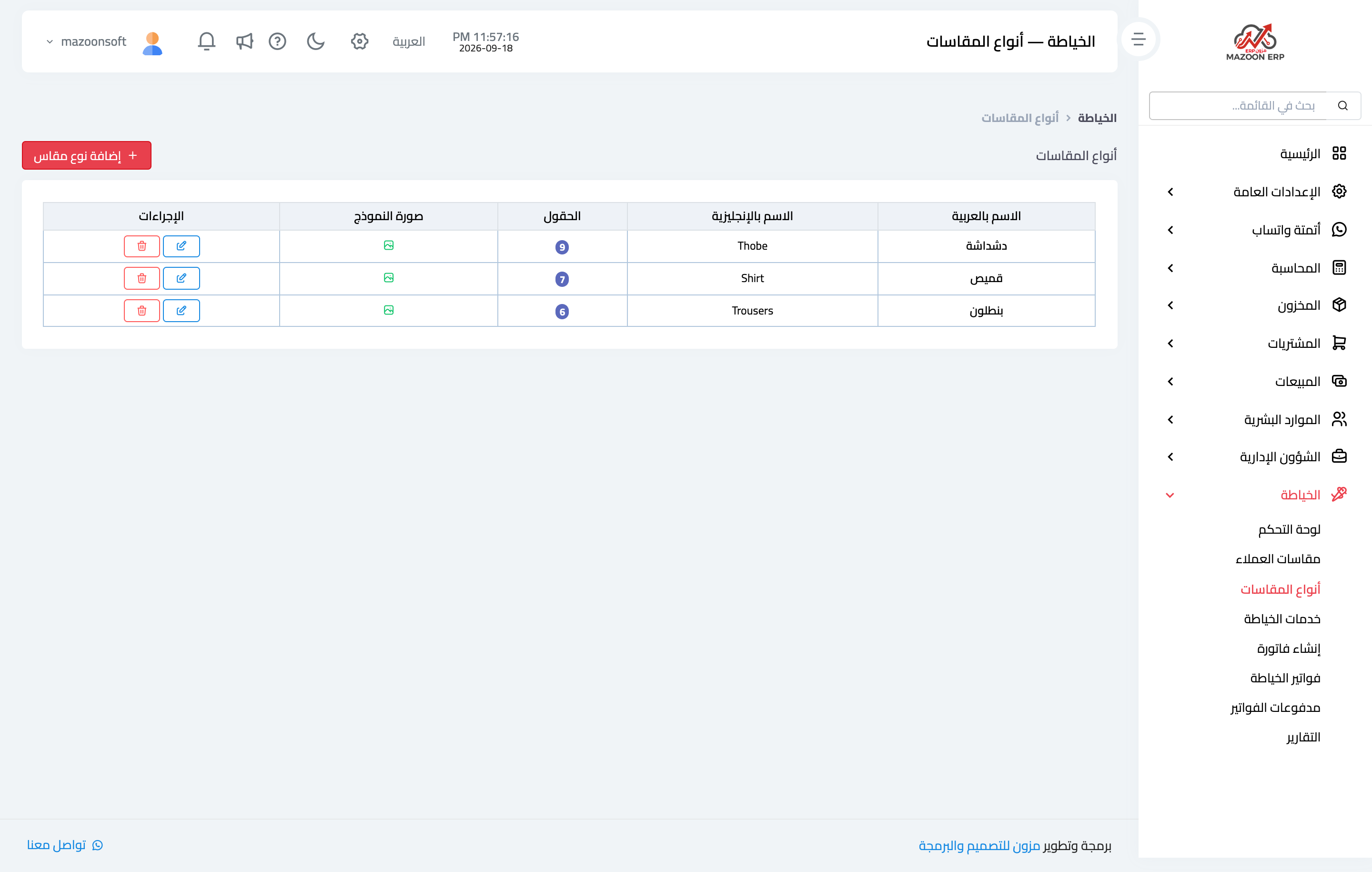
Figure 1
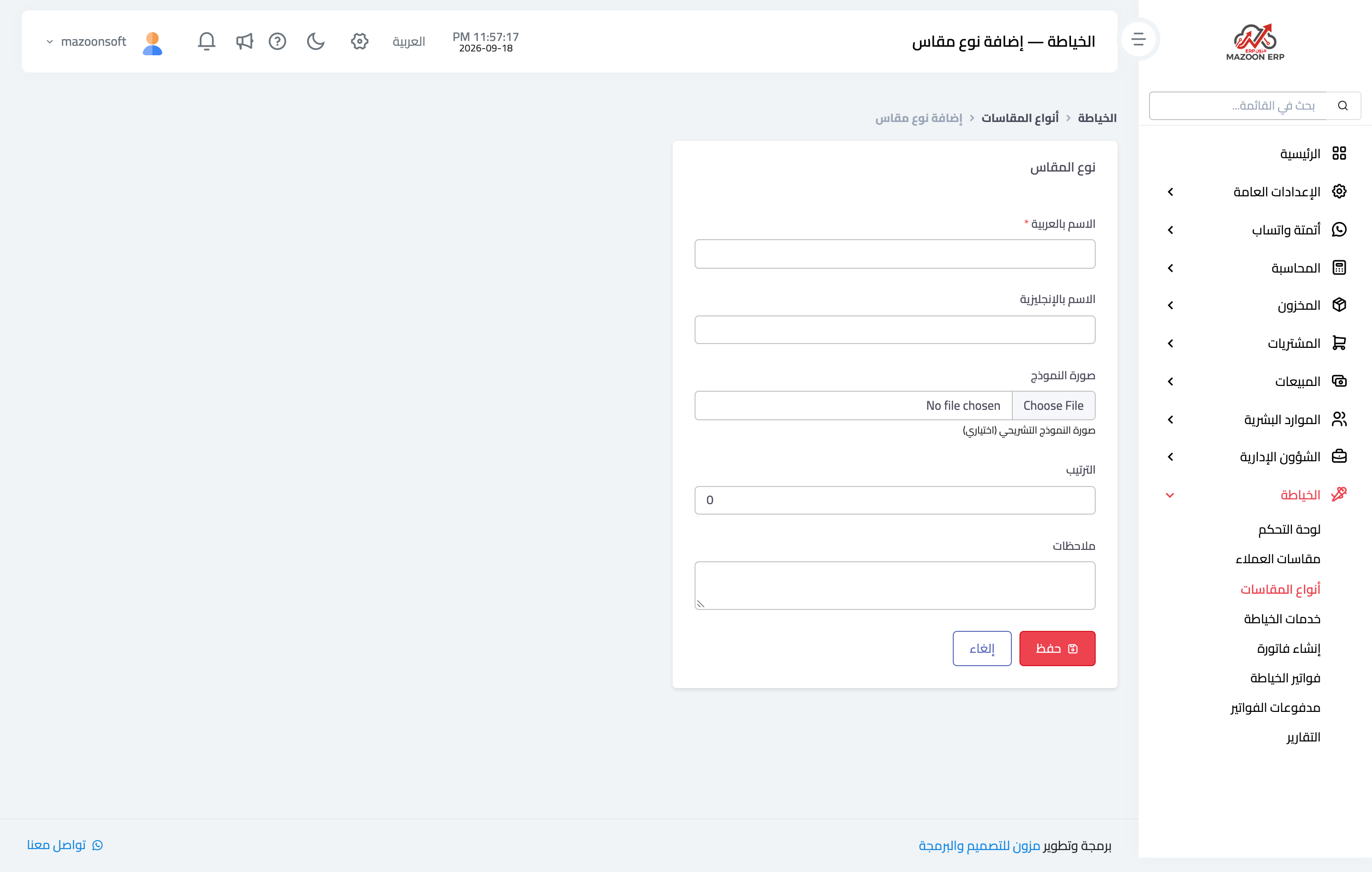
Figure 2
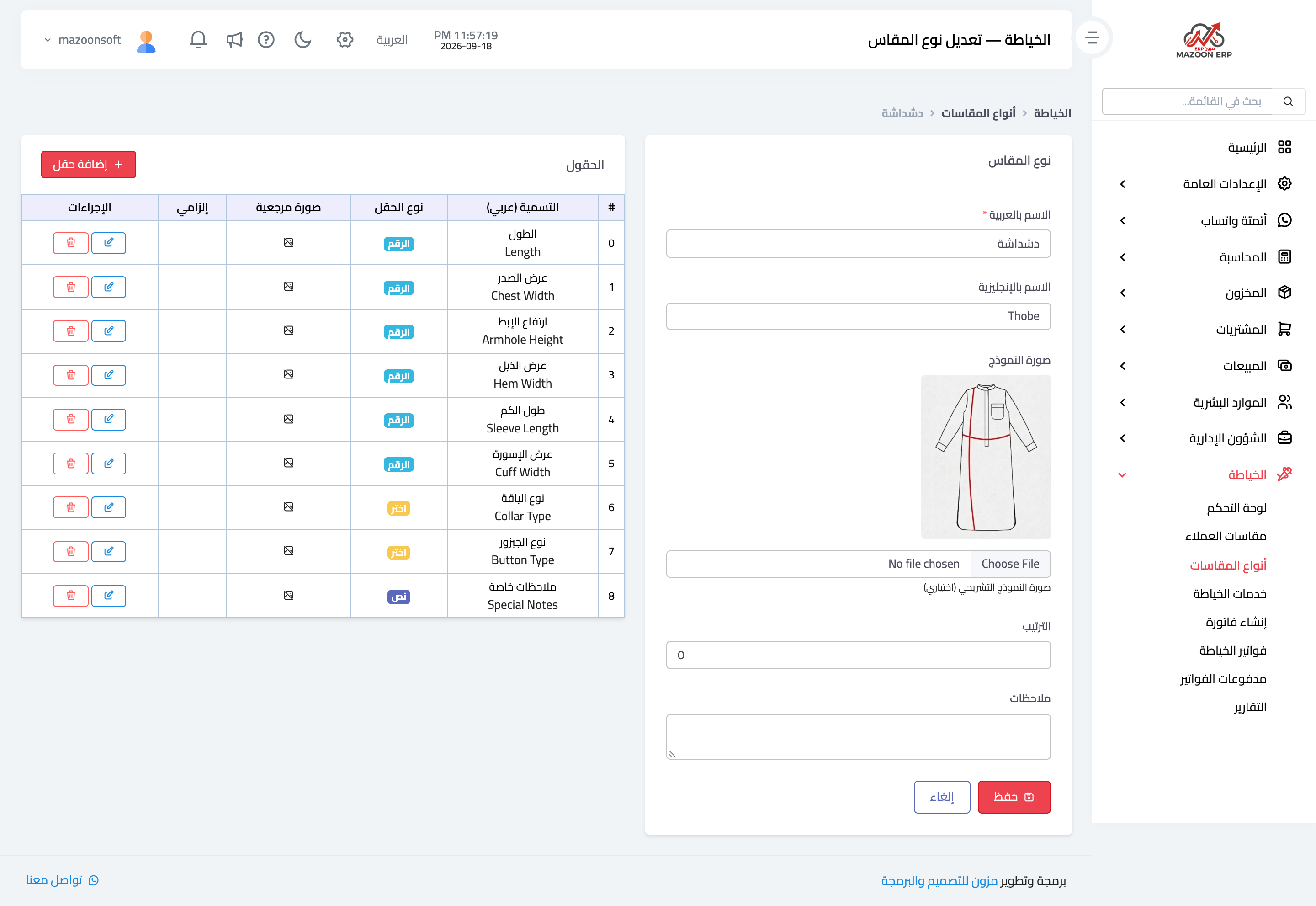
Figure 3
Try what you just read on your own data
Open a free 7-day trial — no credit card, with your own company link in minutes.