
How do I add the tailoring services and their prices?
Tailoring services are the lines on your invoice: sewing a dishdasha, sewing a shirt, taking in, shortening, repairing. Setting them up once standardises the price across your staff.
Steps
- Open Tailoring → Tailoring services — Figure 1 — and add a service.
- Enter the Arabic and English name and the description.
- Enter the price; it is the figure suggested automatically when the service is picked on an invoice.
- Set the sort order so the most requested appear first.
- Set the status to active and save.
Notes
- The price here is a suggestion, not a rule; you can change it on any invoice according to the fabric or the detailing.
- Separate sewing from repair from alteration; that is what later shows you where your income actually comes from.
- Do not delete a service used by past invoices; set it inactive.
- Review prices each season; tailors’ wages move and you only notice at year end.
Screenshots
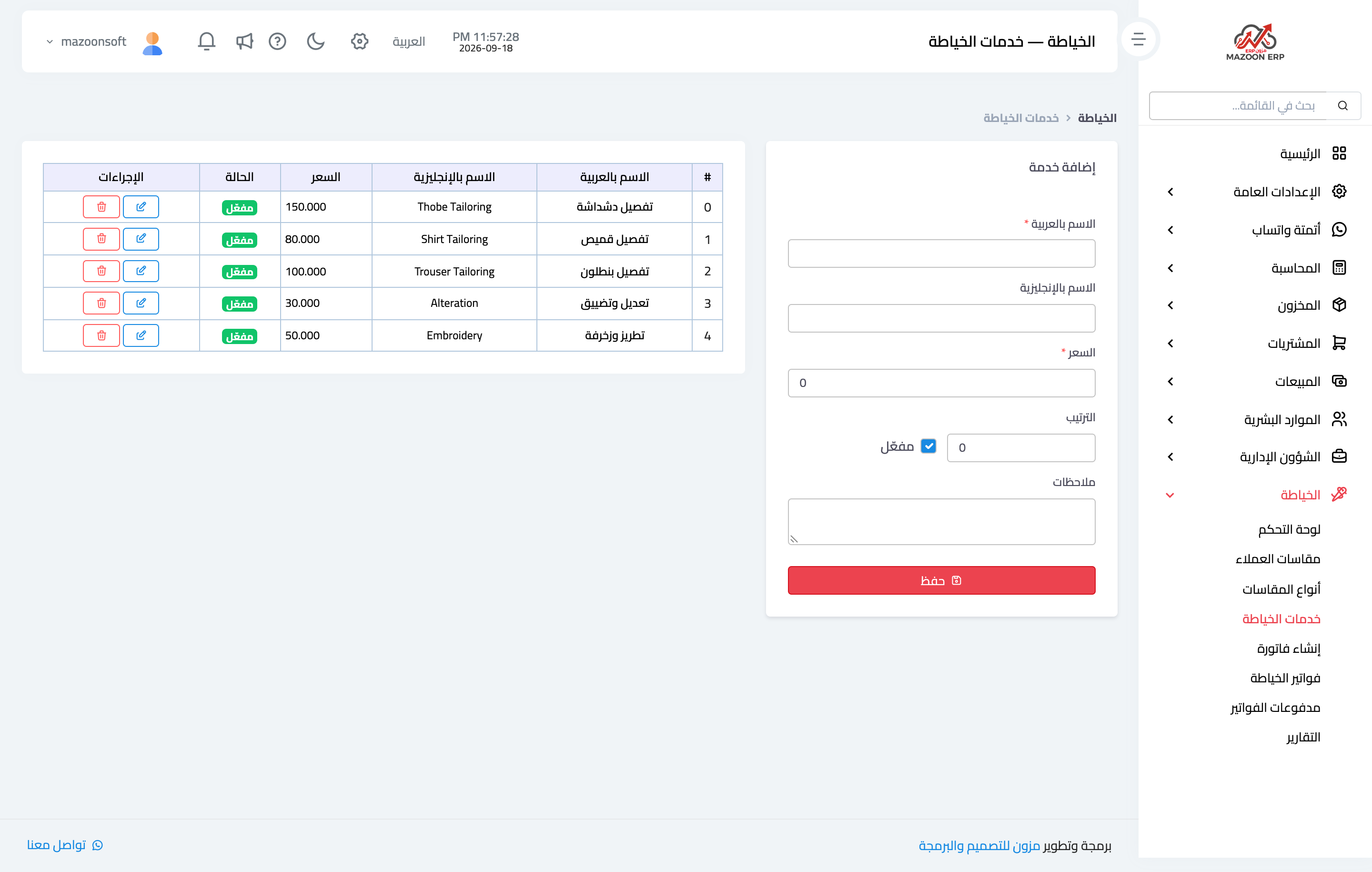
Figure 1
Try what you just read on your own data
Open a free 7-day trial — no credit card, with your own company link in minutes.