
How do I read the tailoring reports and dashboard?
Three questions matter in a tailoring shop: how much did we take, what is still uncollected, and what has run past its delivery date?
The dashboard
- Open Tailoring → Dashboard — Figure 1.
- You see the orders spread across their stages, the revenue, the customer balances and what is overdue against its delivery date.
- This is the first screen to open in the morning before handing work out.
The reports
- Open Reports — Figure 2 — and set the period.
- You get revenue and collections against outstanding, the distribution of orders across stages, the most requested services, and a Products sales table if you sold stock products on tailoring invoices.
- Export the result when you need to review outside the system.
How to read the numbers
- Many orders stuck at “in tailoring” — your capacity is below your demand; either add a tailor or lengthen the promised dates.
- Many orders at “ready” — your problem is calling customers, not production.
- High revenue, low collection — you are handing garments over before taking the balance.
Notes
- The reports are only as accurate as your habit of updating statuses and recording payments as they happen.
- Compare seasons against their equivalents; tailoring demand is seasonal and multiplies before the Eids.
- Use the most requested services in your next pricing round, not just as a source of pride.
Screenshots
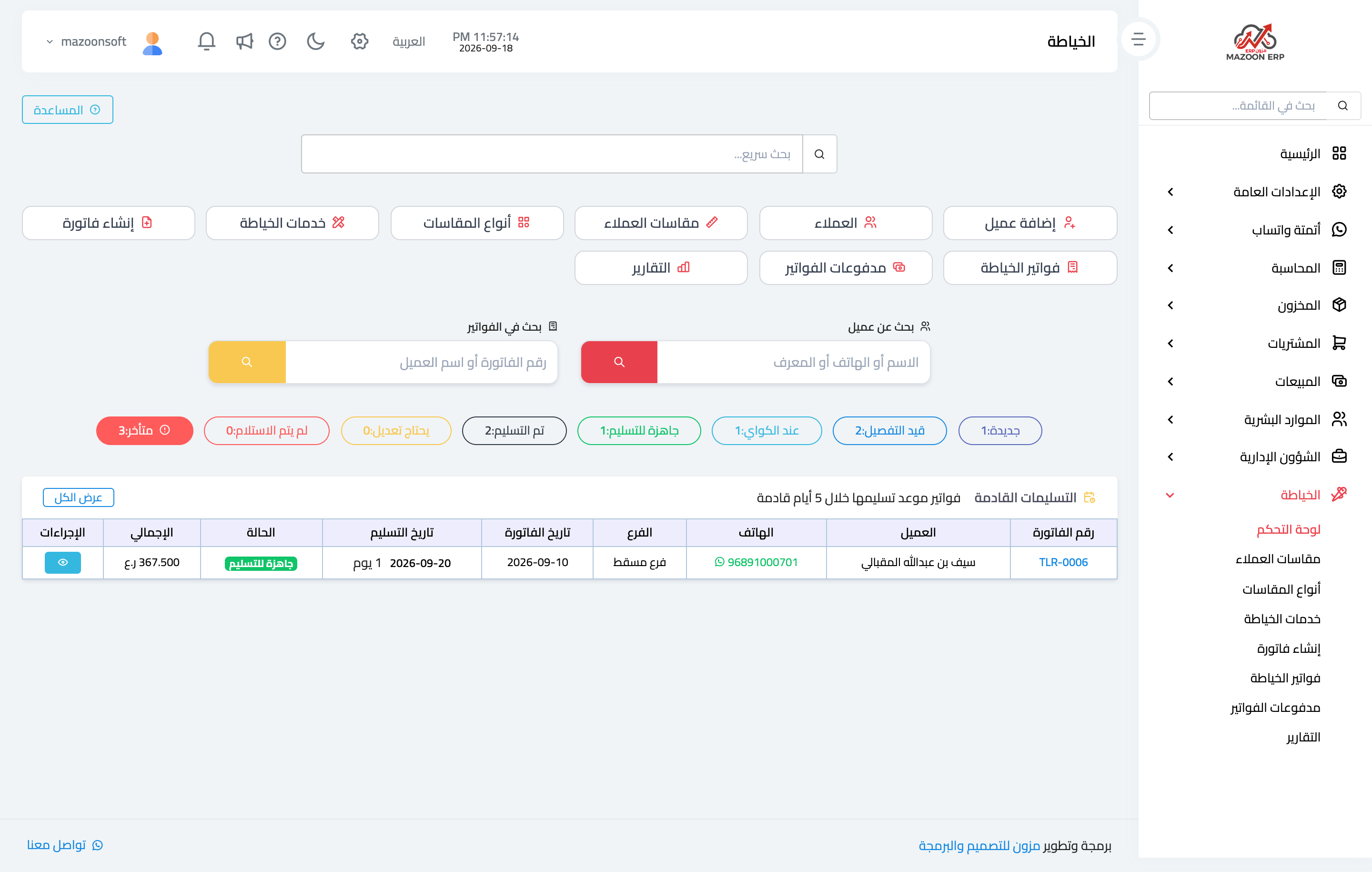
Figure 1
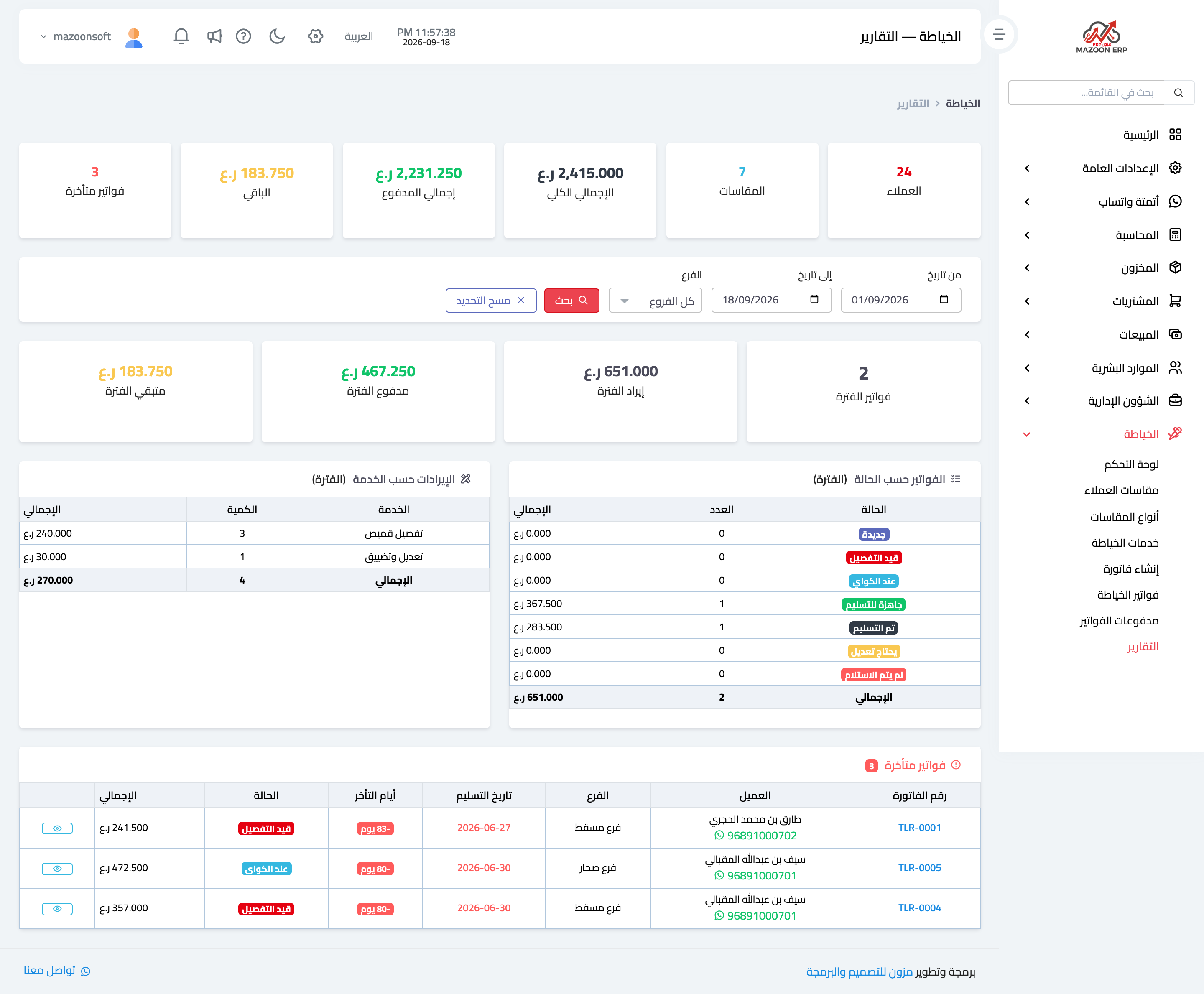
Figure 2
Try what you just read on your own data
Open a free 7-day trial — no credit card, with your own company link in minutes.